Scrumbuiss vs Asana for agencies
A dated buyer guide for agencies comparing Scrumbuiss with Asana across client delivery, time tracking, files, reporting, and handoffs.
Suchst du eine Alternative zu Asana ? Diese Seite ist ein praktischer Evaluierungsleitfaden. Für genaue planbezogene Details prüfe bitte die Anbieter-Websites. Alle Produktnamen sind Marken ihrer jeweiligen Inhaber.
How this comparison was reviewed
Reviewed on March 12, 2026. This guide compares one real agency workflow: client kickoff, delivery planning, time capture, files, workload review, and weekly status reporting.
- Scrumbuiss references come from the live pricing page plus the agencies, time-tracking, files, project-brief, and workload pages in this site.
- Asana references come from official pricing and feature pages for project management, goals/reporting, and resource management.
- The goal is not to score every checkbox. It is to help an agency test whether the weekly operating workflow fits better in Scrumbuiss or in an Asana-centered stack.
Schneller Fit
Eine grobe Orientierung, welches Tool eher zu eurem Workflow passt.
Wähle Scrumbuiss, wenn
- ✓ Agencies that want client delivery, time tracking, files, and reporting in one operating system.
- ✓ Teams that need project briefs, workload signals, and cleaner kickoff-to-delivery handoffs.
- ✓ Leads who want faster client updates without stitching data together from multiple tools every week.
Wähle Asana , wenn
- ✓ Agencies already standardized on Asana and comfortable keeping time tracking, files, or other reporting workflows in separate tools.
- ✓ Broader internal teams that prioritize flexible work management, templates, and cross-functional coordination over agency-specific delivery operations.
- ✓ Organizations with established Asana admins and mature conventions that do not want to redesign their operating workflow right now.

Decision matrix
Pick the buyer profile that matches the workflow pressure your team feels every week.
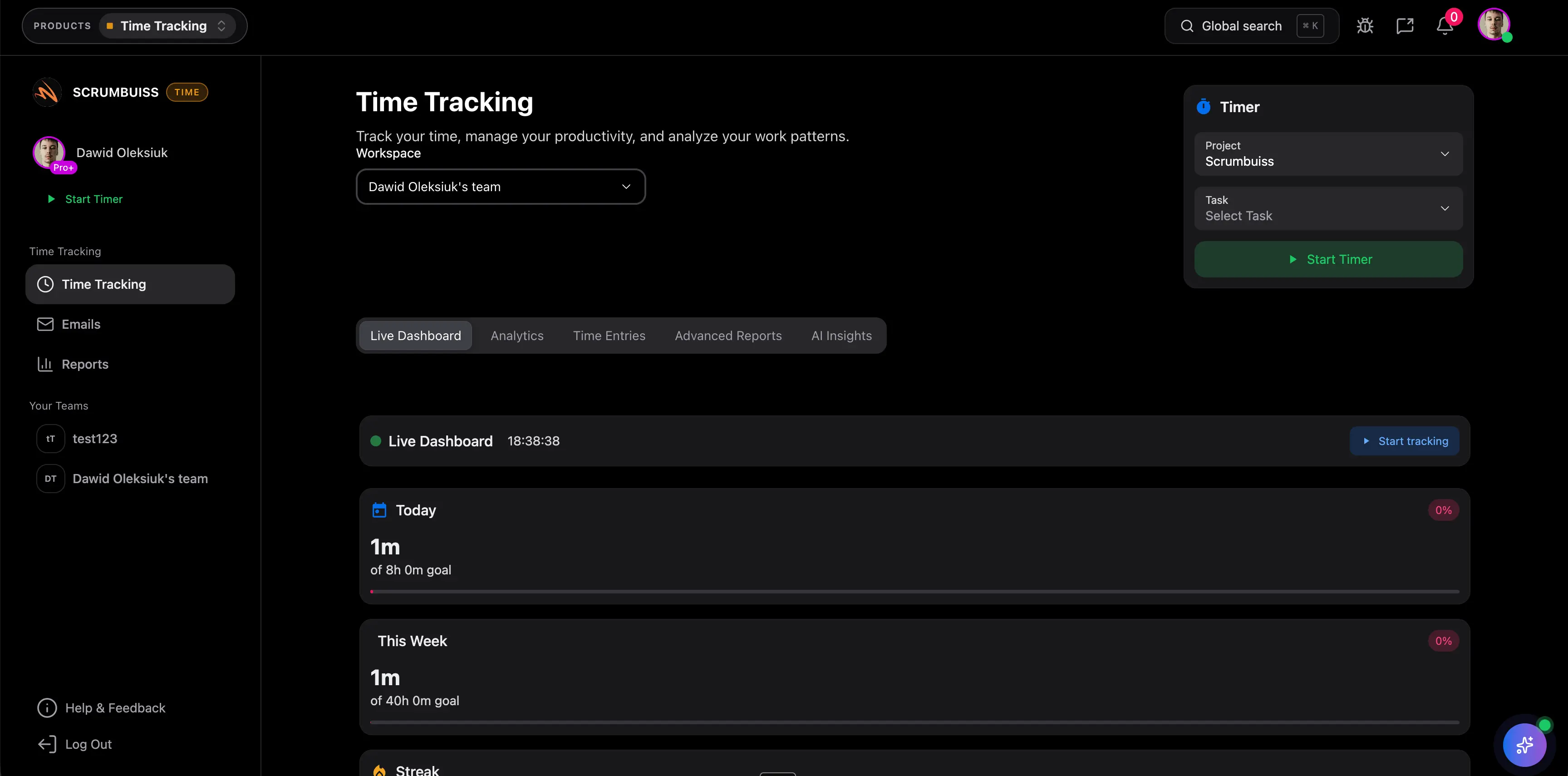
Replacing Asana plus separate time tracking
This is the strongest fit when the account team already manages client work in Asana, but time data and profitability discussions live somewhere else.
Strong fit if
- Billable vs non-billable review is a weekly manual exercise.
- Project managers rebuild utilization or margin context outside the work tool.
- The team wants delivery, time, and files in one place before adding more clients.
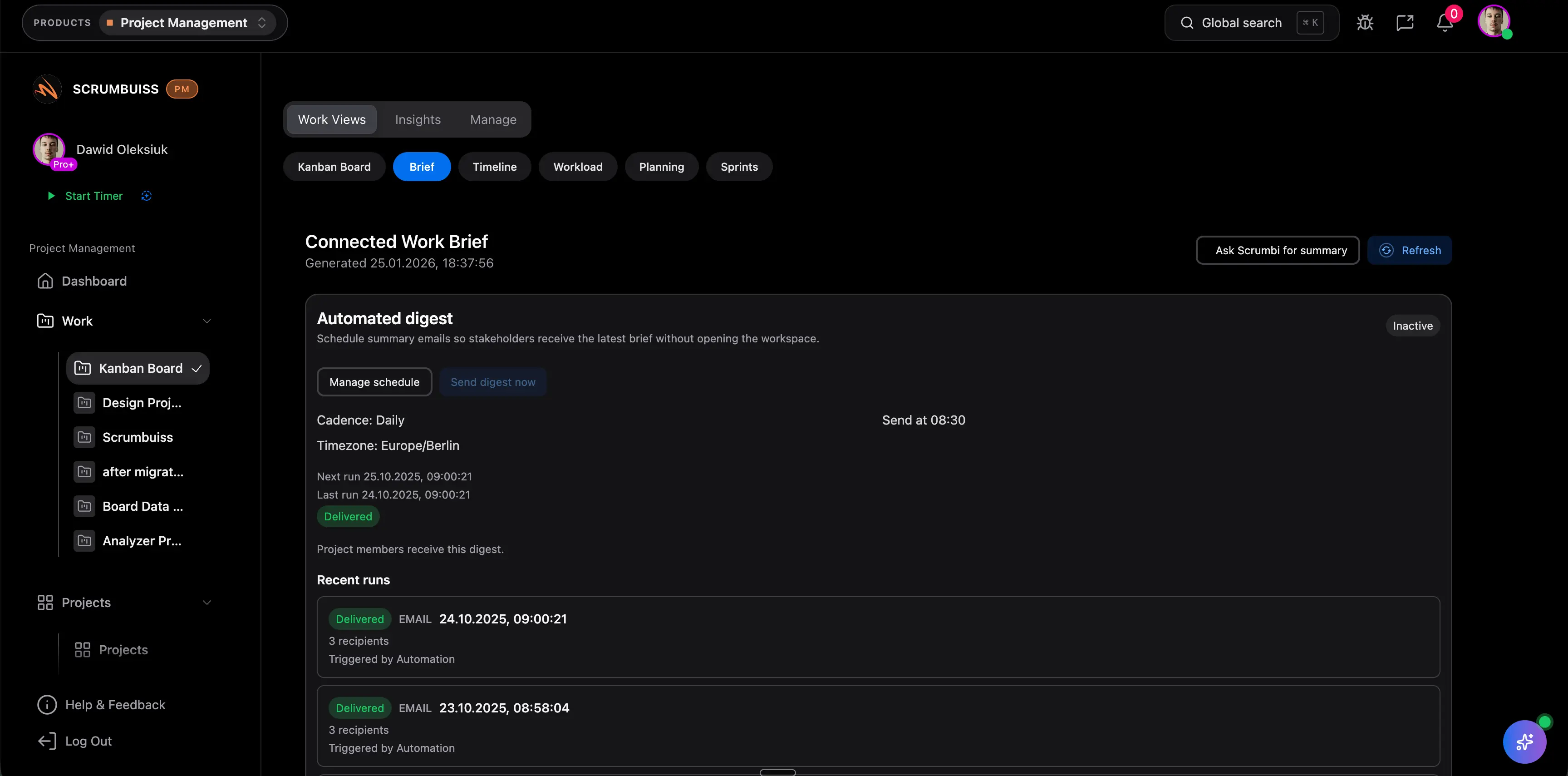
Client reporting and handoffs are the pain point
Choose this lens when kickoff notes, scope, files, and status updates keep getting recreated between sales, delivery, and client communication.
Strong fit if
- The team keeps a separate kickoff doc or brief outside the delivery workflow.
- Weekly client updates require copy-pasting status from several places.
- Handoff mistakes show up after work starts, not before commitments are made.
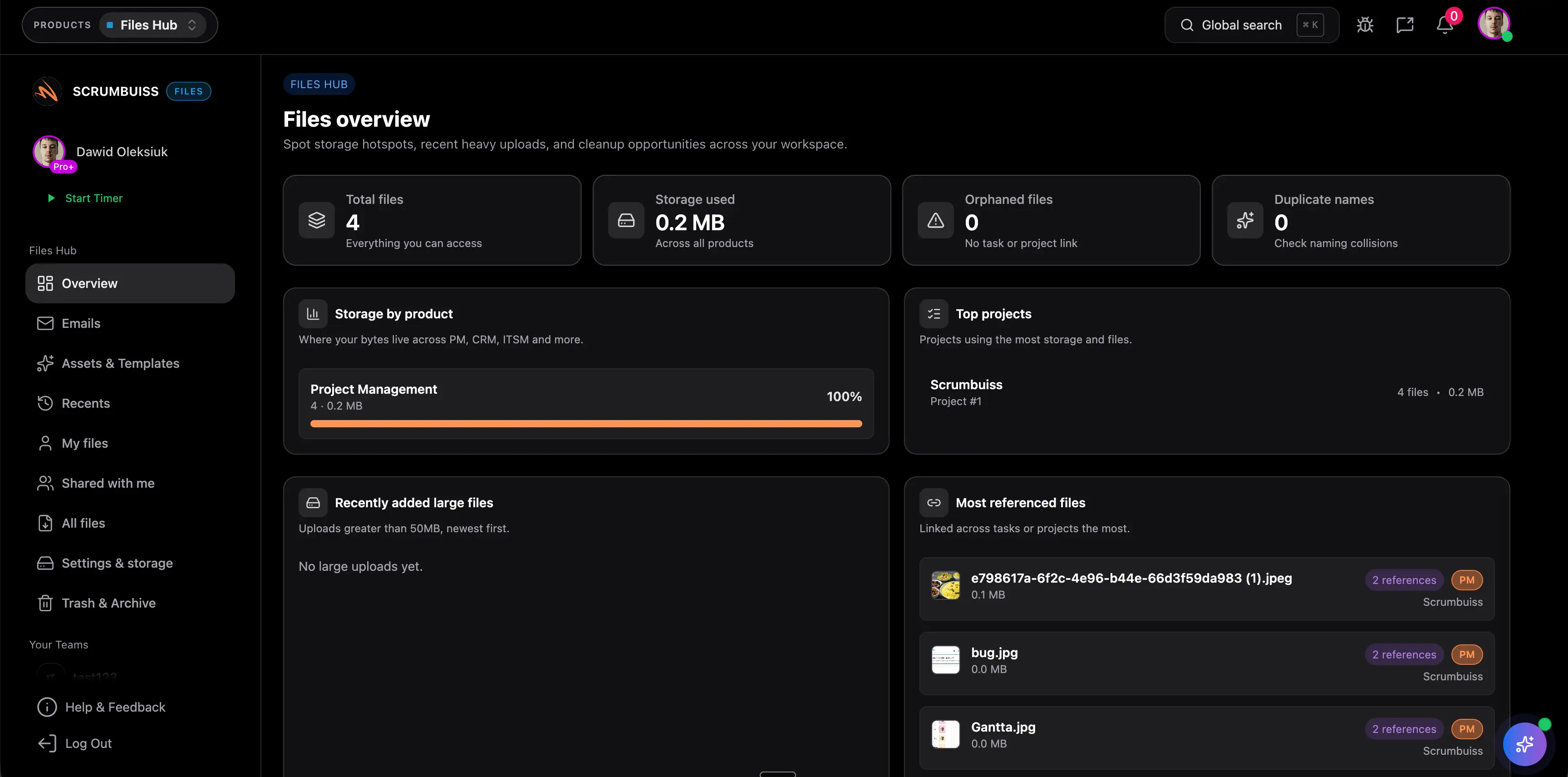
Tool sprawl across delivery, files, and operations
This fit is strongest when Asana is one important tool in the agency stack, but the real friction comes from how many systems need to stay in sync around it.
Strong fit if
- Files, delivery work, and reporting each live in different systems.
- Account leads chase approvals or the latest asset version in side channels.
- The agency expects workload, reporting, and adjacent workflows to grow with headcount.
Auf einen Blick
Eine schnelle Zusammenfassung der häufigsten Bewertungspunkte.
| Kategorie | Scrumbuiss | Asana |
|---|---|---|
| Client delivery reporting | Dashboards, activity updates, time data, and files stay close to the project so account leads do not need a separate reporting ritual. | Asana offers goals, reporting, and project views. Agencies should verify whether client-facing reporting stays fully in Asana or across separate tools. |
| Billable time visibility | Built-in time tracking supports per-person and per-project review, including the operational split between billable and non-billable work. | Asana's pricing page emphasizes work management plans, so agencies should validate how time capture and profitability reporting fit their current stack. |
| Files and asset context | Files, shared collections, and briefs keep assets close to the delivery workflow and reduce “where is the latest version?” follow-up. | Asana can coordinate project work, but agencies should test how asset organization, approvals, and final handoff are handled end to end. |
| Workload and capacity | Workload and capacity planning are part of the delivery workflow so leads can rebalance client commitments before deadlines slip. | Asana has official resource-management capabilities. Validate whether that workload view is strong enough for multi-client planning and resourcing. |
| Kickoff briefs and handoffs | Project Brief pages, structured fields, and linked work reduce re-entry between kickoff, approvals, and execution. | Asana supports project management workflows, but agencies should test how kickoff context is standardized and shared before work begins. |
| Adjacent products | Delivery, CRM, IT operations, risk, files, and time tracking live in one environment, which reduces tool sprawl as the agency grows. | Asana is primarily a work management platform. Confirm where time tracking, files, or CRM context will live as your stack gets more complex. |
| Pricing model | 14-day full-product trial, then Team ($9 monthly / $7 annual) or Business ($17 monthly / $14 annual) per full member. Guests and viewers are free. | Official pricing shows Personal (free), Starter ($10.99 annual), Advanced ($24.99 annual), and Enterprise/Enterprise+ via sales as of March 12, 2026. |
Wichtige Unterschiede
Wo Teams im Alltag meist den größten Unterschied spüren.
Agency operating system vs. work-management layer
Scrumbuiss is strongest when an agency wants one operating layer for delivery, time, files, and reporting. That matters more than individual features when the real pain is weekly coordination overhead.
Time data stays closer to delivery work
If billable visibility matters, Scrumbuiss keeps time tracking inside the same operating system as the client project. That makes utilization and reporting easier to review during delivery, not only after the week ends.
Briefing and handoff discipline
Project Brief pages and linked files give agencies a cleaner place to align stakeholders before execution starts. That helps reduce re-entry when deals, kickoffs, and delivery move quickly.
Capacity planning for client commitments
Scrumbuiss leans into workload and capacity review, which is useful when agencies need to see overload risk before they promise a date or scope change to a client.
Asana remains strong for broad internal coordination
Asana is a mature work-management product with broad adoption playbooks, flexible project structures, and strong cross-functional coordination. If your biggest challenge is internal task management rather than agency operating complexity, it may still be the better fit.
Pricing is only part of the decision
For agencies, the bigger question is not only the seat price. It is how much manual work remains after you pay for the tool: time capture, file handoffs, client reporting, and status preparation.
Evaluierungs-Checkliste
Nutze diese Checkliste, um Tools im Team zu vergleichen.
- ✓ Are time tracking and client reporting core operating requirements or separate nice-to-haves?
- ✓ Do briefs, files, and delivery updates need to live together to make handoffs smoother?
- ✓ How much manual work do account leads spend building weekly client updates today?
- ✓ Will the team grow into workload and capacity planning within the next 6 to 12 months?
- ✓ Are we happy keeping Asana plus adjacent tools, or do we want one operating layer for the agency workflow?
Workflow-Beispiele
Konkrete Szenarien, die du im Trial nachbauen kannst, um den Fit zu validieren.
Kick off client work with a brief, scope, and files
Build a repeatable client kickoff flow so scope, approvals, and files stay attached to the work from day one.
- Capture stakeholders, scope, milestones, and success criteria in one brief.
- Attach files and context before work starts instead of scattering them across side channels.
- Turn the brief into tracked delivery work without retyping the same assumptions.
Track billable work and team utilization
Keep time capture inside the operating workflow so utilization and margin conversations use current delivery data.
- Log time against active client work as the week progresses.
- Review billable vs non-billable patterns per person or per project.
- Use workload signals to rebalance commitments before utilization problems turn into delivery problems.
Report status to clients without rebuilding updates manually
Build a weekly reporting rhythm that pulls from the live project instead of from several disconnected spreadsheets and docs.
- Keep milestones, owners, and deliverables current inside the project workspace.
- Use dashboards and structured updates for account-lead review.
- Share the relevant output without exposing the whole internal workspace.
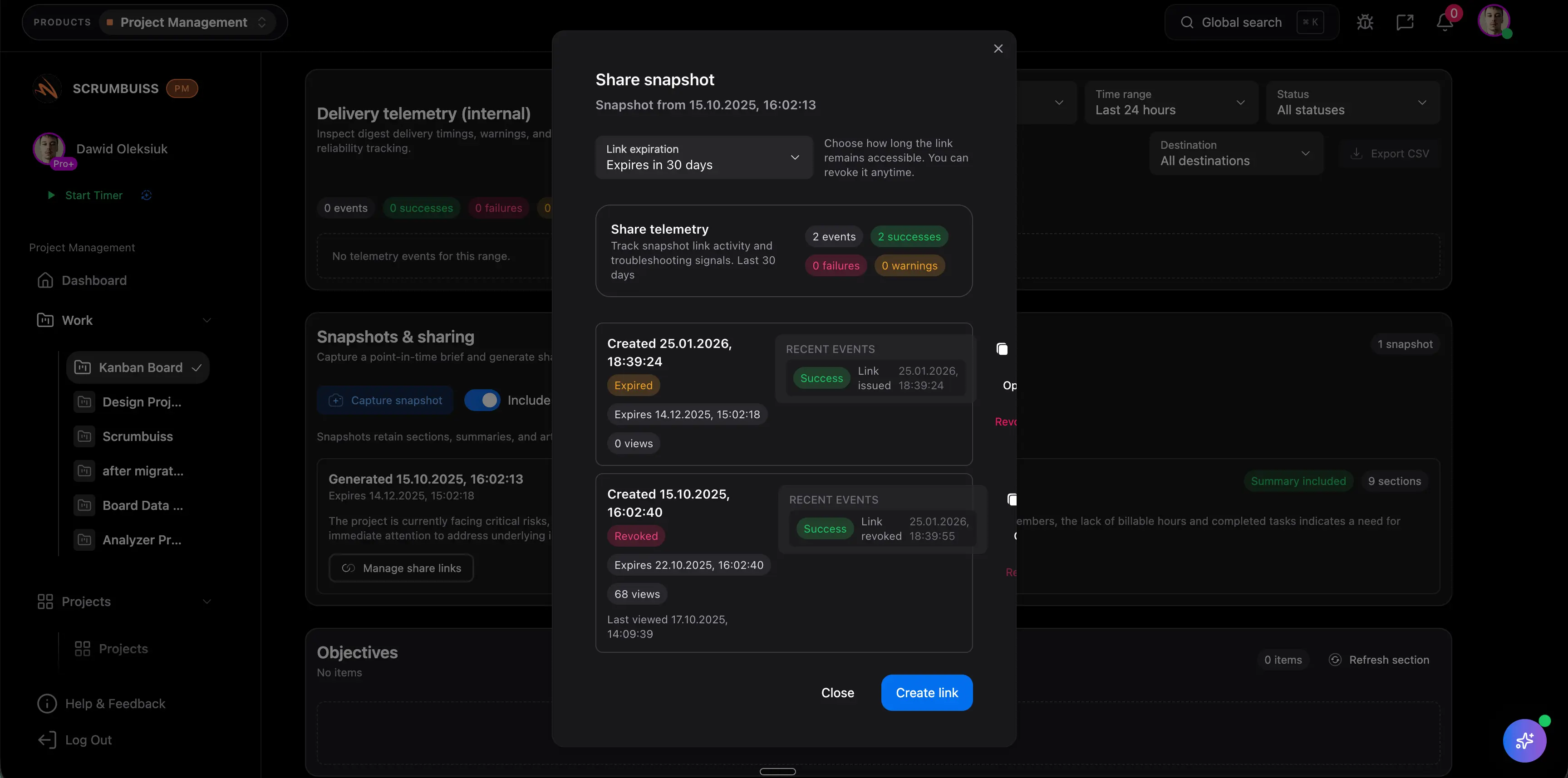
Potenzielle Wirkung (Beispiele)
Illustrative Beispiele. Deine Ergebnisse hängen von Teamgröße, Prozess und Auslastung ab.
Recover missed billable time
Time capture is easier to keep current when it lives inside the same workflow as the work itself.
Faster weekly client updates
Client reporting moves faster when account leads do not need to reconstruct status from boards, separate notes, and time tools.
Cleaner kickoff-to-delivery handoffs
Briefs, files, and workload planning make it easier to catch missing assumptions before the team is already in execution mode.
Published pricing comparison
This section uses the public Scrumbuiss pricing page and the official Asana pricing page reviewed on March 12, 2026. Re-check the vendor sites before purchasing.
| Kategorie | Scrumbuiss | Asana |
|---|---|---|
| Free or trial entry | 14-day full-product trial with no card required. | Personal plan available at $0. |
| Lowest published paid plan | Team at $7 annual or $9 monthly per full member. | Starter at $10.99 per user/month on annual billing. |
| Next published paid plan | Business at $14 annual or $17 monthly per full member. | Advanced at $24.99 per user/month on annual billing. |
| Guest / viewer model | Guests and viewers are free on the published Team and Business plans. | Review current guest, team, and seat rules on the vendor site for your workspace setup. |
| What an agency should really price | Evaluate delivery, time tracking, files, and reporting inside one product trial. | Model the full agency stack cost, especially if time tracking, file workflows, or client reporting remain separate. |
Notes
- Published prices and plan packaging can change.
- Asana Enterprise and Enterprise+ are sales-led plans without a fixed public seat price on the pricing page.
- Taxes, regional pricing, and seat rules can change by billing location and workspace setup.
Hinweise zur Preisgestaltung
Ein paar Kostenpunkte, die Teams bei der Bewertung oft übersehen.
- Do not compare seat price alone. Include time tracking, file management, client reporting, and the admin time needed to keep them aligned.
- Price one real client account from kickoff through delivery and weekly status reporting before you decide.
- Estimate the hidden cost of rebuilding reports from separate tools every week.
- Check how many people truly need full paid access versus guest or viewer access.
Migrationsplan
Ein pragmatischer Weg zum Wechsel, ohne Delivery zu unterbrechen.
- ✓ Inventory one live Asana client project: sections, fields, owners, recurring reports, and connected files.
- ✓ Recreate that project in Scrumbuiss using a brief, delivery workflow, time categories, and file structure.
- ✓ Define billable vs non-billable tracking rules and decide which utilization or project reports account leads review each week.
- ✓ Rebuild one client-facing update flow before inviting the whole team.
- ✓ Pilot with one account team for two weeks and compare update-prep time, handoff clarity, and utilization visibility.
- ✓ Roll out client by client once the workflow, reporting cadence, and permissions are stable.
Was Kunden sagen
Echtes Feedback von Teams, die Scrumbuiss nutzen.

Scrumbuiss laeuft sehr reibungslos und hat veraendert, wie ich meine Projekte organisiere und umsetze.

Die Oberflaeche macht es einfach, Aufgaben zuzuweisen, Prioritaeten zu setzen und Fortschritt im Blick zu behalten.
Mehr dazu auf unserer Kundenseite .
FAQ
Is Scrumbuiss a better Asana alternative for agencies? +
It is a strong fit when your agency wants client delivery, time tracking, files, and reporting in one place. If your team mainly wants broad internal task coordination and is already well standardized on Asana, Asana may still be the better fit.
Can we track billable and non-billable time in Scrumbuiss? +
Yes. Scrumbuiss includes time tracking and reporting views so agencies can review time per person, per project, and across billable vs non-billable work patterns.
Can clients see progress without seeing our whole workspace? +
You can share the outputs that matter, such as a brief or structured status context, without exposing the entire internal workflow. The right sharing model depends on how much access your agency wants clients to have.
When is Asana still the better fit? +
Asana is still a strong option when your main need is flexible cross-functional work management, your team already has a mature Asana operating model, or you are comfortable keeping time tracking and other agency workflows in separate tools.
What should we test in a trial before switching? +
Recreate one live client workflow end to end: kickoff brief, delivery tracking, time capture, file handoff, workload review, and weekly reporting. Then compare how much manual work each step still requires.