Project Management Software for IT Operations
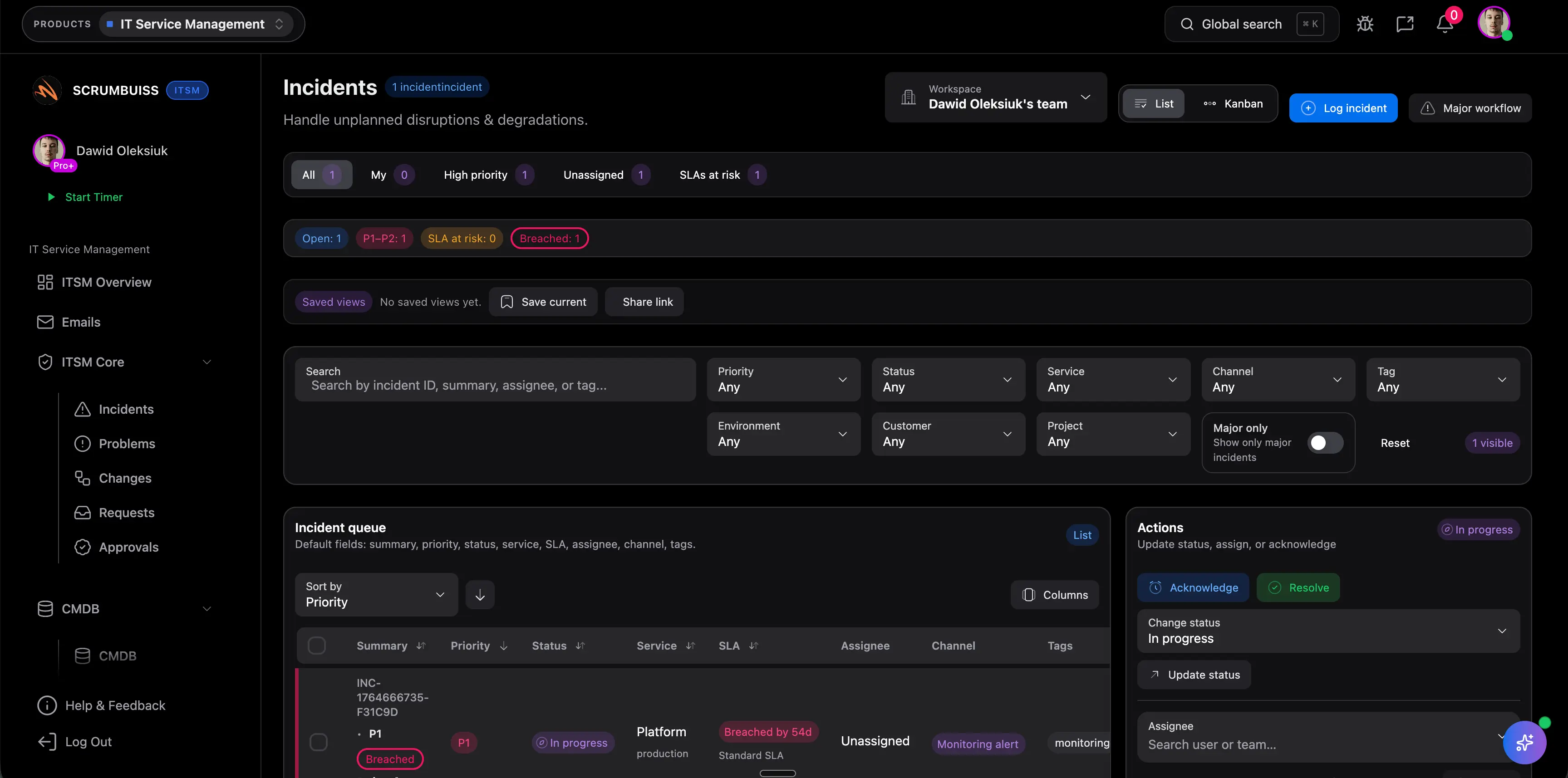
Project management software for IT operations should do more than collect tickets. The stronger fit keeps incident coordination, change scheduling, automations, Slack-connected updates, and delivery follow-up readable in one operating workflow so teams do not rebuild status across chat, calendars, and side spreadsheets.
Geprüft am 14. März 2026
Ein praktischer Workflow-Guide, illustriert mit echten Scrumbuiss-Screenshots.
How we evaluated project management software for IT operations
Reviewed on March 14, 2026. This guide compares the workflow IT operations teams most often struggle to keep readable in one place: incident intake, change windows, ownership, Slack-connected updates, automations, and follow-up work that affects broader delivery plans.
- We reviewed how Scrumbuiss supports that workflow across the incident management guide, ITSM product, ITSM solution page, Automations, Calendar, Risk Center, and the Slack integration.
- We compared that against the official positioning published by Atlassian for Jira Service Management, ClickUp for IT PMO workflows, and Freshservice for AI-powered IT service management.
- We prioritized buyer intent over feature-parity theater: what helps IT operations teams coordinate incidents, planned changes, and stakeholder updates without splitting operational context away from delivery work.
Für wen es ist
Teams, die einen klaren Workflow, weniger manuelle Abstimmung und bessere Übersicht wollen.
- IT-Teams, die Incidents und Changes managen
- Ops-Teams, die über mehrere Stakeholder koordinieren
- Organisationen, die klarere Zeitpläne und schnellere Follow-ups brauchen
Highlights
- Incident-Triage und Nachverfolgung der Lösung
- Change-Kalender und Terminplanung
- Automations-Trigger und Alerts
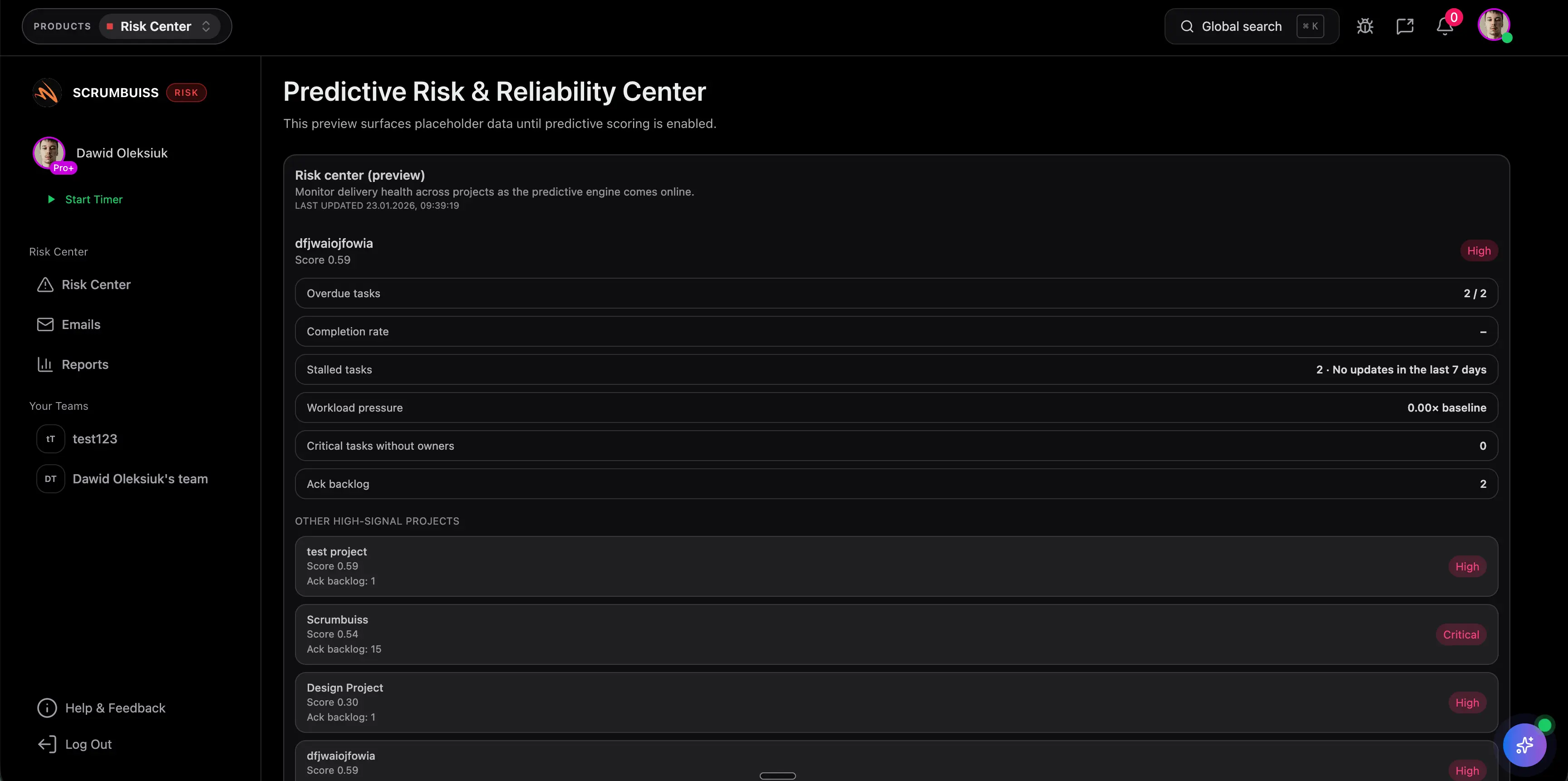
- Risiko-Transparenz für kritische Arbeit

IT operations buyer comparison
The practical decision is not which tool can open a ticket. It is which workflow keeps incidents, change coordination, automations, and stakeholder-readable updates connected closely enough to the delivery work they affect.
| Plattform | Passend für | Wichtigster Trade-off | Worin Scrumbuiss stärker ist |
|---|---|---|---|
| Scrumbuiss | IT operations teams that want incidents, change windows, automations, Slack-connected updates, and delivery follow-up to stay in one readable operating layer. | It is not the default enterprise service-desk incumbent, so teams should validate the workflow with a live pilot that includes real incident traffic, planned changes, and recurring stakeholder reviews. | Keeps operational work, delivery context, calendars, dashboards, and follow-up coordination closer together instead of isolating the workflow inside a ticket queue. |
| Jira Service Management | Organizations that want deeper ITSM and service-ops structure, especially when service desks, request management, and Atlassian ecosystem depth are core buying criteria. | Teams still need to decide how operational updates, change visibility, and broader delivery reporting stay readable for people who do not live in the service desk all day. | Scrumbuiss is stronger when the shortlist prioritizes one operating workflow for incidents, change coordination, automations, and delivery visibility beyond the service queue itself. |
| ClickUp | Teams willing to configure an IT PMO-style workspace around projects, requests, governance, and cross-team planning inside a highly flexible system. | That flexibility can create extra setup and maintenance overhead if the team wants a clearer default workflow for operational coordination rather than another configurable workspace. | Scrumbuiss offers a tighter workflow for teams that want incidents, changes, dashboards, and Slack-connected follow-up to stay connected without as much workspace design effort. |
| Freshservice | Service-desk-centric IT teams that prioritize AI-assisted ticketing, request handling, asset context, and traditional IT service management workflows. | It can be a weaker fit when the bigger problem is keeping operational changes, delivery planning, and stakeholder updates connected outside the service desk boundary. | Scrumbuiss is more compelling when incidents and planned changes need to stay tied to broader project timelines, automations, and cross-functional delivery reviews. |
This is a fit-and-tradeoff view based on public product positioning and visible workflow coverage, not a feature-by-feature procurement checklist.
Typische Herausforderungen
- Incidents, die zwischen Teams hin- und hergeschoben werden
- Changes, die nicht gut geplant und kommuniziert sind
- Manuelle Follow-ups und repetitive Koordinationsarbeit
- Begrenzte Sichtbarkeit in operative Risiken
So funktioniert's
Eine praktische Workflow-Struktur, die du in deinem Workspace nachbauen kannst.
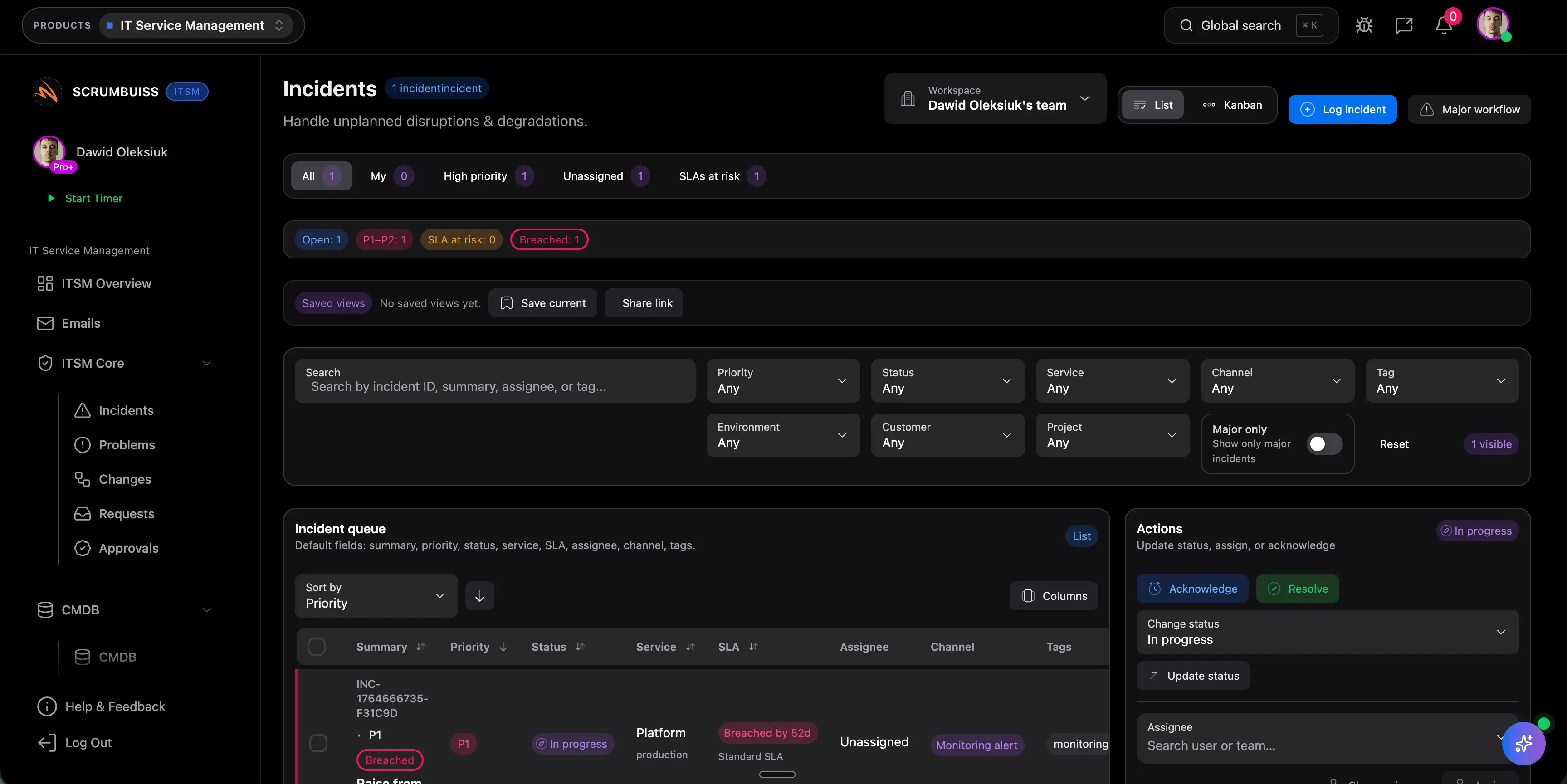
Incidents triagieren
Erfasse die wichtigsten Details, weise Owners zu und halte eine Single Source of Truth für Updates.
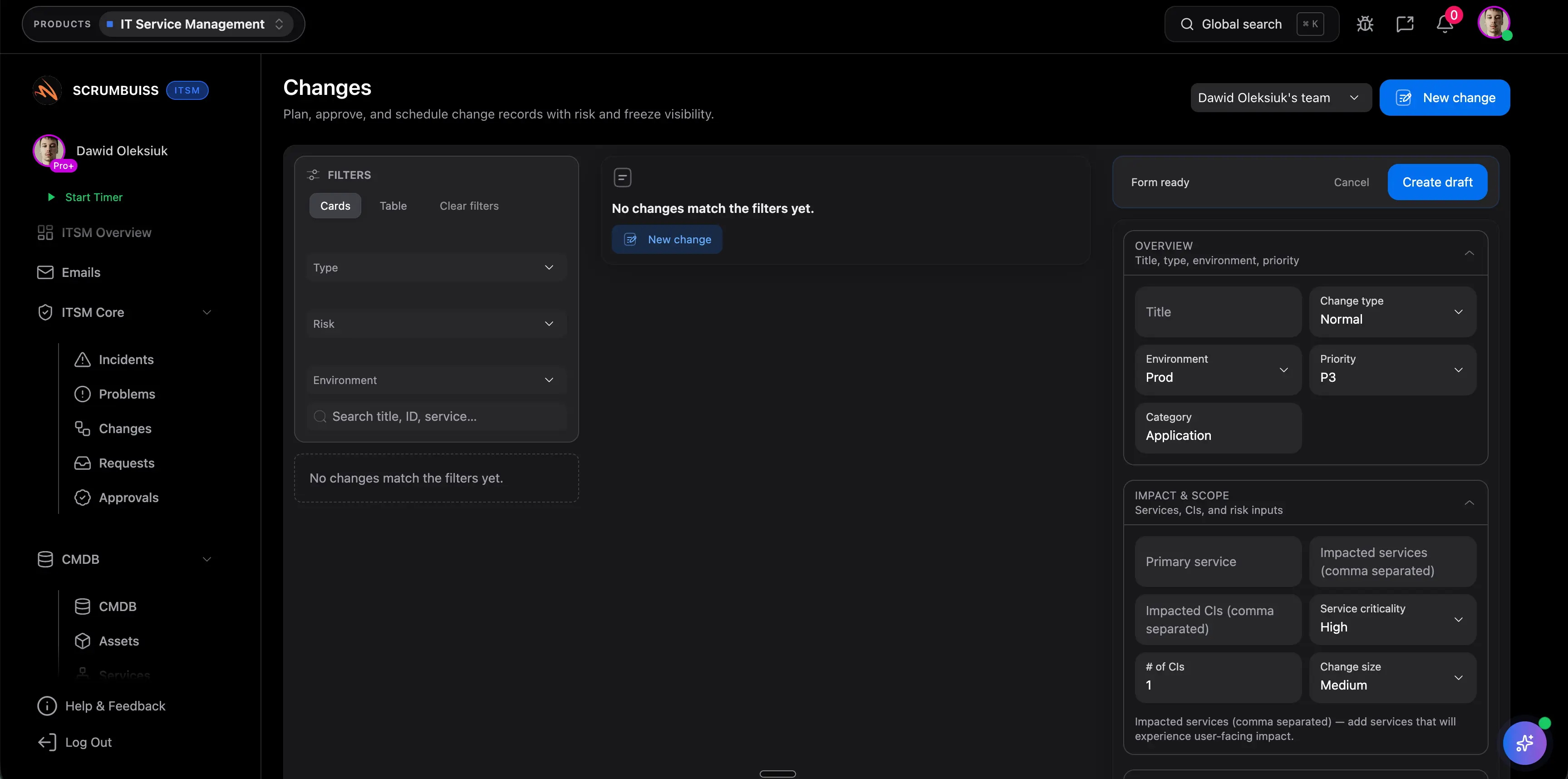
Changes planen
Plane Change-Windows in einer Kalenderansicht und koordiniere über Stakeholder hinweg.
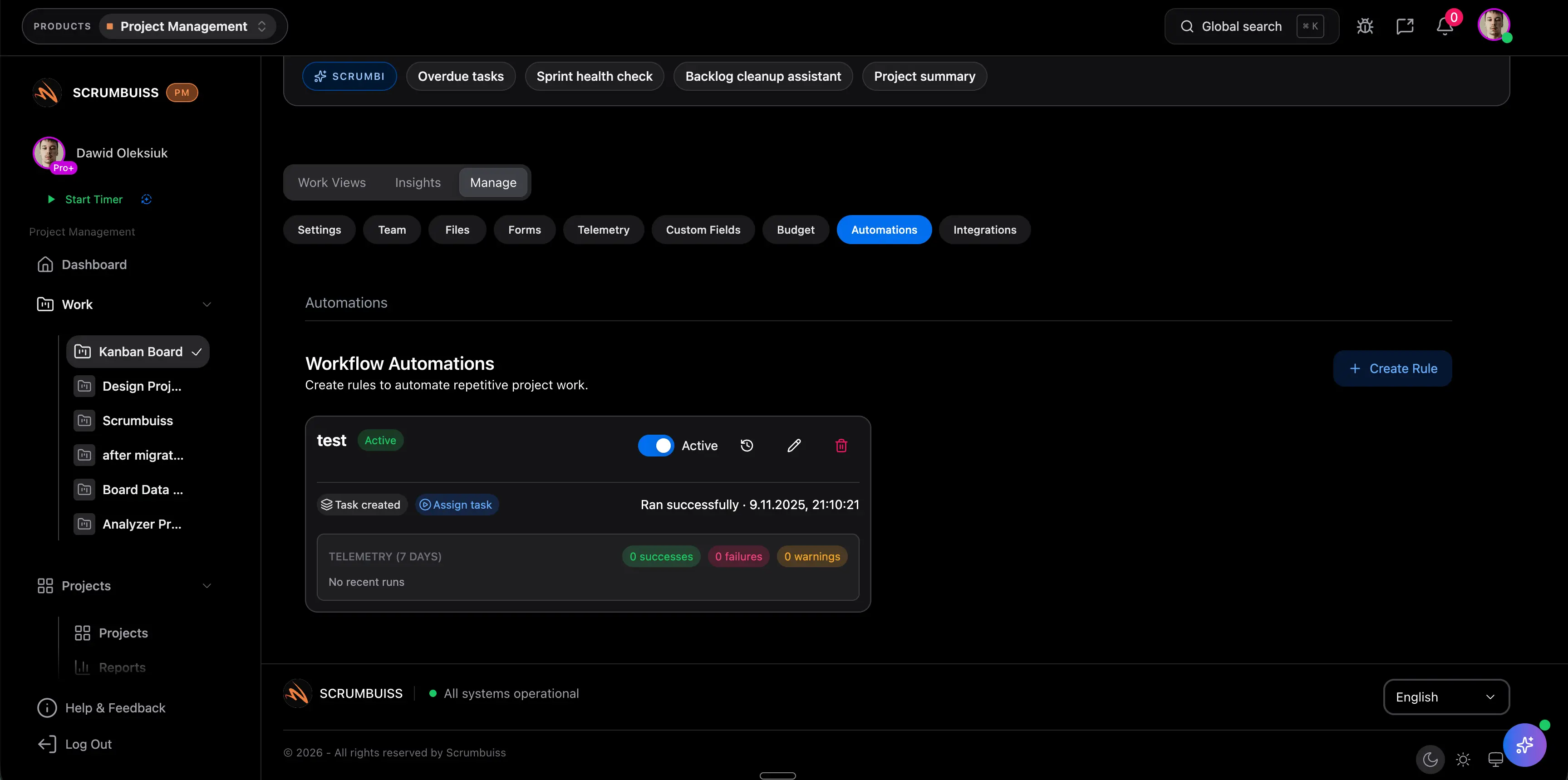
Follow-ups automatisieren
Löse Automatisierungen aus, wenn Schwellenwerte überschritten werden, und halte Teams informiert.
Verwandte Produkte
Produkte, die Teams typischerweise nutzen, um diesen Workflow umzusetzen.
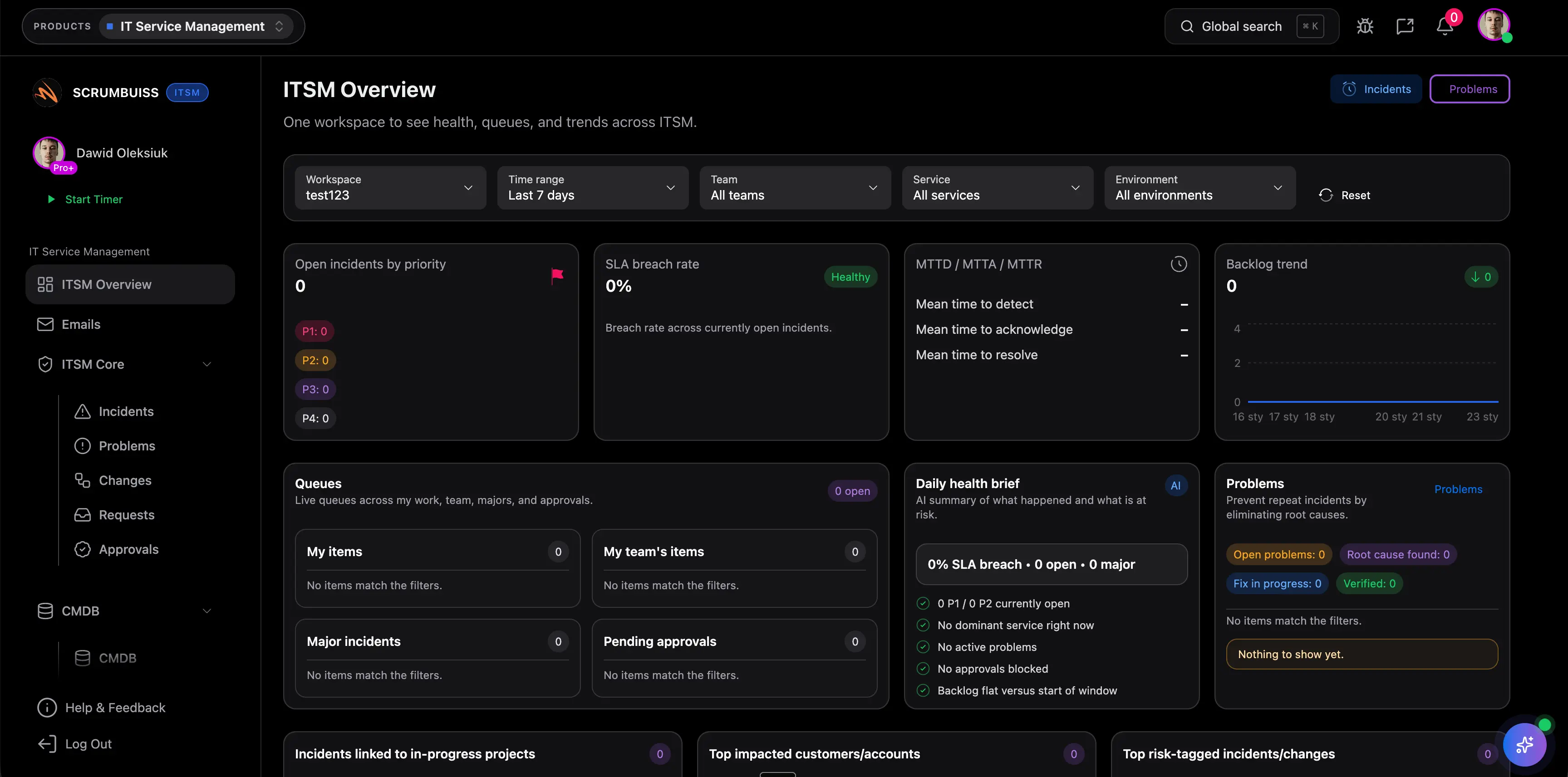
ITSM
ProduktKoordiniere Incidents, Changes und operative Arbeit mit klarer Ownership und Terminplanung.
- Incident-Triage und Nachverfolgung der Lösung
- Change-Kalender und Planung
- Automatisierungen für Reminders und Eskalationen
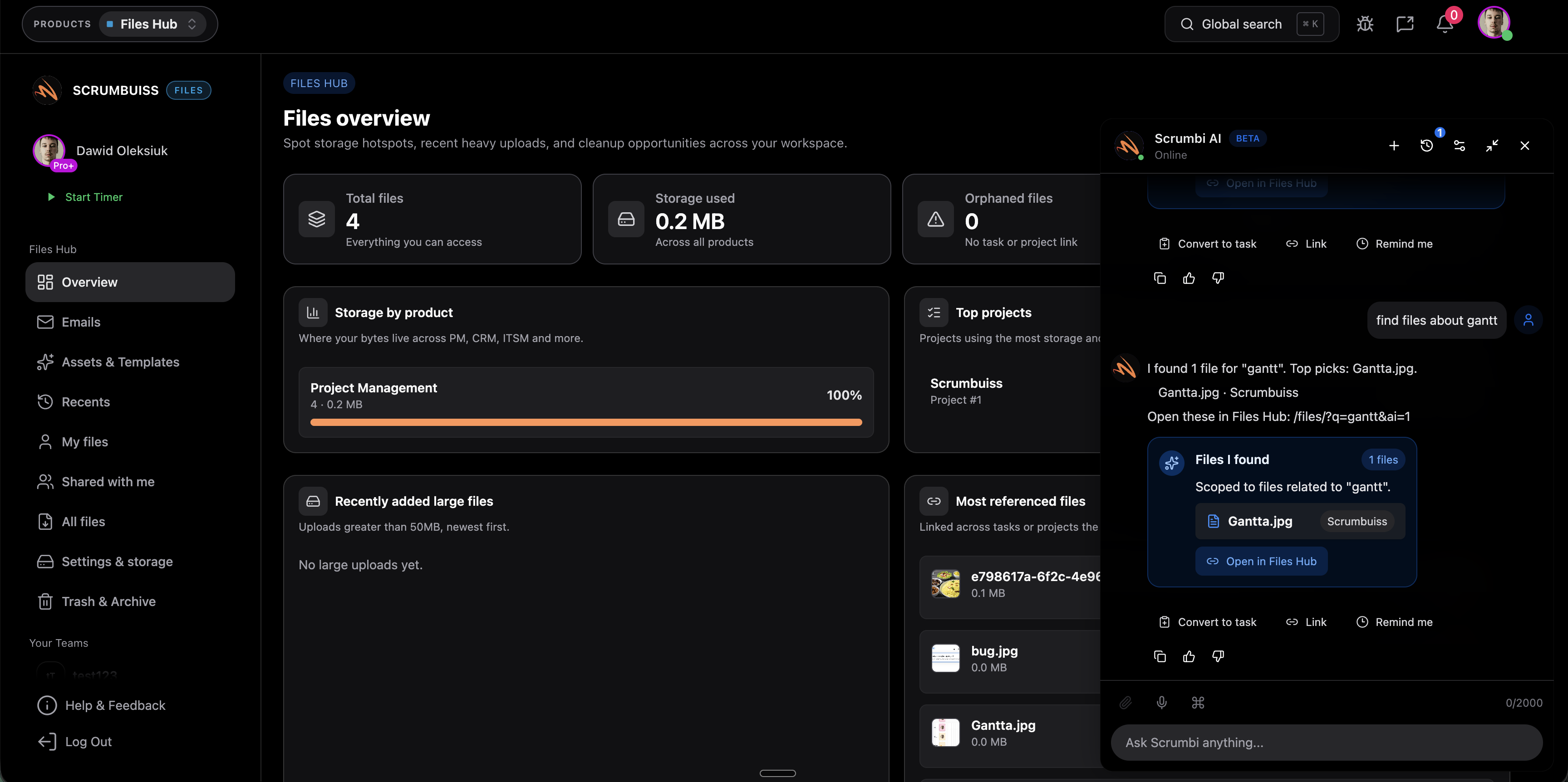
KI-Assistent
ProduktFragen stellen, Kontext zusammenfassen und wiederkehrende Arbeit mit Scrumbi beschleunigen.
- Fragen über Tasks und Kontext hinweg stellen
- Zusammenfassungen und schnellere Entscheidungen
- Vorgeschlagene Aktionen mit Guardrails
Verwandte Vorlagen
Vorlagen, die du kopieren und für diesen Workflow anpassen kannst.
Incident-Postmortem-Vorlage
VorlageFühre blameless Postmortems durch, die Timeline, Impact, Root Cause und Follow-ups erfassen, um Wiederholungen zu verhindern.
- Incident-Timeline und Impact-Zusammenfassung
- Root Cause und beitragende Faktoren
- Action Items mit Ownern und Fälligkeiten
Risikoregister-Vorlage
VorlageLade eine kostenlose Risikoregister-Vorlage als CSV mit ausgefülltem Beispiel, 1-bis-5-Bewertung, klaren Verantwortlichkeiten, Frühindikatoren und wöchentlicher Prüflogik herunter.
- Exakte Risikoregister-Vorlage als CSV für Excel oder Google Sheets mit Score, verantwortlicher Person, Status und Prüftermin
- Acht realistische Beispielrisiken aus Software-Projekten, Agenturgeschäft und IT-Betrieb
- Klare Spalten für Maßnahmenplan, Frühindikator und nächste Prüfentscheidung
Potenzielle Wirkung (Beispiele)
Die Beispiele sind illustrativ und hängen von Team, Prozess und Auslastung ab.
Schnellere Koordination
Zentralisiere Incident-Details, Ownership und Updates, um Ping-Pong-Kommunikation zu reduzieren.
Beispiel: Spare 15–30 Minuten pro Incident, indem du doppelte Updates über Tools und Channels vermeidest.
Planbarere Changes
Plane Change-Windows und Abhängigkeiten in einer Kalenderansicht, um Last-Minute-Konflikte zu reduzieren.
Beispiel: Spare 30–60 Minuten pro Change, indem du Scheduling und Freigaben vereinfachst.
Weniger manuelle Follow-ups
Nutze Automatisierungen, um Reminders, Eskalationen und Benachrichtigungen auszulösen, wenn Schwellenwerte überschritten werden.
Beispiel: Spare 1–2 Stunden pro Woche für einen On-Call-Lead, indem repetitive Koordinationsarbeit automatisiert wird.
Setup-Checkliste
Eine praktische Checkliste, um diesen Workflow in Scrumbuiss umzusetzen.
- ✓ Erstelle einen IT-Operations-Workspace und definiere Incident-/Change-Kategorien.
- ✓ Füge Custom Fields für Severity, Impact, Owners und SLAs hinzu.
- ✓ Richte einen Change-Kalender mit klaren Zeitfenstern und Verantwortlichkeiten ein.
- ✓ Erstelle Intake-Formulare für Requests und standardisierte Incident-Templates.
- ✓ Konfiguriere Automatisierungen für Eskalation, Reminders und Post-Incident-Follow-ups.
- ✓ Verbinde Slack für Alerts und Update-Summaries.
- ✓ Erstelle Dashboards für offene Incidents, anstehende Changes und Risiko-Indikatoren.
ROI-Beispiel
Ein einfacher Ansatz zur Profitabilität: Wert der eingesparten Zeit (oder zurückgewonnene abrechenbare Zeit) minus Softwarekosten.
Beispielrechnung (USD)
- Teamgröße: 8
- Eingesparte Stunden pro Person pro Woche: 0,3
- Gemischter Stundensatz: 70 $ pro Stunde
Geschätzte eingesparte Zeit: 2,4 Stunden/Woche
Geschätzter Wert: 168 $ pro Woche (~727 $ pro Monat)
Nur illustratives Beispiel. Keine Garantie oder Kundenresultat. Ziehe deine Softwarekosten ab, um den Netto-ROI zu schätzen.
FAQ
Können wir Changes in einem Kalender planen? +
Ja — nutze die Kalenderansicht, um Change-Windows zu planen und das Team bei anstehenden Arbeiten abgestimmt zu halten.
Wie helfen Automatisierungen im IT-Betrieb? +
Automatisierungen reduzieren manuelle Koordination durch Reminders, Eskalationen überfälliger Arbeit und Benachrichtigungen, wenn Schwellenwerte überschritten werden.
Ist das eine komplette ITSM-Suite? +
Scrumbuiss unterstützt gängige IT-Workflows wie Incidents und Changes und kann an euren Prozess angepasst werden. Wenn du spezifische ITSM-Anforderungen hast, schauen wir sie gemeinsam an.
Können wir Alerts in Slack-Channels schicken? +
Ja — nutze die Slack-Integration, um Incident- und Change-Benachrichtigungen dort zu senden, wo dein Team ohnehin kommuniziert.
Verwandte Features
Entdecke die Bausteine, die in diesem Workflow verwendet werden.