AI project workflow guide - reviewed May 21, 2026

AI Project Management Software for Human-Reviewed Workflows

Use Scrumbuiss when AI should help teams ask grounded questions, draft status-ready summaries, interpret project analytics, and prepare next actions without taking ownership away from the people accountable for delivery.

This page is for AI project management workflow evaluation. It keeps business-intelligence and AI-assistant keywords grounded in project context, dashboards, blockers, risks, and human review rather than generic chatbot or BI-platform claims.

Scrumbuiss AI project management assistant inside a delivery workflow

How we reviewed AI project management fit

Reviewed on May 21, 2026. This page evaluates one buying question: when should AI help live inside the project operating workflow instead of becoming a separate assistant, generic business-intelligence layer, or unsupervised automation tool.

  • Scrumbuiss references come from the AI Assistant product, Dashboard, KPIs, Project Delivery, Automations, Project Intake, Project Brief, and template pages in this site.
  • We used the SEMrush keyword export to identify AI assistant, business intelligence, business analytics, and project analytics intent, then filtered out generic chatbot and broad BI-platform traffic.
  • The page is written for people-first evaluation: project context, human review, status clarity, blocker visibility, and pilot questions are prioritized over inflated AI claims.

When Scrumbuiss is a fit

The right AI project workflow depends on whether the assistant can stay close enough to real work that summaries, analytics, and recommendations are useful.

Strong fit for Scrumbuiss

Best when AI should help with project questions, status summaries, blocker review, and next-action preparation inside the same workflow the team already uses.

  • The team spends time rebuilding weekly updates from tasks, comments, dashboards, and risk notes.
  • Project leads want faster insight without handing accountability to an autonomous AI agent.
  • AI output should stay connected to dashboards, KPIs, briefs, stakeholder context, and follow-up work.

Worth piloting carefully

A pilot is useful when AI sounds promising but trust depends on one live workflow with real data and real stakeholders.

  • Test grounded Q&A, status drafting, and recommendation quality against a current project.
  • Measure how much human cleanup remains before summaries can be shared.
  • Validate whether AI reduces coordination work or only creates another review queue.

Probably not the best fit

A dedicated BI platform, chatbot, or automation tool may fit better when the need is outside project workflow context.

  • The main requirement is cross-company warehouse analytics, finance dashboards, or executive BI across many systems.
  • The team wants a general-purpose AI writing assistant rather than project-aware Q&A and summaries.
  • The workflow requires fully autonomous decision-making instead of human-reviewed recommendations.

Ask grounded questions

Use AI to answer project questions from live delivery context

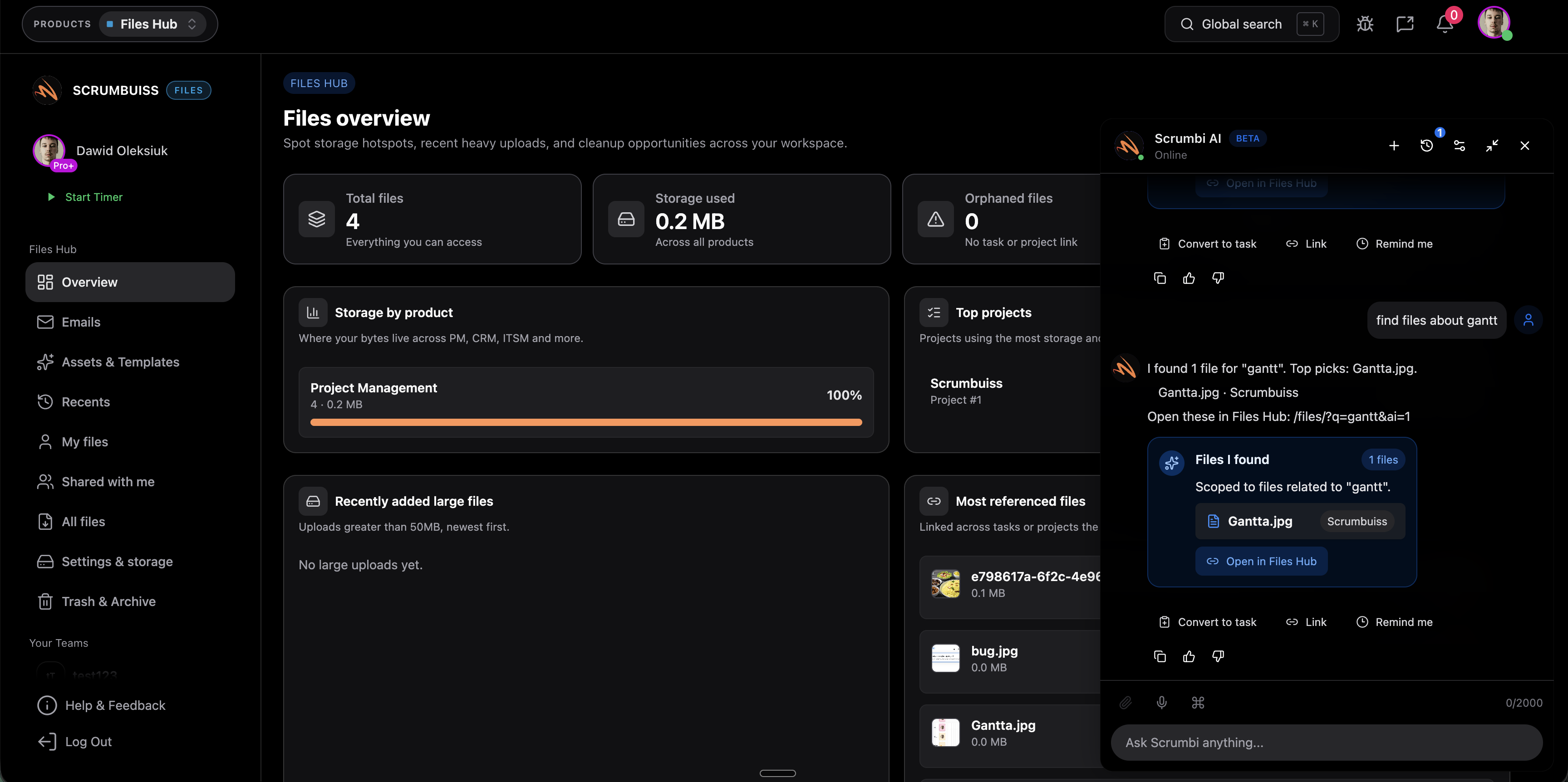
AI project management works best when questions are grounded in the same tasks, status, blockers, risks, and activity history the team already uses. That keeps answers closer to reality than a blank prompt box.

  • Ask what is blocked, what changed, who owns the next step, or which risks need review.
  • Use project context to reduce searching across comments, boards, dashboards, and meeting notes.
  • Keep a human owner responsible for validating the answer before it becomes a decision or update.
Scrumbuiss AI project assistant answering grounded project questions

Summarize and analyze

Turn project analytics into status-ready summaries

Business intelligence and business analytics intent only fits Scrumbuiss when the question is project-specific: progress, workload, KPI movement, blockers, risks, and decisions that affect delivery.

  • Use dashboards and KPIs as the source for status-ready summaries instead of rebuilding the story in slides.
  • Highlight blockers, workload pressure, schedule drift, and risk signals before the review meeting.
  • Keep broad BI expectations clear: Scrumbuiss is a project workflow layer, not a data warehouse or finance BI suite.
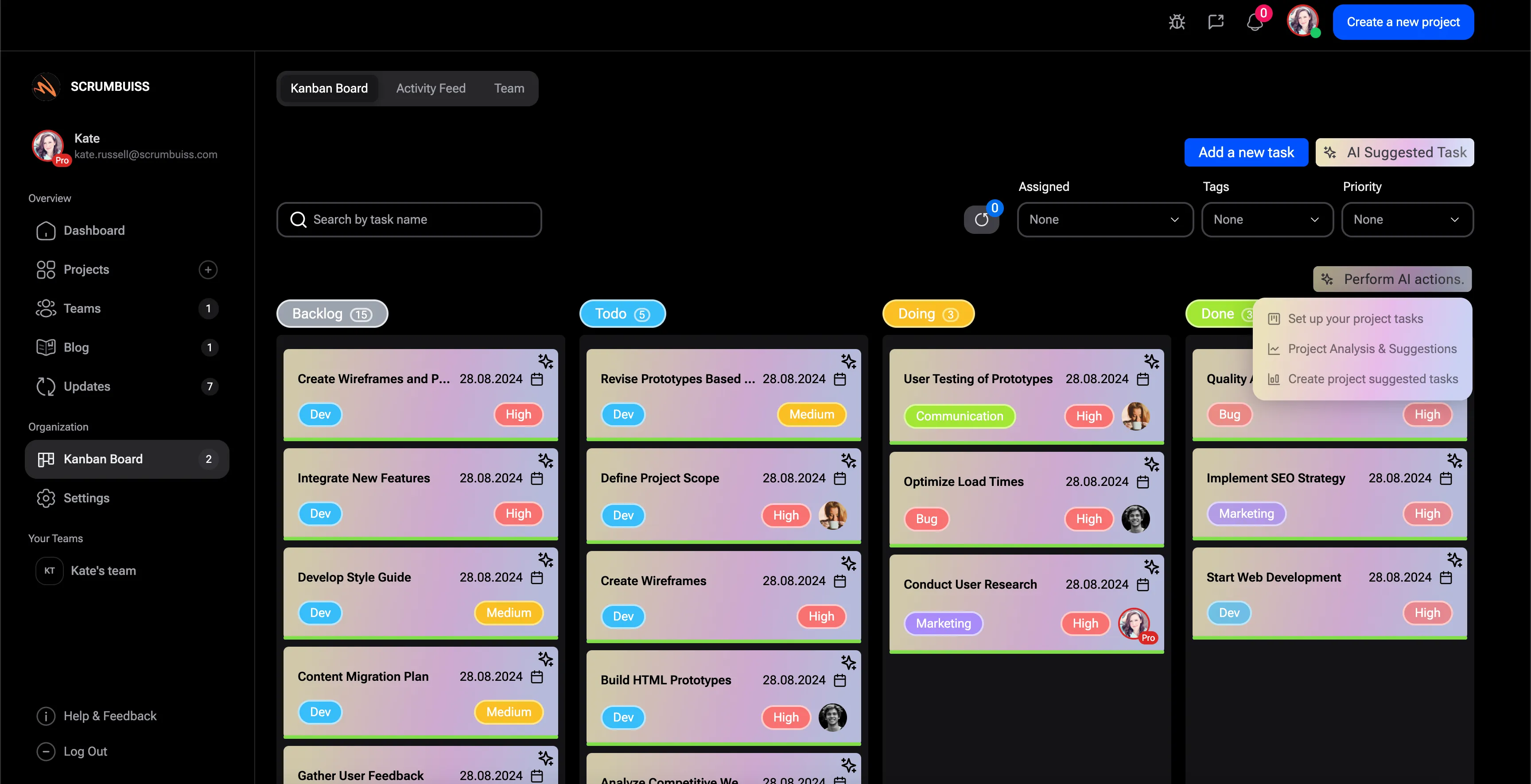
Scrumbuiss project dashboard used with AI summaries and project analytics

Recommend next steps

Prepare human-reviewed next actions from risks, blockers, and stakeholder context

AI recommendations are useful when they shorten the path from insight to follow-up. They should not hide ownership, approvals, or stakeholder decisions behind a black-box suggestion.

  • Use charters, stakeholder matrices, risks, and status notes to prepare clearer follow-up.
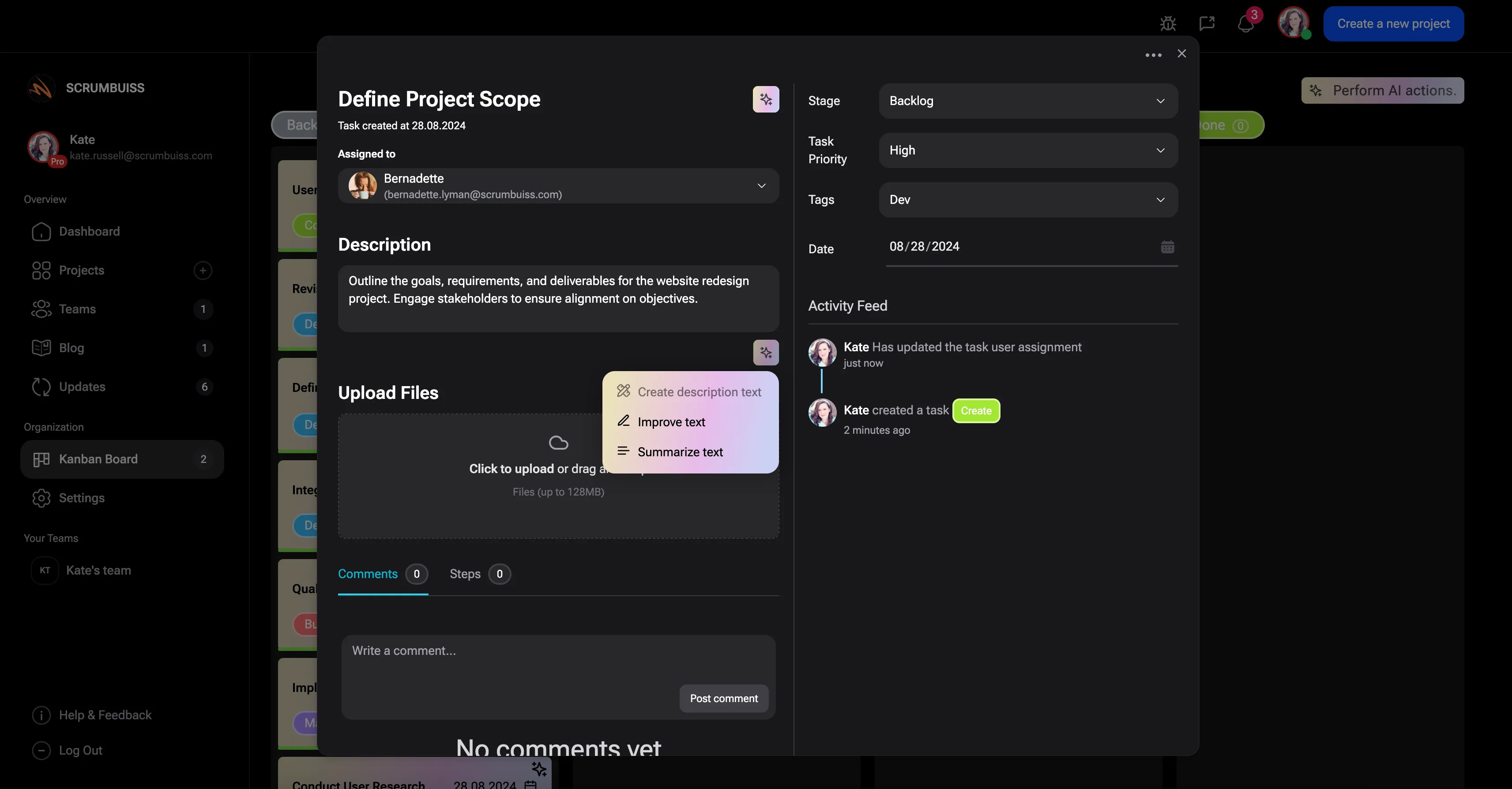
  • Convert suggestions into owned work, reviewed automations, or stakeholder updates after a human checks the context.
  • Use AI to support coordination, not to replace approval, prioritization, or delivery judgment.
Scrumbuiss AI actions prepared for human-reviewed project follow-up

Where to go next

These pages keep the AI workflow grounded in product reality and separate it from generic BI, chatbot, or automation intent.

Scrumbuiss AI Assistant

Use this when the category decision is made and you need to evaluate the exact Scrumbuiss assistant workflow.

Project dashboard software

Use this when the main need is project reporting, status visibility, blockers, workload, and stakeholder updates.

Project charter template

Use this when a request needs goals, scope, stakeholders, risks, and approval readiness before delivery.

AI project management FAQ

These answers keep the page focused on AI inside project workflows, not generic chatbots or broad business-intelligence platforms.

What is AI project management software?

AI project management software uses project context to help teams ask questions, summarize status, review blockers, spot risks, and prepare next actions. The useful version keeps humans responsible for accuracy, approvals, and final decisions.

How is AI project management different from a BI platform?

A BI platform usually focuses on broad reporting across many data sources. AI project management is narrower: it helps project teams interpret live delivery context, summarize status, and prepare follow-up inside the workflow where work is already happening.

Can AI replace project managers?

No. The practical use case is assistance, not replacement. AI can reduce searching, drafting, and coordination work, but ownership, stakeholder communication, prioritization, and approvals still need accountable people.

What should teams test before using AI in project reviews?

Test one real review cycle. Compare summary quality, blocker visibility, risk coverage, follow-up clarity, and how much human editing is still needed before anything is shared.

How should AI recommendations be handled?

Treat recommendations as draft inputs. A human should confirm context, owner, priority, and approval requirements before turning any suggestion into a task, automation, or stakeholder update.