Project delivery
Plan, execute, and ship with Kanban, sprints, timelines, workload planning, and dashboards.
Best for
- Software teams delivering in sprints
- Product teams coordinating cross-functionally
Related features
Related workflows
This hub is for teams that need more than a board. It maps the Scrumbuiss product suite so you can pick the product that should anchor your rollout, then validate the adjacent products that keep reporting, files, handoffs, operational follow-through, and AI support in the same system.
Start with the workflow that is already breaking down. Then use the sections below to decide whether you need a delivery core, a connected sales or operations layer, portfolio visibility, risk signals, native time, shared files, or faster AI-assisted coordination.
The structure of this page is based on three inputs: the first-party Scrumbuiss product catalog already published in this site, the product-hub positioning shown on major vendor sites, and Google's guidance on descriptive titles, people-first content, and crawlable internal links.
Public vendor pages and Google documentation were reviewed on March 18, 2026. Recheck official sources before a purchasing decision.
Use this matrix when your team knows the broad platform decision matters, but the first question is where to start. Each row points to the product that should usually anchor the pilot, then lists adjacent pages worth checking before you standardize.
| Team or workflow | What is breaking down | Start with | What to validate next |
|---|---|---|---|
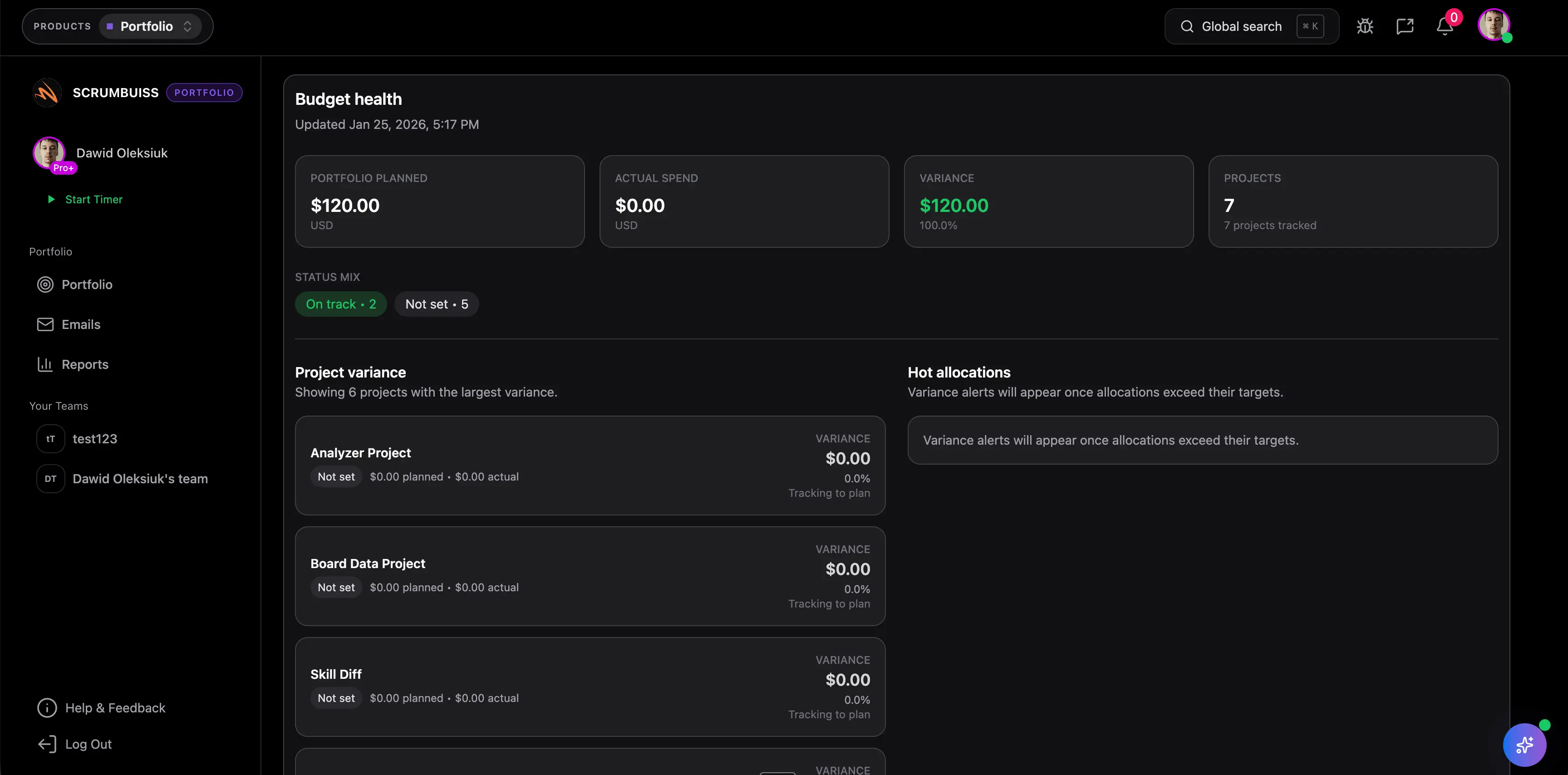
| Software delivery teams | Boards exist, but sprint planning, dependencies, workload review, and reporting still live across separate layers. | Project delivery | Validate whether Project Delivery should stay paired with Portfolio, Files, or AI Assistant in the same rollout. |
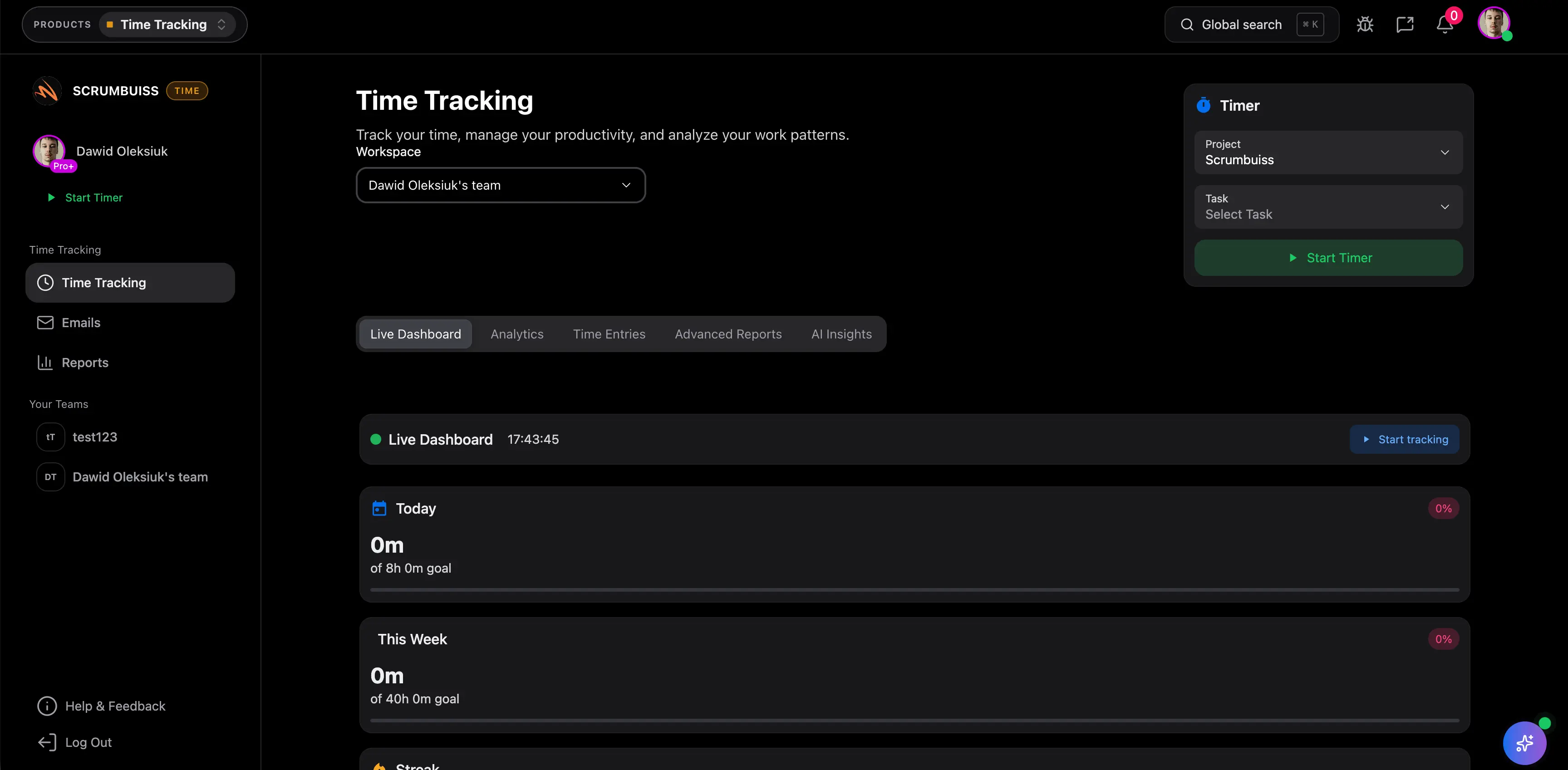
| Agencies and client delivery teams | Billable time, client proof of work, and deliverables are tracked separately from the work itself. | Time Tracking | Check whether Time Tracking needs to be piloted alongside Project Delivery and Files so reporting stays grounded in live work. |
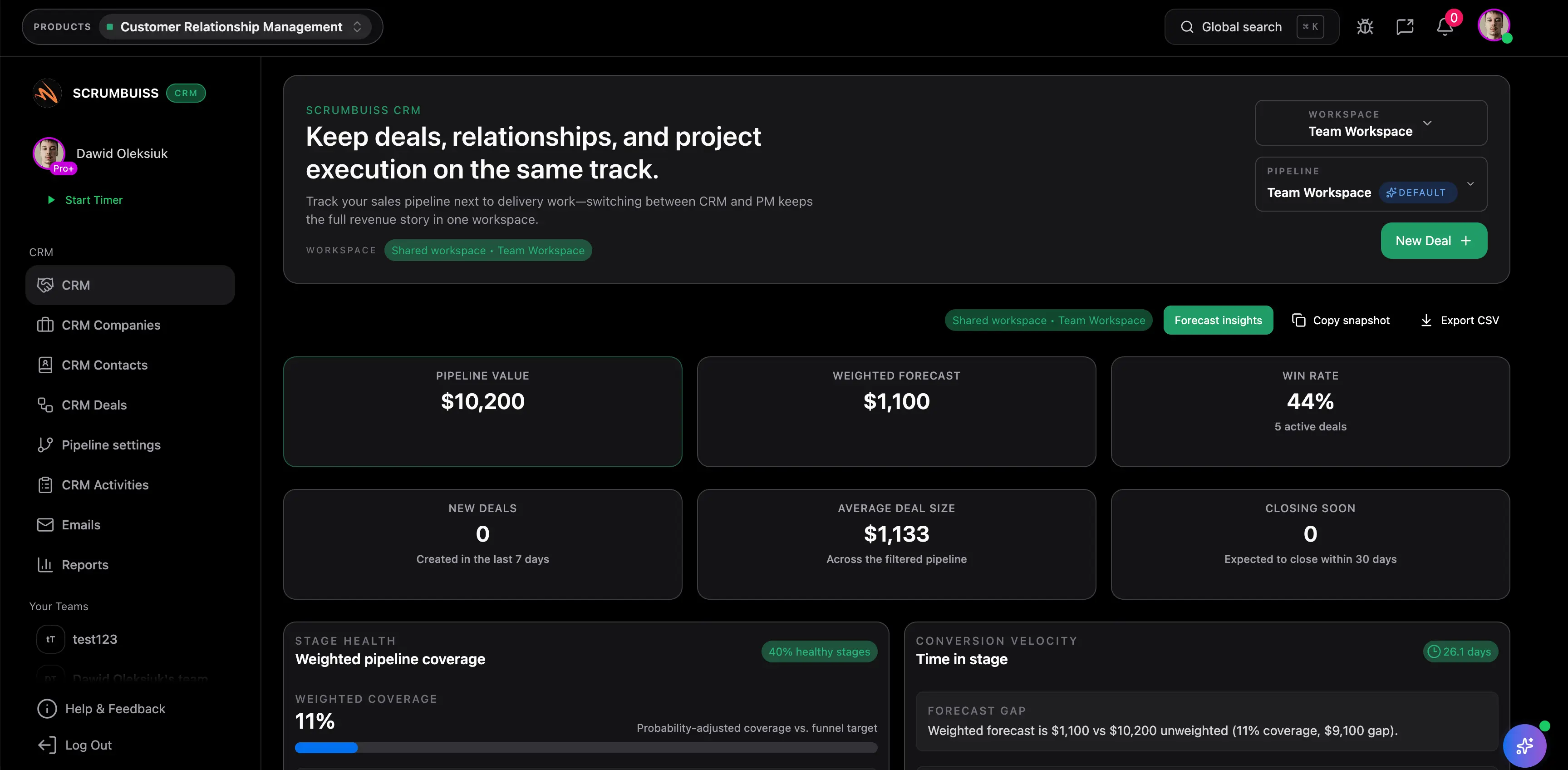
| Sales-to-delivery handoff teams | Deal context, client requirements, and follow-up history disappear when work moves from pipeline to delivery. | CRM | Validate whether CRM should remain lightweight and connected to delivery, or whether you still need a separate sales system. |
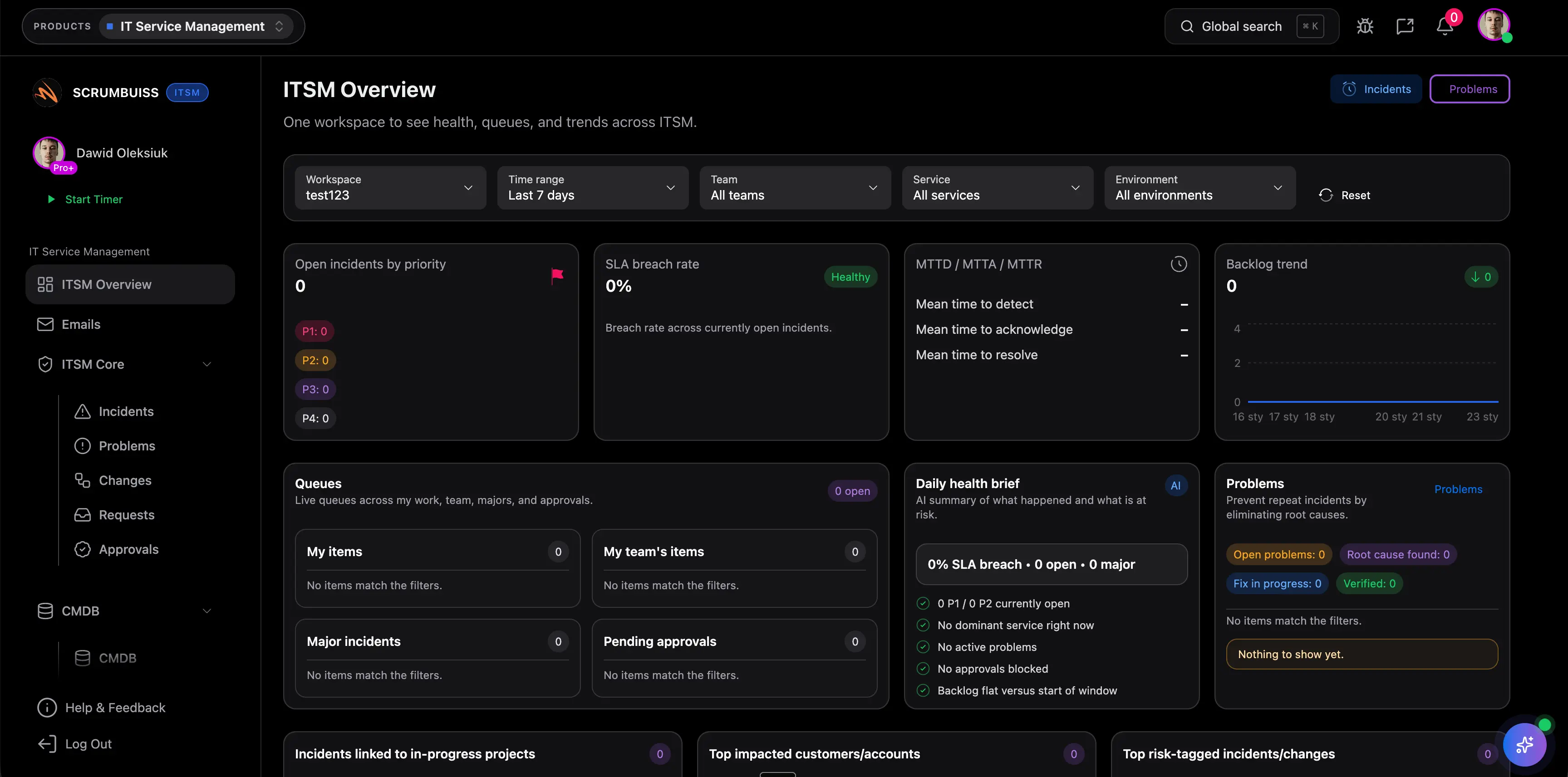
| IT operations and service teams | Incidents, change windows, follow-ups, and stakeholder communication are coordinated in too many disconnected tools. | ITSM | Check whether ITSM should be paired with Risk Center, Calendar, and Automations in the same operating flow. |
| Leadership, PMO, and cross-project review loops | Roadmaps, KPIs, and cross-project status are rebuilt manually because reporting sits far away from execution data. | Portfolio | Validate whether Portfolio should be the leadership layer above Project Delivery, Risk Center, and Time Tracking. |
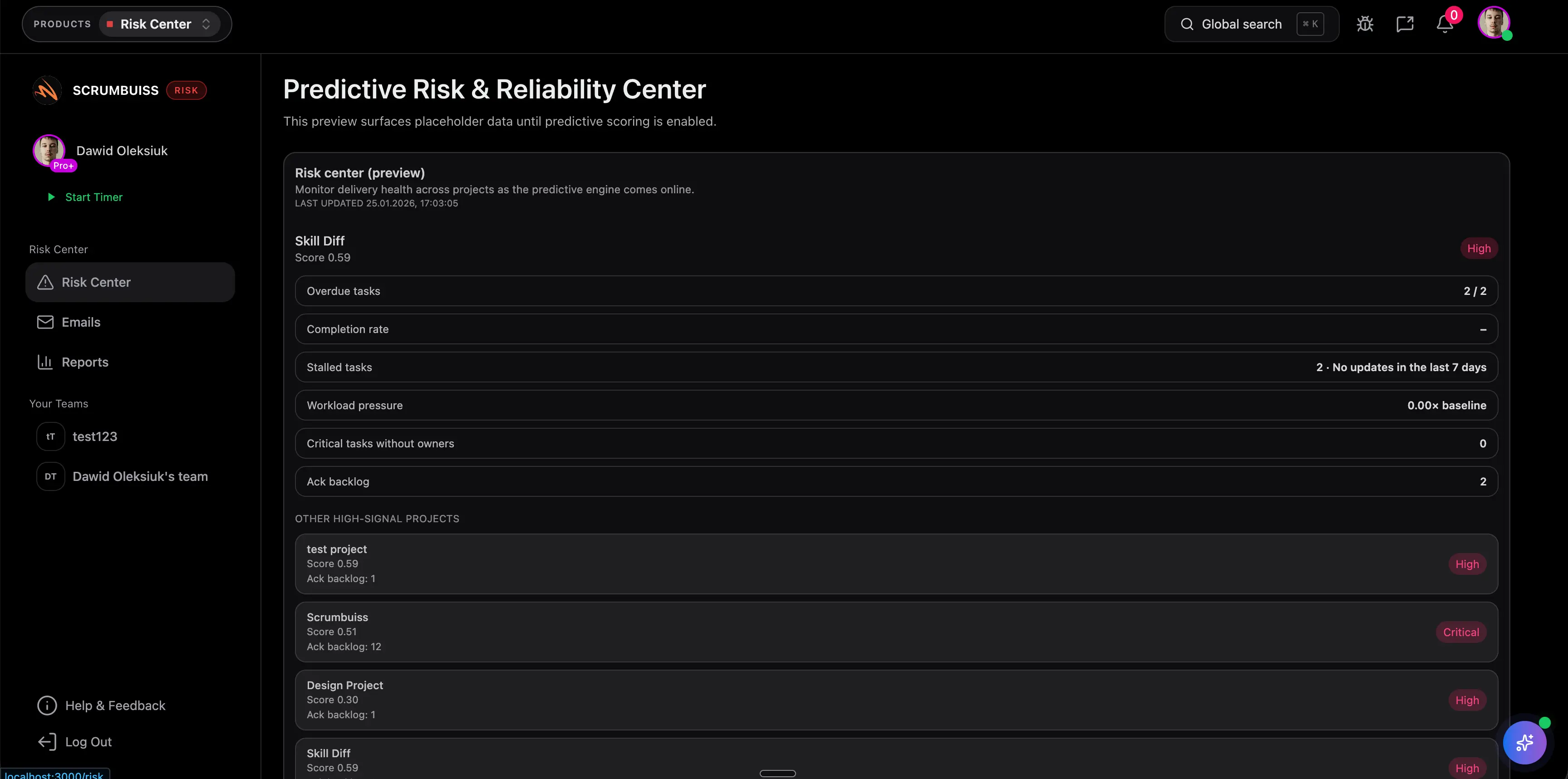
| Teams worried about delivery risk and slippage | Risk is discussed late, tracked in spreadsheets, and not tied closely enough to the live delivery workflow. | Risk Center | Check whether Risk Center should be piloted as a standalone signal layer or as part of a broader delivery operating model. |
| Leads buried in status updates and context switching | Answers, summaries, and next-step coordination depend on manual recap work across tasks, comments, files, and meetings. | AI assistant | Validate whether AI Assistant is most useful as a faster coordination layer on top of delivery, files, or operations workflows. |
The goal here is not to force every team into every product. It is to show which products usually belong together when a team is moving from simple task tracking toward a broader project management operating system.
Start here when planning, execution, proof of work, and reporting are drifting apart.
Plan, execute, and ship with Kanban, sprints, timelines, workload planning, and dashboards.
Best for
Related features
Related workflows
Track time with a built-in timer and entries, then report and improve with dashboards.
Best for
Related features
Related workflows
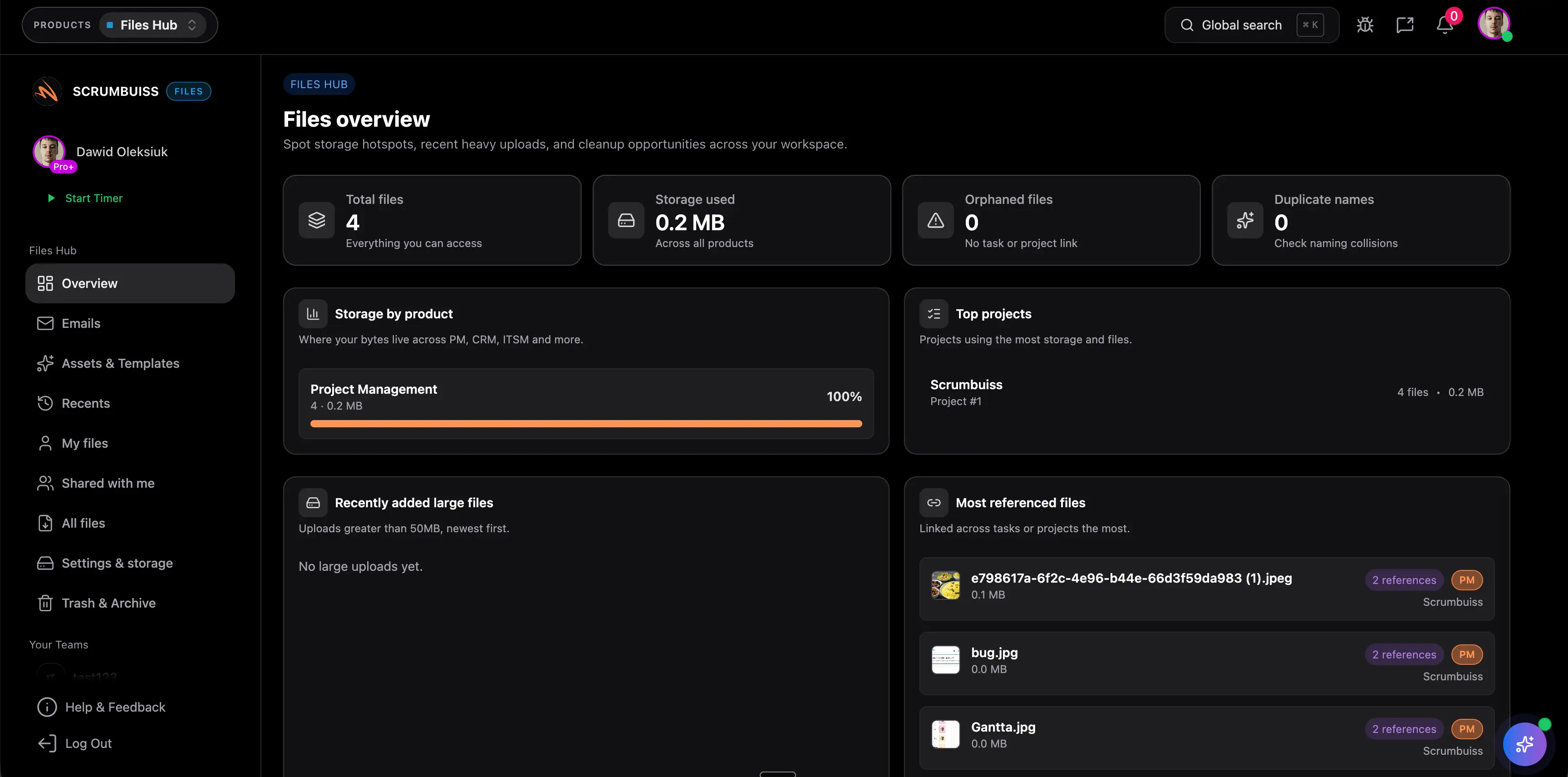
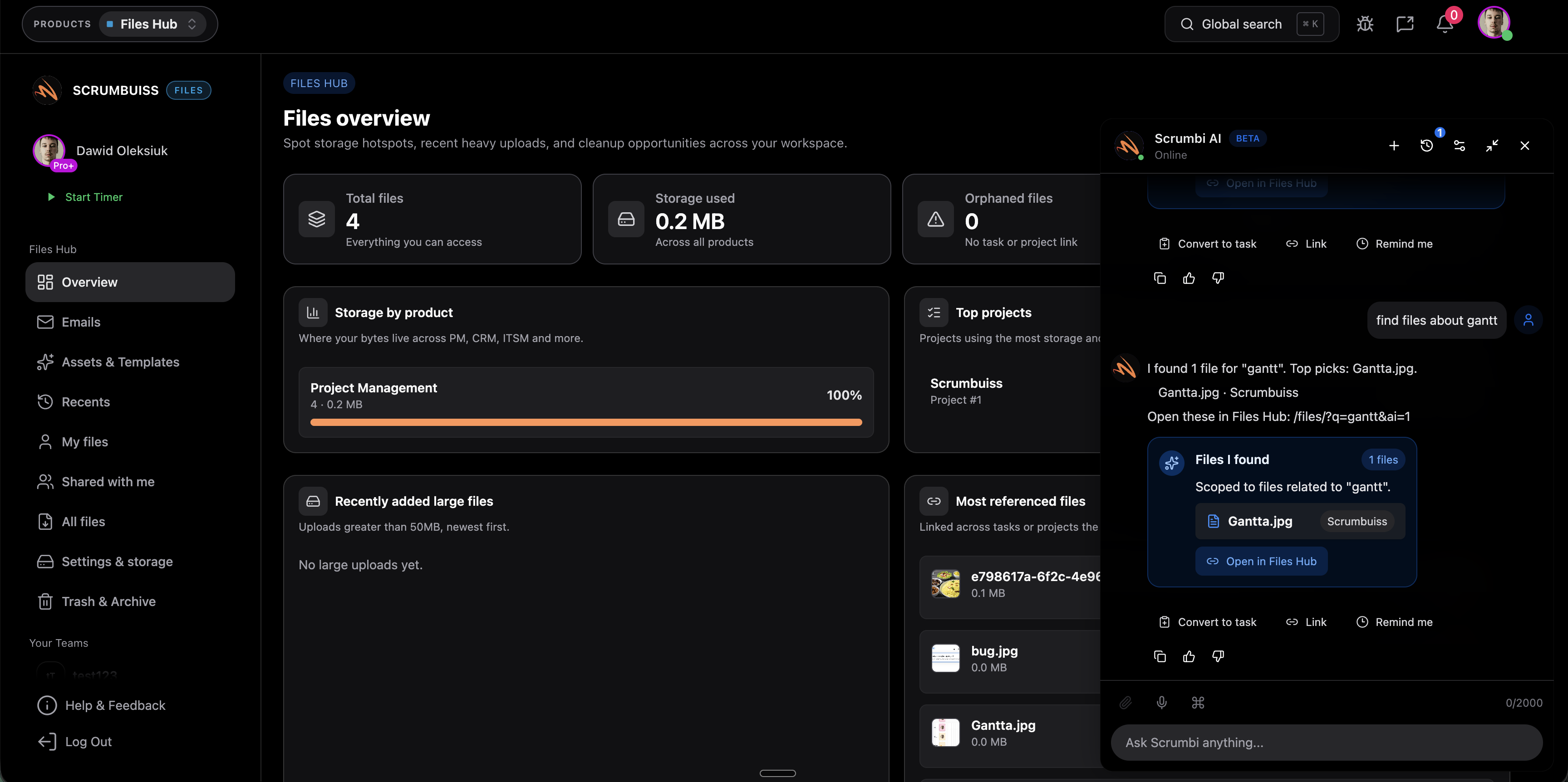
Store, organize, and share project files — with recents, shared items, and collections.
Best for
Related features
Related workflows
Use this layer when the workflow depends on cleaner handoffs, service coordination, incidents, and follow-through.
Manage contacts, companies, deals, and pipelines — with work connected to delivery.
Best for
Related features
Related workflows
Coordinate incidents, changes, and operational work with clear ownership and scheduling.
Best for
Related features
Related workflows
These products help leadership, delivery leads, and operators turn live execution data into earlier decisions and faster coordination.
Track objectives and align roadmaps across projects to keep teams focused on outcomes.
Best for
Related features
Related workflows
Detect delivery risk early with trends, recommendations, and automation triggers.
Best for
Related features
Related workflows
Ask questions, summarize context, and speed up repetitive work with Scrumbi.
Best for
Related features
Related workflows
Competitor hubs usually group their suite by broad platform promises. This section keeps the same clarity, but frames it around real operating problems teams are actually trying to solve inside Scrumbuiss.
Project Delivery, Time Tracking, Files, and Portfolio cover the core path from work intake to execution proof to leadership visibility.
CRM and ITSM matter when project delivery depends on cleaner customer context, change scheduling, operational follow-ups, and visible ownership.
Files, Risk Center, and AI Assistant are usually the layers that get bolted on later. They are stronger when they are validated early, not treated as afterthoughts.
This comparison stays intentionally high level. It reflects how vendors present their product hubs publicly, what that usually means for shortlist decisions, and where Scrumbuiss is deliberately more delivery-centered.
| Vendor | Public product-hub angle | Best for | Main tradeoff | Where Scrumbuiss differs |
|---|---|---|---|---|
| Asana | Cross-functional work management platform spanning planning, execution, and coordination across teams. | Organizations optimizing broad work management across departments. | The platform story is broad, so buyers still need to decide how deeply delivery-specific reporting, files, or operational follow-through should live in one layer. | Scrumbuiss stays narrower around delivery, CRM handoffs, IT operations, risk, native time, files, and AI support in one suite. |
| monday.com | Multi-product work platform spanning work management, CRM, dev, and service products. | Teams that want platform breadth and are comfortable choosing product boundaries early. | The multi-product model can push evaluation toward cross-product fit, packaging, and admin decisions sooner. | Scrumbuiss keeps the suite closer to one delivery-centered operating layer instead of splitting the story across multiple product families. |
| ClickUp | All-in-one work app positioning built around broad feature coverage, collaboration layers, and integrations. | Teams prioritizing breadth, flexible workspace building, and consolidation inside one app. | Breadth is strong, but buyers still need to verify how much structure and admin work they want to carry themselves. | Scrumbuiss is smaller in scope but more opinionated about delivery reporting, handoffs, operational follow-through, and keeping adjacent workflows close to execution. |
| Teamwork | Client-work and product-tour framing centered on delivery, profitability, and agency workflows. | Agencies and service teams that want strong client delivery coverage. | The public product story is especially strong for client services, but less centered on broader IT operations and cross-functional risk layering. | Scrumbuiss extends beyond client delivery into CRM continuity, ITSM, risk, files, and AI support inside the same suite. |

The fastest way to shortlist this suite is to test one live workflow and force the team to keep context in one place. Use this checklist before you decide which product should anchor the rollout.
These are the questions buyers usually ask before they move from a feature list to a real product pilot.
Usually one. Start with the product that owns the workflow currently breaking down, then add adjacent products only when they remove obvious tool switching or reporting gaps.
The solutions hub explains feature and workflow categories. The products hub is the commercial layer: it helps you choose which Scrumbuiss product should anchor the rollout and which adjacent products belong in the same pilot.
Agencies usually start with Project Delivery or Time Tracking, then validate Files, Portfolio, and CRM depending on how much client handoff, reporting, and asset proof needs to stay in the same system.
Software teams usually start with Project Delivery, then layer in Portfolio, Risk Center, Files, or AI Assistant. IT operations teams usually start with ITSM and then validate Risk Center, Automations, and reporting paths.
Use the pricing page as the canonical source for current plan rules. This hub is meant to help you choose the right product path before you decide how broadly to roll it out inside the workspace.
Start by mapping the workflow you want to standardize first. If the real problem is delivery continuity, reporting, sales handoff, operations follow-through, or keeping files and AI context close to the work, compare vendors on that workflow before you compare feature counts.
Explore more pages to understand the product suite, common workflows, and evaluation guides.