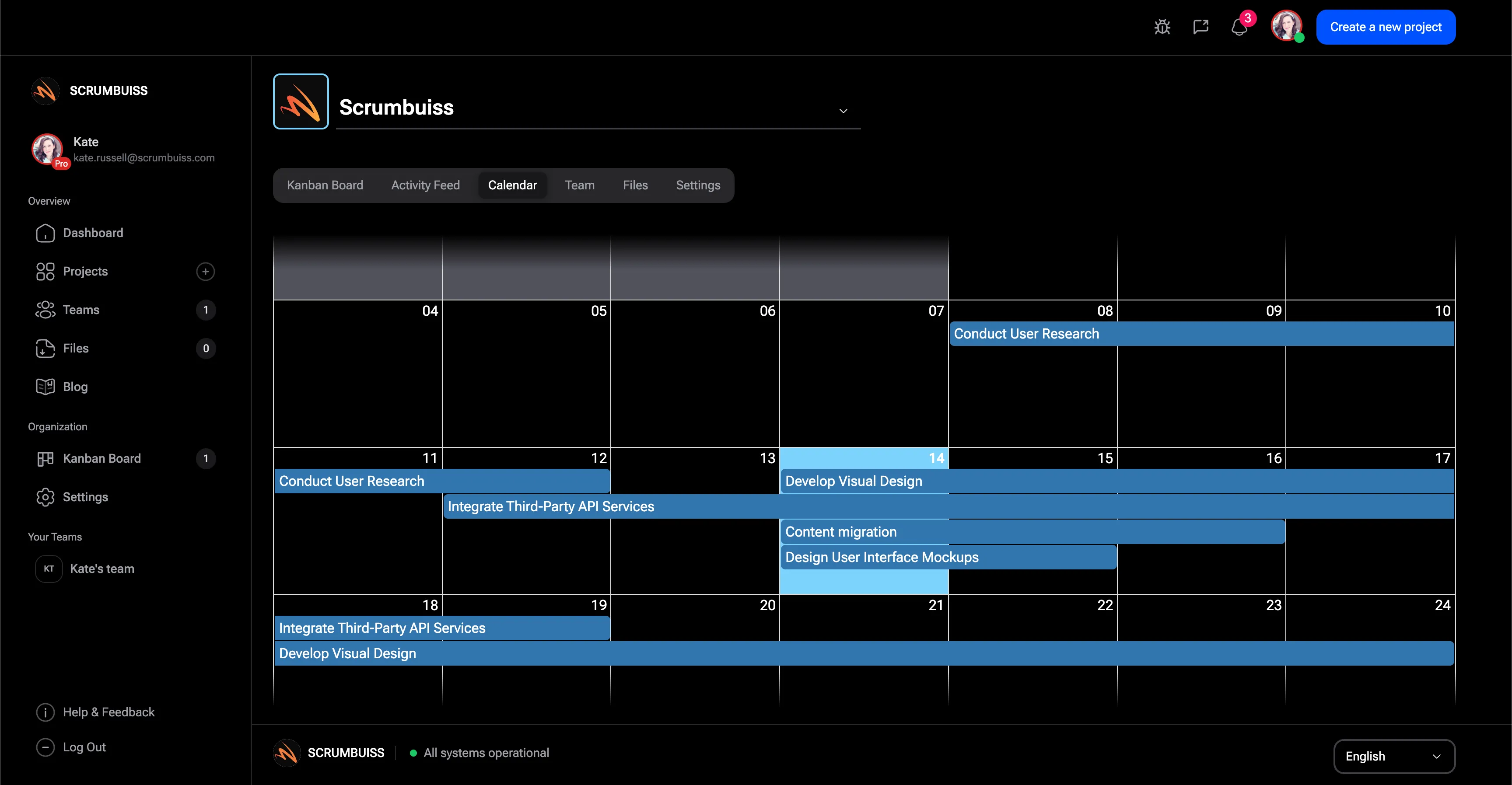
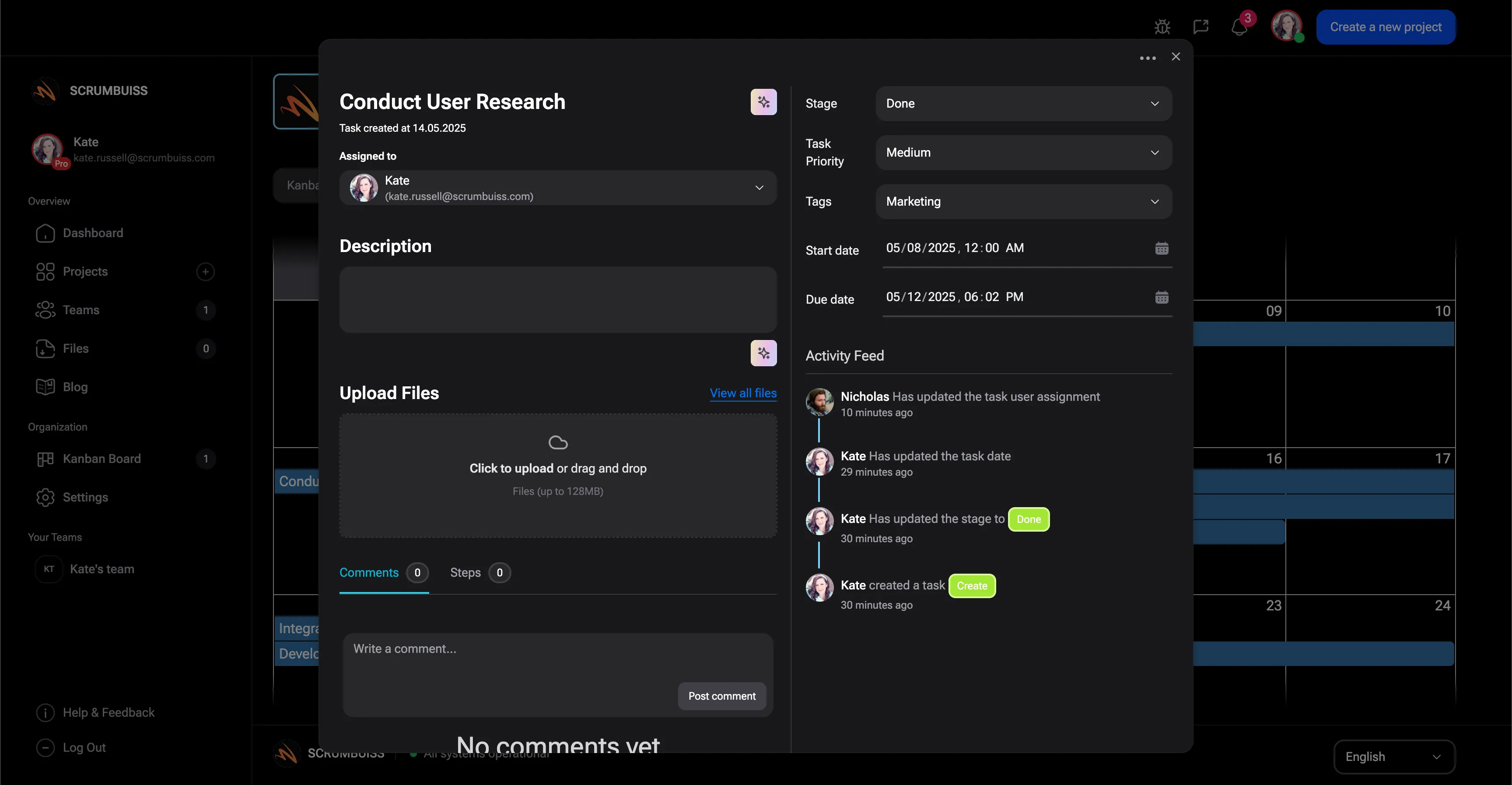
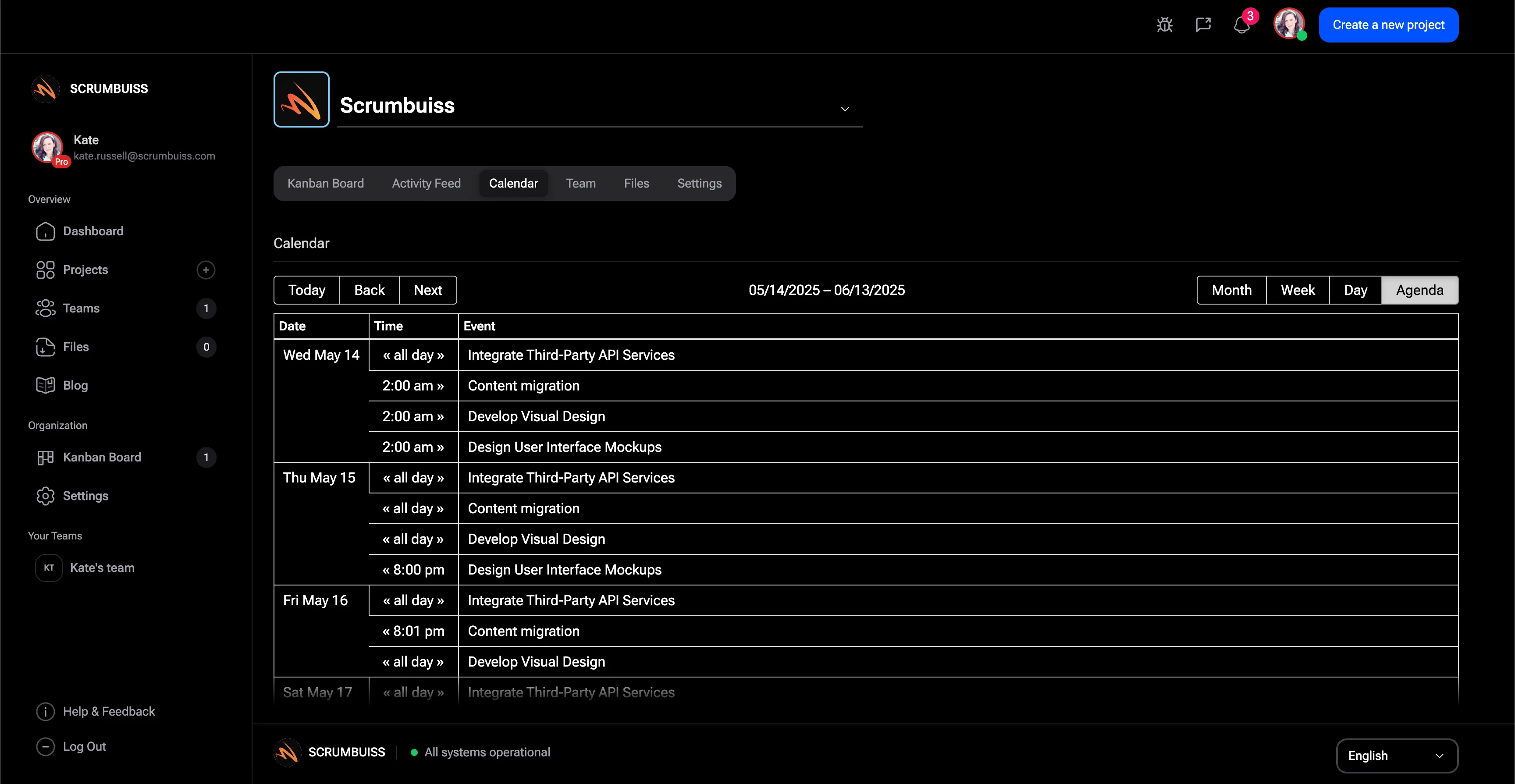
The best way to evaluate project calendar workflows is to connect the review to a real delivery path. The notes below are meant for buyers and operators who want to compare Scrumbuiss against the way their team actually plans, hands off, reports, and reviews project work.
When teams review project calendar workflows, the useful question is whether the next owner can see scope, deadlines, blockers, files, and approval history without rebuilding the story from chat messages or old meeting notes. That keeps the evaluation grounded in work that already happens instead of a generic feature checklist. Use it as baseline evidence for the first pilot.
A practical pilot for project calendar workflows should include operating context, because daily work, status updates, delivery confidence, and client-facing commitments remain connected instead of being split across a board, a spreadsheet, and a separate reporting deck. This also makes the demo easier to score because the team can compare the before and after workflow step by step. Use it as baseline evidence for the first pilot.
The strongest signal for project calendar workflows is not another static screen; it is proof that the setup is simple enough that account leads, project managers, contributors, and stakeholders keep using it after the first week rather than returning to private trackers. If that evidence is missing, the rollout usually creates another reporting layer instead of reducing coordination work. Use it as baseline evidence for the first pilot.
Before selecting a tool for project calendar workflows, document how the current process handles reporting quality and whether leaders can distinguish real delivery risk from ordinary activity noise because estimates, ownership, due dates, workload, and comments are reviewed together. Scrumbuiss is designed to keep those signals close to the work so the operating picture stays readable. Use it as baseline evidence for the first pilot.
When teams review project calendar workflows, the useful question is whether customers or external stakeholders receive a readable status narrative without being invited into every internal operational detail. That keeps the evaluation grounded in work that already happens instead of a generic feature checklist. Use it as baseline evidence for the first pilot.
A practical pilot for project calendar workflows should include structured intake, because new work enters the system with enough context to route it, prioritize it, and start delivery without another round of clarification. This also makes the demo easier to score because the team can compare the before and after workflow step by step. Use it as baseline evidence for the first pilot.
The strongest signal for project calendar workflows is not another static screen; it is proof that briefs, attachments, comments, and approvals remain close to the tasks and milestones they affect so review cycles do not drift into separate tools. If that evidence is missing, the rollout usually creates another reporting layer instead of reducing coordination work. Use it as baseline evidence for the first pilot.
Before selecting a tool for project calendar workflows, document how the current process handles capacity planning and whether the team can see where work is blocked by people, dependencies, reviews, or unplanned incidents before the deadline is already at risk. Scrumbuiss is designed to keep those signals close to the work so the operating picture stays readable. Use it as baseline evidence for the first pilot.
When teams review project calendar workflows, the useful question is whether the first rollout can start with one real workflow, prove that the operating model is easier to maintain, and then expand without forcing a full rebuild. That keeps the evaluation grounded in work that already happens instead of a generic feature checklist. Use it as baseline evidence for the first pilot.
A practical pilot for project calendar workflows should include governance, because permissions, ownership, status rules, and escalation paths are clear enough for managers, contributors, clients, and procurement reviewers. This also makes the demo easier to score because the team can compare the before and after workflow step by step. Use it as baseline evidence for the first pilot.
The strongest signal for project calendar workflows is not another static screen; it is proof that the team agrees which signals matter, such as cycle time, estimate variance, open risks, overdue reviews, blocked work, and handoff rework. If that evidence is missing, the rollout usually creates another reporting layer instead of reducing coordination work. Use it as baseline evidence for the first pilot.
Before selecting a tool for project calendar workflows, document how the current process handles automation fit and whether reminders, routing rules, and follow-up prompts remove repeated coordination work without hiding accountability from the people who own the outcome. Scrumbuiss is designed to keep those signals close to the work so the operating picture stays readable. Use it as baseline evidence for the first pilot.
When teams review project calendar workflows, the useful question is whether connected tools keep their source-of-truth role while Scrumbuiss keeps the project narrative, next action, and stakeholder update readable. That keeps the evaluation grounded in work that already happens instead of a generic feature checklist. Use it as baseline evidence for the first pilot.
A practical pilot for project calendar workflows should include security review, because vendor checks, role access, external sharing, and procurement questions are handled early enough that they do not delay the pilot after the workflow proves useful. This also makes the demo easier to score because the team can compare the before and after workflow step by step. Use it as baseline evidence for the first pilot.
The strongest signal for project calendar workflows is not another static screen; it is proof that the page should help a buyer decide what to test first, what evidence to collect, and which adjacent workflow to inspect before requesting a broader rollout. If that evidence is missing, the rollout usually creates another reporting layer instead of reducing coordination work. Use it as baseline evidence for the first pilot.
Before selecting a tool for project calendar workflows, document how the current process handles long-term maintainability and whether the operating model stays readable when the team adds more projects, more clients, more dependencies, or more reporting layers later in the year. Scrumbuiss is designed to keep those signals close to the work so the operating picture stays readable. Use it as baseline evidence for the first pilot.
When teams review project calendar workflows, the useful question is whether the next owner can see scope, deadlines, blockers, files, and approval history without rebuilding the story from chat messages or old meeting notes. That keeps the evaluation grounded in work that already happens instead of a generic feature checklist. Recheck it when the workflow expands to more teams, guests, or client-facing updates.
A practical pilot for project calendar workflows should include operating context, because daily work, status updates, delivery confidence, and client-facing commitments remain connected instead of being split across a board, a spreadsheet, and a separate reporting deck. This also makes the demo easier to score because the team can compare the before and after workflow step by step. Recheck it when the workflow expands to more teams, guests, or client-facing updates.
The strongest signal for project calendar workflows is not another static screen; it is proof that the setup is simple enough that account leads, project managers, contributors, and stakeholders keep using it after the first week rather than returning to private trackers. If that evidence is missing, the rollout usually creates another reporting layer instead of reducing coordination work. Recheck it when the workflow expands to more teams, guests, or client-facing updates.
Before selecting a tool for project calendar workflows, document how the current process handles reporting quality and whether leaders can distinguish real delivery risk from ordinary activity noise because estimates, ownership, due dates, workload, and comments are reviewed together. Scrumbuiss is designed to keep those signals close to the work so the operating picture stays readable. Recheck it when the workflow expands to more teams, guests, or client-facing updates.
When teams review project calendar workflows, the useful question is whether customers or external stakeholders receive a readable status narrative without being invited into every internal operational detail. That keeps the evaluation grounded in work that already happens instead of a generic feature checklist. Recheck it when the workflow expands to more teams, guests, or client-facing updates.
A practical pilot for project calendar workflows should include structured intake, because new work enters the system with enough context to route it, prioritize it, and start delivery without another round of clarification. This also makes the demo easier to score because the team can compare the before and after workflow step by step. Recheck it when the workflow expands to more teams, guests, or client-facing updates.
The strongest signal for project calendar workflows is not another static screen; it is proof that briefs, attachments, comments, and approvals remain close to the tasks and milestones they affect so review cycles do not drift into separate tools. If that evidence is missing, the rollout usually creates another reporting layer instead of reducing coordination work. Recheck it when the workflow expands to more teams, guests, or client-facing updates.
Before selecting a tool for project calendar workflows, document how the current process handles capacity planning and whether the team can see where work is blocked by people, dependencies, reviews, or unplanned incidents before the deadline is already at risk. Scrumbuiss is designed to keep those signals close to the work so the operating picture stays readable. Recheck it when the workflow expands to more teams, guests, or client-facing updates.
When teams review project calendar workflows, the useful question is whether the first rollout can start with one real workflow, prove that the operating model is easier to maintain, and then expand without forcing a full rebuild. That keeps the evaluation grounded in work that already happens instead of a generic feature checklist. Recheck it when the workflow expands to more teams, guests, or client-facing updates.