Gantt planning guide • reviewed March 14, 2026

Gantt Chart Software for Project Teams

Plan dependencies, milestones, timeline examples, and schedule changes in Gantt chart software that stays close to active delivery, workload decisions, and stakeholder reporting.

Use this page when the buying question is Gantt chart software for dependencies, milestones, and schedule changes. If you mainly need date-based calendar planning or a lightweight schedule template, use the Calendar and project schedule resources linked below so the intents stay clear.

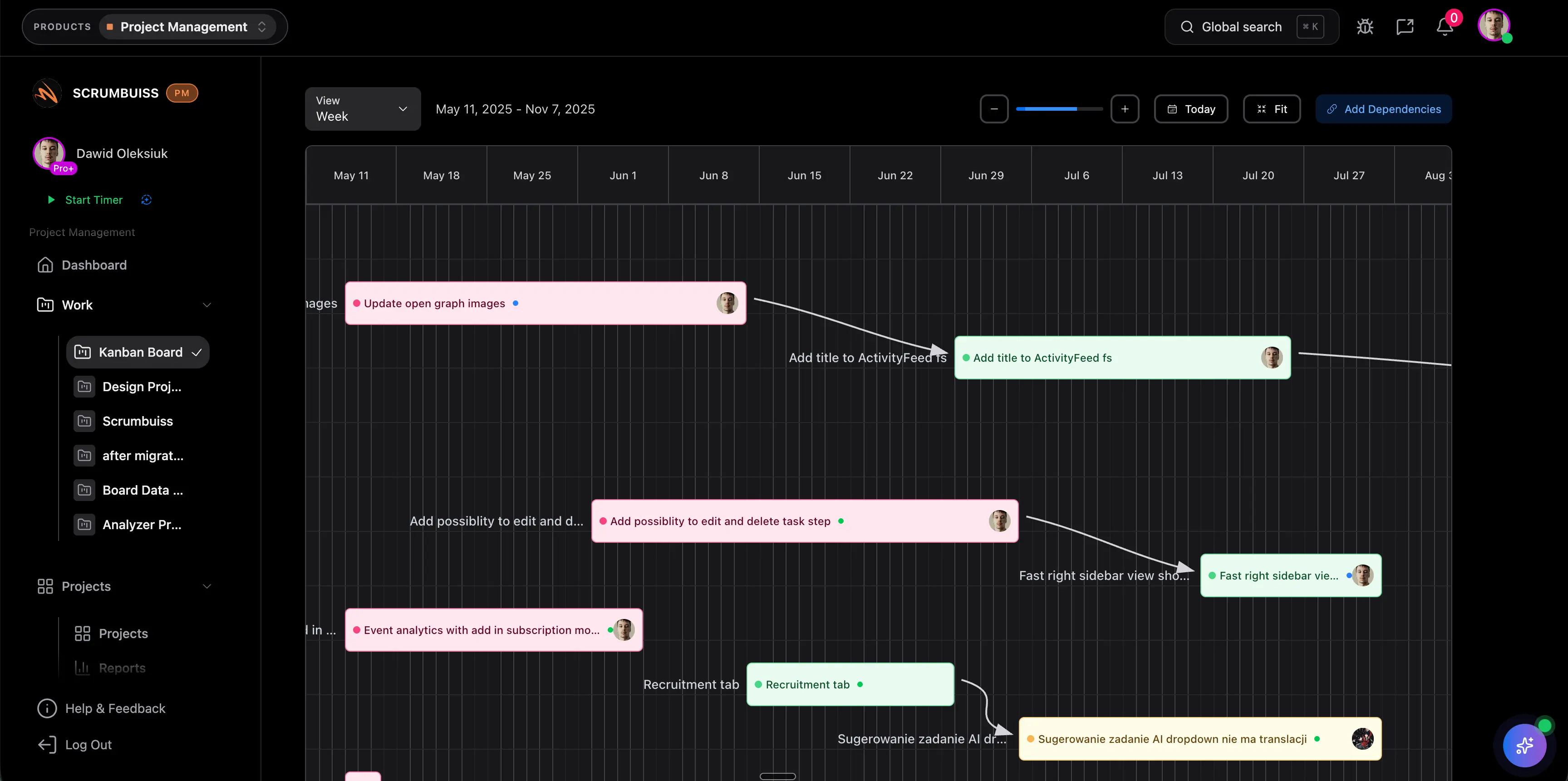
Scrumbuiss Gantt timeline overview

How we reviewed Gantt chart software

Reviewed on March 14, 2026. This page compares one buying question: which Gantt chart and project-timeline tools help teams build realistic schedules, manage dependencies, and replan changes without pushing execution and reporting into separate systems.

  • Scrumbuiss references come from the live pricing page, the Timeline Maker guide, the Project Delivery product page, the Workload Capacity and Sprints solution pages, and the project timeline and project schedule guides in this site.
  • The page keeps Gantt chart maker intent separate from broader timeline-maker and calendar/schedule-maker intent so teams can choose between dependency-led planning, visual timeline creation, and date-based schedule coordination.
  • Competitor references come from the official Gantt pages published by TeamGantt, monday.com, and Wrike.
  • The goal is not feature-parity theater. It is to help teams decide whether Gantt planning should live inside a broader delivery workflow or in a more schedule-first planning layer.

When Scrumbuiss is a fit

The right decision depends less on one chart and more on where schedule planning should live after the team moves beyond card due dates and spreadsheet-based replanning.

Strong fit for Scrumbuiss

Best when timeline planning should stay connected to the work the team is actually delivering, not sit in a separate schedule layer.

  • Dependencies, milestones, and dates need to stay readable alongside task execution and weekly delivery reviews.
  • The team wants schedule changes to remain visible to leads and stakeholders without rebuilding updates by hand.
  • Delivery, workload, and sprint decisions should happen in the same operating layer as the timeline itself.

Worth piloting carefully

A live pilot is useful when the team already plans dates somewhere, but dependencies and schedule changes still get translated through spreadsheets, chat, or status meetings.

  • Test one live project where milestones and task handoffs already matter.
  • Use the pilot to confirm that the timeline changes a real planning decision instead of becoming a reporting-only view.
  • Validate that rescheduling is fast enough for the team to trust the view during active delivery, not just at kickoff.

Probably not the best fit

A more schedule-first tool may fit better when the primary need is dedicated timeline planning and execution already works comfortably somewhere else.

  • Your team mainly wants a standalone planning layer for schedule-heavy coordination.
  • The same people reviewing Gantt plans are not the people running day-to-day execution in the main workspace.
  • You care more about timeline administration than keeping dates, workload, and stakeholder reporting tied to live delivery work.

Build the first version

Create a schedule around real tasks, milestones, and owners

Useful Gantt chart software should do more than draw bars. It should let teams turn scoped work into a shared timeline that shows sequencing, owners, and milestone dates clearly enough for delivery conversations to start from the same picture.

  • Map tasks and milestone dates in one timeline instead of splitting schedule planning from the execution layer.
  • Keep ownership and planned timing visible so the schedule stays actionable, not just presentable.
  • Use the view at kickoff to align the team on what actually has to happen before the plan becomes a reporting problem.
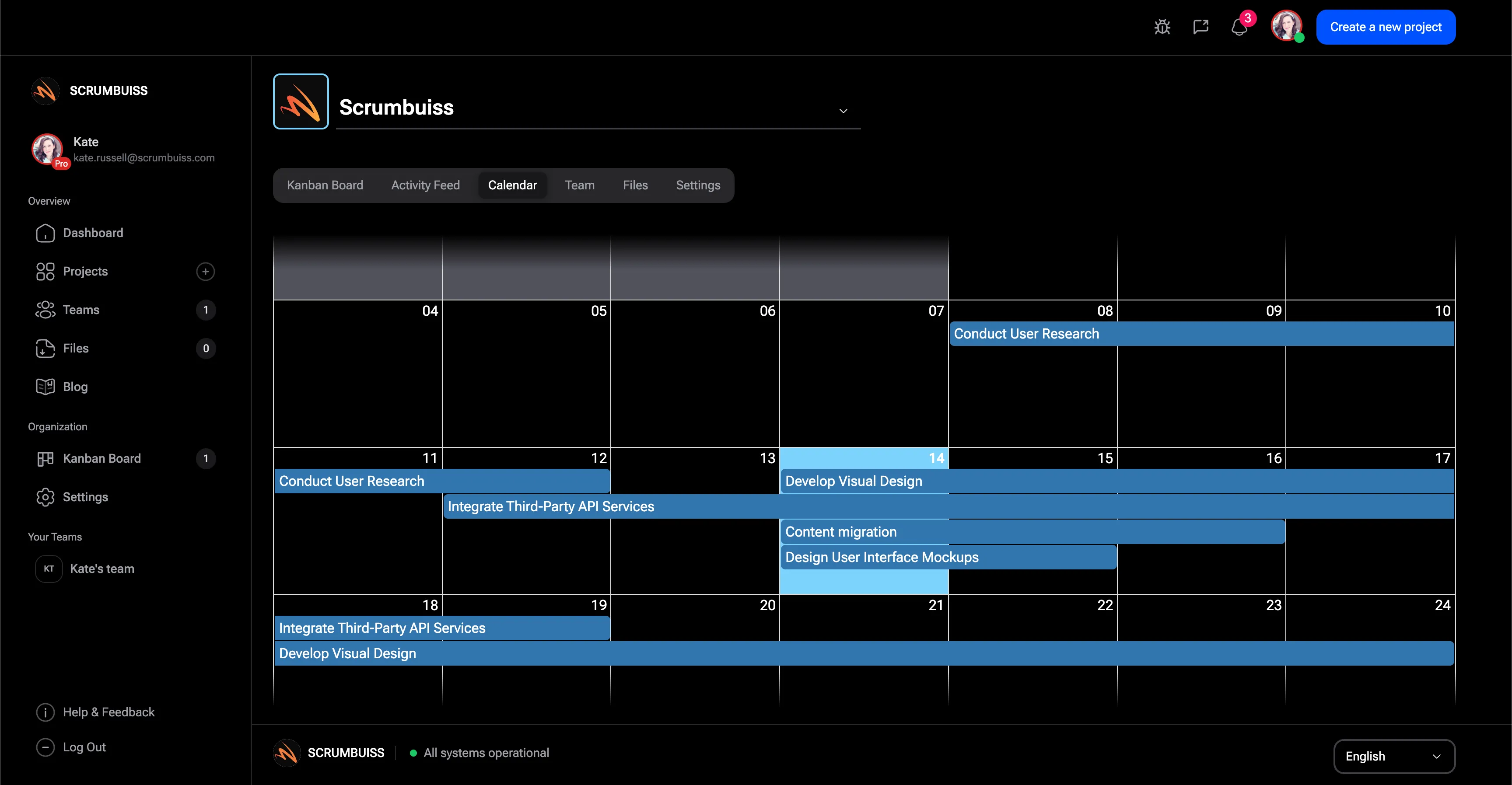
Scrumbuiss Gantt timeline overview used to build a project schedule

Make dependencies explicit

Manage dependencies and milestone risk before the plan slips silently

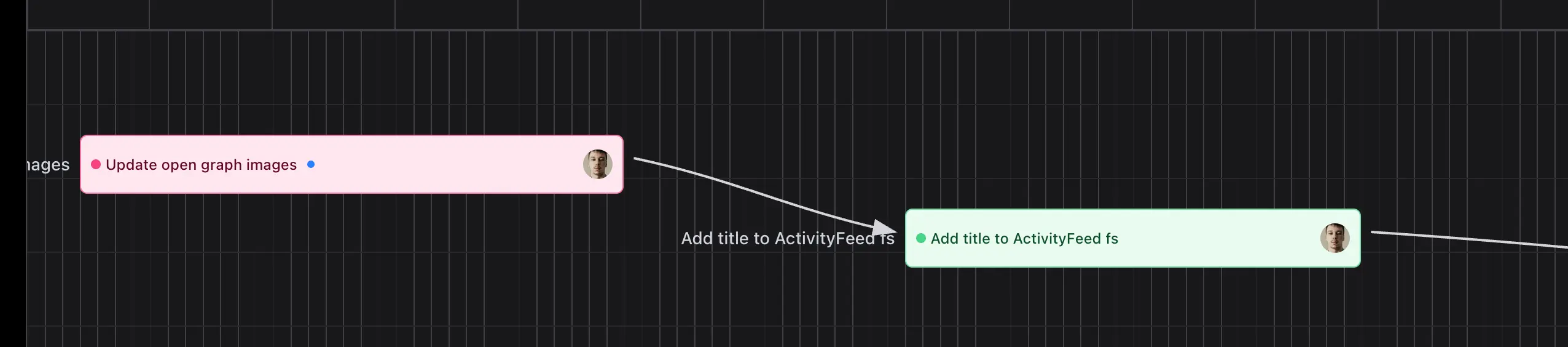
The real value of Gantt planning appears when the team can see how one delayed task affects the rest of the schedule. That means dependencies and milestones need to stay visible enough for people to act before one blocked handoff becomes a late surprise.

  • Connect dependent tasks so schedule risk is obvious before the deadline is already in danger.
  • Use milestone markers to anchor review points, approvals, releases, and other dates that matter outside the project team.
  • Keep the dependency picture close to the work itself so blocked tasks and delayed handoffs stay easier to explain.
Scrumbuiss Gantt timeline showing task dependencies and milestone planning

Replan with context

Adjust dates with workload and sprint commitments in view

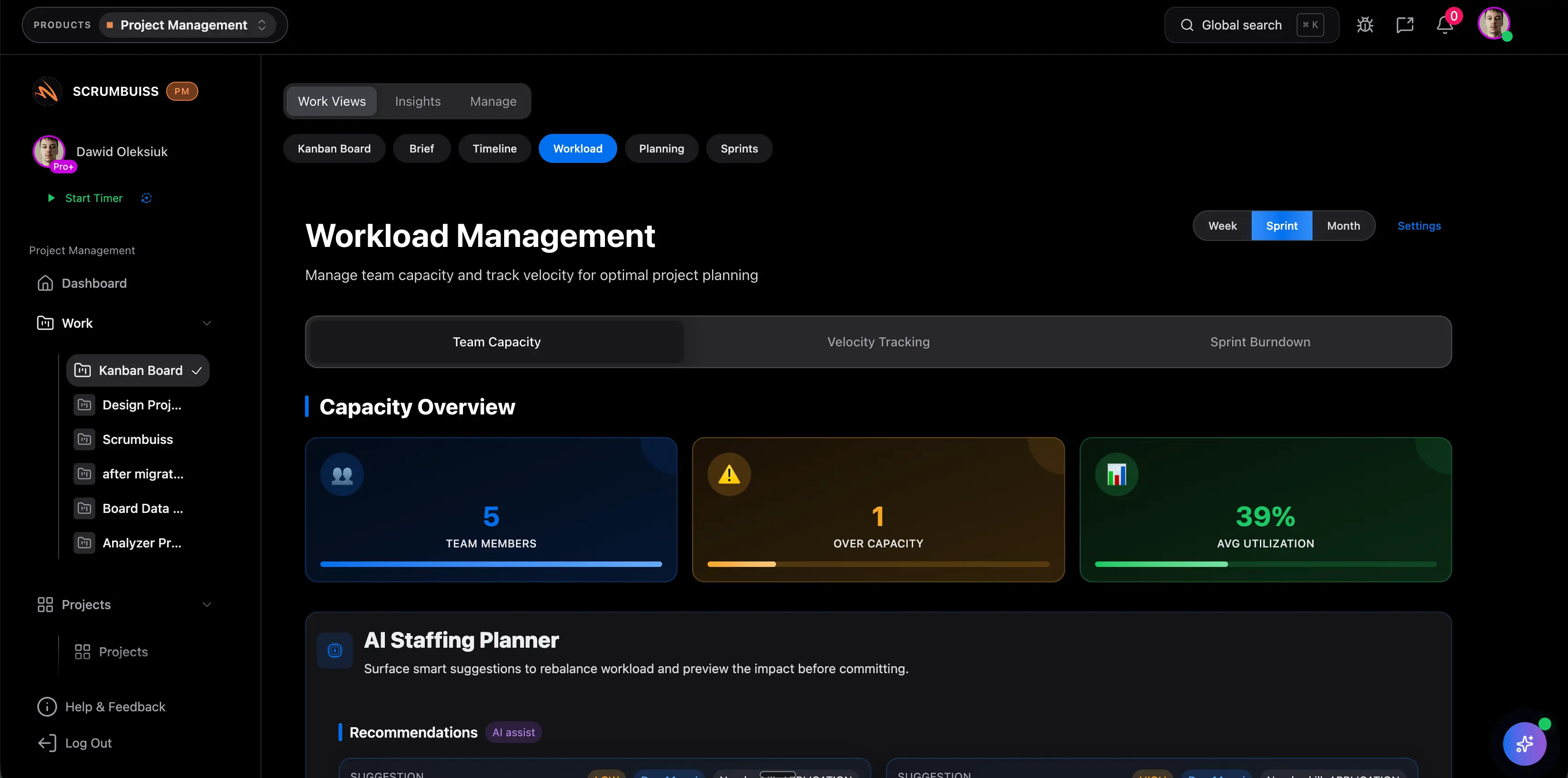
Schedules become operational only when teams can replan them against real capacity and current commitments. The stronger workflow is not a Gantt chart by itself, but a timeline that stays connected to workload review, sprint planning, and stakeholder-ready updates when dates move.

  • Replan dates with workload and current commitments visible so one fix does not create a different bottleneck elsewhere.
  • Use the same operating layer to explain why a timeline changed instead of rebuilding the narrative in another reporting tool.
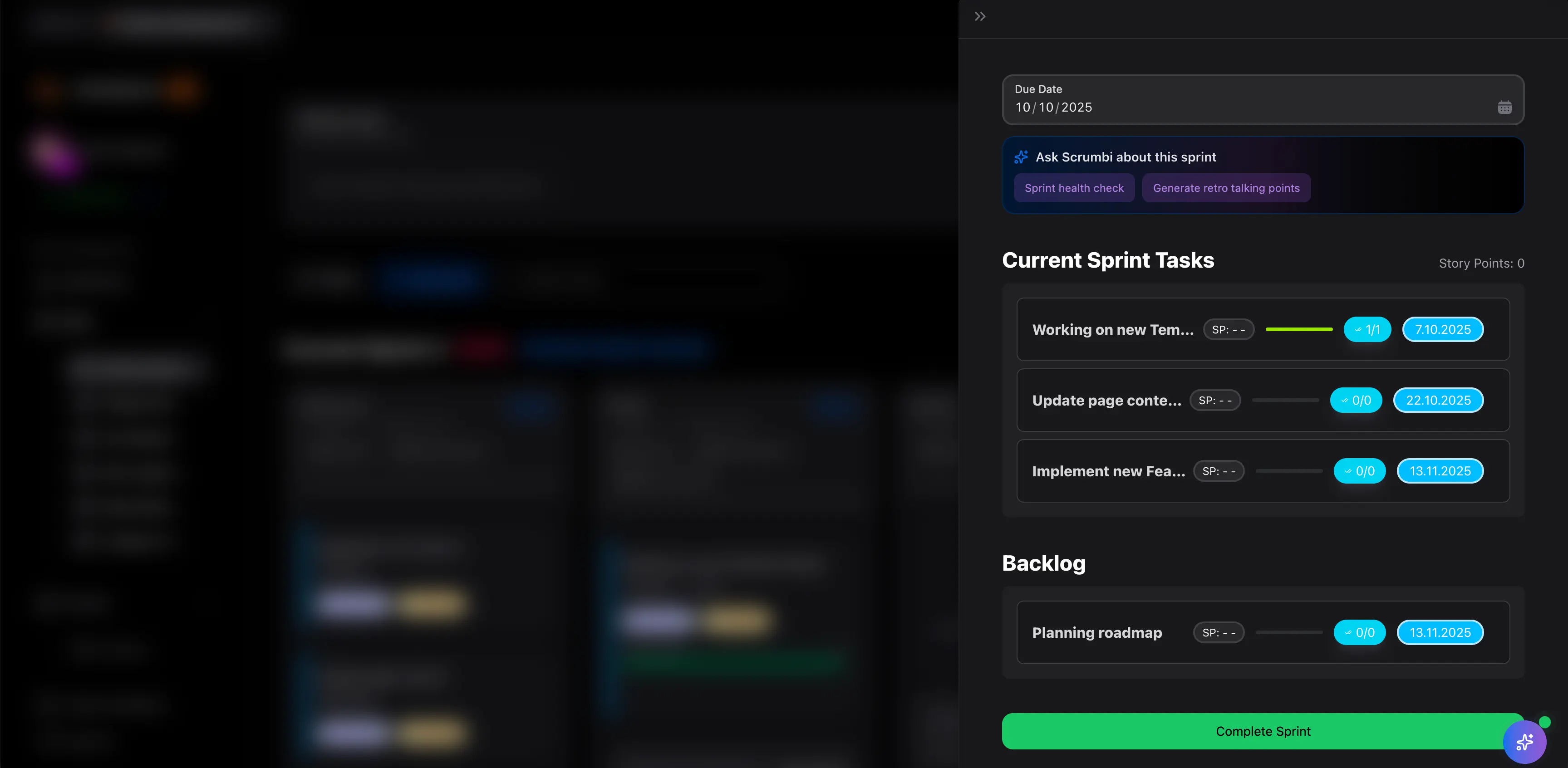
  • Carry the scheduling decision forward into sprint planning and weekly delivery reviews so the new plan actually sticks.
Scrumbuiss workload view used alongside Gantt planning to replan delivery dates

Competitor snapshot

These tools all support Gantt planning differently. The practical question is whether the timeline should remain a dedicated schedule layer or stay connected to the delivery workflow that must follow it.

Tool Best for Gantt angle Main tradeoff Why teams choose Scrumbuiss instead
TeamGantt Schedule-driven teams that want straightforward Gantt planning with dependency management, progress tracking, and collaboration. Publicly emphasizes easy-to-use Gantt chart software for project teams that need schedule visibility, dependency tracking, and progress collaboration. Teams should validate how much execution, workload review, and stakeholder reporting still need separate systems once the schedule becomes part of live delivery. Scrumbuiss is stronger when the shortlist prioritizes a tighter connection between timeline planning, delivery execution, and the reporting loop around schedule changes.
monday.com Distributed or cross-functional teams that want Gantt as one planning and tracking view inside a broader work-management platform. Publicly positions Gantt inside a wider planning, roadmap, and tracking stack rather than as a standalone schedule engine. Buyers should validate whether dependency discipline, milestone review, and delivery-standard schedule changes stay readable enough inside a broader, more configurable workspace. Scrumbuiss is stronger when Gantt planning should stay closer to workload, sprints, and stakeholder-ready delivery updates instead of acting as one view among many.
Wrike Teams that want a heavier project-management layer with interactive Gantt planning, dependency visibility, and shareable timeline snapshots. Publicly positions Gantt around broader project planning and management, with features focused on timeline visibility, collaboration, and timeline sharing. The workflow can be heavier than teams need when the core buying question is how schedule changes should flow straight into day-to-day delivery decisions. Scrumbuiss is stronger when teams want Gantt planning, workload review, sprint commitments, and stakeholder reporting closer together in one delivery operating model.

Review current plan limits, sharing controls, and feature availability on the vendor pages before you buy. Product names are trademarks of their respective owners.

What to validate in a live pilot

The best trial is one real schedule review, not a screenshot tour. Use the checklist below to judge whether the timeline becomes operational inside your team.

  1. Step 1

    Pilot one active project where milestones, dependencies, and schedule changes already matter.

  2. Step 2

    Build the timeline from real tasks and owners instead of a sample dataset so the plan reflects actual delivery pressure.

  3. Step 3

    Define which milestones matter most for the pilot: approvals, releases, client deadlines, or cross-team handoffs.

  4. Step 4

    Map at least one dependency chain that could realistically delay the plan and check whether the timeline makes that risk obvious early enough.

  5. Step 5

    Run one replanning session where the team changes dates or sequencing from the live timeline instead of in a spreadsheet.

  6. Step 6

    Review the same schedule with workload or sprint context so the team can see whether the plan still fits real capacity.

  7. Step 7

    Set go or no-go criteria: clearer dependency visibility, faster replanning, cleaner stakeholder updates, and fewer side spreadsheets for schedule management.

FAQ

These are the buying and rollout questions teams usually need answered before Gantt planning becomes part of the real delivery workflow.

What should teams look for in Gantt chart software?

Look for software that makes dependencies, milestones, owners, and schedule changes easy to understand and act on. The best tools do not just visualize dates. They help teams build a realistic schedule, spot risk early, and explain timeline changes without rebuilding the story somewhere else.

What is the difference between a timeline maker and Gantt chart software?

A timeline maker is the broader category for creating a project schedule, timeline examples, and milestone views. Gantt chart software is more specific about task bars, dependencies, progress, and date relationships. In practice, buyers usually care less about the label and more about whether the tool makes schedule changes operational for the team.

When do teams outgrow board-only planning and need Gantt?

Teams usually need Gantt planning once dates depend on cross-team handoffs, milestone reviews, or a few critical dependencies that a board does not explain clearly. When schedule changes start getting managed in spreadsheets or status meetings, a timeline view becomes much more useful.

How should a team evaluate dependencies and milestones in a pilot?

Use one real project and test whether the timeline exposes dependency risk early enough to change a real decision. A useful pilot should show whether milestones stay readable, whether blocked handoffs become obvious, and whether the team can replan quickly when one date moves.

Can Gantt planning live in the same tool as workload and sprint execution?

Yes, and that is often the stronger fit when the people adjusting the schedule also own workload review, sprint commitments, and weekly delivery reporting. The main advantage is that teams can move from seeing a schedule issue to changing the plan without losing context across separate tools.

When is a more schedule-first tool a better fit than Scrumbuiss?

A more schedule-first tool can make sense when standalone timeline administration is the main requirement and execution already works comfortably somewhere else. Scrumbuiss is stronger when Gantt planning should stay tied to active delivery work, workload decisions, and the reporting loop around changing dates.

Related templates

Templates that help teams turn roadmap alignment, milestone planning, dependency reviews, and schedule updates into repeatable habits.

Sprint planning template

Template

Download a free sprint planning and backlog planning template with sprint goal, selected backlog items, capacity, dependencies, and a reusable checklist.

  • Sprint goal, selected work, and owners in one planning sheet
  • Backlog planning columns for priority, estimate, owner, dependency, and definition of done
  • Capacity and availability checks before the team commits
Sprint planning template screenshot

Project development plan template Excel

Template

Download a free project development plan template for Excel with phases, milestones, owners, dependencies, risks, status fields, Gantt chart inputs, and deliverable tracking for project teams.

  • Project development plan template structure for phases, milestones, owners, dependencies, dates, and deliverables
  • Spreadsheet-friendly CSV you can open in Excel, Google Sheets, or another planning tool
  • Example project plan rows that show how scope, risks, project timelines, and acceptance criteria stay connected
Project development plan template Excel screenshot

Project status report template

Template

Download a free project status report template with progress, milestones, blockers, risks, decisions, next steps, and stakeholder update fields.

  • Project status report structure for progress, milestones, blockers, risks, decisions, and next steps
  • Spreadsheet-friendly CSV that can be opened in Excel, Google Sheets, or a project reporting workflow
  • Fields for audience, reporting period, evidence links, update owner, and decision follow-up
Project status report template screenshot

Project roadmap template

Template

Download a free project roadmap template with objectives, initiatives, themes, milestones, dependencies, capacity notes, risks, success metrics, and review fields.

  • Project roadmap template structure for objectives, initiatives, themes, milestones, owners, and priorities
  • Spreadsheet-friendly CSV for roadmap planning before initiatives move into portfolio or delivery software
  • Fields for dependencies, capacity notes, risks, success metrics, decisions, and review dates
Project roadmap template screenshot

Project schedule template

Template

Download a free project schedule template for weekly planning, milestones, owners, dependencies, blockers, schedule risk, and next steps.

  • Weekly project schedule structure for dates, owners, milestones, dependencies, and next steps
  • Spreadsheet-friendly CSV that can be opened in Excel, Google Sheets, or a project calendar workflow
  • Fields for schedule risk, blockers, status, notes, and follow-up ownership
Project schedule template screenshot

Project KPI dashboard template

Template

Download a free project KPI dashboard template with example delivery metrics, status rules, owner fields, and a weekly reporting structure for project teams.

  • Project KPI dashboard structure for delivery, workload, risk, schedule, and stakeholder reporting
  • Filled example metrics for progress, blocked work, overdue tasks, workload pressure, and risk exposure
  • Status rules that make KPI reviews easier to run without turning the dashboard into vanity reporting
Project KPI dashboard template screenshot