Timeline maker guide - reviewed May 19, 2026

Timeline Maker for Project Teams

Use Scrumbuiss as a project timeline maker when teams need milestones, dependencies, schedule changes, and stakeholder updates to stay connected to the work being delivered.

This page is for commercial timeline-maker evaluation. It focuses on project timelines and delivery schedules, not decorative timeline graphics or generic presentation timelines.

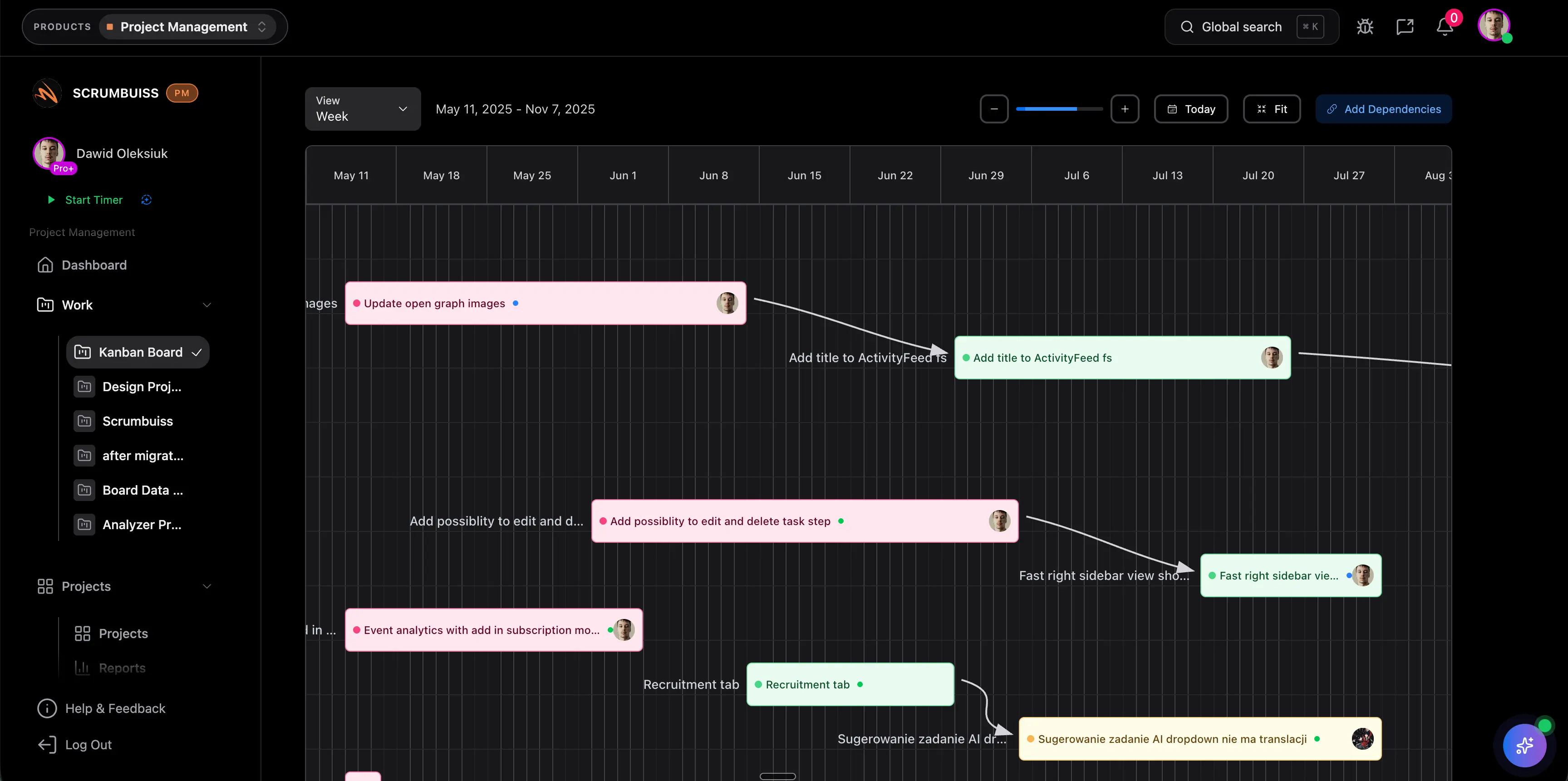
Scrumbuiss timeline maker with milestones and dependency planning

How we reviewed timeline maker fit

Reviewed on May 19, 2026. This page evaluates one buying question: when should a timeline maker live inside project execution instead of becoming another graphic, spreadsheet, or schedule-only layer that still has to be translated back into active work.

  • Scrumbuiss references come from the Gantt Timeline, Calendar, Project Delivery, Workload Capacity, Sprints, and project timeline guide pages.
  • We used the SEMrush export to separate commercial timeline-maker intent from low-fit timeline graphic, presentation, and chronology-only searches.
  • The page is written around fit, rollout questions, and operational tradeoffs so the content does not duplicate the broader Gantt chart software guide.
When Scrumbuiss is a fit

Scrumbuiss fits when the timeline should guide real delivery decisions, not only produce a visual schedule.

Strong fit for Scrumbuiss

Best when project timelines need to stay close to tasks, owners, dependencies, workload, and weekly delivery reporting.

  • The team needs a timeline maker for project work, not a standalone diagram or presentation graphic.
  • Milestones and dependencies should stay connected to the tasks and owners responsible for them.
  • Stakeholders need a readable schedule view without asking the team to rebuild status manually.

Worth piloting carefully

A pilot is useful when schedules already exist in spreadsheets, but the team still manages execution somewhere else.

  • Run one real timeline with actual owners, milestone dates, and dependencies.
  • Measure whether schedule changes create less manual communication work.
  • Validate that the timeline still helps once tasks slip or priorities change.

Probably not the best fit

A graphic timeline tool may fit better when the goal is a static visual for a presentation rather than operational planning.

  • The output is mainly a one-off image, slide, or infographic.
  • The team does not need task ownership, workload review, or delivery reporting behind the timeline.
  • The schedule is maintained by one planner and does not need to stay connected to execution.

Build the plan

Turn scoped work into a project timeline

A useful timeline maker should help teams move from a list of work to a shared schedule with owners, milestones, and target dates that everyone can understand.

  • Map tasks and milestones into a timeline that reflects the actual delivery plan.
  • Keep ownership and timing visible so the schedule is actionable instead of decorative.
  • Use the timeline at kickoff to align stakeholders before execution starts.
Scrumbuiss project timeline maker overview

Track dependencies

Keep milestones and dependencies visible as work moves

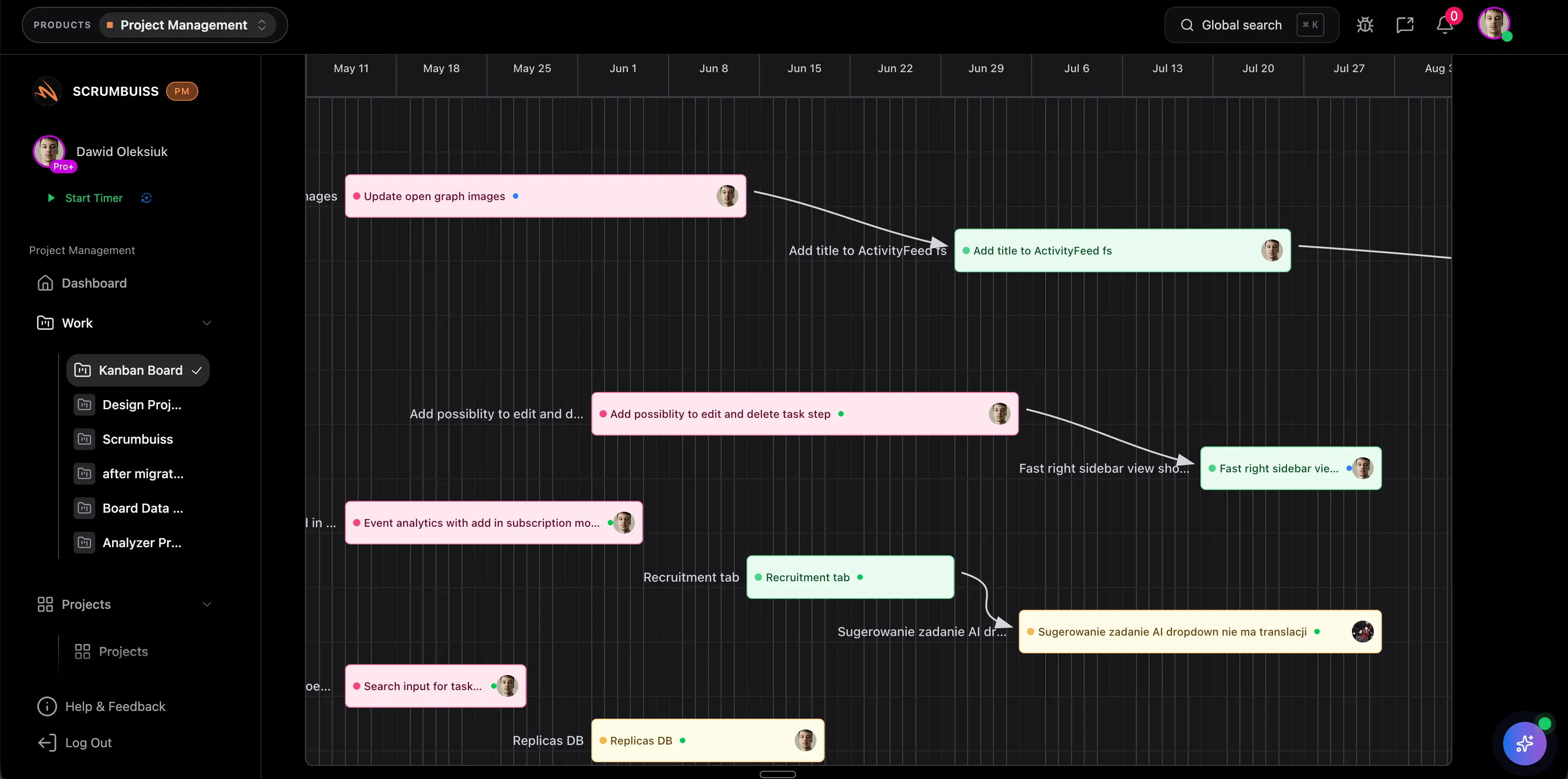
Timeline software becomes valuable when schedule risk is visible early enough to change decisions before a milestone is missed.

  • Use dependencies and milestones to see which work affects the next date.
  • Review blocked handoffs before they become late stakeholder updates.
  • Keep the timeline connected to sprint planning, workload review, and project status.
Scrumbuiss timeline maker showing dependencies and milestone risk

Replan clearly

Explain schedule changes without rebuilding the story

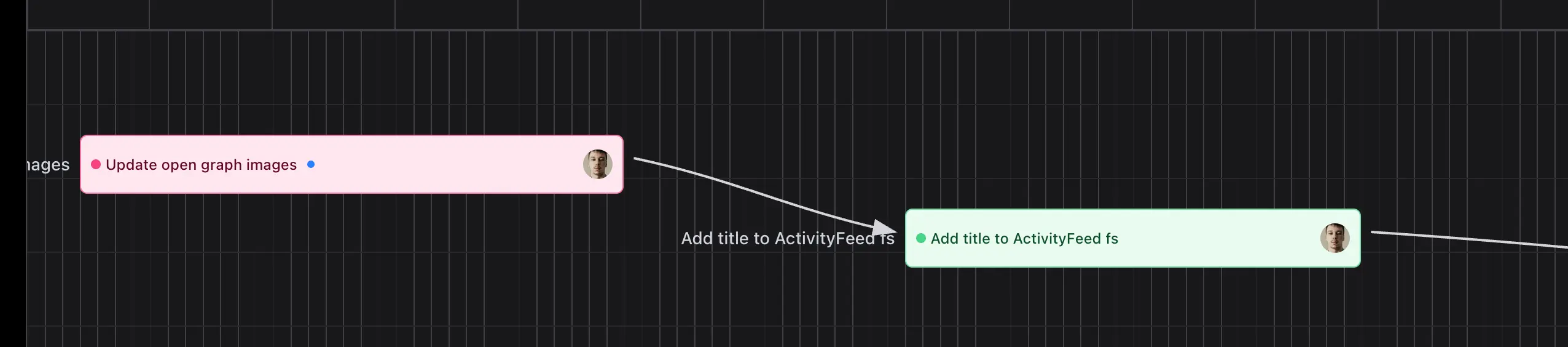
When dates move, teams need a timeline that explains what changed, why it matters, and what should happen next.

  • Use the timeline in delivery reviews so stakeholders can see the impact of changed dates.
  • Keep activity, task status, and workload context close to schedule decisions.
  • Avoid maintaining one timeline for presentation and another system for execution.
Scrumbuiss project timeline used to replan schedule changes

Where to go next

These pages answer adjacent planning questions without making this timeline-maker guide too broad.

Gantt chart software

Use this when dependency depth and Gantt-style schedule planning are the main evaluation criteria.

Workload & Capacity

Use this when timeline quality depends on realistic availability and staffing decisions.

Timeline maker FAQ

These answers keep the page focused on project timeline creation, not generic timeline graphics.

What is a project timeline maker?

A project timeline maker helps teams turn tasks, owners, milestones, and dates into a schedule view that explains what needs to happen and when.

How is a timeline maker different from Gantt chart software?

Timeline maker is the broader search intent for building and sharing a project schedule. Gantt chart software is usually more specific about bars, dependencies, progress, and date relationships across work items.

When should a timeline live in project management software?

Keep the timeline in project management software when schedule changes should stay connected to task ownership, workload, dependencies, and stakeholder reporting.