Risk register template
Download a free risk register and risk matrix template in CSV format with sample risks, 1 to 5 scoring, owners, trigger signals, and weekly review steps.
Use this free risk register template when you need one practical place to log threats, score them consistently, and review mitigation work before delays turn into active issues.
What this risk register template helps you do
This page is built for project managers, delivery leads, operations teams, agencies, and engineering teams that need a usable register now instead of a bloated governance document.
- ✓ Exact-match CSV template for Excel or Google Sheets with scoring, owners, statuses, and review dates
- ✓ Simple likelihood x impact risk matrix model for prioritizing project risk without a heavy governance process
- ✓ Six realistic example risks covering vendors, staffing, approvals, performance, and dependency drift
- ✓ Field-by-field structure for mitigation plans, trigger signals, and weekly review decisions
- ✓ Useful as a lightweight spreadsheet now and a cleaner handoff into a live risk workflow later
When to use this template
A spreadsheet risk register works best when the team needs a lightweight weekly operating tool with clear ownership, consistent scoring, and visible trigger signals.
- Use it at kickoff when the team needs one lightweight place to log the main delivery, staffing, vendor, approval, or deadline risks before execution starts moving.
- Use it in weekly project reviews when owners need to update probability, impact, and mitigation progress without rebuilding the tracker from notes or status decks.
- Use it when multiple teams share dependencies and you need a spreadsheet that stays readable before you commit to a fuller risk workflow or dedicated software.
- Use it when stakeholders want a concise summary of active risks, owners, review dates, and escalation signals instead of a long narrative update.
What's inside the template
These are the core fields included in the downloadable CSV and reflected in the filled example rows below.
What to include in a risk register
Each field should make one weekly review question easier to answer: what could happen, how serious is it, who owns it, what changes the score, and what happens next.
Risk ID
Use a short ID such as R-001 so the team can reference the same risk in meetings, comments, and status updates without confusion.
Risk statement
Describe the threat in plain language so the team understands what could happen, what part of the project it could affect, and why it matters.
Likelihood
Score how likely the risk is on a simple 1 to 5 scale so the team can compare risks using the same threshold instead of gut feel.
Impact
Score the severity of the outcome if the risk happens, using the same 1 to 5 scale across schedule, scope, cost, quality, or stakeholder impact.
Priority score
Multiply likelihood x impact so the register sorts itself and the team can focus weekly attention on the risks that need action first.
Owner
Assign one person responsible for monitoring the risk, updating the row, and moving mitigation work forward between reviews.
Mitigation plan
Write the concrete action that lowers probability, reduces impact, or prepares a fallback path before the risk turns into an active issue.
Trigger signal
Record the leading indicator that tells the team when the risk is worsening, such as a missed milestone, approval delay, or capacity change.
Review date
Set the next date when the owner or team must revisit the risk so high-priority items do not disappear between status meetings.
Status
Use a simple status such as Open, Watching, Mitigated, or Escalated so stakeholders can scan which risks still need attention.
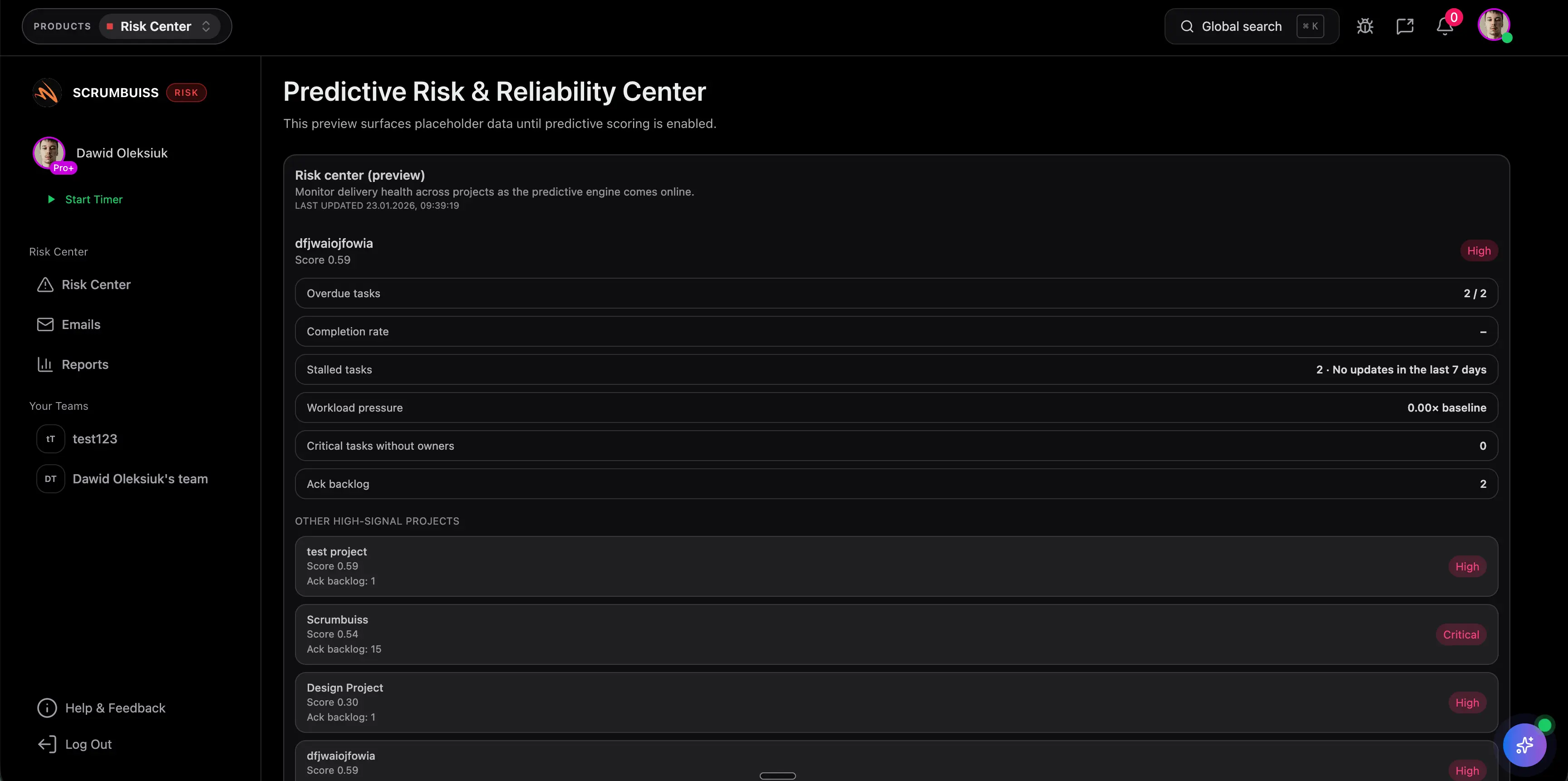
Choose the right risk-tracking format
A risk register, a risk matrix, and an issue log overlap, but they are not interchangeable. Use the lightest format that still keeps the work actionable and reviewed.
A spreadsheet is enough when
You have a single project or a small delivery portfolio, one clear owner per risk, and a team that can review the register weekly without needing automations, dashboards, or cross-project rollups.
Move to a live risk workflow when
Risks span multiple teams, reminders and escalations depend on automation, leadership needs live reporting, or mitigation work has to stay attached to the same system as tasks, timelines, and weekly status updates.
Risk register vs risk matrix
A risk matrix is a scoring view that helps you visualize severity. A risk register is the operating record that stores the full row: owner, trigger, mitigation plan, review date, and current status.
Risk register vs issue log
A risk register tracks potential future problems and how you plan to prevent or reduce them. An issue log tracks problems that are already happening and need immediate resolution or escalation.
Filled risk register example
These example rows cover common delivery patterns: vendor slips, staffing gaps, unclear requirements, performance risk, approval delays, and dependency drift.
| Risk | Likelihood | Impact | Score | Owner | Mitigation | Trigger | Review date | Status |
|---|---|---|---|---|---|---|---|---|
| Vendor API delivery slips by two weeks | 4 | 5 | 20 | Engineering lead | Freeze dependent scope and confirm fallback workflow by Friday | Vendor misses sandbox milestone | 2026-03-19 | Escalated |
| Key frontend engineer is unavailable during release hardening | 3 | 4 | 12 | Project manager | Cross-train second owner and pull test cases forward | PTO request or support load spikes | 2026-03-18 | Open |
| Unclear acceptance criteria cause rework after stakeholder review | 3 | 3 | 9 | Product manager | Review acceptance criteria in the project brief before sprint start | Stories enter sprint without sign-off | 2026-03-20 | Watching |
| Performance regression pushes launch past planned window | 3 | 5 | 15 | Tech lead | Add load-test checkpoint and reserve one rollback window | Response times exceed target in staging | 2026-03-21 | Open |
| Customer security review delays production sign-off | 3 | 4 | 12 | Operations lead | Request security questionnaire early and pre-assign answers with legal and engineering | Security questionnaire is still unanswered five business days before launch review | 2026-03-22 | Watching |
| Shared data migration slips and blocks downstream training | 4 | 4 | 16 | Delivery lead | Escalate dependency owner, lock fallback training date, and split launch-critical scope | Migration dry run misses the agreed handoff milestone | 2026-03-21 | Open |
Simple 1 to 5 scoring guide
Keep the scoring model simple enough that the team can use it consistently in weekly reviews instead of debating every row from scratch.
Monitor it, but keep the review light unless the trigger changes or the surrounding project context shifts.
Review it in weekly project check-ins and confirm that the owner, mitigation action, and next review date are still current.
Add concrete mitigation work this week, report progress in the status update, and make sure the trigger is visible to the team.
Escalate immediately, assign a contingency path, and review again before the team makes new delivery commitments.
Weekly risk review checklist
Run this checklist in your delivery review so the register stays operational instead of turning into a kickoff artifact or audit-only sheet.
- Confirm every active risk still has one named owner and one clear next review date.
- Update likelihood, impact, and score using current evidence instead of last week's assumptions.
- Check whether the mitigation plan is done, in progress, blocked, or ready for escalation.
- Look for new trigger signals, approval delays, staffing changes, or dependency slips that should change the row.
- Close or downgrade risks that are no longer relevant so the register stays short enough to trust and use.
Common risk register mistakes
These are the patterns that usually make a risk register stale, overly political, or too noisy to guide real decisions.
- Logging vague risks without a trigger, owner, or mitigation action, which turns the register into a list of worries instead of a decision tool.
- Leaving scores unchanged even when the project context has clearly shifted, which hides the real priority order from the team.
- Tracking too many low-value risks until the register becomes noise and nobody can see what needs escalation.
- Updating the spreadsheet only for stakeholder optics instead of using it in the actual weekly project review.
- Using the register as an issue log and mixing future threats with active incidents that need a separate response path.
How to use this risk register template
Start in a spreadsheet, keep the scoring model consistent, and move to a live risk workflow only when reminders, escalations, and reporting need more than a sheet can reliably support.
Capture the risk in plain language
Log the threat early, name one owner, and write the risk so someone outside the original meeting can still understand the row later.
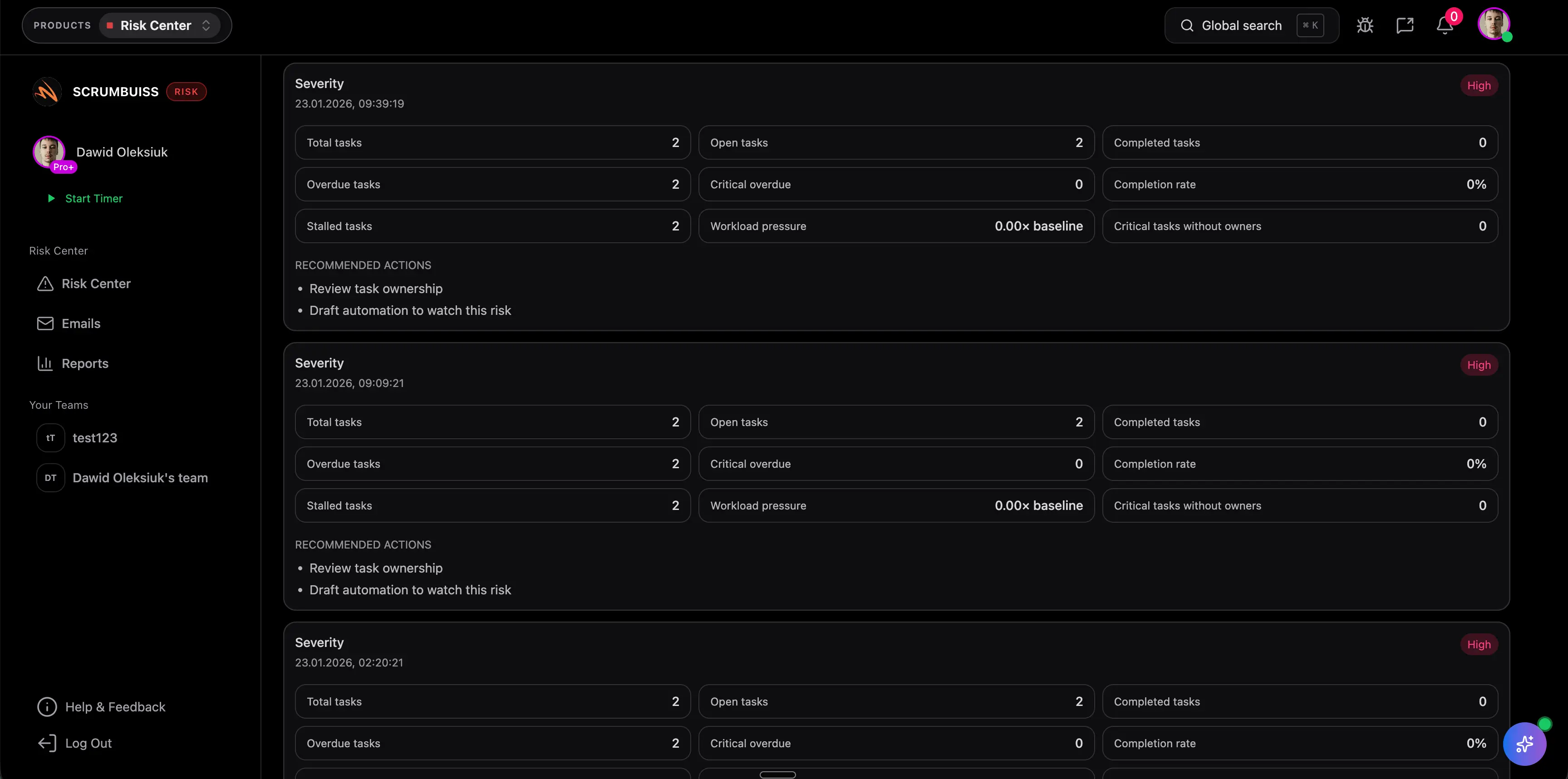
Score it the same way every week
Use the same 1 to 5 likelihood and impact scale across the team so the highest-priority risks rise to the top without re-arguing the scoring model every review.
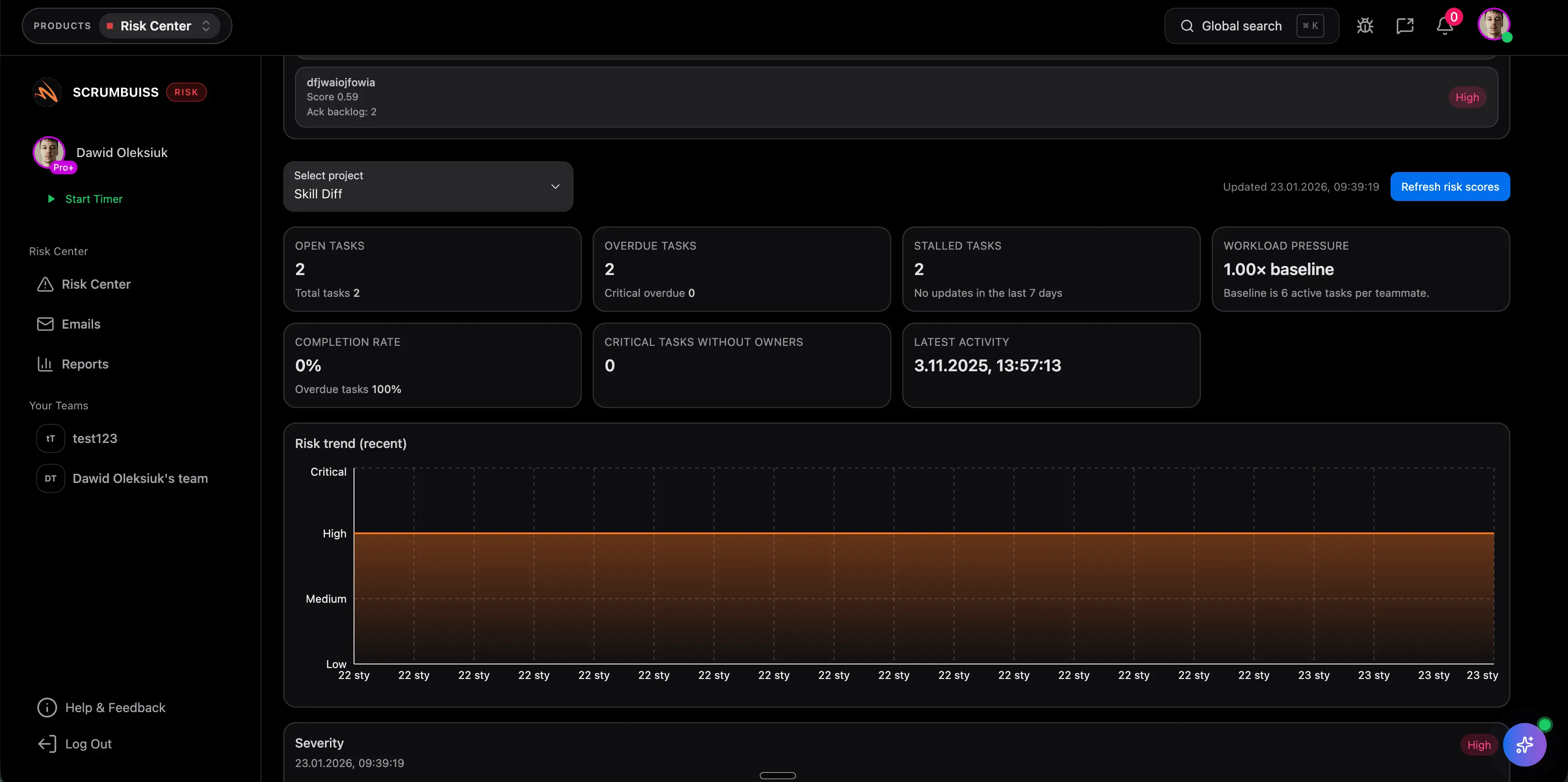
Review, escalate, and close weekly
Treat the register as an active operating tool: update trigger signals, mitigation progress, and status during every project review, then close rows that no longer matter.
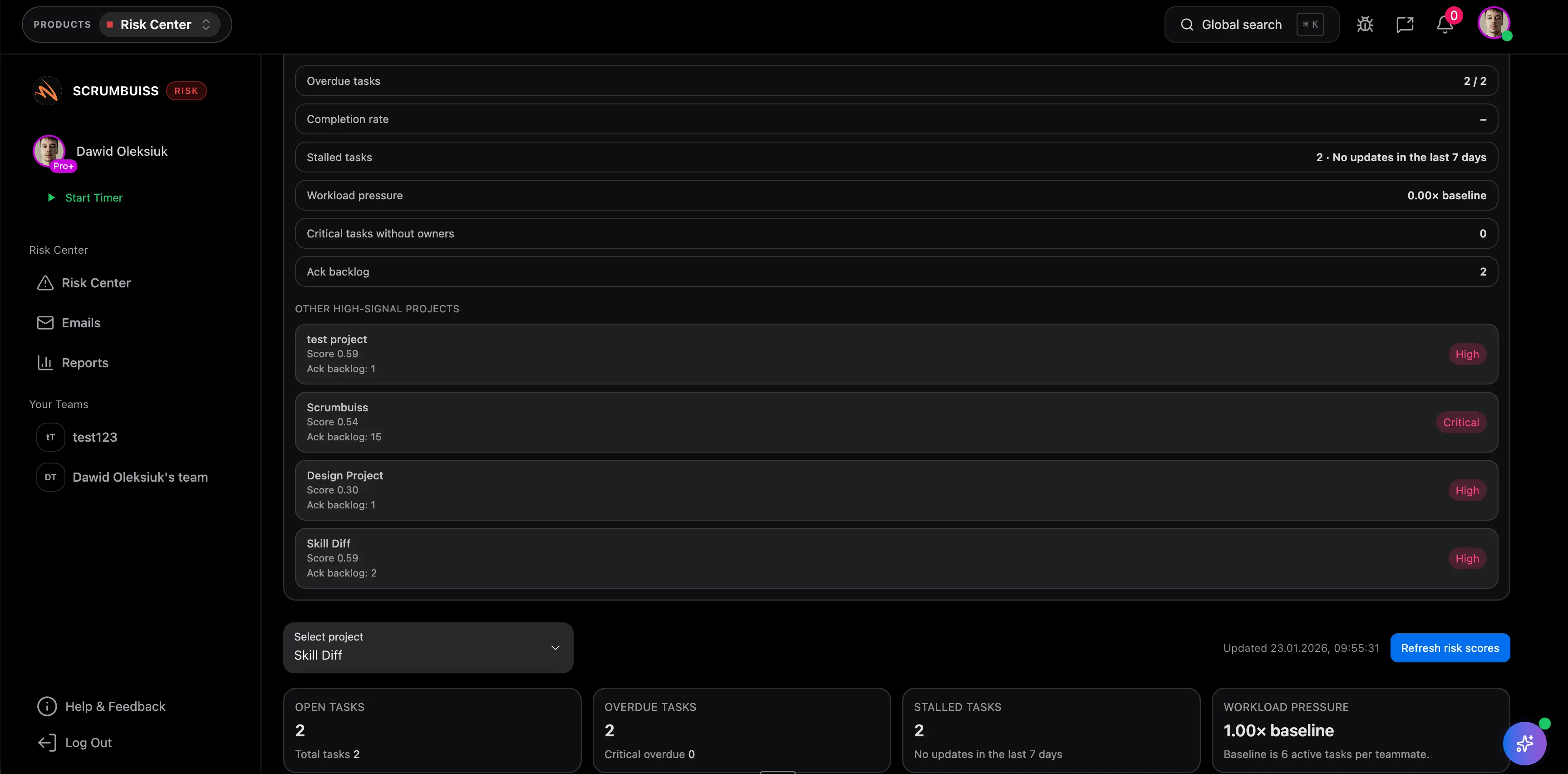
When a spreadsheet stops being enough
These pages show how teams connect risk review to live delivery work, automations, dashboards, and broader project risk visibility once the spreadsheet starts breaking down.
Recommended workflows
These workflows benefit most when risk visibility stays tied to delivery, approvals, dependencies, and weekly reporting instead of living in a disconnected side tracker.
Software teams
Use caseProject management software for software teams that keeps sprint planning, dependencies, GitHub-adjacent delivery visibility, and stakeholder reporting in one workflow.

IT operations
Use caseProject management software for IT operations that keeps incidents, change windows, automations, and Slack-connected updates visible in one delivery workflow.

Client project management
Use caseClient project management software for agencies that keeps intake, briefs, files, approvals, time tracking, workload, and client-visible status in one workflow.
Agencies
Use caseProject management software for agencies that keeps time tracking, files, workload visibility, and reporting in one workflow.

Need more ideas? Browse use cases .
Risk register template FAQ
What is a risk register template? +
A risk register template is a reusable table for tracking potential project risks, their scores, owners, mitigation plans, trigger signals, and review dates. Teams use it to spot threats early and decide what needs action first.
What should a risk register include? +
At minimum, include a risk ID, risk statement, likelihood, impact, priority score, owner, mitigation plan, trigger signal, next review date, and current status. Those fields are enough for a team to review the risk and make a decision instead of only documenting it.
How do you score risks in a risk register? +
A simple starting point is likelihood x impact on a 1 to 5 scale. That gives you a priority score you can sort, review, and escalate consistently across the team.
What is the difference between a risk register and a risk matrix? +
A risk matrix is a visual scoring view that shows how severe a risk is. A risk register is the working record behind it, with the owner, mitigation plan, trigger, review date, and status that help the team act on the risk.
What's the difference between a risk and an issue? +
A risk is a potential future problem; an issue is already happening. Track risks early so you can mitigate before they become issues.
Can I use this risk register template in Excel or Google Sheets? +
Yes. The downloadable CSV opens in Excel, Google Sheets, and most spreadsheet tools. You can keep it as a lightweight tracker or adapt the same structure inside Scrumbuiss.
When is a spreadsheet risk register enough? +
A spreadsheet is enough when the team is small, the project count is limited, owners reliably update their rows, and weekly reviews do not depend on automations, cross-project rollups, or live dashboards.
When should we move from a spreadsheet to risk management software? +
Move beyond a spreadsheet when risks span multiple teams, reminders and escalations need automation, mitigation work must connect directly to project tasks, or leadership needs live visibility beyond a manual weekly review.
How often should we review the risk register? +
Weekly is the default for active projects. If the work is stable, every two weeks can be enough, but the register should still be updated whenever a trigger signal changes.