Project Management Software for Agencies
Project management software for agencies should do more than move cards across a board. Scrumbuiss helps agency teams keep kickoff briefs, delivery plans, time tracking, files, workload review, and weekly reporting inside one operating workflow so client work is easier to run and explain.
Reviewed on March 12, 2026
A practical workflow guide, illustrated with real Scrumbuiss screenshots.
How we evaluated agency project management software
Reviewed on March 12, 2026. This guide compares the workflow most agencies struggle to keep aligned: kickoff context, scoped delivery plans, time capture, file handoffs, workload review, and weekly status reporting.
- We reviewed how Scrumbuiss supports that workflow across Client Portal, Forms, Time Tracking, Files, Project Brief, Workload Capacity, and delivery reporting.
- We compared that against the agency and project-management positioning published on official Teamwork, Asana, Wrike, and awork pages.
- We prioritized helpful, people-first search intent: what agencies need, where board-only stacks break down, and what to validate in a live pilot before standardizing on a tool.
Who it’s for
Teams that want a clear workflow, less manual coordination, and better visibility.
- Agencies managing retainers, campaigns, and fixed-scope delivery across multiple clients
- Delivery leads who need workload visibility before schedules slip or teams get overloaded
- Account and operations teams that want time, files, briefs, and status reporting closer together
- Growing agencies testing whether one operating workflow can replace a scattered delivery stack
Highlights
- Project briefs that capture scope, stakeholders, and success criteria before work starts
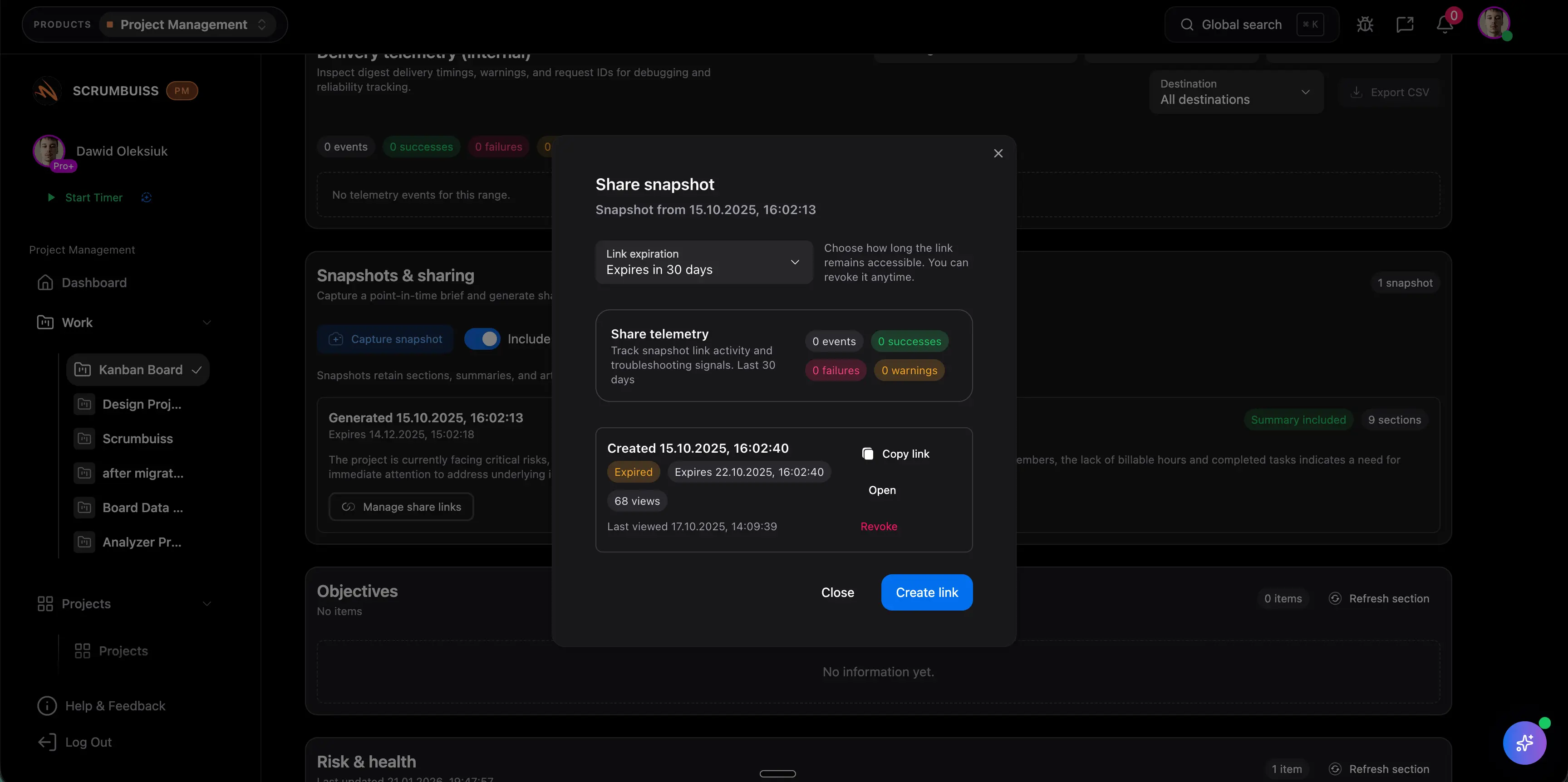
- Time tracking that rolls into dashboards and account-level reporting
- Files and shared collections tied to delivery context, not buried in separate folders
- Workload visibility across clients, retainers, and fixed-scope projects
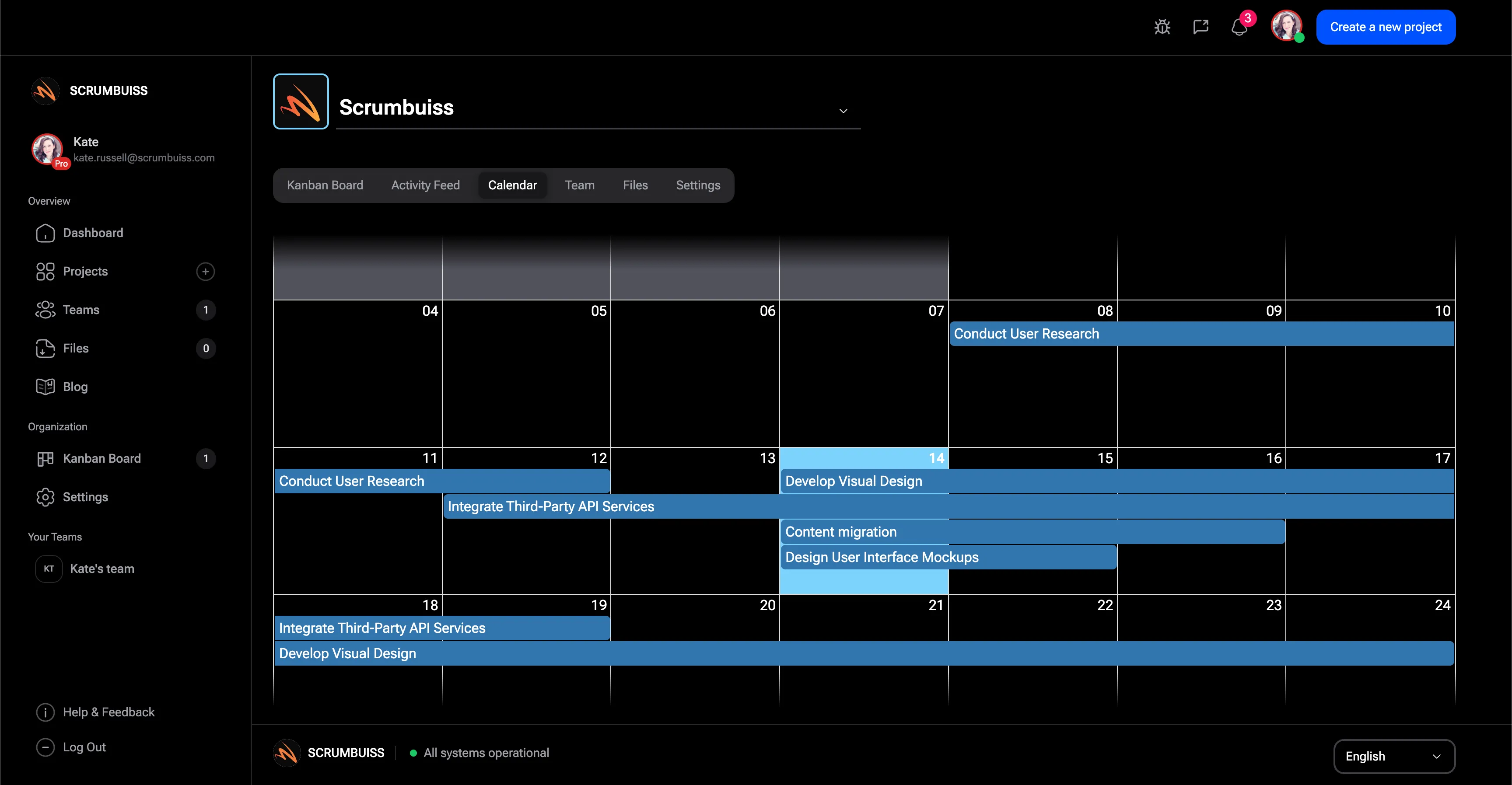
- Milestones, timelines, and status views that make weekly reporting faster

Agency software comparison
Agency buyers usually outgrow board-only work management when kickoff context, file handoffs, time data, and weekly status updates live in separate tools.
| Platform | Best fit | Main tradeoff | Where Scrumbuiss is stronger |
|---|---|---|---|
| Scrumbuiss | Agencies that want briefs, delivery planning, time tracking, files, workload review, and reporting connected in one workspace. | It is less familiar than the biggest work-management brands, so teams should validate the workflow with a live pilot and real client projects. | Reference workflow: kickoff context, time data, files, milestones, and dashboards can live in the same operating layer instead of being stitched together. |
| Teamwork | Client-service teams centered on project delivery, time, and on-time execution across many accounts. | Buyers still need to verify how much briefing context, file organization, and reporting they want inside one operating workflow versus adjacent tools. | Scrumbuiss keeps project briefs, file handoffs, workload visibility, and delivery planning closer together for agencies that want fewer coordination gaps. |
| Asana | Teams that like flexible task and project coordination and already run a broad cross-functional workspace in Asana. | Agency teams often extend a general-purpose workspace with separate time tracking, file, or reporting layers once client delivery grows more complex. | Scrumbuiss is stronger when the shortlist requires time tracking, structured briefs, file handoffs, and workload review inside the same agency workflow. |
| Wrike | Marketing and client-service organizations that prioritize proofing, reporting, and resource management for campaign work. | The setup can feel heavier when an agency wants a simpler operating layer for kickoff context, delivery execution, files, and weekly status visibility. | Scrumbuiss offers a tighter workflow for agencies that want kickoff, planning, time, files, and reporting connected without a more complex rollout. |
This is a fit-and-tradeoff view based on public product positioning and visible workflow coverage, not a feature-parity checklist.
Common challenges
- Board-only setups hide the real delivery picture once time, files, and scope live elsewhere
- Account leads rebuild weekly client updates by hand because milestones and effort data are fragmented
- Creative and delivery teams lose context between kickoff briefs, file handoffs, and execution
- Utilization problems surface late because workload review happens outside the main workflow
- Leadership cannot compare client health consistently across retainers and fixed-scope projects
How it works
A practical workflow structure you can replicate in your own workspace.
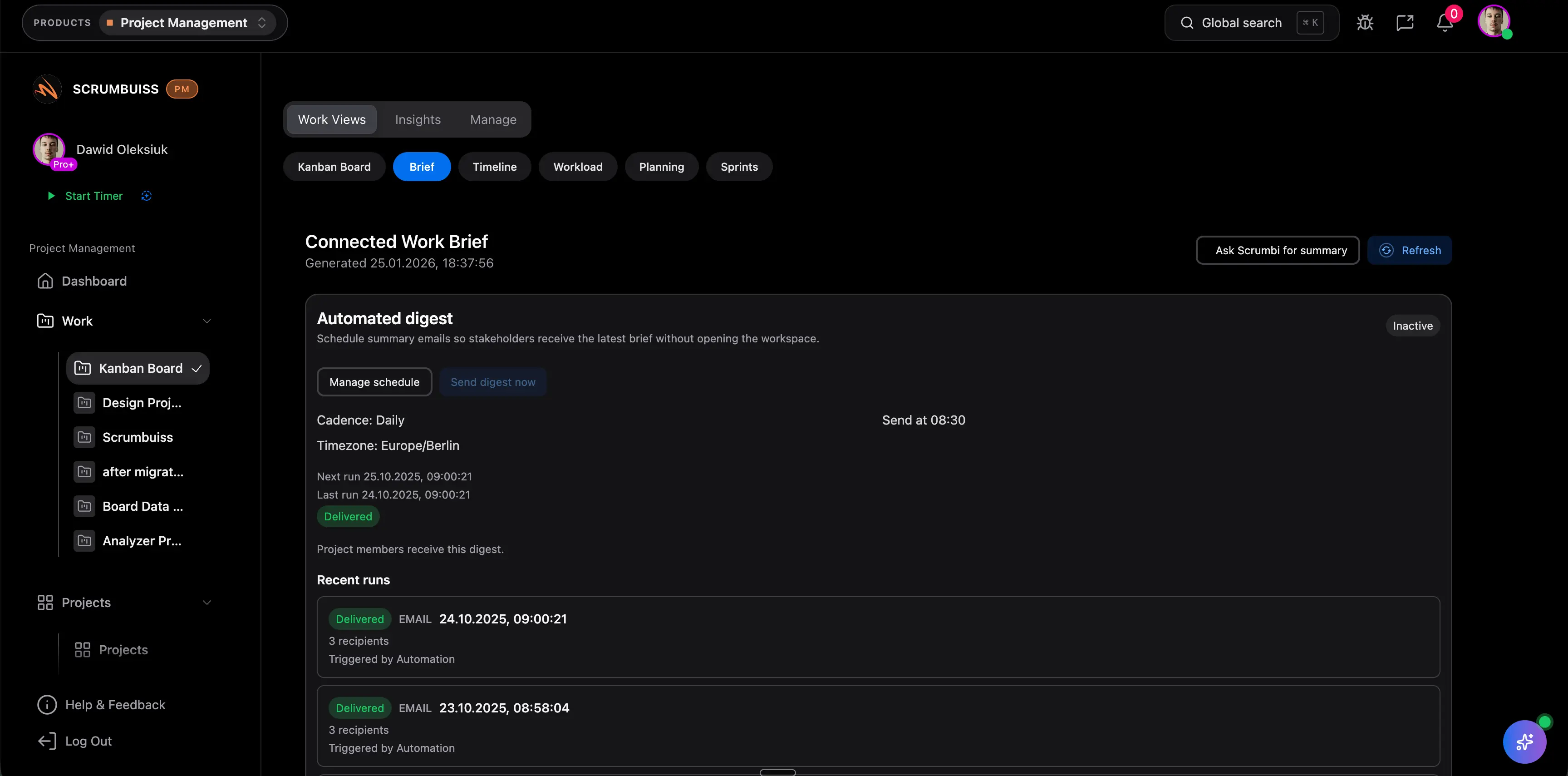
Start every engagement with a structured brief
Capture scope, stakeholders, deliverables, reporting cadence, and success criteria before work moves into production.
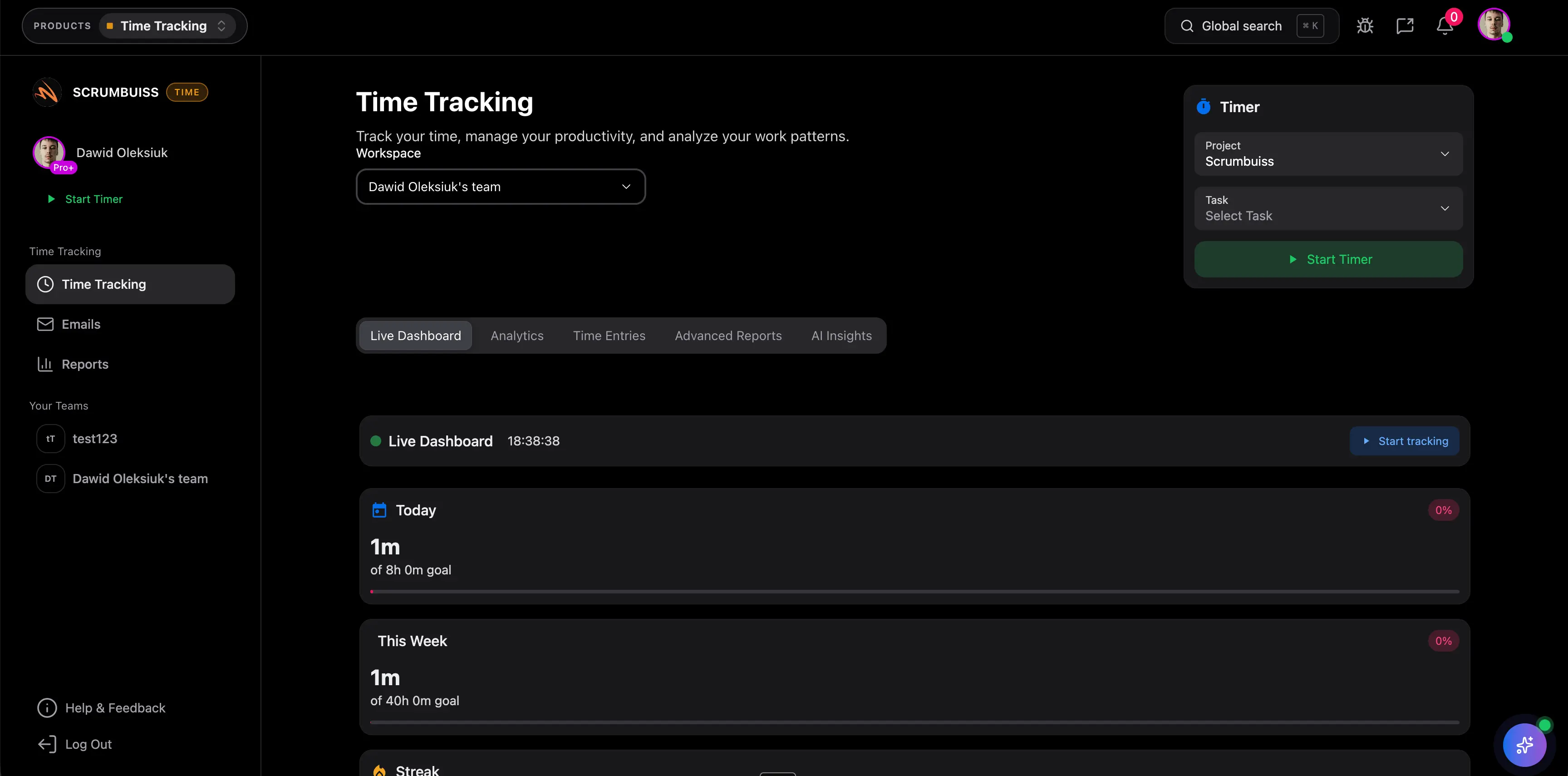
Run delivery with time, files, and workload visibility
Track milestones, log time, and review client workload before blockers turn into missed deadlines or invisible over-servicing.
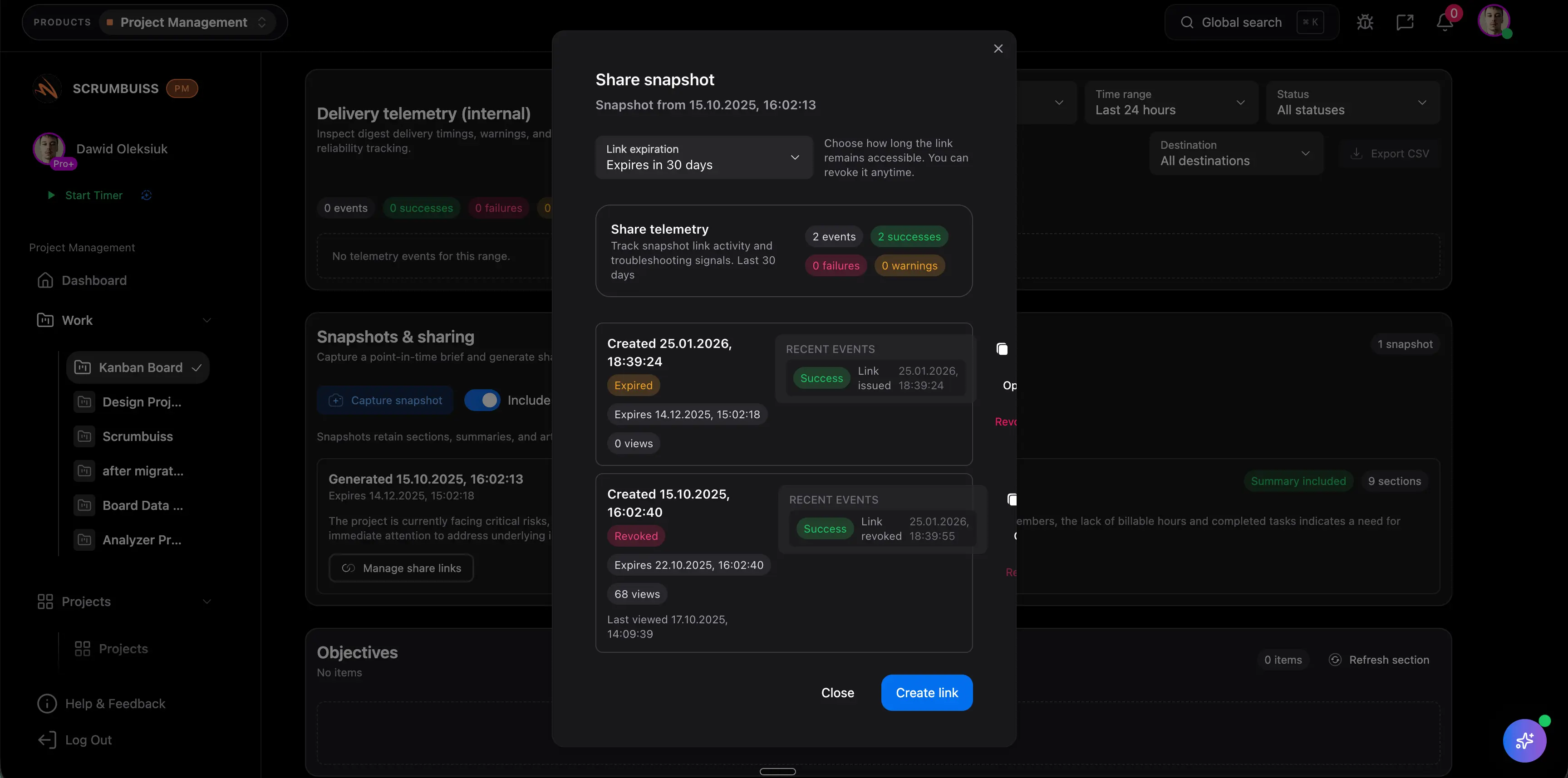
Turn project activity into client-ready reporting
Use dashboards, timelines, and structured updates to explain progress, effort, and next steps without rebuilding the report manually.
Related products
Products teams typically use to implement this workflow.
Project delivery
ProductPlan, execute, and report project work with Kanban, sprints, timelines, workload planning, task management, workflow automation, and dashboards.
- Kanban execution with clear ownership
- Sprints and backlog planning
- Timelines, dependencies, and capacity planning

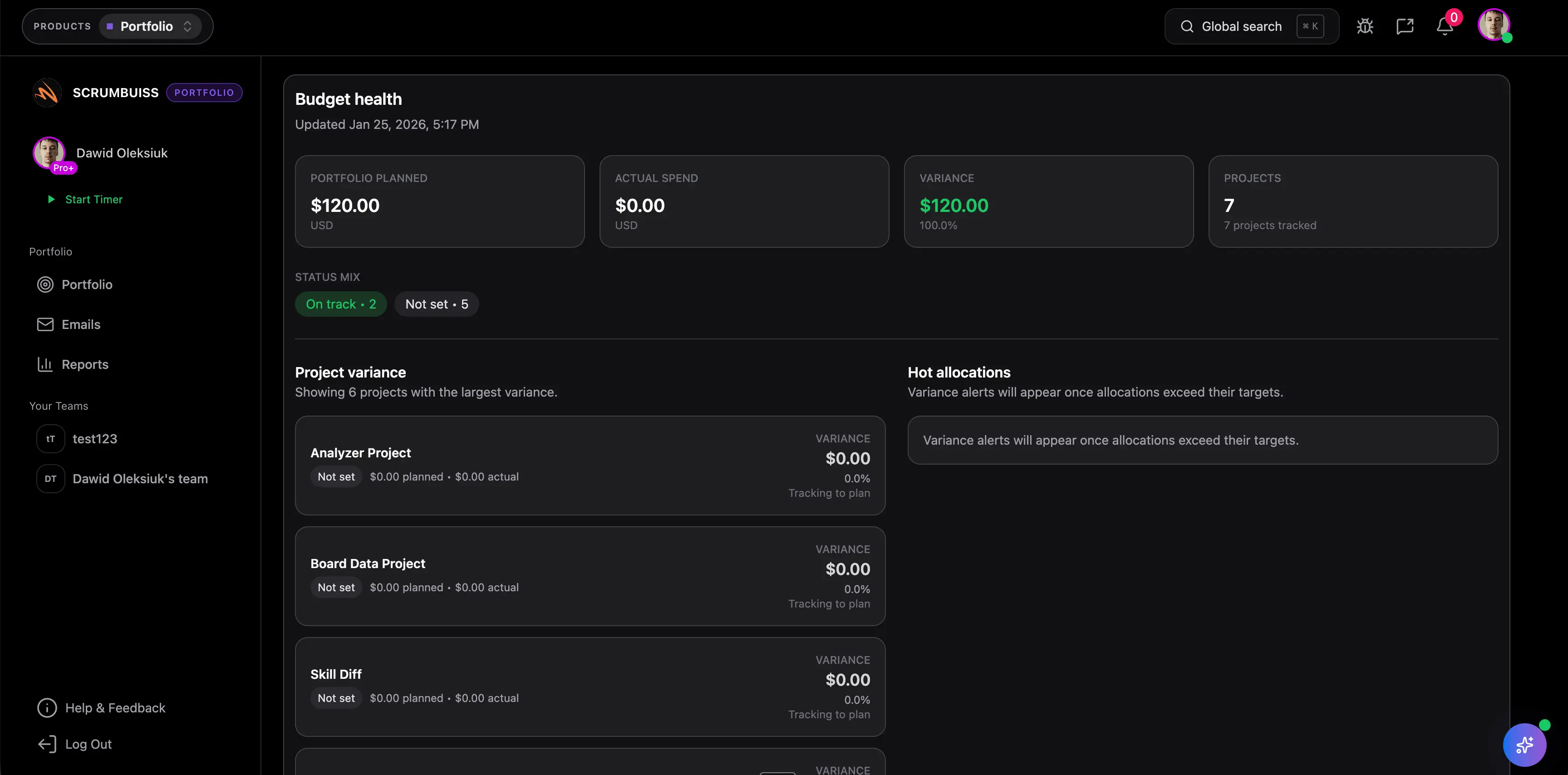
Portfolio
ProductTrack objectives and align roadmaps across projects to keep teams focused on outcomes.
- Objective tracking and progress visibility
- Roadmap planning across projects
- Portfolio-level reporting and alignment
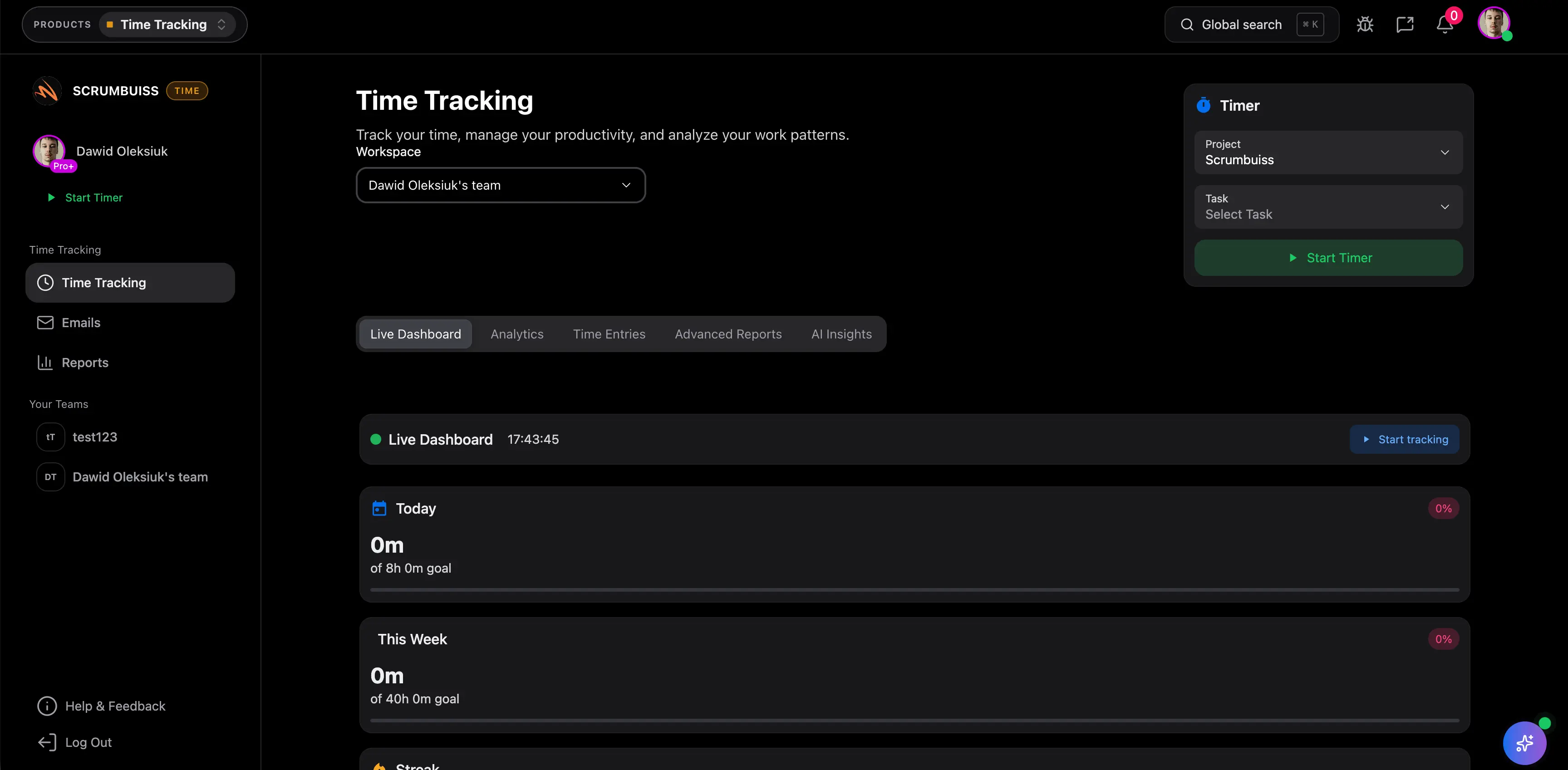
Time Tracking
ProductTrack team and agency time inside delivery workflows, then report effort by project, client, or person.
- Timer and time entries inside your workflow
- Reports for teams, projects, and clients
- Visibility into cost and effort
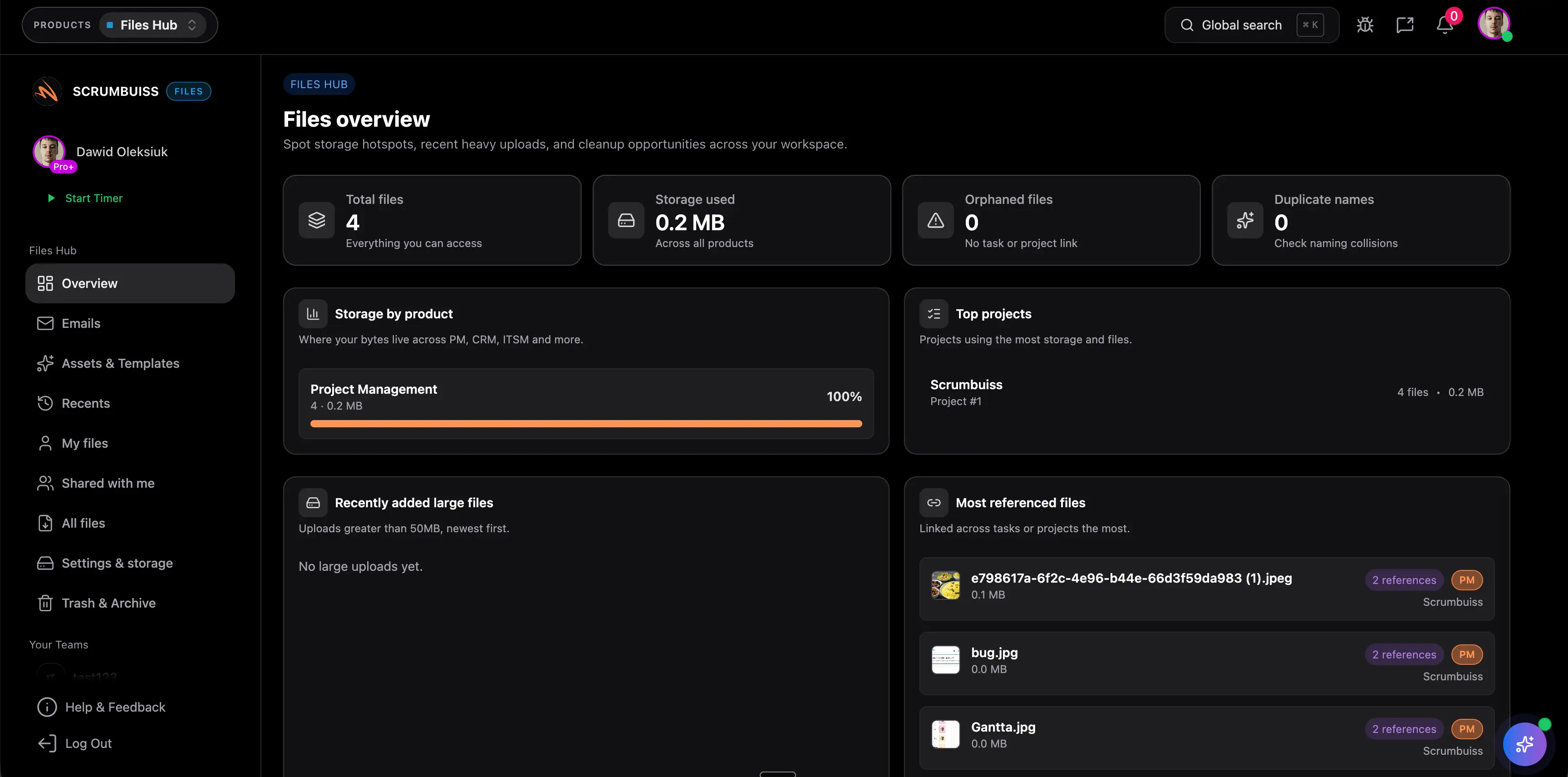
Files
ProductStore, organize, and share project files — with recents, shared items, and collections.
- Project files organized in one place
- Recents, shared files, and collections
- Fewer “where is the latest version?” moments
Related templates
Templates you can copy and adapt for this workflow.
Client handoff template
TemplateDownload a free client handoff template for sales-to-delivery handoff, client onboarding, kickoff readiness, stakeholders, scope, files, risks, and next actions.
- Sales-to-delivery handoff outline for client onboarding and implementation kickoff
- Fields for account summary, stakeholders, promised scope, success criteria, files, risks, and open questions
- Action item table with owners, due dates, and kickoff follow-up

Project charter template
TemplateDownload a free project charter template for project goals, scope, stakeholders, assumptions, risks, milestones, success criteria, and approval readiness.
- Define project goals, sponsor, owner, scope, and success criteria before delivery starts
- Capture assumptions, constraints, risks, dependencies, and milestone expectations in one outline
- Clarify stakeholder roles, decision rights, and approval readiness before the first kickoff
Stakeholder matrix template
TemplateDownload a free stakeholder matrix template for stakeholder mapping, influence, interest, decision rights, communication cadence, owners, and next actions.
- Map stakeholder roles, interest, influence, decision rights, concerns, and communication cadence
- Clarify who owns follow-up before project intake, kickoff, or delivery handoff
- Use the CSV format to compare stakeholders quickly during charter, brief, or status review
Scope of work template
TemplateDownload a free scope of work template with example deliverables, exclusions, acceptance criteria, milestones, assumptions, and approval checkpoints.
- Scope of work outline for deliverables, exclusions, assumptions, milestones, and approval checkpoints
- Filled example you can adapt for agency projects, implementation work, and internal delivery handoffs
- Acceptance criteria prompts that reduce vague sign-off and late change requests
Project development plan template Excel
TemplateDownload a free project development plan template for Excel with phases, milestones, owners, dependencies, risks, status fields, Gantt chart inputs, and deliverable tracking for project teams.
- Project development plan template structure for phases, milestones, owners, dependencies, dates, and deliverables
- Spreadsheet-friendly CSV you can open in Excel, Google Sheets, or another planning tool
- Example project plan rows that show how scope, risks, project timelines, and acceptance criteria stay connected

Project roadmap template
TemplateDownload a free project roadmap template with objectives, initiatives, themes, milestones, dependencies, capacity notes, risks, success metrics, and review fields.
- Project roadmap template structure for objectives, initiatives, themes, milestones, owners, and priorities
- Spreadsheet-friendly CSV for roadmap planning before initiatives move into portfolio or delivery software
- Fields for dependencies, capacity notes, risks, success metrics, decisions, and review dates
Project schedule template
TemplateDownload a free project schedule template for weekly planning, milestones, owners, dependencies, blockers, schedule risk, and next steps.
- Weekly project schedule structure for dates, owners, milestones, dependencies, and next steps
- Spreadsheet-friendly CSV that can be opened in Excel, Google Sheets, or a project calendar workflow
- Fields for schedule risk, blockers, status, notes, and follow-up ownership
Meeting agenda template
TemplateDownload a free meeting agenda template for project meetings, kickoff reviews, decisions, action items, owners, risks, and follow-up summaries.
- Meeting agenda format for purpose, attendees, agenda topics, decisions, and follow-up
- Markdown template you can copy into docs before recurring meetings move into a live workflow
- Fields for action items, owners, due dates, risks, parking lot items, and next review date
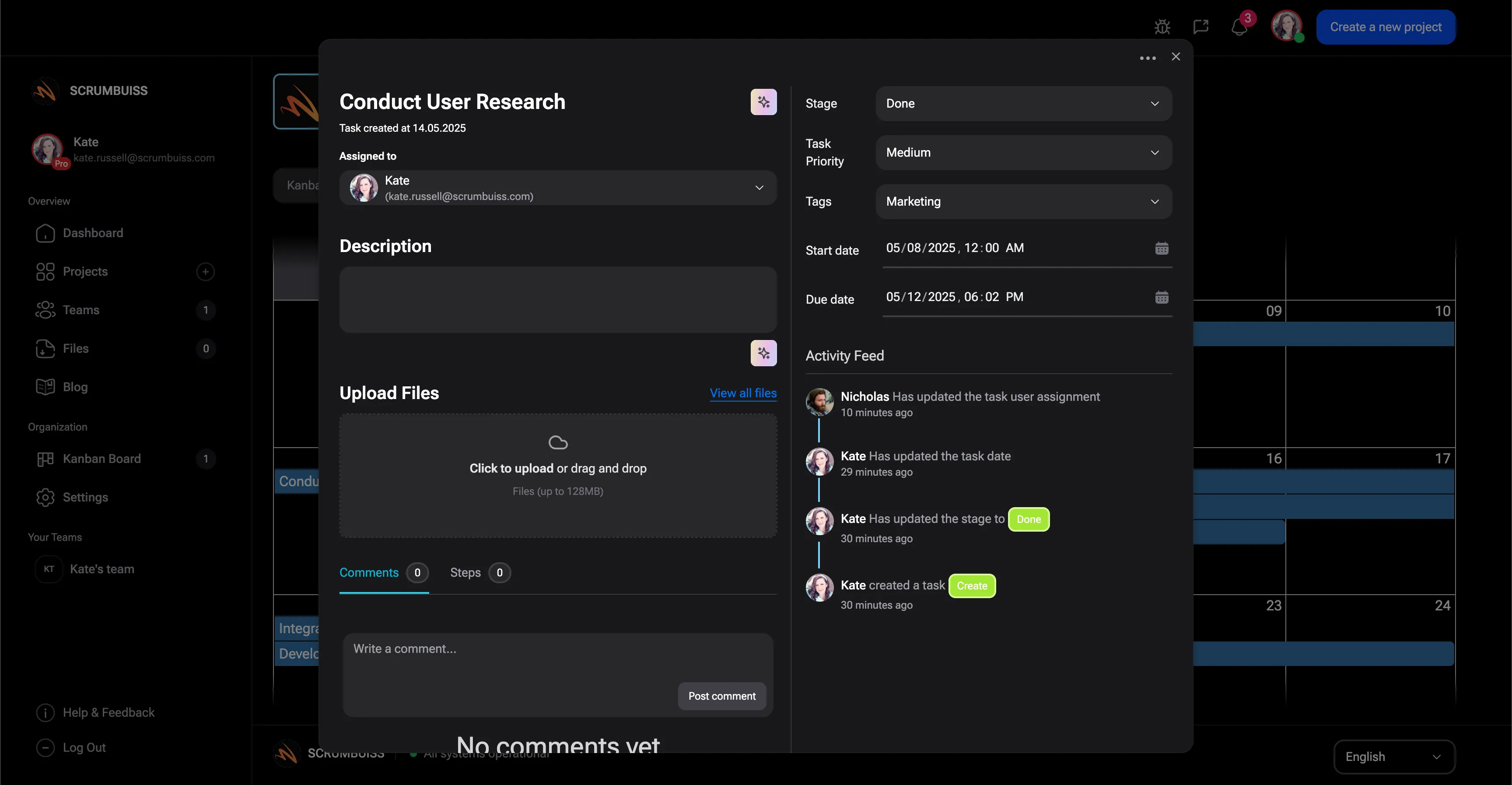
Timesheet template
TemplateDownload a free timesheet template with date, person, project, task, client, billable status, estimated hours, actual hours, variance, notes, and approval status.
- Timesheet template for project time tracking, work logs, and lightweight time study review
- CSV format you can open in Excel, Google Sheets, or another time tracker spreadsheet
- Billable and non-billable fields for client work, internal work, and delivery reporting
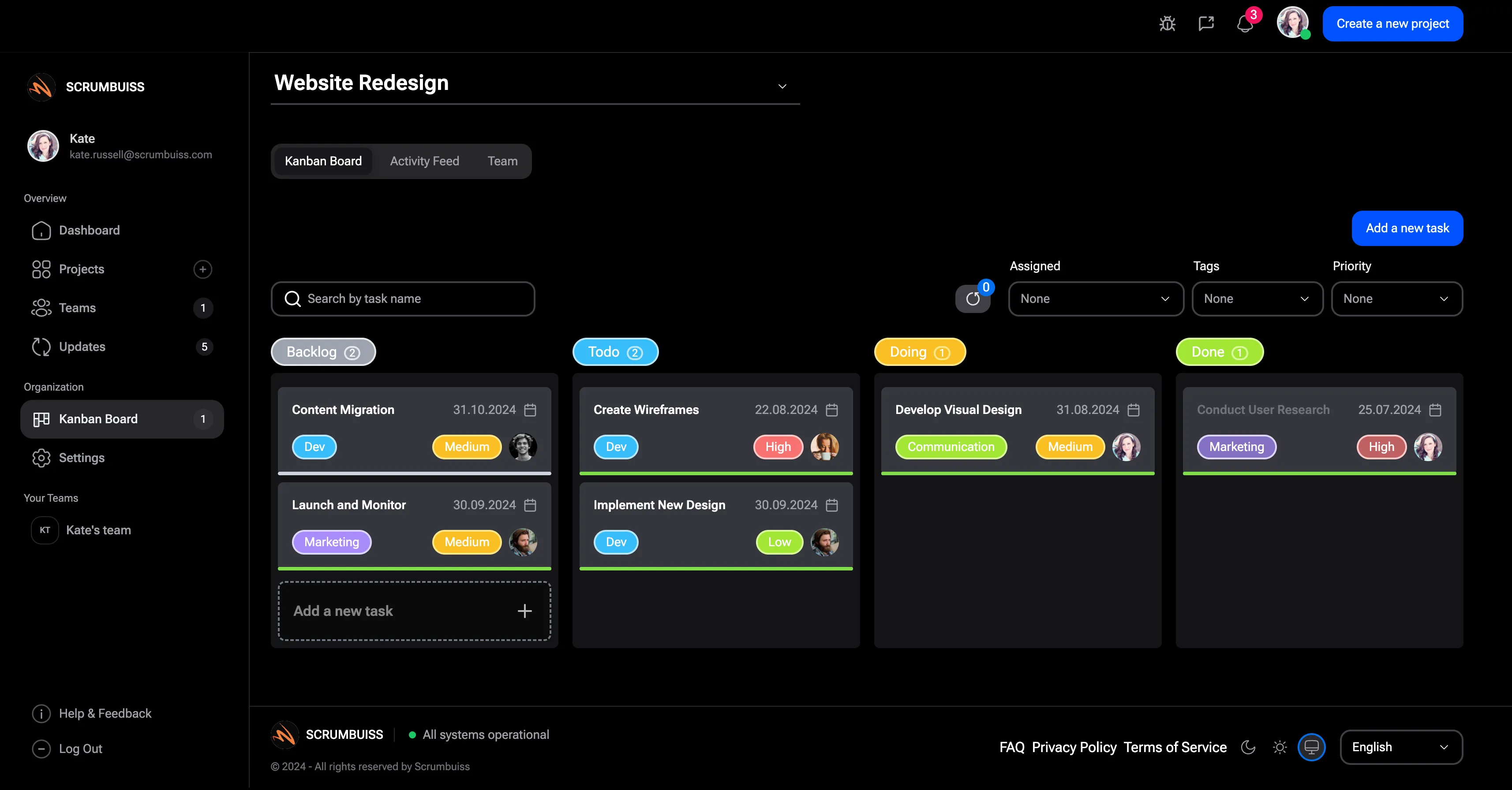
Kanban board template
TemplateDownload a free Kanban board template with columns, Kanban card fields, WIP limit prompts, priorities, owners, due dates, blockers, and review notes.
- Kanban board template with ready-to-adapt columns, card fields, and workflow review prompts
- Kanban card template fields for owner, priority, due date, blocker, acceptance note, and next action
- WIP limit prompts that help the board show flow problems instead of becoming a task parking lot
Project brief template
TemplateDownload a free project brief template with a filled example, one-page outline, and practical checklist for aligning scope, stakeholders, milestones, and handoffs.
- One-page brief for kickoff alignment and cleaner handoffs
- Scope, non-goals, stakeholders, milestones, and acceptance criteria in one place
- Filled example outline you can adapt for agencies or cross-functional delivery teams
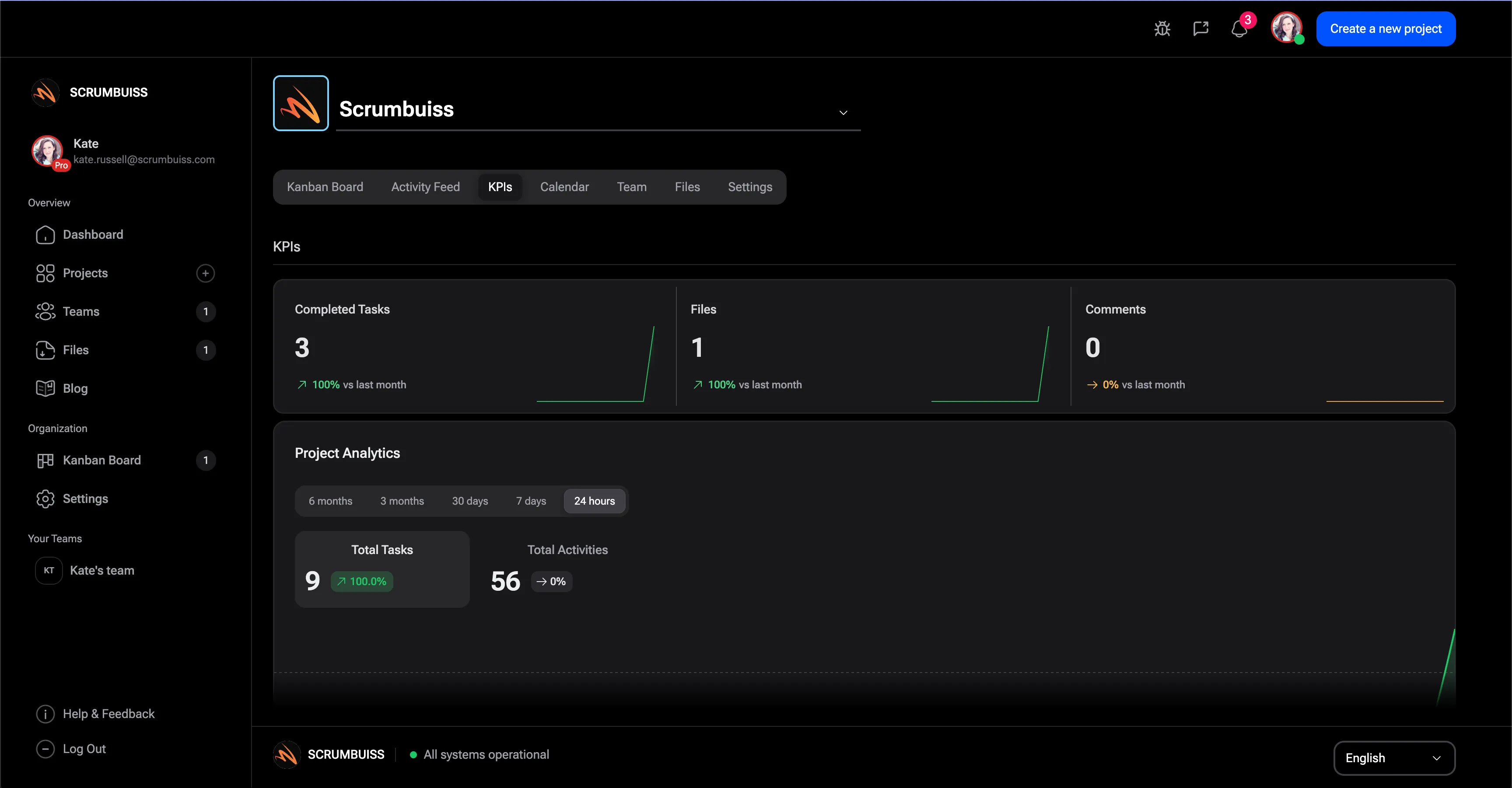
Project KPI dashboard template
TemplateDownload a free project KPI dashboard template with example delivery metrics, status rules, owner fields, and a weekly reporting structure for project teams.
- Project KPI dashboard structure for delivery, workload, risk, schedule, and stakeholder reporting
- Filled example metrics for progress, blocked work, overdue tasks, workload pressure, and risk exposure
- Status rules that make KPI reviews easier to run without turning the dashboard into vanity reporting
Project status report template
TemplateDownload a free project status report template with progress, milestones, blockers, risks, decisions, next steps, and stakeholder update fields.
- Project status report structure for progress, milestones, blockers, risks, decisions, and next steps
- Spreadsheet-friendly CSV that can be opened in Excel, Google Sheets, or a project reporting workflow
- Fields for audience, reporting period, evidence links, update owner, and decision follow-up

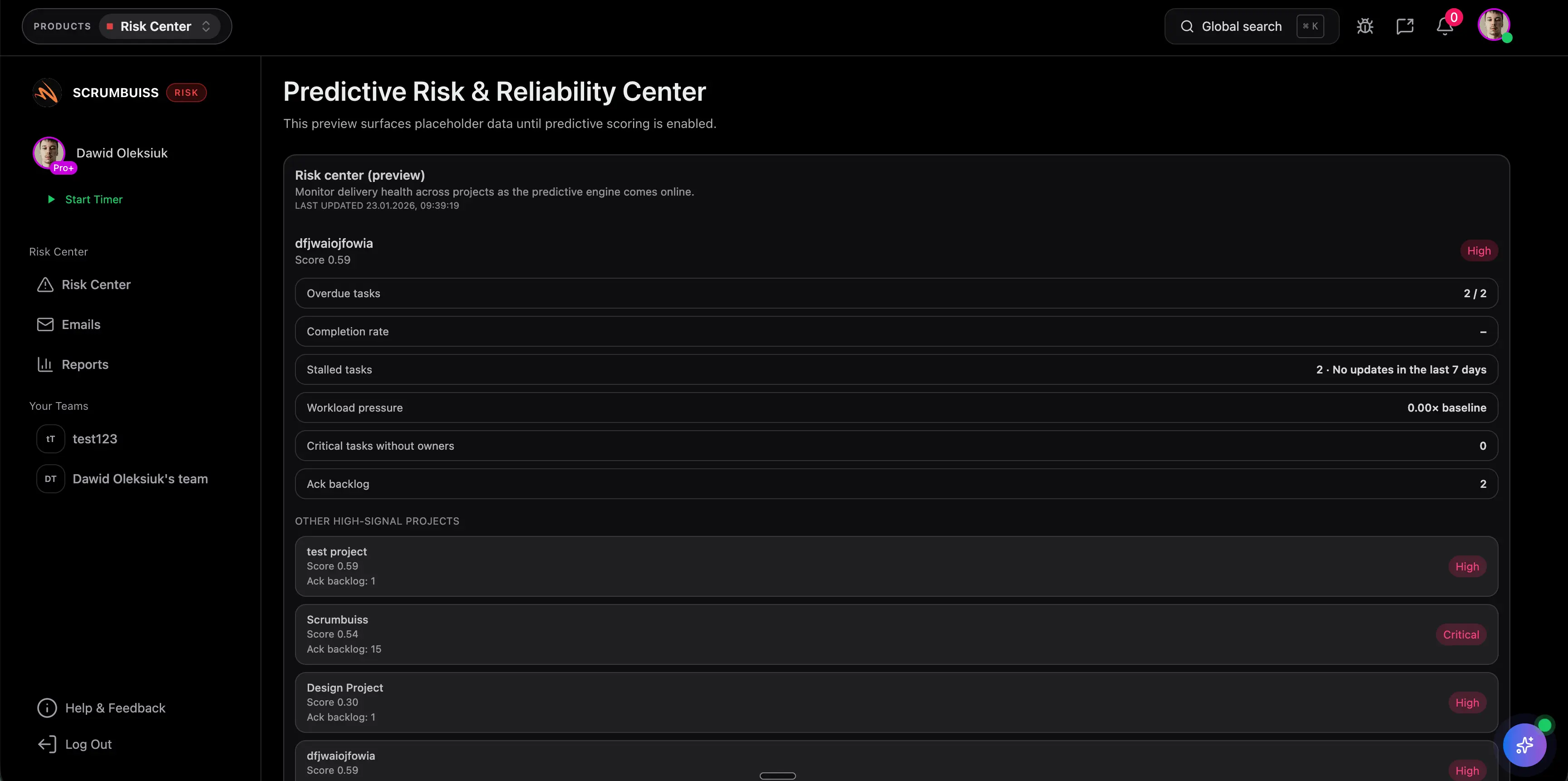
Risk register template
TemplateDownload a free risk register and risk matrix template in CSV format with sample risks, 1 to 5 scoring, owners, trigger signals, and weekly review steps.
- Exact-match CSV template for Excel or Google Sheets with scoring, owners, statuses, and review dates
- Simple likelihood x impact risk matrix model for prioritizing project risk without a heavy governance process
- Six realistic example risks covering vendors, staffing, approvals, performance, and dependency drift
Potential impact (examples)
The examples below are illustrative and depend on your team, process, and workload.
Protect billable time
Keep time attached to delivery work so the agency captures effort consistently instead of losing it in side tools or late-entry catchups.
Example: Recover 15–30 minutes per person per week of billable work that would otherwise be missed or logged too late.
Cut reporting overhead
Use shared briefs, milestones, and dashboards so account leads spend less time rebuilding weekly updates from scattered sources.
Example: Save 1–2 hours per week for account or delivery leads by turning live project data into faster status reporting.
Catch capacity risk earlier
Review workload and project health in the same operating layer before one overloaded week cascades across multiple client deadlines.
Example: Prevent schedule slippage and urgent re-planning by spotting overloaded people or accounts earlier in the week.
Setup checklist
A practical checklist to implement this workflow inside Scrumbuiss.
- ✓ Pilot one retainer and one fixed-scope client project before rolling the workflow out agency-wide.
- ✓ Standardize a project brief that captures scope, stakeholders, deliverables, review cadence, and success criteria.
- ✓ Add time-tracking categories that separate billable, non-billable, and internal delivery work.
- ✓ Create a shared file structure for briefs, assets, working files, and approved deliverables.
- ✓ Build dashboards for workload, milestones, tracked time, and weekly client status updates.
- ✓ Run one full status-reporting cycle inside the pilot and measure how much manual update work remains.
- ✓ Set clear go or no-go criteria: fewer handoff gaps, faster reporting, clearer workload signals, and more complete time data.
ROI example
A simple way to think about profitability is saved time value (or recovered billable time) minus software cost.
Illustrative calculation (USD)
- Team size: 8
- Hours saved per person per week: 0.5
- Blended hourly rate: $80 per hour
Estimated saved time: 4 hours/week
Estimated value: $320 per week (~$1,386 per month)
Illustrative example only. This is not a guarantee or customer result. Subtract your software costs to estimate net ROI.
FAQ
What should agencies look for in project management software? +
Agencies should look for software that keeps kickoff context, scoped delivery plans, time tracking, file handoffs, workload visibility, and reporting connected. The more those pieces live in separate tools, the more client updates, utilization review, and delivery handoffs become manual.
Why do agencies outgrow board-only project management tools? +
Boards are useful for task coordination, but agencies often outgrow them once scope, time, files, and reporting live elsewhere. At that point, account leads have to rebuild status updates by hand and delivery managers lose a clear view of workload and project health.
Does agency project management software need built-in time tracking? +
If profitability, scope control, and client reporting matter, keeping time close to delivery work is usually cleaner than exporting it from a separate tracker. The key is not just logging hours, but tying time data back to projects, people, milestones, and workload decisions.
How should an agency evaluate project management software in a pilot? +
Run one active retainer and one fixed-scope project through the workflow. Check how complete time capture is, how fast weekly updates are to produce, whether file handoffs stay organized, and whether workload review exposes issues earlier than your current stack.
How does Scrumbuiss help with client-facing reporting? +
Scrumbuiss keeps project briefs, milestones, timelines, time data, and dashboards in the same workflow so account leads can produce clearer status updates with less manual reconstruction. That makes it easier to explain progress, next steps, and delivery risk from live project context.
Can Scrumbuiss keep agency files and deliverables organized? +
Yes. Agencies can use Files and shared collections to keep client assets, working files, and approved deliverables attached to the delivery context instead of scattering them across separate folders and update threads.
Related features
Explore the building blocks used in this workflow.