Time tracking product guide • reviewed March 17, 2026

Scrumbuiss Time Tracking for Agencies and Client Delivery

Evaluate the exact Scrumbuiss Time Tracking workflow for billable and non-billable visibility, client-ready reporting, estimate-versus-actual review, and time capture that stays attached to live delivery work.

Use this page when built-in time tracking is already on your shortlist and you want the product-level Scrumbuiss workflow. If you are still comparing the broader market first, start with the project management software with time tracking buyer guide.

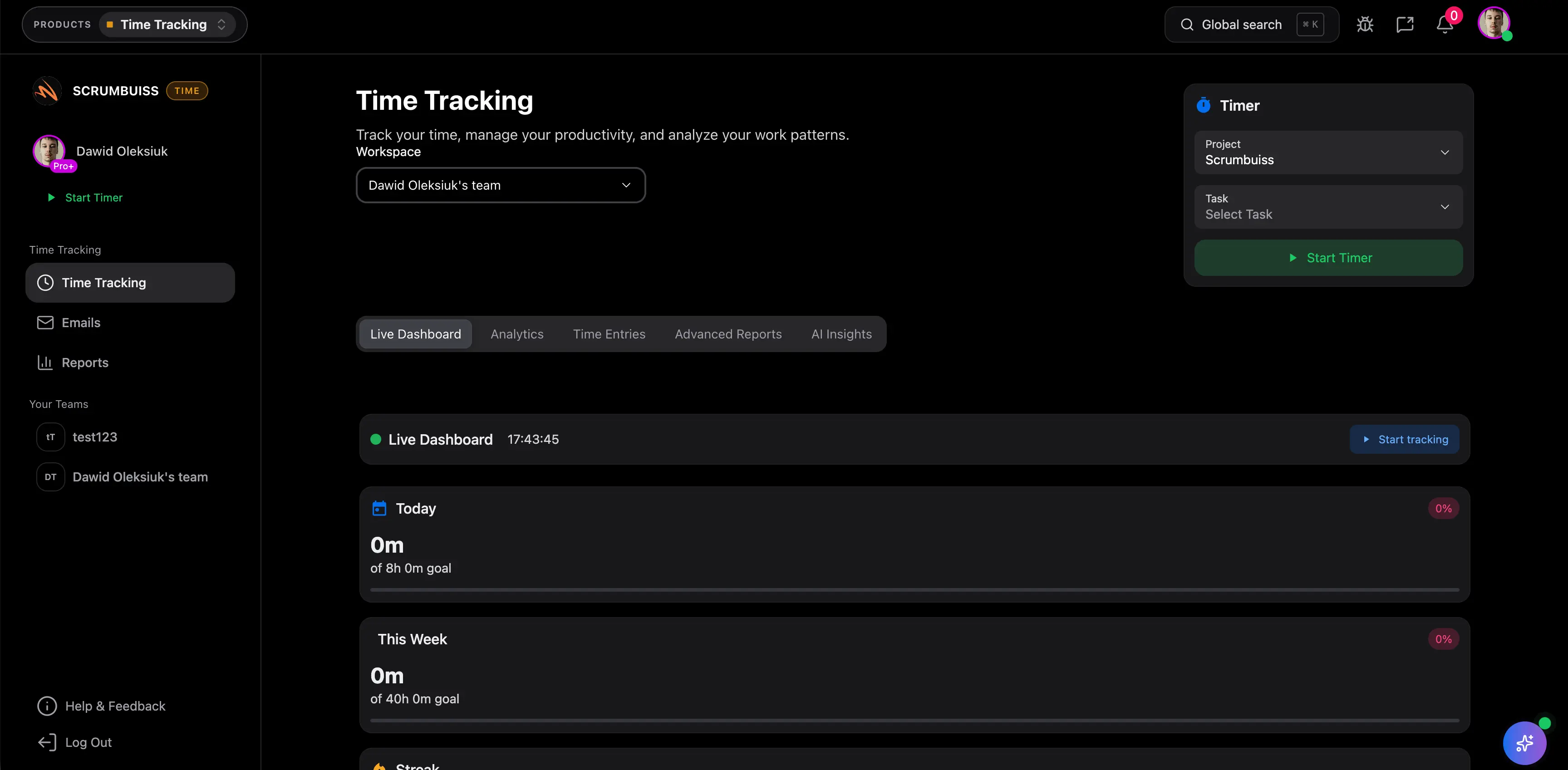
Scrumbuiss Time Tracking overview for agencies and client delivery teams

How we reviewed Scrumbuiss Time Tracking

Reviewed on March 17, 2026. This page evaluates one buyer question: when should a team choose the exact Scrumbuiss Time Tracking product instead of stopping at a category guide or defaulting to a separate tracker that still forces project leads to reconstruct the delivery story by hand.

  • Scrumbuiss references come from the Time Tracking buyer guide, the Agencies workflow page, the Project Delivery product page, the Workload & Capacity page, the project management tools guide, and the live pricing page in this site.
  • Competitor references come from the official Teamwork time tracking, Wrike time tracking, and ClickUp project time tracking pages reviewed on March 17, 2026.
  • The goal is not to score every timer checkbox. It is to help agencies and delivery teams decide whether the exact Scrumbuiss workflow keeps time, reporting, and project context close enough together that weekly client reviews and staffing decisions become easier to run.

When Scrumbuiss Time Tracking is a fit

The useful decision is not whether the team can log hours somewhere. It is whether time capture, client reporting, and delivery context stay readable enough together that account leads stop rebuilding the story every week.

Strong fit for Scrumbuiss

Best when agencies and delivery teams want time capture, client reporting, and workflow context to live in one operating layer rather than a separate tracker plus another reporting routine.

  • Your team wants timers and time entries attached to the work it is already delivering.
  • Client reporting, utilization, or scope control matter, but you still need the delivery story around those hours.
  • Leads want actual effort to improve future estimates and staffing decisions instead of serving only as a timesheet record.

Worth piloting carefully

A live pilot is useful when your team already logs time somewhere, but weekly reporting, client status updates, or utilization reviews still depend on manual reconciliation.

  • Test the workflow on one real client account, one active delivery stream, or one sprint where time data already matters.
  • Judge whether the product reduces admin overhead instead of simply moving time capture to a new screen.
  • Validate that project leads can explain time, scope, and progress from the same workspace before you standardize.

Probably not the best fit

A more specialized timekeeping product may fit better when approvals, payroll-like control, or formal timesheet administration matter more than keeping time attached to delivery work.

  • Your main requirement is timesheet governance rather than client-delivery visibility.
  • Time tracking already works well elsewhere and the bigger need is finance or HR process control.
  • The team does not need time data to influence estimates, workload, or client-ready reporting inside the main project workspace.

Category guide versus exact product page versus broader delivery workflow

These pages answer different buyer questions. Keeping them separate helps the product page rank for product-level evaluation instead of duplicating the broader time-tracking buyer guide.

Use the category guide first

Start with the buyer guide when the team is still comparing project management software with time tracking as a category and has not narrowed the decision to Scrumbuiss.

  • You are still judging whether built-in time tracking should live inside the project-management layer at all.
  • You want category-level tradeoffs and competitor context before product specifics.
  • The shortlist still includes several vendors, not only Scrumbuiss.

Use this page for exact product fit

Use this page when the real question is whether the exact Scrumbuiss Time Tracking workflow is strong enough for your agency or client-delivery operating model.

  • You want the product-level workflow, pilot criteria, and reasons to choose or reject the exact feature.
  • You need billable visibility, reporting, and estimate learning framed around Scrumbuiss specifically.
  • The team is past generic time-tracking education and now wants the product evaluation layer.

Use the broader delivery pages when time is only one part of the stack

Switch to the broader delivery pages when the real decision is not only about time capture, but about whether planning, files, workload review, and reporting should live in one system too.

  • Time tracking is only one piece of a larger project-delivery evaluation.
  • You need to see the agency workflow or the wider delivery operating model before buying.
  • The decision depends on handoffs, briefs, files, and stakeholder reporting as much as on time entries.

Capture time in context

Keep timers and time entries attached to the delivery work itself

The product is most useful when time data stays attached to the client work, task, and owner context that created it. That is what makes the weekly report easier to explain and the next estimate easier to trust.

  • Start a timer or log time against the work the team is already delivering.
  • Keep project, task, and owner context attached to the hours instead of rebuilding the story later in another tool.
  • Make time capture part of the delivery rhythm so the data is usable during the week, not only at the end of it.
Scrumbuiss timer and time-entry view attached to active delivery work

Report with the client in mind

Turn billable and non-billable work into reporting that clients and leads can actually use

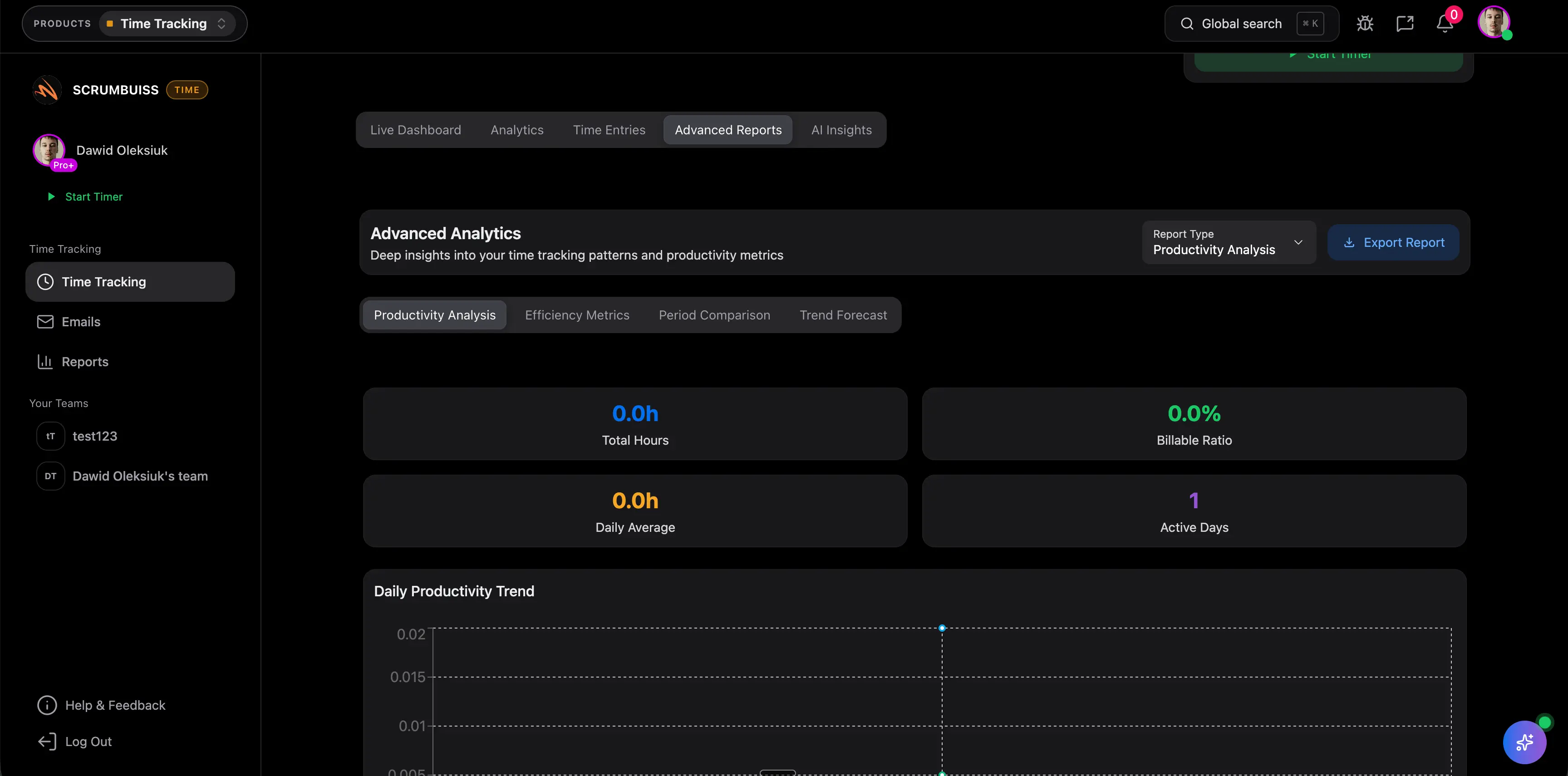
Good time tracking is not only a running clock. It is a way to explain where effort went by client, project, and person without forcing an account lead to reconcile hours and delivery status across multiple systems.

  • Review time by client, project, or person so the report answers a real delivery or budget question.
  • Separate billable and non-billable work so utilization and profitability conversations stay grounded in live project activity.
  • Use dashboards and exports to support client updates, internal reviews, and budget conversations with less manual reconstruction.
Scrumbuiss reporting view with billable and non-billable time by project and client

Use actual effort to improve the next plan

Carry estimate learning and utilization signals into the next scope or staffing decision

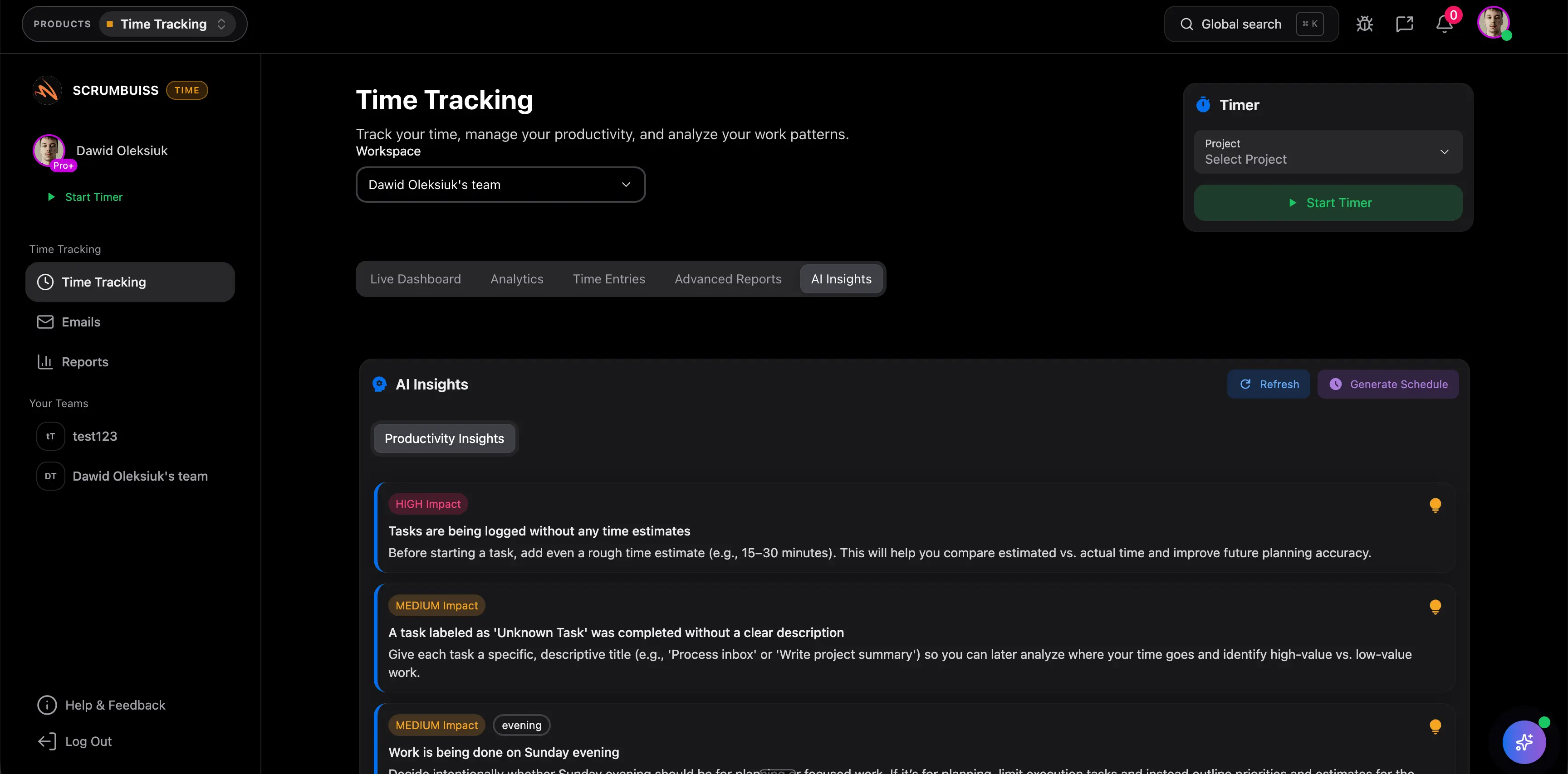
The workflow becomes much more valuable when actual effort stays close enough to delivery work that the next estimate, staffing review, or client plan improves because of it. That is where built-in time tracking starts paying for itself.

  • Compare estimated and actual effort to spot recurring under-scoping or over-servicing early.
  • Bring time history into workload and capacity reviews before the next sprint or client plan is committed.
  • Use the same time data to support staffing, utilization, and future delivery decisions instead of treating it as a historical archive.
Scrumbuiss dashboard using time data for estimate review and workload decisions

Competitor snapshot from official vendor pages

These tools all offer time tracking, but they frame the buyer problem differently. The useful comparison is not whether a timer exists. It is whether time data stays close enough to client delivery, reporting, and future planning to reduce the weekly reconciliation work.

Criteria ScrumbuissTeamworkWrikeClickUp
Best fit Agencies and delivery teams that want time, reporting, and project context in one product.Client-service teams that prioritize billable hours, profitability, and task-level time entry.Organizations that need heavier timekeeping control, timesheets, and management oversight.All-in-one work-management buyers who want timers, estimates, and flexible time reporting inside a broad workspace.
What the public page emphasizes Delivery-linked time capture, client-ready reporting, estimate learning, and operational readability.Maximizing billable time, built-in tracking on every plan, capacity visibility, and profitability for client work.Advanced time tracking, approvals, capacity planning, resource management, and billable-work control.All-in-one tracking, global timers, billable segmentation, notes, labels, and configurable time reporting.
Reporting angle Explain hours by person, project, or client without losing the delivery story behind them.Show billable time, budgets, profitability, and client-work performance in one PSA-style system.Support management reporting, invoicing, approvals, and progress control around logged time.Use dashboards and filtered reports in a flexible workspace that can combine tracked and estimated time.
What to validate in a pilot Whether one live delivery cycle reduces reconciliation between progress updates and time reports.Whether the team still needs separate tools to keep briefs, files, and delivery handoffs readable.Whether the heavier control layer is justified if the main goal is delivery visibility rather than formal timekeeping.Whether the broader workspace stays readable enough for agency reporting, staffing, and client-delivery decisions.
Where Scrumbuiss is stronger Keeps time capture, client reporting, workload review, and estimate learning in one agency-ready operating workflow.Stronger when teams want time tracking tied to briefs, project status, files, and broader delivery coordination in the same product.Stronger when teams want less timekeeping overhead and more direct delivery-context visibility.Stronger when agencies want a tighter operating model and less configuration overhead around client delivery.

Recheck current plan limits, billable controls, and reporting details on the official vendor pages before you buy. Product names are trademarks of their respective owners.

Run a 1 to 2 week agency pilot

The best pilot is one real client-delivery cycle, not a timer demo. Use the checklist below to judge whether the workflow becomes operational inside your team.

  1. Step 1

    Pick one active client project, retained account, or internal delivery stream where time visibility already matters.

  2. Step 2

    Define the minimum tracking model up front: billable versus non-billable, project context, owners, and any recurring internal work buckets.

  3. Step 3

    Log time inside the live workflow for at least one full week so the data reflects actual delivery behavior rather than sample data.

  4. Step 4

    Run one client-facing or stakeholder-facing report and confirm the output answers a real budget, scope, or utilization question.

  5. Step 5

    Compare actual effort against the original estimate or plan and note where the workflow exposed under-scoping or over-servicing.

  6. Step 6

    Bring the same time data into one workload or staffing review and set explicit go or no-go criteria before rollout.

FAQ

These are the product-level questions teams usually need answered before they standardize the Time Tracking workflow inside Scrumbuiss.

When should agencies choose built-in time tracking instead of a separate tracker?

Built-in time tracking is usually the better fit when agencies want hours, project status, and client reporting to stay connected. A separate tracker can still work, but it often creates an extra reconciliation step when account leads need to explain where time went and how that effort changed the delivery plan.

Can Scrumbuiss separate billable and non-billable work?

Yes. Scrumbuiss supports billable visibility alongside time entries, dashboards, and exports so teams can review client-facing and internal effort without losing the delivery context behind those hours.

Can teams report time by client, project, or person?

Yes. The useful reporting question is not only how many hours were logged, but where they went. Scrumbuiss keeps time close enough to the project workflow that teams can review it by client, project, or person and still understand the work behind the report.

How should teams evaluate estimate versus actual time in a pilot?

Use one real delivery cycle and compare the original estimate with the actual effort logged against the work. The goal is not perfect forecasting on every task. The goal is to learn whether the product exposes recurring under-scoping, over-servicing, or staffing pressure early enough to improve the next plan.

Is this mainly for agencies, or can software teams use it too?

Agencies are the clearest fit because client reporting and billable visibility are strong product-level use cases, but software teams can still benefit when they need estimate learning, workload realism, and better visibility into where planned capacity is being consumed.

When is a more specialized timekeeping tool a better fit than Scrumbuiss?

A specialist tool can make more sense when formal timesheet administration, payroll-like control, approval chains, or accounting workflows are the main requirement and project delivery already works well elsewhere. Scrumbuiss is stronger when the team wants time data to stay attached to delivery work, reporting, and future planning in one operating layer.