Automation guide • reviewed March 23, 2026

Project Management Automation Software for Routing, Reminders, and Escalations

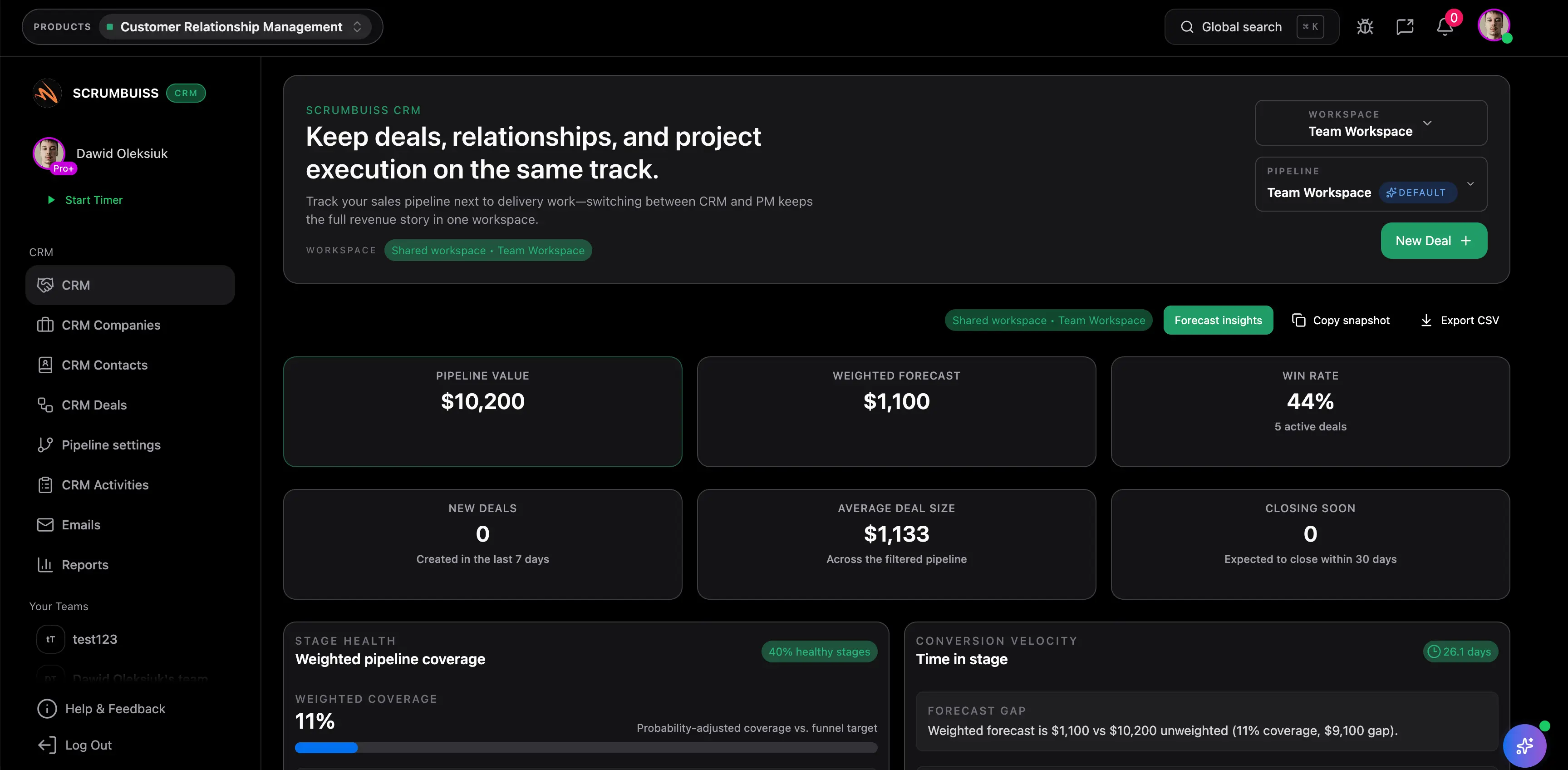
Project management automation software should remove repetitive coordination work inside delivery, not push it into another admin layer. Scrumbuiss fits best when routing, reminders, escalations, logs, and retries need to stay attached to the live project record instead of becoming another automation system the team still has to explain by hand.

Use this buyer guide when the question is where automation should live after the demo: inside project delivery, around request intake, or in a broader cross-app automation stack. It is not a Zapier or Make replacement page. It is a category guide for delivery-connected project automation.

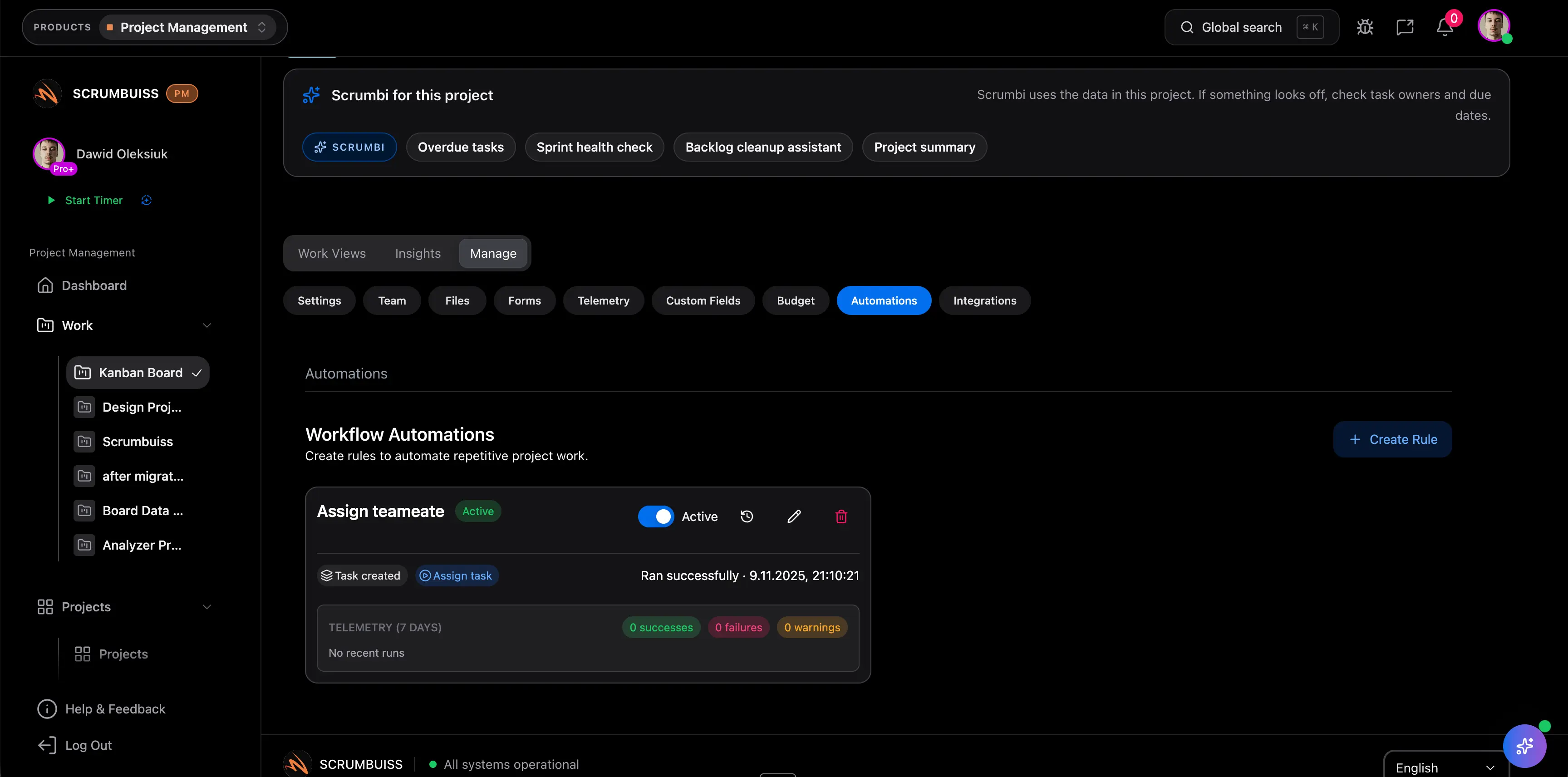
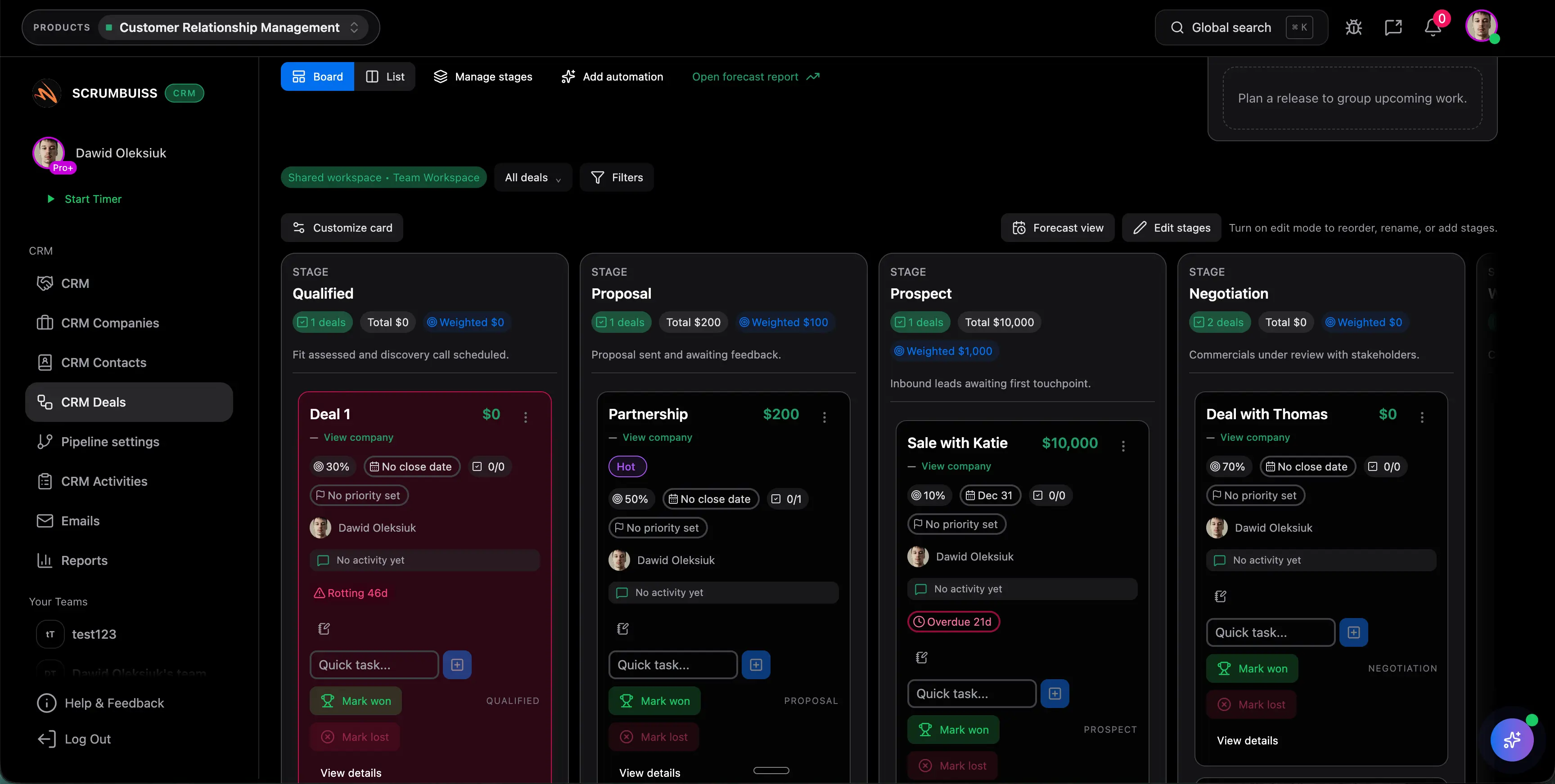
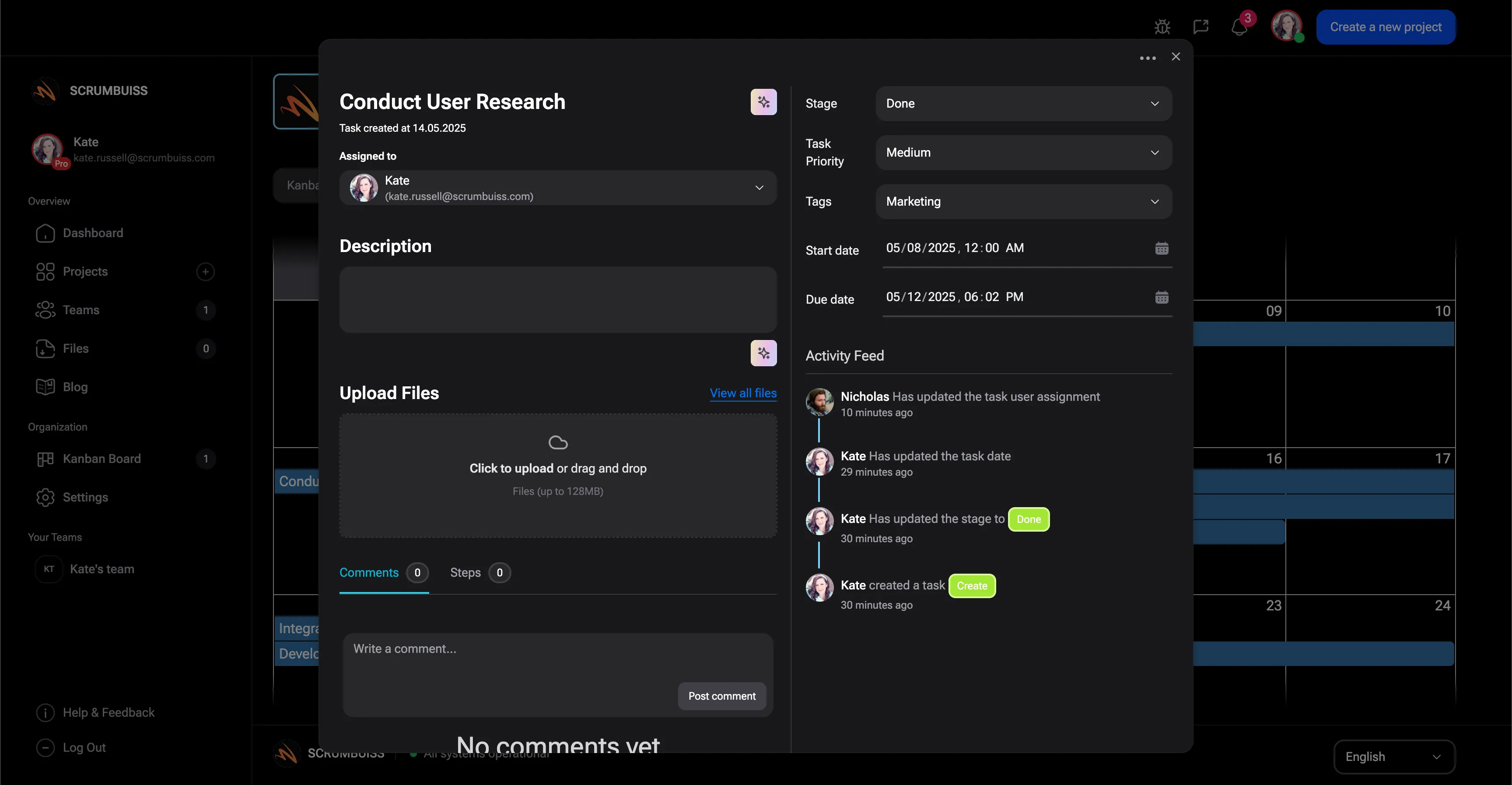
Scrumbuiss project automation overview for routing, reminders, and escalations

How we reviewed project management automation software

Reviewed on March 23, 2026. We tightened this page against Google Search Central guidance on helpful content, title links, and crawlable links, then benchmarked the category framing against the official automation pages published by Asana, monday.com, ClickUp, and Jira. The buyer question is specific: which tools reduce recurring coordination work inside delivery without making automation another system to govern separately?

  • First-party Scrumbuiss references come from live public pages covering pricing, project delivery, CRM handoff, forms, project brief, ITSM, Risk Center, dashboards, and activity history.
  • Competitor references come from official vendor pages reviewed on March 23, 2026, not affiliate roundups or feature-list directories.
  • Google Search Central guidance was used to strengthen the exact page title, page heading, descriptive section labels, and crawlable internal-link language so the page is clearer about one buyer job instead of trying to rank for every automation-adjacent use case.
  • The comparison is not recipe counting. It is about operating model fit: where rules live, how much governance they create, and whether reminders, escalations, and retries stay close to the work itself.

When Scrumbuiss is a fit

The category decision is not about how many automations a vendor can advertise. It is about whether recurring coordination work should stay embedded in delivery or live as another configurable layer wrapped around it.

Strong fit for Scrumbuiss

Best when automation should keep routing, reminders, escalations, and follow-up attached to the live delivery workflow instead of becoming another no-code system the team still has to operate separately.

  • The team wants forms, briefs, CRM handoffs, and delivery work to move through one readable operating layer.
  • Rules should trigger reminders, assignments, escalations, and exception handling without losing the project context behind the work.
  • Managers want automation to reduce status chasing, admin overhead, and missed follow-up while keeping the operational record visible to stakeholders.

Worth piloting carefully

A live pilot is useful when some tasks are already automated elsewhere, but coordination still depends on spreadsheets, side reminders, or disconnected chat follow-up.

  • Pilot one real intake flow, one recurring delivery review, and one exception or deadline workflow in the same workspace.
  • Measure whether the rule removes coordination work instead of simply moving it into a different interface.
  • Validate that operators can trust the logs, see the current owner, and intervene quickly when exceptions happen.

Probably not the best fit

A broader automation platform may fit better when the main job is cross-app orchestration at large breadth rather than readable project-delivery automation in one operating layer.

  • The primary requirement is connecting a large stack of external systems instead of improving day-to-day delivery coordination.
  • Project execution already works well elsewhere and the buyer mainly needs an integration-first automation hub.
  • The team values maximum rule configurability across many apps more than delivery context, operational ownership, and stakeholder-readable follow-up.

Separate the three buyer intents before you shortlist

Teams often lump several jobs into the word automation. Google will also struggle if the page tries to cover all of them at once. These are related decisions, but they are not the same category.

Project management automation software

This page targets the delivery workflow job: routing work, assigning ownership, sending reminders, escalating exceptions, logging actions, and retrying failed steps close to the project record.

  • Best when repetitive coordination work lives inside delivery.
  • Use this category when the pain shows up in stalled statuses, missed follow-up, risk alerts, or handoffs between teams.
  • Success means less admin overhead and a more readable operating workflow every week.

Project intake and forms routing

A forms or intake page is stronger when the main bottleneck is collecting the right request data, qualifying work, and deciding where approved requests should go next.

  • The front-door workflow matters more than downstream rule depth.
  • Approvals, request fields, and routing logic are usually the core decision.
  • Compare the intake and forms guides if the automation question starts before delivery work exists.

Broader no-code or cross-app automation

An integration-first platform is stronger when the main job is orchestrating many external systems, not keeping project-delivery follow-up readable in one workspace.

  • Best when system-to-system coverage is the priority.
  • Often the right path for cross-app handoffs at scale.
  • Less ideal when the real pain is weekly project coordination that still needs human explanation after every rule fires.

Route intake automatically

Turn forms, briefs, and CRM handoffs into structured project intake

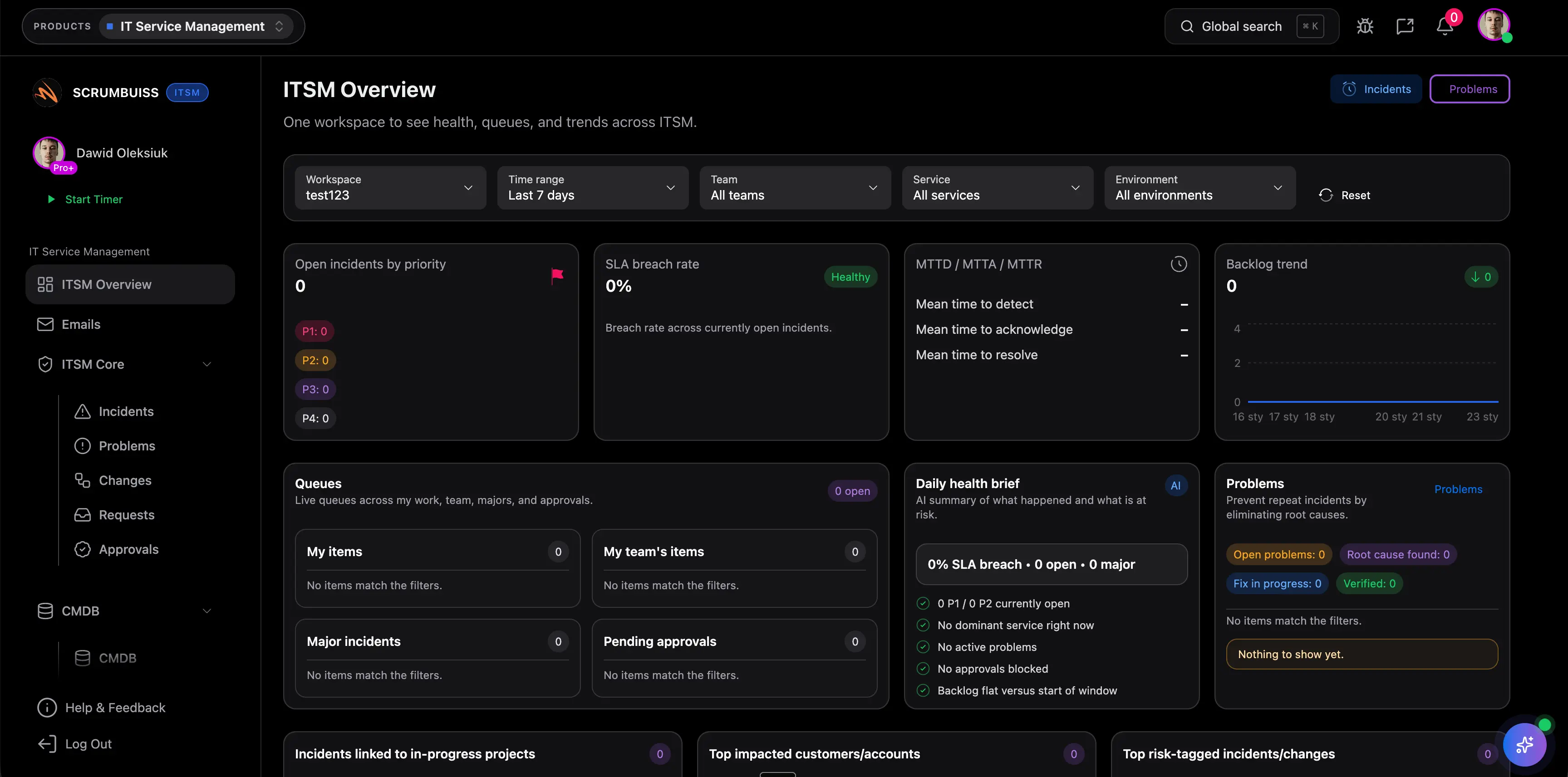
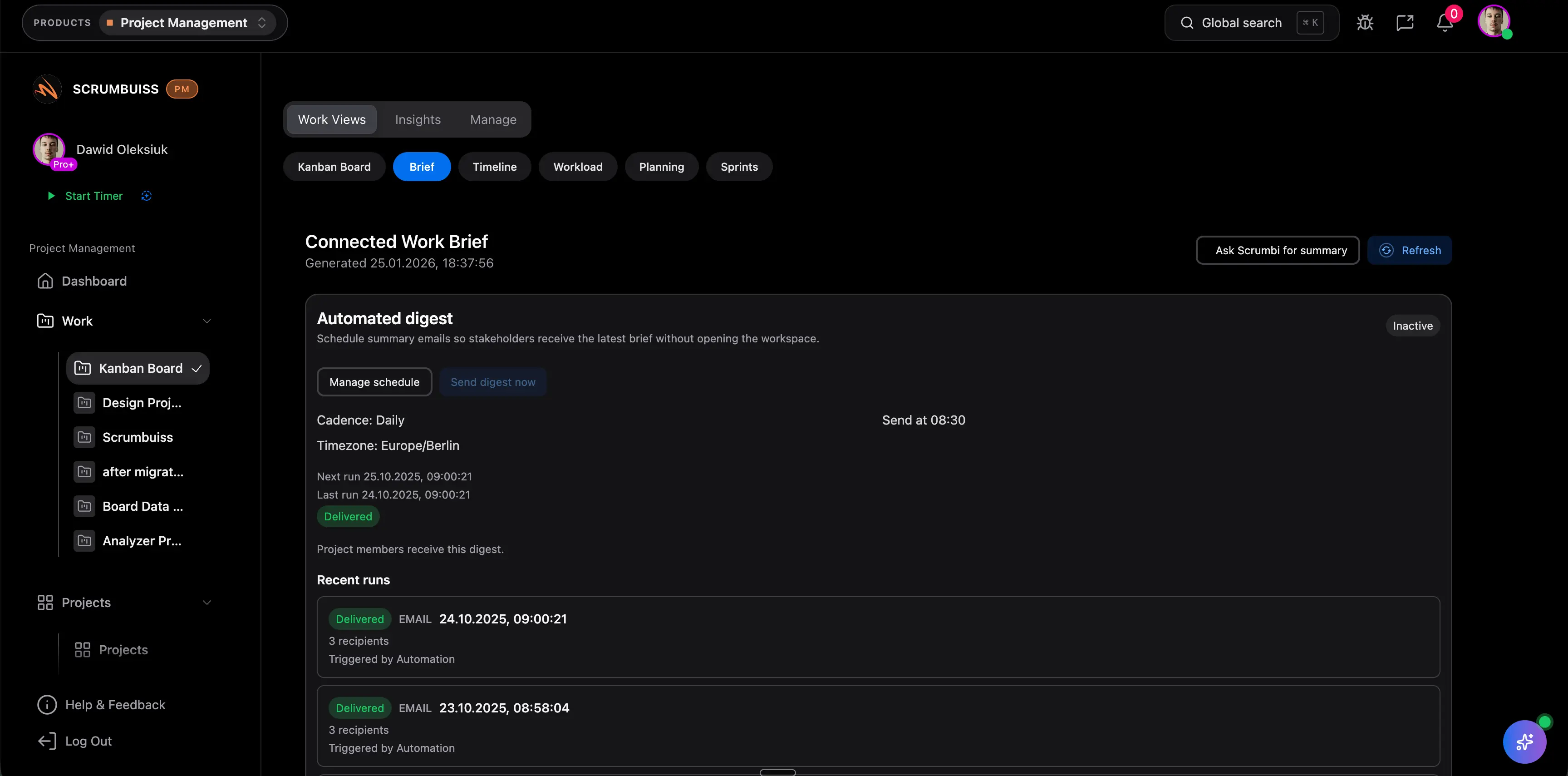
The practical value of project management automation starts before delivery work begins. Strong automation does not just create another task. It routes requests into the right workflow with enough context that the team can act without rebuilding the brief from scratch.

  • Route form submissions, internal requests, or qualified deals into the right project, queue, or owner automatically.
  • Create the first status, due date, and follow-up actions as soon as work enters the workflow.
  • Keep requester context, brief details, and custom fields attached so kickoff does not depend on another manual handoff.
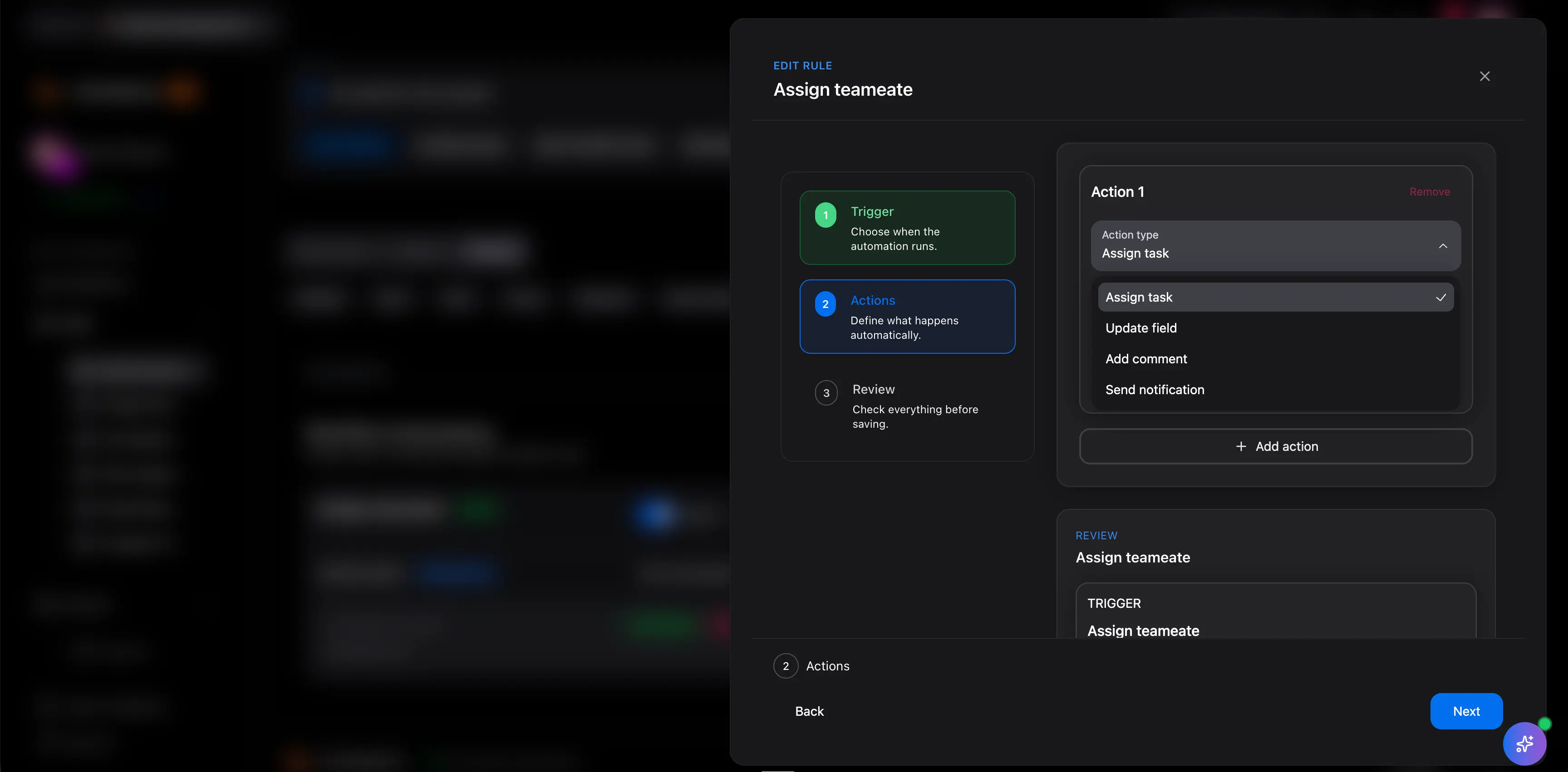
Scrumbuiss automation workflow used for intake and routing

Keep delivery moving

Automate reminders, status changes, and escalations without hiding the work

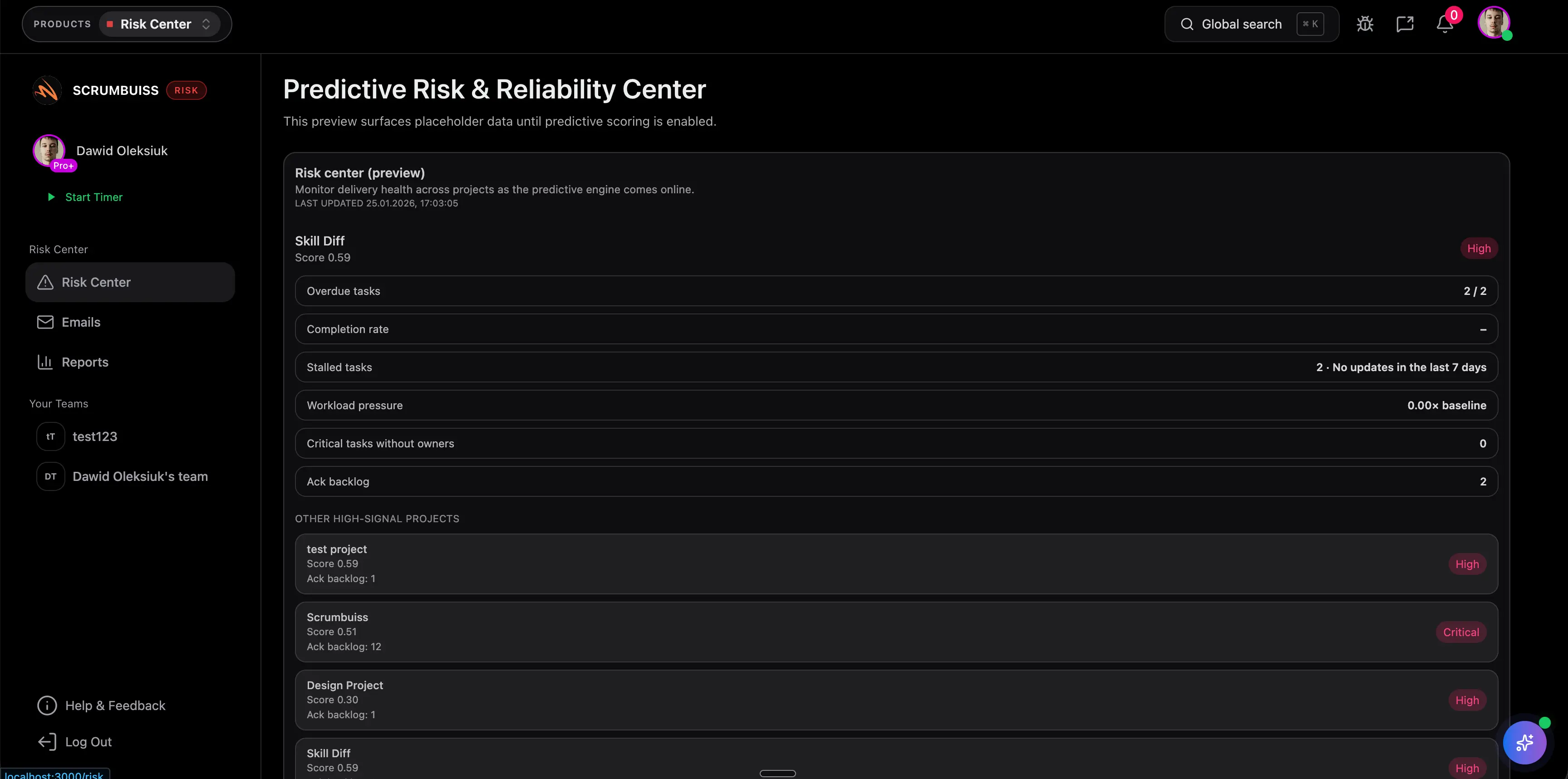
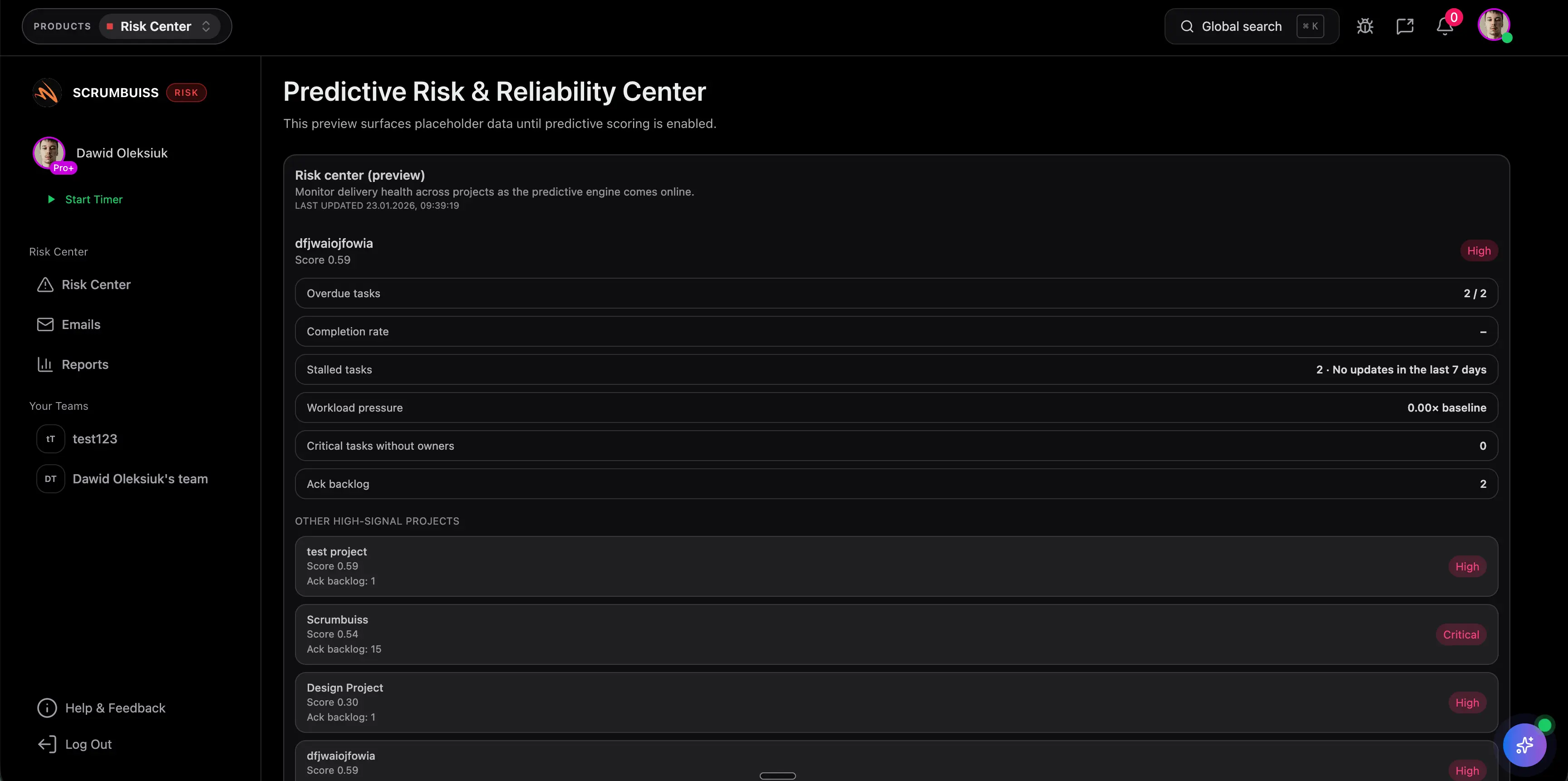
Automation pain usually shows up in the middle of delivery: overdue tasks, unowned follow-up, missed change windows, and risk signals that everyone notices too late. The better workflow is one where the reminder or escalation still points back to the work itself.

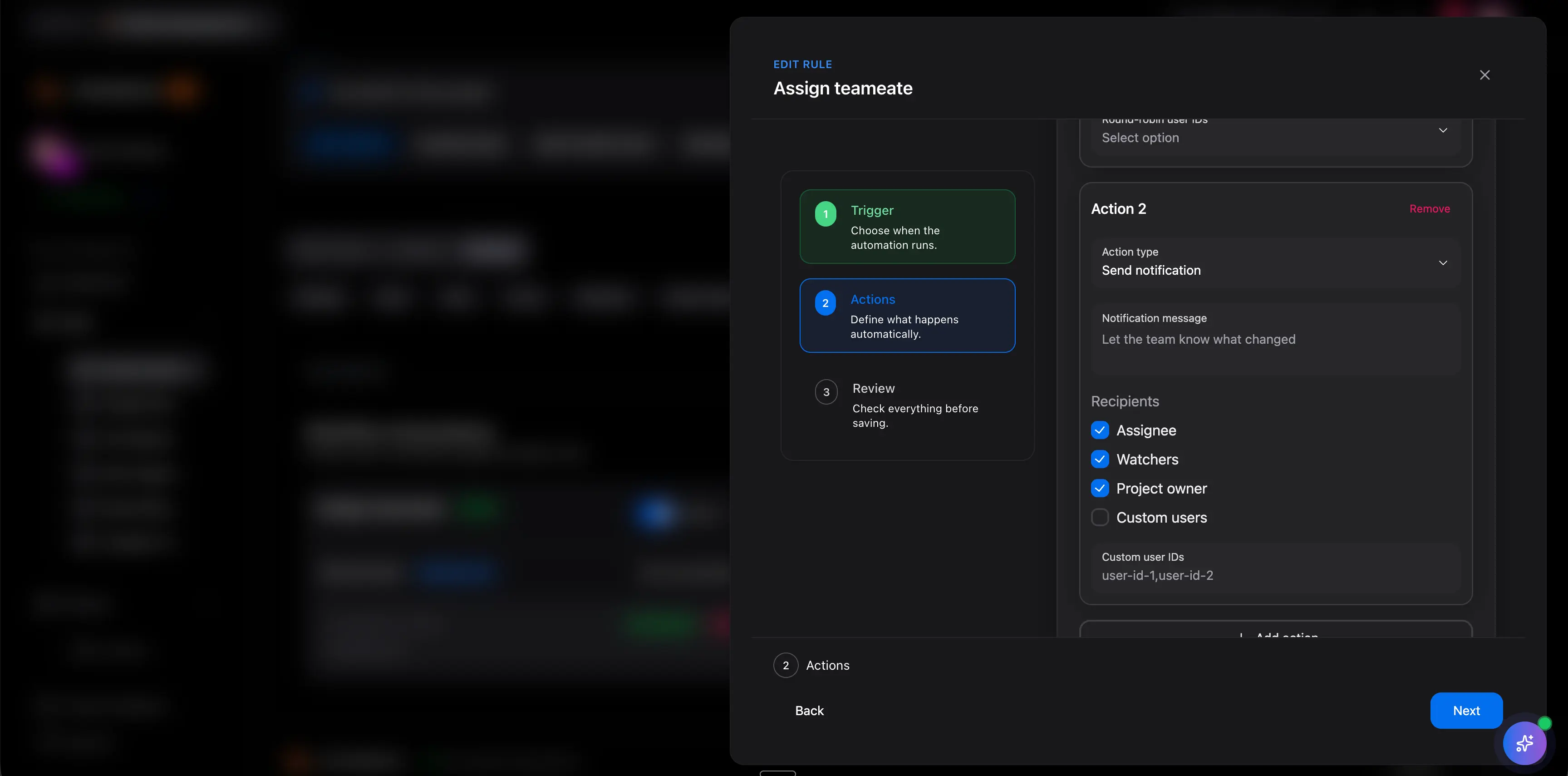
  • Trigger reminders, assignment changes, or notifications when deadlines move, statuses stall, or thresholds are crossed.
  • Support IT operations follow-up, delivery checkpoints, and risk-response workflows without pushing them into side channels.
  • Keep the task, owner, and current project state visible so the rule reinforces the workflow instead of masking it.
Scrumbuiss automation rules for reminders, status changes, and escalation paths

Trust the system

Use logs and retries so automation still works after the demo

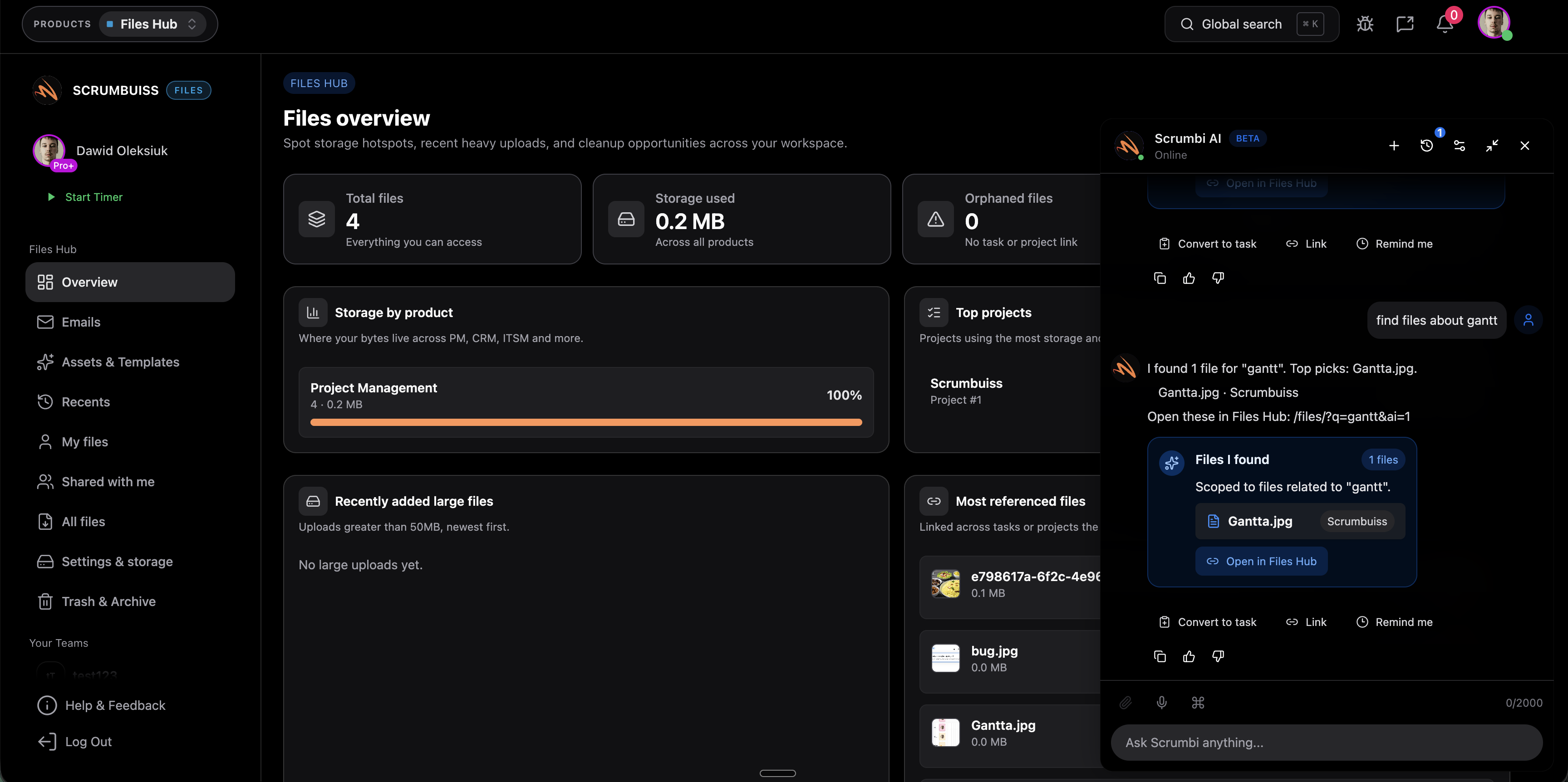
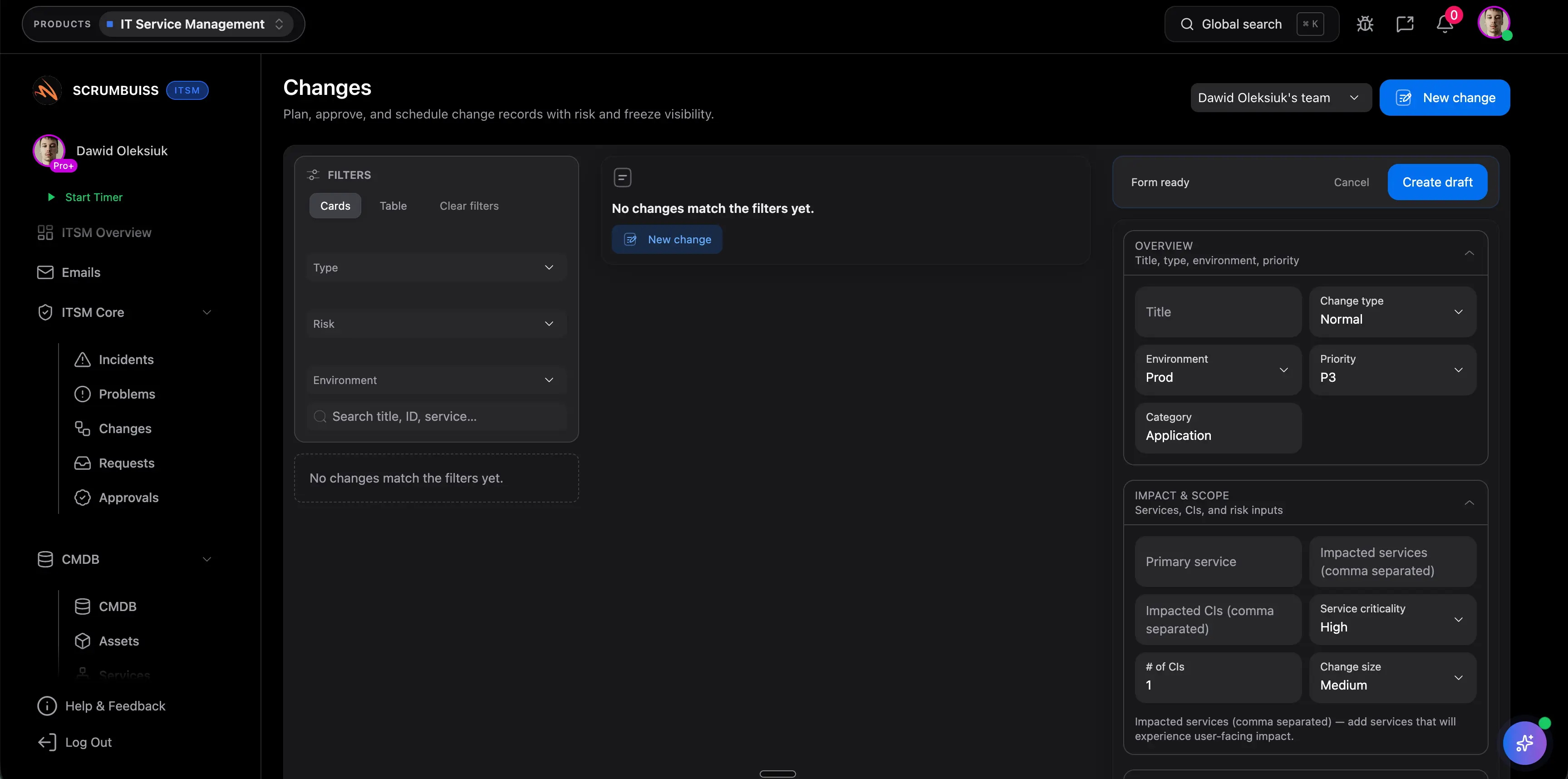
Automation stops being useful when a team cannot tell what fired, what failed, and what needs intervention. For project work, auditability matters because reminders, handoffs, and escalations influence deadlines, service levels, and stakeholder expectations.

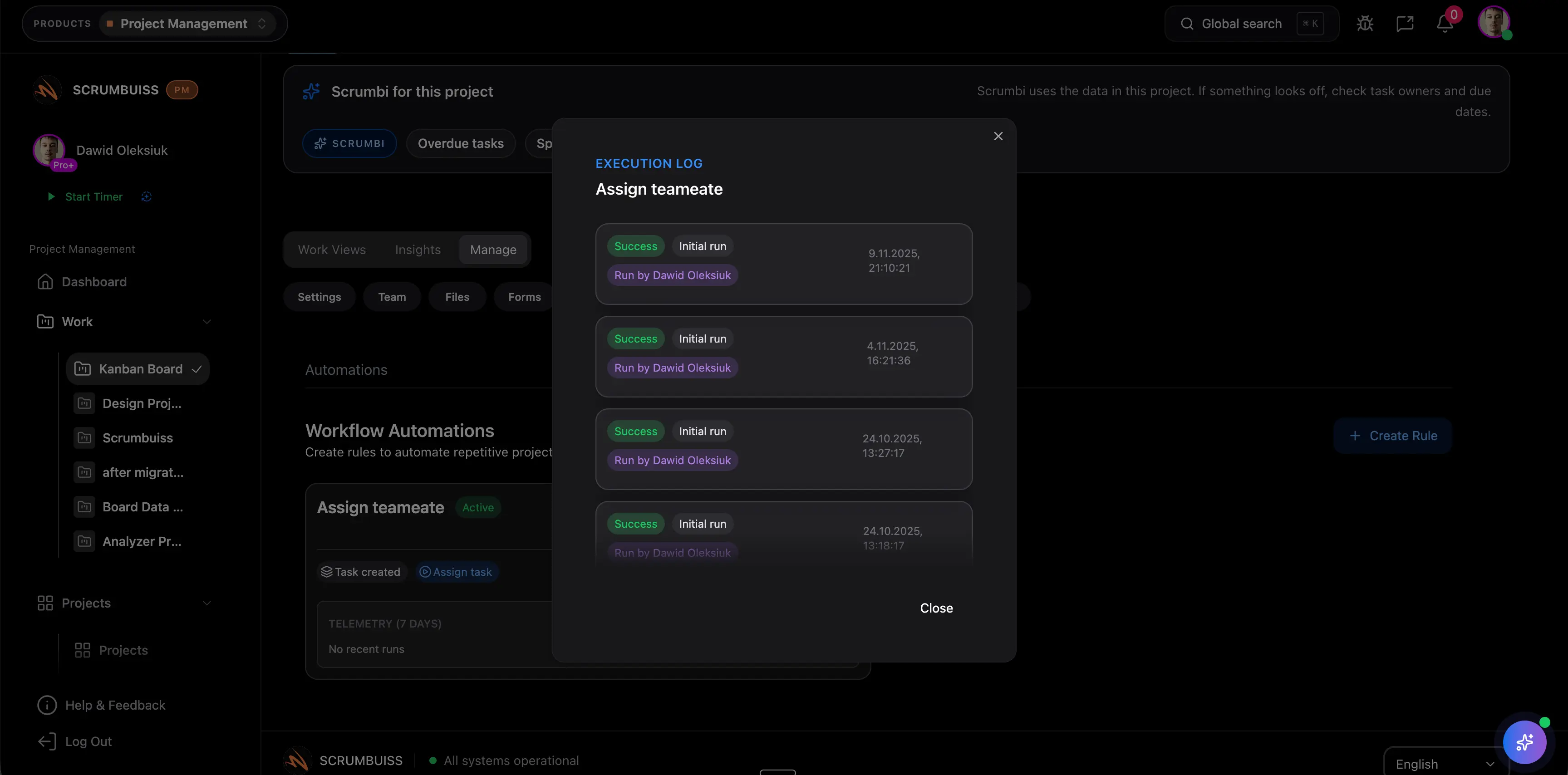
  • Review logs so operators can see which rule ran, what action it attempted, and where the workflow broke down.
  • Use retries and visible execution history so one failed notification or update does not silently derail follow-up.
  • Keep automation behavior close to dashboards, activity history, and delivery reporting so teams can trust it in weekly operations.
Scrumbuiss automation activity used to review logs, retries, and follow-up visibility

Competitor snapshot

These tools all automate work, but they package automation around different operating models. The real decision is whether rules should live inside the delivery workflow itself or mainly inside a broader work-management or issue-tracking layer.

Tool Best for Automation angle Main tradeoff Why teams choose Scrumbuiss instead
Asana Teams already standardizing cross-functional work in Asana and wanting rules, forms, workflow bundles, and AI-assisted suggestions inside that work-management model. Asana publicly frames automation around workflow bundles, forms, rules, and AI-supported recommendations that standardize recurring processes. Buyers should validate how much delivery-specific follow-up, escalation handling, and stakeholder-ready context still needs to be designed around the broader work-management layer. Scrumbuiss is stronger when automation should stay tightly attached to project delivery, briefs, risk signals, and visible follow-up instead of becoming one more workflow feature in a wider platform.
monday.com Board-centric teams that want no-code automation recipes, trigger-based handoffs, and status-driven notifications inside a flexible work-management workspace. monday.com publicly emphasizes no-code automations, prebuilt recipes, and trigger-condition actions for owner assignment, status updates, and team notifications. Teams should validate whether delivery context, exception handling, and follow-up logic remain readable enough once automation is centered on board configuration. Scrumbuiss is stronger when the buying need is not only faster board admin, but clearer project intake, delivery alerts, and operational follow-up tied directly to the work itself.
ClickUp Teams that want a highly configurable all-in-one workspace with many automation triggers, conditions, and actions across tasks and statuses. ClickUp publicly positions automation around no-code triggers, conditions, actions, and templates that remove repetitive work inside a broad configurable workspace. High rule flexibility can still create governance overhead when several teams depend on overlapping automations inside a workspace that is already hard to keep simple. Scrumbuiss is stronger when teams want fewer, clearer automation workflows connected to delivery, risk, and operational follow-up rather than maximum configurability for its own sake.
Jira Engineering and operations teams already deep in Jira that want issue-driven automation, reusable rules, and escalation paths across projects and service workflows. Jira publicly positions automation around no-code rules, templates, and cross-project actions that support issue updates, notifications, handoffs, and service or engineering workflows. Jira is powerful when the operating model is already issue-centric, but buyers should validate whether broader delivery coordination, brief context, and stakeholder reporting stay lightweight enough outside a heavier admin layer. Scrumbuiss is stronger when the goal is delivery-connected automation across intake, execution, risk follow-up, and stakeholder visibility without pushing the workflow into a more governance-heavy issue system.

Review current plan limits, action limits, and packaging on the vendor pages before you buy. Product names are trademarks of their respective owners.

What to validate in a live pilot

The best pilot is one real operating workflow, not a demo recipe. Use this checklist to judge whether automation becomes dependable inside the team.

  1. Step 1

    Pick one workflow with enough friction to matter: intake routing, deadline reminders, stalled-status follow-up, risk alerts, or change-window escalation.

  2. Step 2

    Define the exact trigger, owner handoff, and visible outcome before you build any rule so the pilot answers a real coordination problem.

  3. Step 3

    Use live work with real people, dates, and statuses so the automation is tested under actual project conditions.

  4. Step 4

    Confirm that the destination workflow stays readable after the rule fires: owner, status, due date, project context, and brief details should still make sense.

  5. Step 5

    Test one exception path where a rule should escalate, notify, or create follow-up instead of assuming the happy path is enough.

  6. Step 6

    Review logs and retry behavior with the people who will own the workflow after launch, not only with the person who configured it.

  7. Step 7

    Set clear go or no-go criteria: less manual triage, fewer missed reminders, clearer ownership, and faster response when deadlines or risks change.

FAQ

These are the buying and rollout questions teams usually need answered before workflow automation becomes dependable enough to run every week.

What is project management automation software?

Project management automation software helps teams trigger repeatable actions inside their workflow, such as routing intake, assigning work, changing status, sending reminders, escalating exceptions, or logging execution history. The useful version does not just automate clicks. It keeps project context, ownership, and follow-up visible so the workflow is easier to run and easier to explain.

Which workflows should most teams automate first?

Most teams should start with the repetitive coordination work that already steals time every week: intake routing, owner assignment, deadline reminders, stalled-status follow-up, and risk or exception alerts. Those workflows usually create the fastest operational gain without forcing the team to redesign everything at once.

How is built-in project automation different from Zapier, Make, or an iPaaS tool?

Built-in project automation is stronger when the goal is to keep routing, reminders, and follow-up close to the delivery workflow itself. Zapier, Make, or other integration-first tools are often better when the main problem is orchestrating many external apps. Teams should decide whether the core pain is project coordination or system-to-system breadth.

Can workflow automation help with IT operations and deadline risk?

Yes. Teams commonly use workflow automation for overdue follow-up, change-window reminders, incident escalation, and risk-threshold alerts. The important question is whether those alerts still point back to the operational record and current project state instead of becoming another disconnected notification stream.

How should a team evaluate a project automation pilot?

Run one real workflow end to end and measure whether the rule removed manual triage, reduced missed follow-up, and kept the operational record readable after it fired. A useful pilot should change how the team works in a normal week, not just prove that one trigger can send one notification.