
Project Tracking Board Guide for Teams
A project tracking board helps teams answer the questions that usually trigger extra meetings: what is in progress, who owns it, what is blocked, and which milestones are at risk. The board itself is not the goal. The goal is giving the team and stakeholders one reliable view of current work without rebuilding status by hand every week.
The best setup depends on what you are actually trying to track. Some teams only need a project tracker board with clear owners and due dates. Others need dependencies, workload visibility, and reporting for people outside the delivery team. That is why the useful decision is rarely just "which board looks cleanest?" It is whether a board, a timeline, or a dashboard should be the primary tracking surface for your workflow.
This board guide is focused on the visual board view. For the broader operating process, use the project tracking guide. If the decision is about software selection, use the project tracking software guide.
If your team is already comparing broader categories of tools, start with this project management tools buyer guide. If the decision is specifically about delivery planning and execution in engineering organizations, this engineering roadmap management software guide is the better next read.
Key Takeaways
- A project tracking board should make owners, status, due dates, milestones, dependencies, risks, and next review points visible enough that the team can act without asking for a manual update.
- Board views are strongest for day-to-day execution, but teams usually need timeline and dashboard views once delivery depends on sequencing, workload, or stakeholder reporting.
- The fastest way to choose a tool is to pilot one live workflow with real deadlines and real reviewers, then ask whether the tracking setup reduced coordination work or only moved it somewhere else.
How We Reviewed Project Tracking Approaches
This guide was reviewed on July 1, 2026.
We used a practical buyer lens rather than a feature-dump lens:
- how teams track work on a board day to day
- when milestone and dependency tracking force a move toward timelines
- when reporting needs push teams toward dashboards and broader operating workflows
Reference points reviewed for this article:
- Google Search Central: Creating helpful, reliable, people-first content
- Google Search Central: Title links
- Google Search Central: SEO Starter Guide
- Asana: Project tracking
- monday.com: Project tracker template
- ClickUp: Project tracking
What a Project Tracking Board Must Show
A board becomes useful when it reduces ambiguity, not when it simply displays cards in columns. The minimum information below is what keeps a board operational instead of decorative.
| Field | Why it matters | What goes wrong when it is missing |
|---|---|---|
| Owner | Makes accountability explicit | Tasks stall because everyone assumes someone else is driving them |
| Status | Shows whether work is planned, active, blocked, or done | Teams confuse activity with progress |
| Due date | Adds time pressure and review cadence | Work drifts until a milestone is suddenly at risk |
| Milestone | Connects daily tasks to a meaningful delivery point | Stakeholders see many tasks but cannot tell what actually moved |
| Dependency | Shows what must finish first | The team finds sequencing problems too late |
| Risk | Flags schedule, scope, or resource concerns early | Issues only surface in escalation mode |
| Next review | Creates a moment to re-check assumptions | Status updates become ad hoc and inconsistent |
If your current board cannot show those fields cleanly, the problem is not just missing customization. It is that the tracking layer is too thin for the workflow you are running.
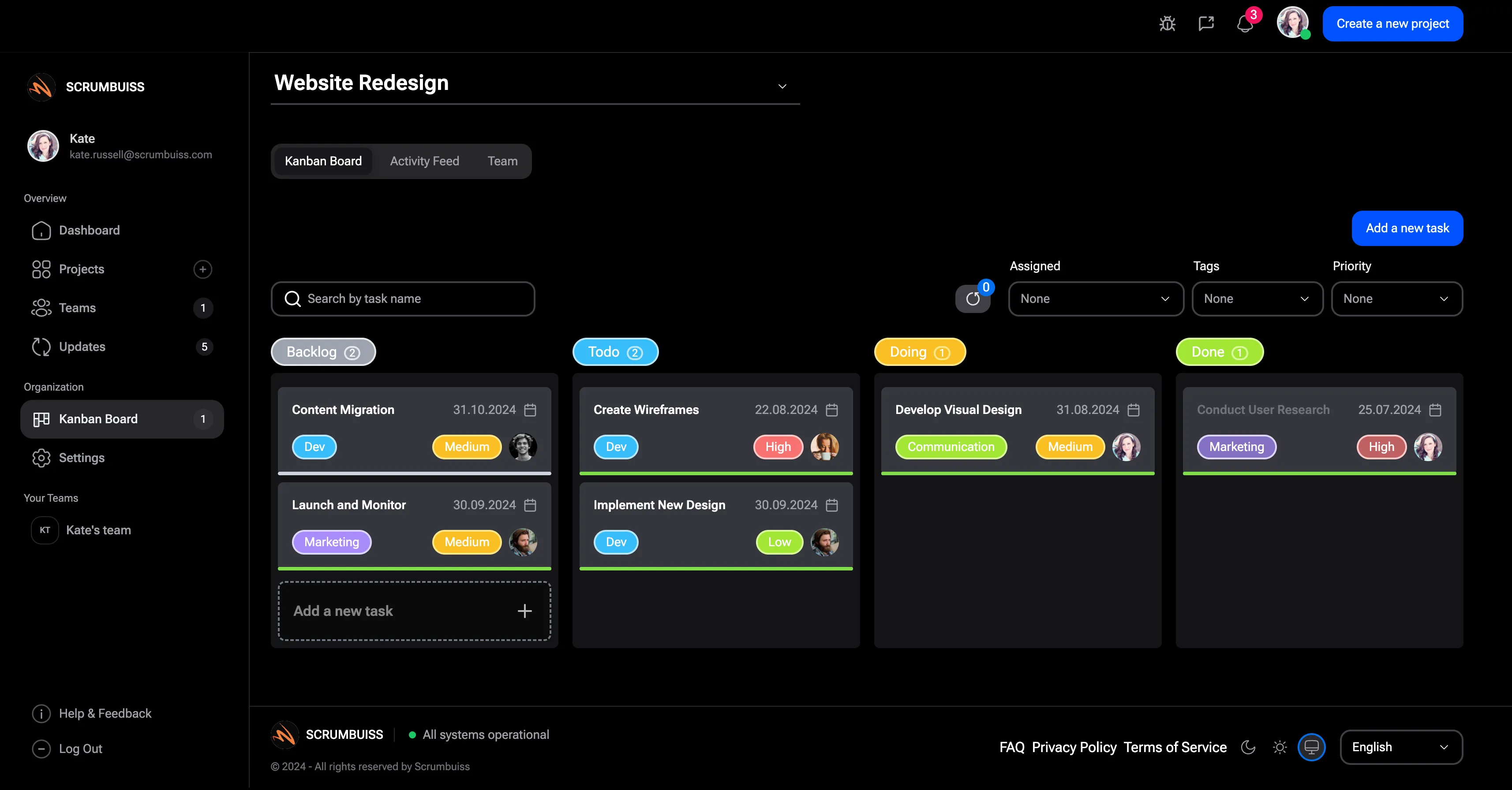
Digital, dry erase, or visual project tracking board?
Search results for project tracking boards mix software, templates, and physical whiteboards because teams use the phrase in different ways. The right choice depends on whether the board needs to be a shared operating system or a local visual aid.
| Board type | Best use | Strength | Limit |
|---|---|---|---|
| Digital project tracking board | Distributed teams, software delivery, client work, and multi-project reporting | Real time updates, owners, comments, attachments, dashboards, and automations | Requires workflow discipline so cards stay current |
| Dry erase board | Co-located teams that need a simple visual reminder in one room | Fast, visible, and easy to update during a standup | Hard to share remotely, audit, automate, or connect to reporting |
| Visual project tracking board | Workshops, planning sessions, roadmaps, and cross-functional reviews | Makes progress, dependencies, and milestones easier to scan | Needs a clear owner or it becomes a static diagram |
| Kanban or Scrum board | Agile delivery teams managing active work and handoffs | Keeps backlog, in-progress work, and review flow visible | Does not always explain timelines, capacity, or stakeholder reporting by itself |
A physical dry erase board can still work for a small co-located team, especially when the goal is enhancing efficiency during daily standups. A digital project management board is the better fit when team members work remotely, manage projects across several departments, need a project timeline, or have to report project status in real time.
Project management board examples by workflow
The most useful board design starts with the workflow, not the template gallery.
| Workflow | Recommended board style | What to include |
|---|---|---|
| Product launch | Kanban board plus timeline | Backlog, in progress, review, launch blockers, milestone date, release owner |
| Client implementation | Project tracker board plus dashboard | Phase, owner, client dependency, risk, next review, status summary |
| Engineering sprint | Scrum board | Sprint goal, story owner, blocked work, review lane, done definition |
| Operations improvement | Visual project tracking board | Process step, owner, due date, expected impact, decision log |
| Multi-project portfolio | Dashboard plus project management board | Project status, priority, budget or capacity signal, dependency, next executive decision |
Mind maps and whiteboard-style visualization tools are useful during discovery, but they should not replace the board that tracks progress. Once a decision becomes work, it needs an owner, a date, a status, and a review point.
Board, Timeline, or Dashboard?
Teams often use these words interchangeably, but they solve different tracking problems.
Use a board when daily execution is the main problem
A board is the best default when the team needs to make ownership, current status, and handoffs visible. This is especially true for small delivery teams, creative teams, and agile squads that need to see work moving every day.
A board is usually enough when:
- the workflow is mostly sequential or lightweight
- dependencies are limited
- the audience is mainly the delivery team itself
- the priority is fast adoption and low admin overhead
If that is your use case, a well-structured Kanban workflow is often the right starting point.
Use a timeline when the board stops explaining the schedule
Boards are weak at sequence. Once several milestones depend on each other, due dates alone stop being enough. That is where a timeline becomes the better tracking surface because it shows order, overlap, and dependency risk.
Move beyond a board when:
- multiple teams depend on each other
- one delay can cascade into several milestones
- stakeholders care about dates, not just task completion
- replanning happens often enough that you need to see the whole schedule
If those are your pain points, this project timeline guide and the workload and capacity planning guide are more relevant than another board template.
Use a dashboard when people outside the team need to follow progress
Dashboards are not a replacement for execution views. They are the translation layer for leads, clients, and stakeholders who need to understand progress, risk, and next decisions without inspecting every task.
A dashboard becomes necessary when:
- status updates are rebuilt manually every week
- leadership wants milestone and risk visibility
- several projects need to roll up into one reporting view
- the team needs to explain whether the plan is healthy, not just whether tasks moved
The practical rule is simple: boards help teams do the work, timelines help teams coordinate the schedule, and dashboards help everyone else understand what is happening.
How Teams Outgrow a Simple Tracking Board
Many teams do not abandon a board because it is bad. They outgrow it because the board no longer explains the real operating pressure.
The most common warning signs are:
- milestones look healthy on the board but hide dependency risk
- the team tracks availability in a spreadsheet because the board cannot show overload clearly
- status meetings still require manual translation for stakeholders
- risk, scope changes, and timing decisions live in comments or chat instead of visible fields
- one tool handles execution while another handles reporting, which creates duplicate updates
That is usually the moment to stop asking for "a better board" and start asking for "a better tracking system." In practice that often means combining board tracking with timeline sequencing, capacity visibility, and more reliable status reporting inside one workflow.
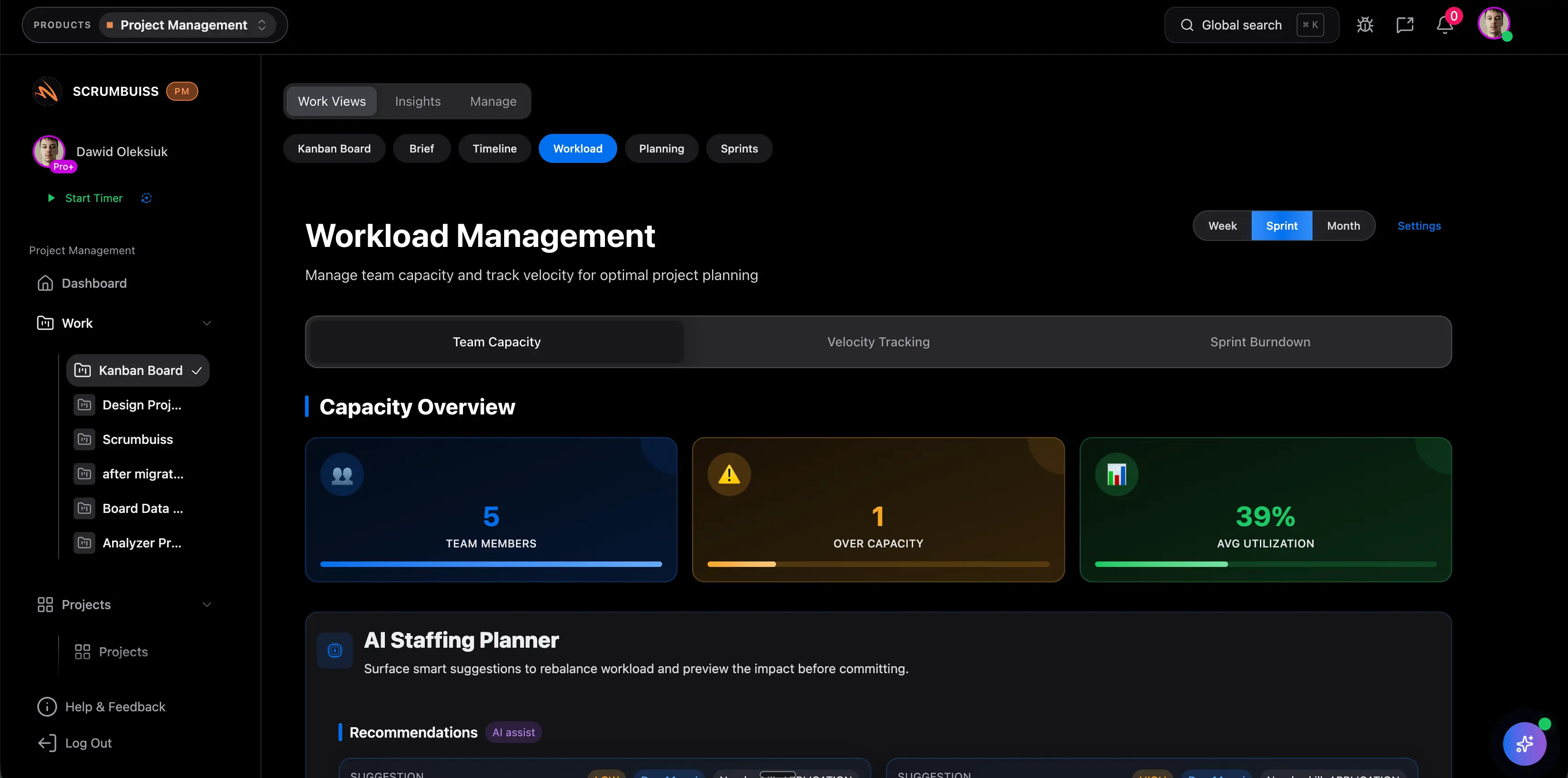
Competitor Comparison
The products below all help teams track projects, but they package tracking around different operating models. The question is not which one has a board. They all do. The question is where milestone visibility, dependency tracking, and stakeholder reporting should live once the workflow becomes more complex.
| Tool | Best fit | Tracking angle | Main tradeoff |
|---|---|---|---|
| Scrumbuiss | Teams that want boards, timelines, workload review, and reporting to stay closer together in one delivery operating layer | Connects daily execution to broader delivery visibility, including Kanban, workload review, and adjacent reporting workflows | Smaller ecosystem and lower brand familiarity than larger incumbents |
| Asana | Cross-functional teams that want accessible task tracking and stakeholder-friendly project views | Strong at task organization, templates, and approachable progress tracking across different teams | Teams often need extra structure once dependency management and delivery reporting become more demanding |
| monday.com | Teams that want flexible boards, templates, and dashboards across several business functions | Makes it easy to shape a project tracker around columns, automations, and dashboard widgets | Can become configuration-heavy as the tracking model gets more complex |
| ClickUp | Teams that want one broad workspace with docs, tasks, dashboards, and multiple tracking views | Offers a lot of tracking surface area in one product, especially for teams that want flexibility | Flexibility can turn into workspace inconsistency and higher admin overhead |
7-Step Setup Checklist for a Live Team
Do not start with a blank demo board and guess your way into a workflow. Use one live project and one real review cadence.
- Pick one active project with a real deadline, real owners, and at least one milestone worth tracking.
- Define the minimum board fields first: owner, status, due date, milestone, dependency, risk, and next review.
- Agree on status rules before kickoff so "In Progress" and "Blocked" mean the same thing to everyone.
- Decide whether the team also needs a timeline view for sequencing or a dashboard for stakeholder reporting.
- Run the board through one weekly review and note where the team still has to explain progress manually.
- Add workload visibility if delivery dates depend on team availability rather than only on task completion.
- At the end of the pilot, ask whether the board reduced manual coordination or only gave the team another place to update.
When Scrumbuiss Fits
Scrumbuiss is a strong fit when your team wants project tracking to do more than move cards across a board. It is most useful when the same workflow also needs:
- board-based execution through Kanban
- milestone and dependency visibility next to the work
- team load awareness through Workload & Capacity
- reporting that helps leads and stakeholders understand progress without another manual layer
It is especially relevant for teams that feel the cost of a fragmented setup: one tool for tasks, one for schedules, one spreadsheet for workload, and one recurring meeting just to explain current status.
When Scrumbuiss Is Not the Best Fit
Scrumbuiss is probably not the best fit when:
- your team only needs a simple board and does not care about broader reporting or capacity visibility
- you are already deeply standardized on another ecosystem and changing the stack would cost more than it saves
- the main buying priority is the biggest possible marketplace rather than a tighter delivery workflow
In those cases, a narrower tracking setup may be the cleaner choice.
FAQ
Frequently
asked
questions
Related features
Explore the Scrumbuiss features mentioned in this article.
- Kanban Board
Run Kanban boards with cards, WIP limits, blockers, and task-flow visibility.
- Workload & Capacity
Balance workload, plan capacity, and spot overload early.
Unlock Success &
Power Up Your Projects
Next to explore
Explore more pages to understand the product suite, common workflows, and evaluation guides.