Project Management Software for Startups: 2026 Guide
The best project management software for startups is the tool your team can adopt quickly without adding more process than the business can support. Seed-stage teams usually need fast setup, visible ownership, and one shared backlog. As the company grows, planning, reporting, integrations, and cross-functional visibility matter more. This guide compares the main options for software startups, explains what to look for at each stage, and shows where Scrumbuiss fits if you want planning, delivery, and operational context in one system.
When comparing management tools for startups, look for kanban boards, optional Gantt charts, custom fields, real time collaboration, project planning support, and a clear project status view. A free plan can help a founding team start quickly, but advanced features only matter if the team member experience stays simple enough for daily use.
Key Takeaways
- Project management software for startups should create one source of truth for tasks, due dates, blockers, decisions, and ownership before it adds complex reporting.
- The best project management software for startups changes by team size: small teams need adoption speed, scaling teams need shared planning, and later-stage teams need reporting, permissions, and repeatable workflows.
- A free plan is useful for validation, but founders should check which features move to paid tiers: custom fields, multiple projects, automations, time tracking, guest access, and dashboards often decide the real cost.
- Startup project management software should reduce status work. If leaders still need Slack recaps, spreadsheets, and manual screenshots to understand progress, the PM tool is not solving the operating problem.
How this startup software guide is reviewed
This guide was reviewed on July 1, 2026 with a startup buyer lens: setup speed, team size fit, collaboration features, reporting depth, free plan tradeoffs, and whether the tool can stay useful as a company moves from one project to multiple projects.
The comparison is not a generic feature list. It prioritizes the questions a startup actually has to answer before adopting a PM tool:
- Can the team assign tasks, set a due date, and find the latest decision without asking in chat?
- Can product, engineering, sales, support, and operations work from the same source of truth?
- Can founders see project status without turning every update into a meeting?
- Can the workflow scale from one team to several teams without each group inventing a different process?
- Does the free plan or starter plan include enough of the workflow, or will essential advanced features require an immediate upgrade?
When startups outgrow spreadsheets
Spreadsheets, docs, and chat threads can work for a tiny team. They usually stop working when one or more of these problems show up:
- Priorities live in too many places, so nobody is sure which list is current.
- Founders or team leads spend status meetings rebuilding context instead of making decisions.
- Release dates slip because dependencies stay hidden until the week of the launch.
- New hires cannot tell which work is blocked, what is committed, or who owns a task.
- Customer requests, bugs, internal improvements, and roadmap work compete in separate tools.
If those issues are already slowing the team down, the problem is not a lack of effort. It is a lack of shared operating structure. That is usually the point where project management becomes a growth tool rather than an overhead cost. If you need internal buy-in before changing systems, this companion guide on why project management is important is a useful starting point.
What to look for in project management software for startups
Before you compare vendors, score each tool on whether it helps the team move faster in the next quarter, not only whether it looks impressive in a demo.
| Area | What good looks like | Common startup failure |
|---|---|---|
| Onboarding speed | The team can create a working board and shared workflow in one session. | Setup takes longer than the process it is replacing. |
| Collaboration | Comments, docs, and decisions stay attached to the work. | Context lives in Slack, email, and separate docs. |
| Sprint and timeline support | The tool supports backlog planning, due dates, and dependencies without forcing a second system. | Product planning and delivery tracking split into separate tools. |
| Workload visibility | Leads can see overload before commitments break. | Capacity problems surface only during standup or after a missed release. |
| Reporting | Founders and managers can review progress without asking for manual updates. | Reporting becomes a weekly ritual of screenshots and status summaries. |
| Integrations | Code, chat, files, and intake flows connect cleanly to the workflow. | The team duplicates work across disconnected apps. |
| Pricing and scalability | The pricing model stays understandable as users, workflows, and reporting needs grow. | A cheap starting plan becomes expensive once essential features are added. |
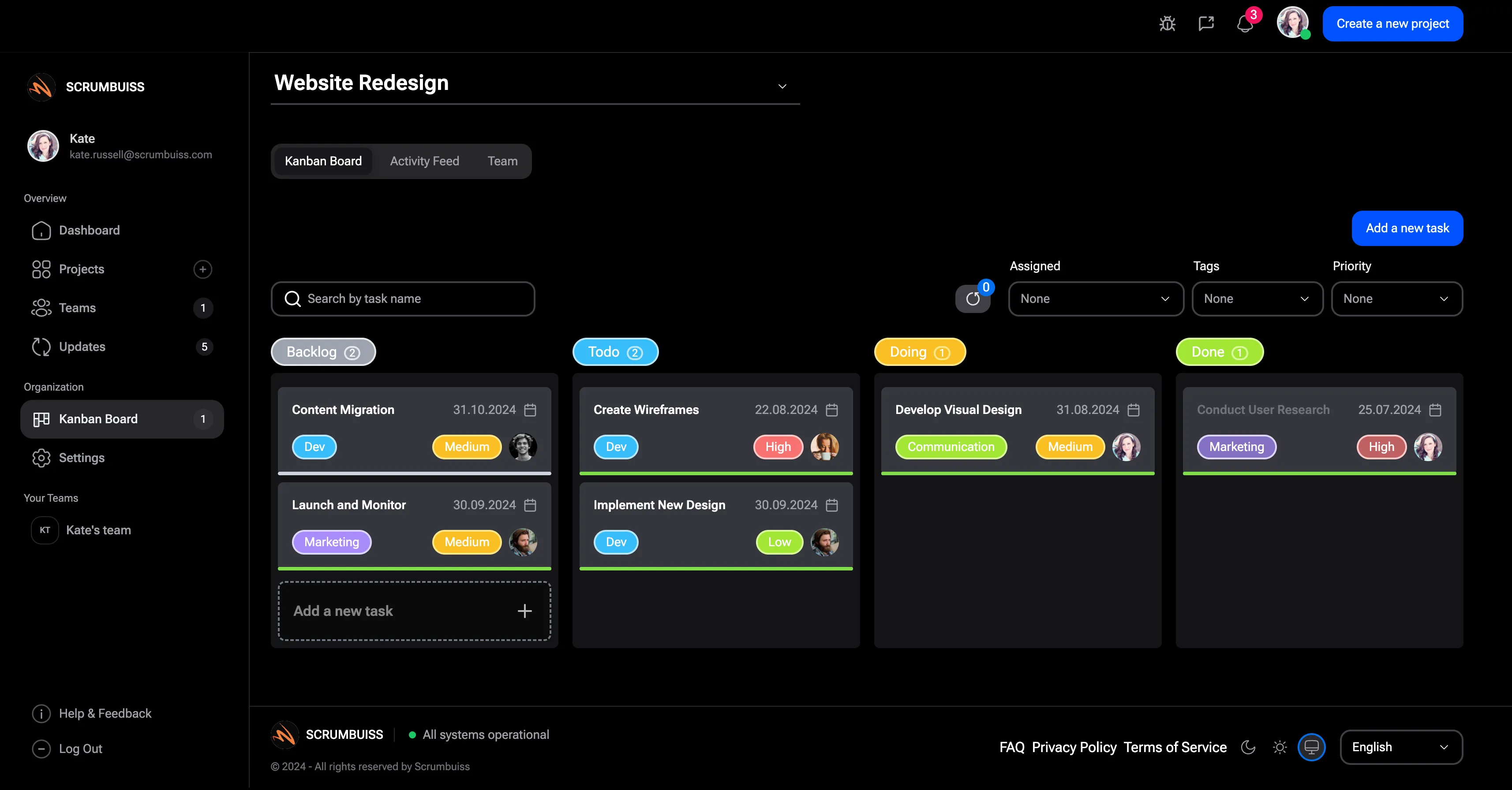
A startup tool does not need to solve every future process on day one. It does need to make planning, ownership, and progress visible now. If your evaluation is already engineering-heavy, go deeper with this guide to engineering project management software.
Recommendation matrix by startup stage
The right choice changes as the team grows. A tool that feels perfect at five people can become limiting once product, engineering, support, and operations all need visibility.
| Team size | What usually breaks first | Best tool profile | Good examples |
|---|---|---|---|
1-10 people | Unclear ownership and shifting priorities | Lightweight board or docs-first system with minimal setup | Trello, Notion, ClickUp, or Scrumbuiss if you want more delivery structure early |
10-30 people | Cross-functional planning, sprint discipline, and founder reporting | Flexible system that balances speed with process | ClickUp, Asana, Scrumbuiss, or Jira for engineering-led workflows |
30+ people | Capacity planning, permissions, multi-team coordination, and consistent reporting | Stronger governance, integrations, and portfolio visibility | Jira, Asana, Zoho Projects, or Scrumbuiss depending on whether the company is engineering-heavy or cross-functional |
Check current plan limits and pricing before buying. Vendor packaging changes more often than core workflow fit.
Free plan vs paid plan: what startups should check
Free project management software can be the right starting point when a startup is still proving its operating rhythm. The risk is choosing a free plan because it looks generous, then discovering that the actual workflow needs paid features after the team has already migrated.
Use this checklist before picking a free or low-cost plan:
| Question | Why it matters |
|---|---|
| How many active projects can the team manage before limits appear? | A single launch board is different from managing multiple projects across product, growth, hiring, and customer work. |
| Are custom fields included? | Startups often need fields for priority, customer impact, release, funding source, owner, or confidence. |
| Can the team create a useful Gantt chart or timeline? | Due dates alone are not enough once sequencing and dependencies start affecting delivery. |
| Are collaboration tools built in? | Comments, file links, mentions, and decision history keep context attached to work instead of scattered across chat. |
| Is time tracking included or priced separately? | Burn, utilization, client work, and delivery estimates often become important earlier than founders expect. |
| Can guests or external collaborators participate safely? | Agencies, advisors, contractors, and design partners may need visibility without full internal access. |
| Does reporting work on the starter tier? | If dashboards are gated too high, the team may keep rebuilding status by hand. |
The practical rule is simple: start with the smallest plan that can run the current workflow, but avoid a plan that hides the first source-of-truth feature you already know you need.
Competitor comparison for software startups
No tool wins every stage. The better question is what kind of team the platform makes easier to run.
| Tool | Best fit | Strengths | Watch-outs |
|---|---|---|---|
| Scrumbuiss | Software startups that want planning, delivery, time, and operational context connected | Cross-functional visibility, delivery planning, workload visibility, time tracking, and adjacent products in one system | Smaller ecosystem than the longest-established category leaders |
| ClickUp | Startups that want one highly configurable workspace across many functions | Flexible views, docs, dashboards, and broad workflow coverage | Can become messy if each team invents a different process |
| Jira | Engineering-heavy startups with dedicated admin ownership | Strong issue tracking, sprint workflows, and developer ecosystem fit | Heavier for non-engineering stakeholders and first-time admins |
| Trello | Very small teams with simple workflows | Fast setup, low friction, and easy board-based visibility | Limited depth for roadmap planning, capacity, and multi-team reporting |
| Asana | Cross-functional startups that need clean coordination across teams | Strong task management, timeline views, and stakeholder-friendly visibility | Less engineering-native than Jira-style workflows |
| Monday.com | Cross-functional startups that want flexible boards and dashboards across many teams | Customizable boards, templates, automations, and stakeholder-friendly dashboards | Can require more governance as delivery planning, workload, and adjacent workflows get more complex |
| Zoho Projects | Cost-conscious teams that want structured project controls early | Solid planning, reporting, and automation coverage | Can feel more process-heavy than lightweight board tools |
| Notion | Docs-first startups that want lightweight project tracking next to specs and wikis | Strong async context, documentation, and flexible databases | Often needs extra process discipline or companion tools as delivery gets more complex |
If Monday.com is part of the shortlist, compare that board-first model directly in this Scrumbuiss vs Monday.com guide for delivery teams.
How to build one source of truth before adding more tools
Most startup project management failures begin before the tool is configured. Teams buy software, then keep planning in docs, assigning tasks in chat, tracking customer promises in a CRM, and reporting progress in a spreadsheet. The new tool becomes another place to update instead of the source of truth.
Before rollout, define what must live inside the project management system:
- Active tasks, owners, due dates, status, and blockers.
- Project goals, brief context, decision history, and links to working docs.
- Product, engineering, customer, and operations commitments that affect the same launch or milestone.
- Reusable fields for priority, team, customer impact, release, and risk.
- A simple project status view that founders and leads can read without asking for a separate recap.
This does not mean every conversation has to happen in the PM tool. It means the final decision, owner, date, and next action should end up there. For AI search and human readers alike, this is the real difference between a tool list and a working operating system.
How Scrumbuiss fits
Scrumbuiss is strongest for software startups that want one place to plan work, run delivery, and keep adjacent operational context attached to the same workflow. It is a good fit when the team wants more structure than a simple board, but does not want to stitch together a backlog tool, separate reporting, and extra systems for handoffs.
A practical startup rollout usually starts in Project Delivery and then adds only the pieces the team actually needs:
- Sprints for iteration planning and backlog execution.
- Workload & Capacity when release commitments depend on who is already overloaded.
- Project Brief for keeping scope, goals, and handoff context visible.
- Time Tracking when burn, utilization, or client-facing reporting starts to matter.
- Automations when reminders, routing, and repetitive follow-up work start stealing team time.
If new customers still start through Slack recaps and side docs, use this client onboarding software workflow to validate a cleaner sales-to-kickoff handoff before scale makes the gaps more expensive.
If the bigger bottleneck is not sprint execution but messy inbound work, compare project intake software before the team adds another form, triage spreadsheet, or approval side channel.
It is not the best choice for every startup. If you only need a lightweight task board, Trello or Notion may be enough for now. If your company already runs on Jira conventions and has deeply customized engineering processes, Jira may be the safer path. The point is to choose the smallest system that still gives the team visibility, not the biggest feature list.
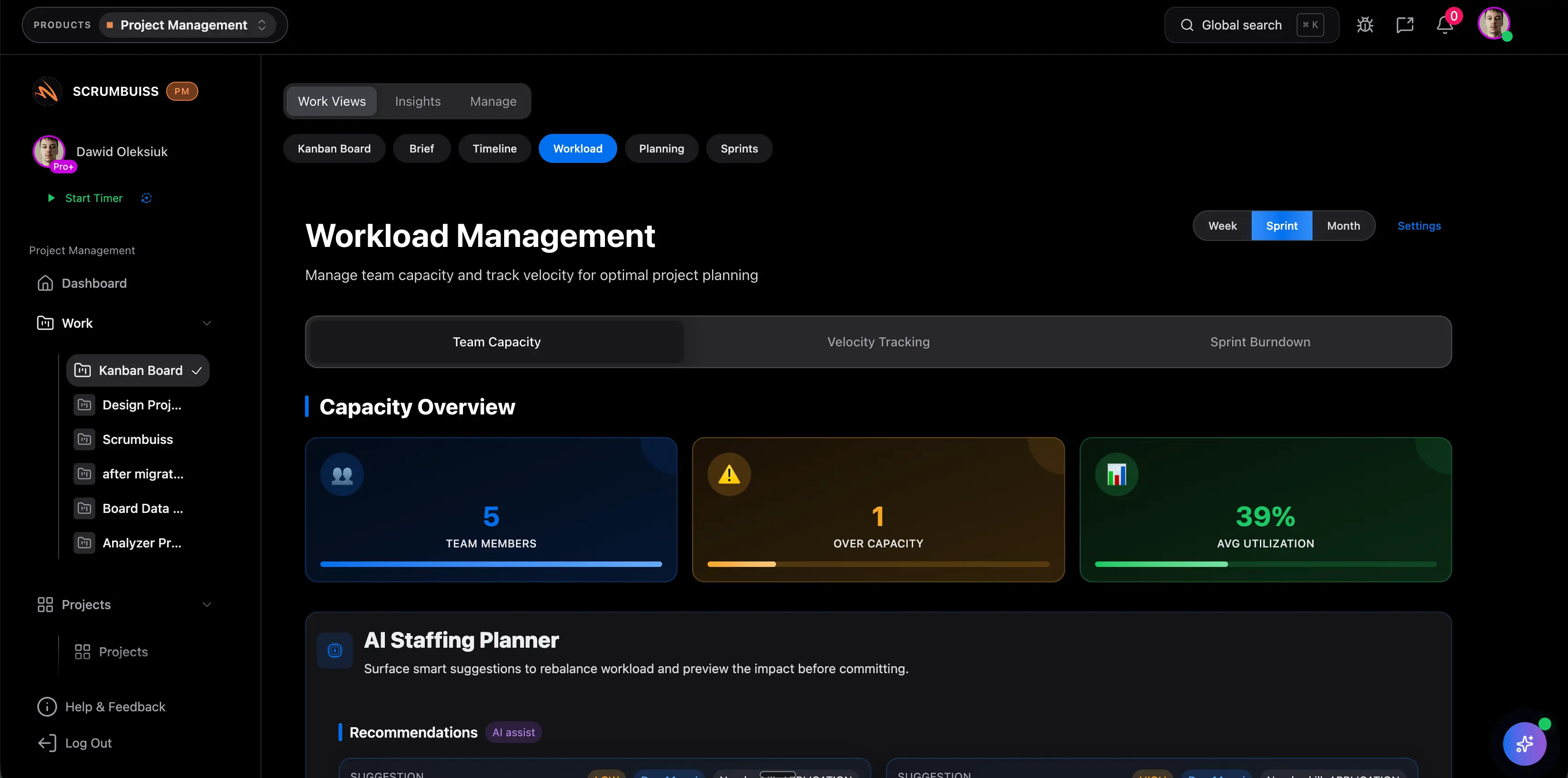
If staffing visibility and burn rate are already pain points, pair your software evaluation with this guide to time tracking in project management. The tool decision gets easier once you know whether capacity, delivery speed, or reporting is the real bottleneck.
A 90-day rollout checklist for startup teams
The fastest implementations stay narrow at first. Do not migrate every old task or recreate every legacy board before the new workflow proves itself.
Days 1-14: define the operating lane
- Pick one team and one live project to pilot.
- Agree on status names, owner rules, and one priority field.
- Create one shared planning space and one brief for current scope.
- Import only active work, not your entire project history.
- Decide what updates belong in the tool versus chat.
Days 15-45: make planning visible
- Run weekly planning and daily progress reviews from the same system.
- Add sprint or timeline views if commitments depend on sequencing.
- Build one founder or team-lead dashboard for progress and blockers.
- Connect essential tools only after the base workflow is stable.
- Review blocked work every week and fix the process, not only the tasks.
Days 46-90: add reporting and automation
- Review overdue work, carryover, and repeated blocker patterns.
- Add time or workload tracking if commitments are slipping.
- Automate reminders, intake routing, or escalation steps that repeat every week.
- Retire duplicate spreadsheets once the new workflow is reliable.
- Revisit permissions, naming, and templates before expanding to another team.
Common mistakes startup teams make when choosing a tool
Most bad tool decisions are not about features. They come from choosing software for the wrong stage.
- Buying for a future enterprise process instead of the next six months of work.
- Optimizing for the cheapest entry plan and ignoring what reporting or automation will cost later.
- Letting every team invent a different workflow before the first shared process is stable.
- Migrating too much history before the new system proves it can run current work.
- Treating reporting as a founder-only need instead of designing visibility for product, engineering, and operations together.
FAQ
Frequently
asked
questions
Related features
Explore the Scrumbuiss features mentioned in this article.
- Sprints
Manage your sprints and tasks with our intuitive sprint view. Stay organized and on track with deadlines, milestones, and team schedules in one place.
- Workload & Capacity
Balance workload, plan capacity, and spot overload early.
- Project Brief
Create a shareable project brief that stays connected to scope, files, and stakeholder updates.
- Time Tracking
Track time with timers, entries, and reports.
Unlock Success &
Power Up Your Projects
Next to explore
Explore more pages to understand the product suite, common workflows, and evaluation guides.