AI project assistant guide • reviewed March 17, 2026

AI Project Assistant

An AI project assistant helps teams ask grounded questions across live project context, draft status-ready summaries faster, and turn suggested next actions into human-reviewed follow-up without leaving the workflow.

Use this page when the buying question is not broad AI hype but whether an AI project management assistant can speed up coordination while keeping owners, approvals, and execution under human control.

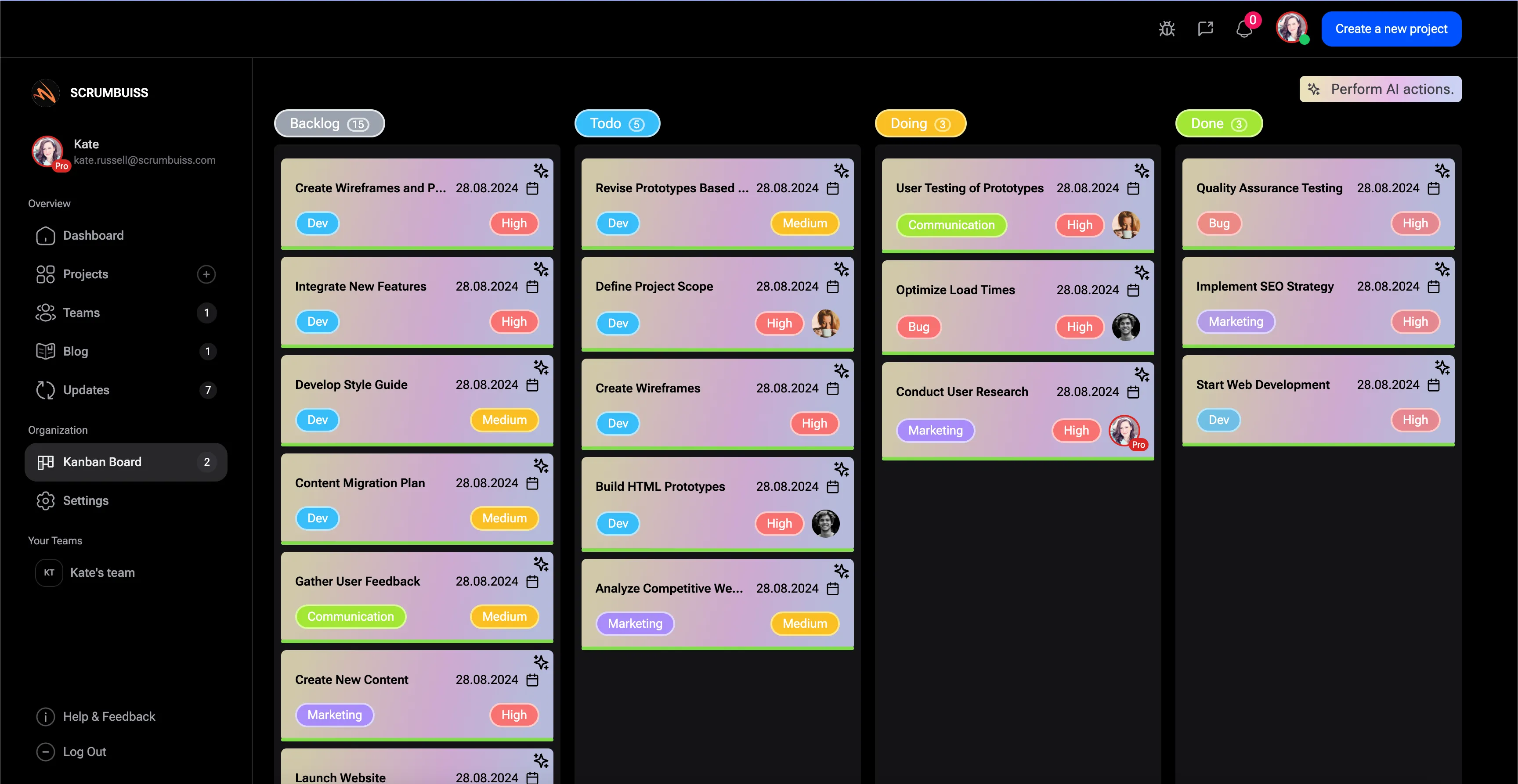
Scrumbuiss AI project assistant inside a live project workflow

How we reviewed AI project assistant software

Reviewed on March 17, 2026. This page evaluates one buyer question: which AI project assistant helps teams work faster inside a live project workflow without turning the assistant into another disconnected writing tool or an unsupervised automation layer.

  • Scrumbuiss references come from the live pricing page plus the Project Delivery product, Activity Feed, Automations, Software Teams, and IT Operations pages in this site.
  • Competitor references come from the official Asana AI, ClickUp Brain, and monday AI project management pages reviewed on March 17, 2026.
  • The goal is not feature-parity theater. It is to help teams test whether grounded Q&A, faster summaries, and suggested actions reduce coordination work in a real weekly operating rhythm.

When Scrumbuiss is a fit

The right decision depends less on generic AI excitement and more on whether the assistant makes real project coordination faster without weakening control, ownership, or trust in the workflow.

Strong fit for Scrumbuiss

Best when the team wants AI help inside live project work, with grounded answers, faster updates, and suggested follow-up that still leaves decisions with the operator.

  • Your team already has project context in one workflow and wants to reduce manual status-writing, searching, and follow-up.
  • The buying pressure is coordination speed, not a generic AI chat box.
  • You want AI assistance close to delivery work, activity history, and approved next steps.

Worth piloting carefully

A short pilot is the right next step when AI sounds useful, but the real test is whether it improves one recurring ritual such as weekly updates, standups, or incident follow-up.

  • Run the pilot on one team-owned workflow with real project context and real stakeholders.
  • Measure speed-to-summary, clarity of follow-up, and how often humans still need to rewrite the output.
  • Validate whether the assistant reduces searching and re-explaining instead of adding another layer to review.

Probably not the best fit

A different tool or no AI layer at all may fit better when the team only needs generic writing help or wants fully autonomous execution without a structured workflow around it.

  • Your project context is still fragmented across many tools, so answers would not stay grounded enough to trust.
  • The team expects the AI to replace ownership, approvals, or project management judgment.
  • The buying need is actually broader project delivery software or rule-based automation rather than an assistant layer.

AI assistant vs delivery stack vs automation layer vs education

These pages solve different search intents. Keeping them separate helps this page stay focused on AI project assistant buyer intent instead of drifting into broader delivery, automation, or educational content.

Evaluate an AI project assistant

Use this page when the shortlist question is whether an assistant can answer grounded questions, speed up summaries, and suggest next actions inside a live project workflow.

  • You are comparing assistant behavior, workflow fit, and human control.
  • The buying question is about coordination speed and clarity, not just content generation.
  • You want AI help that stays close to project context and operating rituals.

Evaluate project delivery software

Use the delivery product page when the real decision is about the broader operating model for planning, execution, dependencies, and stakeholder reporting.

  • The bigger pain is still the workflow itself, not the assistant layer on top of it.
  • You need to validate whether one delivery system can replace the current board-plus-spreadsheet routine.
  • AI is a useful layer, but not the center of the buying decision.

Evaluate automation software

Use the automation page when the main need is repeatable routing, reminders, or triggered actions rather than grounded Q&A and summary assistance.

  • The team needs deterministic workflow rules more than conversational project help.
  • The decision depends on approvals, reminders, notifications, and condition-based follow-up.
  • You are validating automation coverage, not assistant quality.

Learn about AI in project management

Educational AI-in-project-management content explains the category. This page is different: it is a buyer guide for teams evaluating a practical assistant in a real workflow.

  • The goal here is purchase and pilot clarity, not a conceptual overview of AI trends.
  • The decision is about grounded answers, summary quality, and operator control.
  • Use this page when implementation fit matters more than broad industry commentary.

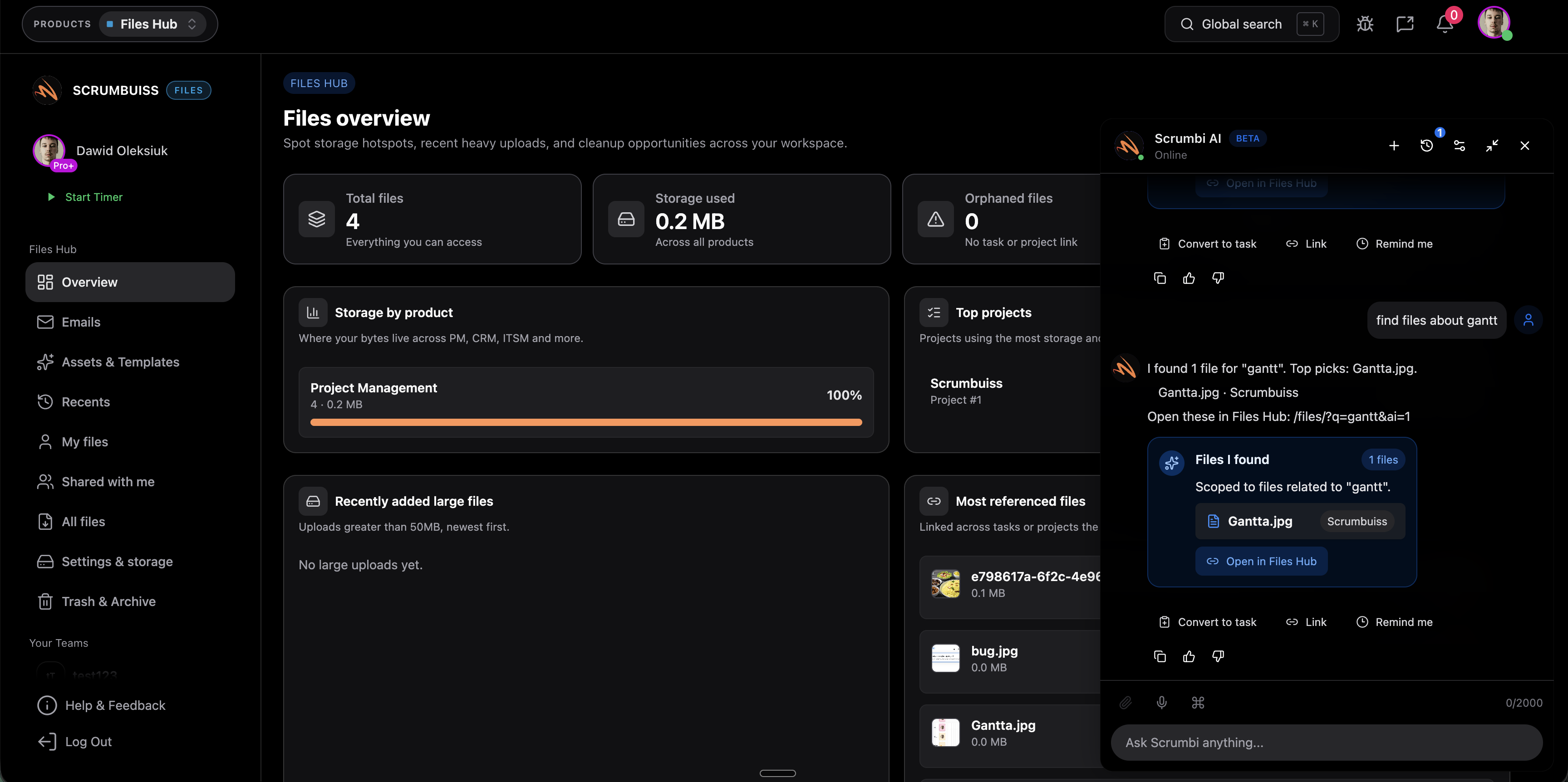
Ask grounded questions

Use one AI layer to query current project context instead of reconstructing the answer manually

The most useful AI project assistant is not a blank prompt box. It helps the team ask about current work, blockers, or recent changes without losing the surrounding project context that makes the answer reliable.

  • Ask about task status, current ownership, or recent changes without searching through several views and threads.
  • Keep the assistant close to live workflow context so answers stay more grounded than generic copy generation.
  • Reduce the time leads spend translating project activity into a readable update before a meeting or handoff.
Scrumbuiss AI project assistant answering questions across project tasks and context

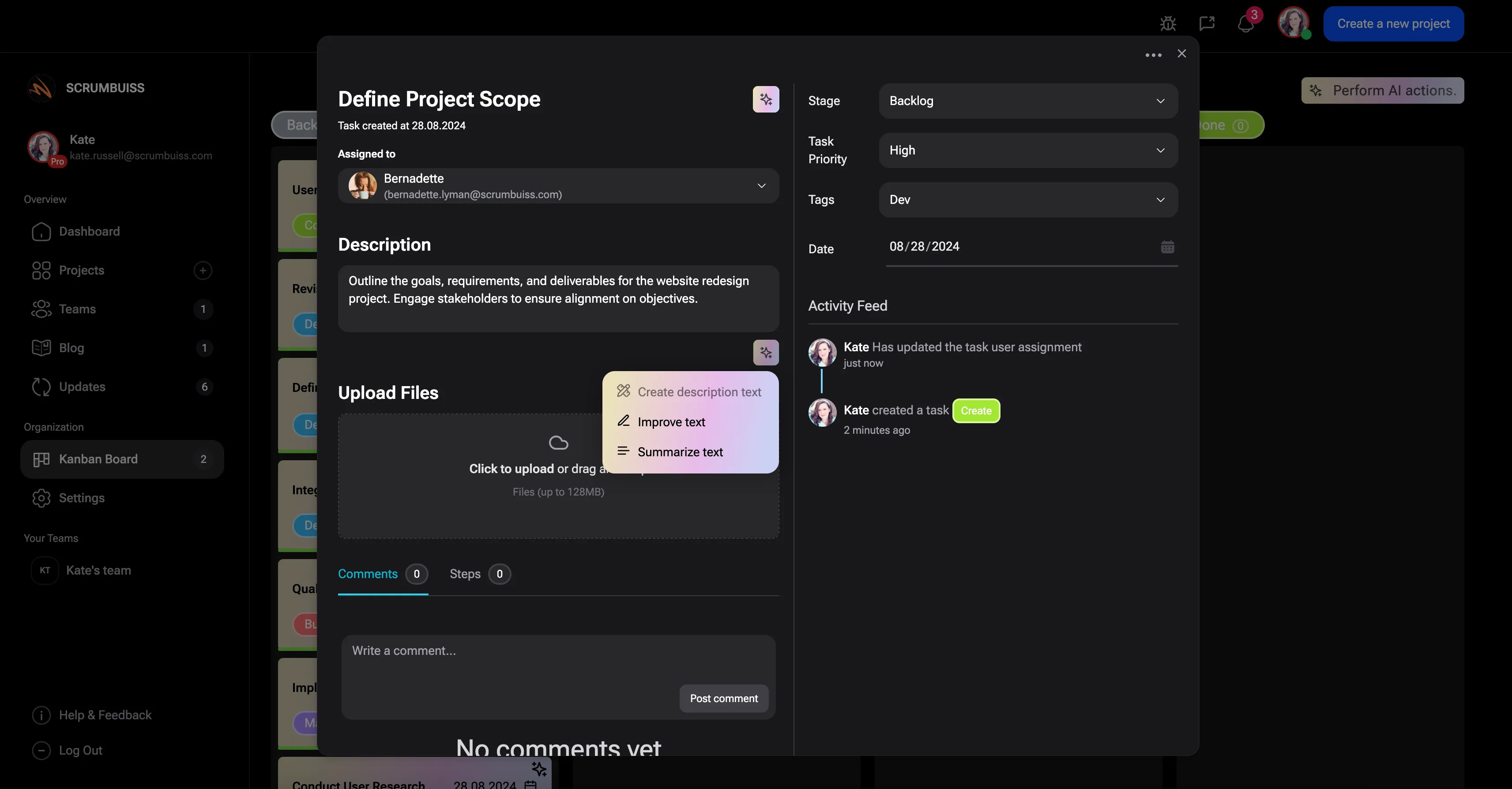
Draft faster updates

Turn project activity into status-ready summaries that humans can review before they share

A strong assistant should shorten the path from current project state to a useful update. That is especially valuable when weekly reviews, leadership updates, or operational handoffs depend on the same core context every time.

  • Summarize current progress, open risks, and next actions faster than rebuilding the story from scratch.
  • Use human review to keep the summary useful for mixed audiences instead of blindly publishing model output.
  • Treat summary generation as a speed layer for project communication, not a replacement for accountability.
Scrumbuiss AI assistant helping turn project workflow activity into readable summaries

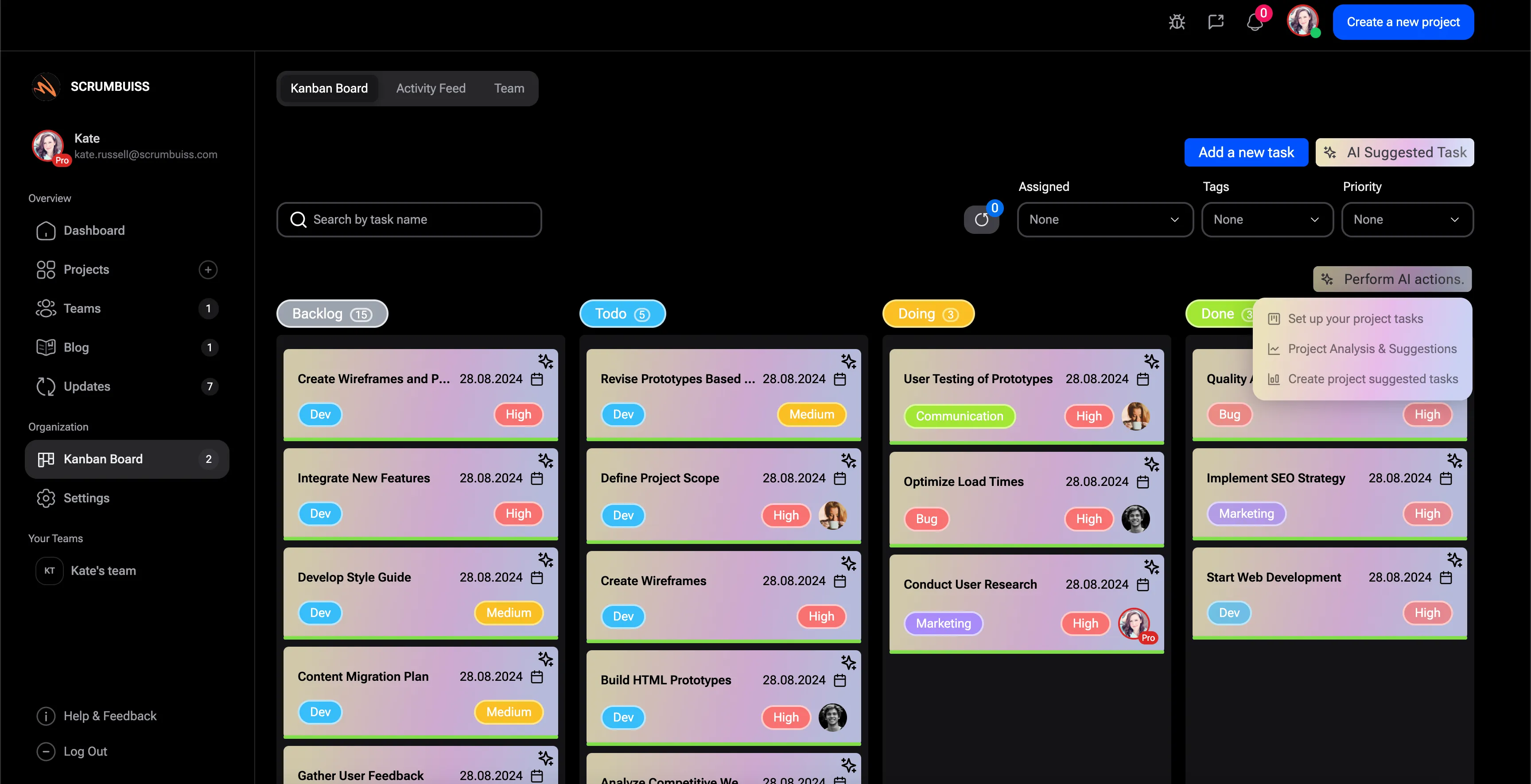
Suggest next actions

Use suggested follow-up to accelerate coordination, then keep approvals and execution under human control

The most practical next step after grounded Q&A and summaries is assisted follow-up. That can mean surfacing the next likely action, preparing a handoff, or pointing a human toward the right automation, not silently taking control of the workflow.

  • Turn assistant output into clearer follow-up instead of letting useful suggestions die in chat history.
  • Keep approvals, ownership, and action-taking visible to the operator before anything changes in the workflow.
  • Combine assistant suggestions with automations only when the team wants repeatable execution around a human-reviewed decision.
Scrumbuiss AI project assistant suggesting next actions with human-reviewed follow-up

Competitor snapshot

The shortlist is not just about who says “AI” loudest. It is about how the assistant fits into live project work, how grounded the output feels, and how much control the team keeps before actions are taken.

Criteria Scrumbuiss Asana AI ClickUp Brain monday AI
Primary angle AI project assistant focused on grounded project Q&A, faster summaries, and suggested follow-up inside a live workflow. AI positioned as teammates and work-management help across planning, reporting, and execution. AI positioned as ClickUp Brain across knowledge, writing, and connected work help. AI positioned as work-management acceleration through AI blocks, generated work, and workflow help.
Project context grounding Strongest when project activity, context, and follow-up already live in the same operating layer. Grounding depends on how much of the work and context the team already keeps in Asana. Strong pitch around connected docs, tasks, and knowledge inside one workspace. Grounding depends on how the team structures boards, work docs, and account-wide context.
Summary and status drafting Focused on faster status-ready summaries that humans review before sharing. Broad positioning around summarizing work and helping teams move faster. Strong writing and summarization positioning across work and documentation. Broad AI assistance across workflow building and generated updates inside work management.
Suggested next actions Suggested follow-up is meant to speed coordination while keeping humans in control of execution. AI assistance is positioned around helping teams plan and move work forward. Strong positioning around AI help for work actions and workspace productivity. AI positioning leans toward turning prompts and AI blocks into workflow output.
Best fit Teams that want an AI assistant inside project delivery, updates, and follow-up instead of a separate AI layer. Teams already standardized on Asana and evaluating AI as part of a broader work-management suite. Teams bought into a single workspace for tasks, docs, and AI-assisted productivity. Teams prioritizing flexible work-management setup with AI layered into boards and workflows.

Verify current model packaging, permissions, admin controls, and usage limits on the official product pages before you buy. Product names are trademarks of their respective owners.

What to validate in a 2-week pilot

Do not test the assistant with empty demo prompts. Use it inside one recurring workflow where the team already spends time answering questions, drafting updates, and deciding who should do what next.

  1. Step 1

    Choose one active workflow with real project context, real stakeholders, and one recurring update or handoff ritual.

  2. Step 2

    Test grounded Q&A against real project questions that normally require searching across tasks, comments, and status notes.

  3. Step 3

    Run weekly or incident-style summaries through the assistant, then measure how much human cleanup is still required before sharing.

  4. Step 4

    Decide which next-action suggestions should remain manual and which should connect to a reviewed automation or follow-up workflow.

  5. Step 5

    Measure speed, clarity, and trust: fewer follow-up questions, faster status drafting, and less context reconstruction for leads.

  6. Step 6

    Set go or no-go criteria tied to workflow improvement, not novelty: faster updates, clearer follow-up, and stronger operator control.

FAQ

What is an AI project assistant? +

An AI project assistant is a workflow-aware layer that helps teams ask grounded questions about current work, draft useful summaries faster, and suggest next actions without replacing project ownership or human review.

How is an AI project assistant different from project delivery software? +

Project delivery software is the broader operating workflow for planning, execution, reporting, and handoff. An AI project assistant is a layer inside that workflow that helps the team move faster through questions, updates, and follow-up decisions.

How is an AI project assistant different from automation software? +

Automation software handles repeatable, rule-based actions such as reminders, routing, or notifications. An AI project assistant helps with grounded questions, summaries, and suggestions that still benefit from human judgment before anything changes in the workflow.

When is Scrumbuiss a strong fit for AI assistant workflows? +

Scrumbuiss is strongest when the team already wants project context, activity history, delivery work, and follow-up to stay close together. In that setup, the assistant can reduce searching and status-writing without becoming another disconnected tool.

Should teams trust AI-generated project updates without review? +

No. The practical model is faster drafting with human review. The assistant should reduce manual effort, but accountability for accuracy, approvals, and final communication should still remain with the team.

How should a team pilot an AI project assistant? +

Use one recurring workflow with real context and real stakeholders. Test grounded Q&A, summary quality, and suggested follow-up on a live project or operations rhythm, then measure whether the assistant reduces coordination time without adding trust or cleanup problems.