Sprint planning template
Download a free sprint planning template with sprint goal, scope, capacity, dependencies, and a checklist you can reuse in Excel or Google Sheets.
Download the CSV, use the checklist to prepare the meeting, and adapt the structure inside Scrumbuiss once your team is ready to run the sprint.
What this sprint planning template helps you cover
Use these points to make sure planning ends with a realistic commitment, not just a backlog discussion.
- ✓ Sprint goal, selected work, and owners in one planning sheet
- ✓ Capacity and availability checks before the team commits
- ✓ Dependencies, blockers, and risks surfaced before kickoff
- ✓ Free CSV download you can adapt in Excel or Google Sheets
When to use this template
Use it when you need a repeatable sprint planning structure that balances goal, scope, capacity, and blockers.
- Use it before every sprint planning meeting when you need the team to leave with a clear goal, realistic scope, and explicit owners instead of a loose discussion.
- Use it when distributed teams need one shared planning sheet that captures who is available, what fits, and which blockers must be resolved before work starts.
- Use it when your team tends to overcommit and you need a simple way to compare backlog ambition with actual sprint capacity and planned time off.
- Use it when work depends on other teams, vendors, or approvals and you want those dependencies visible before they turn into mid-sprint surprises.
What’s inside
Each section is designed to help the team leave planning with a clear commitment and fewer hidden assumptions.
What to include
These fields keep the planning conversation grounded in ownership, capacity, dependencies, and delivery expectations.
Sprint goal
Write one outcome-focused goal that explains what the sprint should achieve, not just which tickets will move.
Backlog item or work package
List the stories, tasks, or deliverables under consideration so scope decisions happen in one place.
Owner
Assign a primary owner for each item so the team knows who drives execution and who flags blockers early.
Estimate
Capture points, hours, or another planning unit so scope and capacity can be compared using the same system.
Capacity and availability
Record planned days off, meeting load, and support obligations before the team makes commitments.
Dependencies and blockers
Note external approvals, handoffs, or technical dependencies that could delay delivery if they stay implicit.
Risks and fallback actions
Call out the issues most likely to derail the sprint and the mitigation step the team agrees to take first.
Definition of done
State the acceptance check that confirms work is genuinely complete so the team does not carry ambiguity into the sprint.
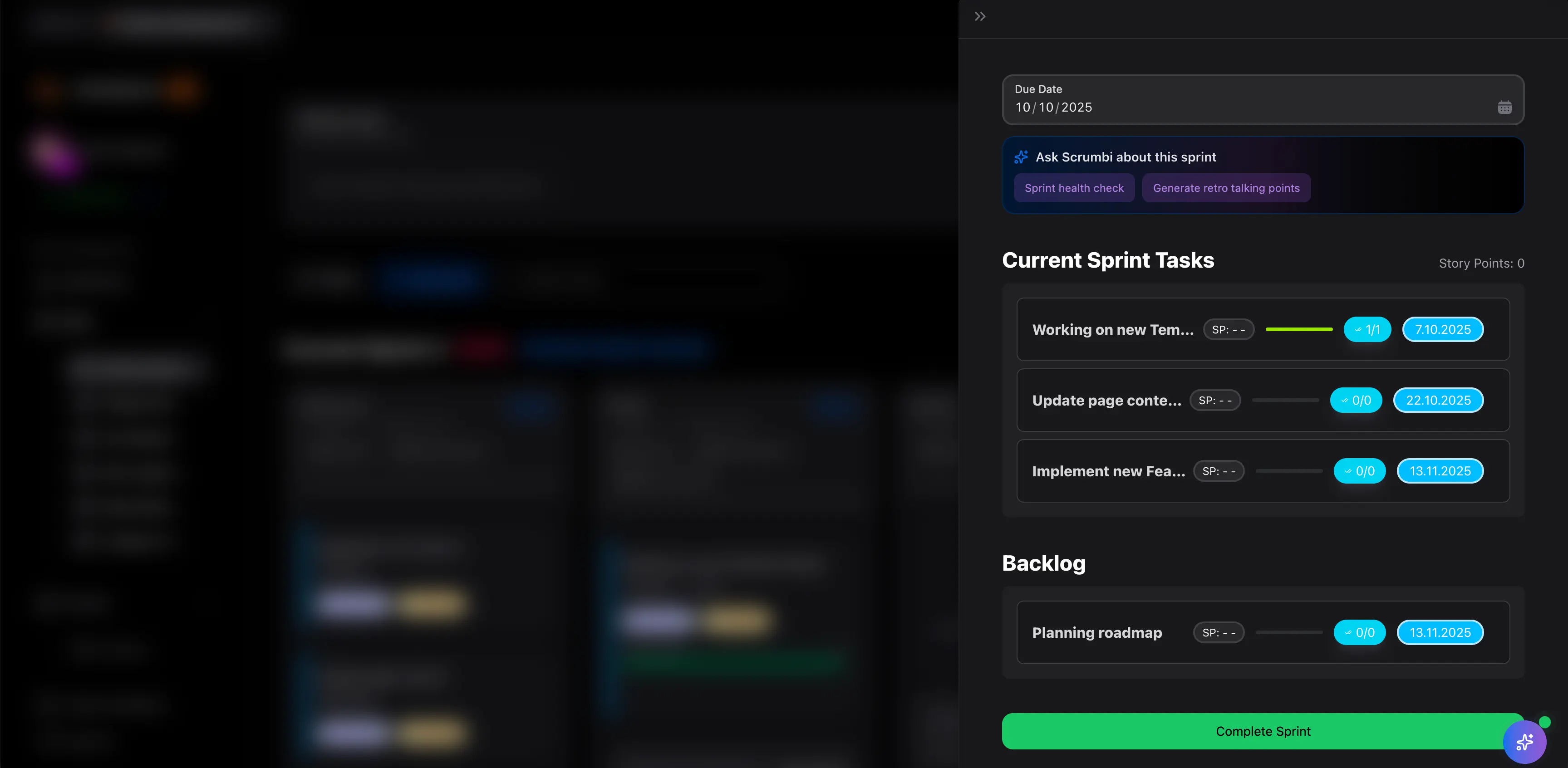
Sprint planning meeting checklist
Use this checklist before, during, and after the session so the sprint starts with fewer surprises.
- Before the meeting, refine candidate work so the team is not estimating vague backlog items in real time.
- Confirm who is available during the sprint, including time off, support rotations, and recurring meetings.
- Agree on one sprint goal before debating the full scope so prioritization has a clear anchor.
- Challenge the commitment against real capacity, not optimistic best-case estimates.
- Surface dependencies, approvals, and blockers while the right people are still in the room.
- Check that each committed item has an owner and a clear definition of done before the sprint starts.
- After planning, publish the final sprint sheet so stakeholders and the team work from the same commitment.
Common mistakes
Most sprint planning problems come from unclear goals, optimistic capacity assumptions, and dependencies discovered too late.
- Starting with a list of tickets instead of a sprint goal, which makes tradeoffs harder when priorities shift mid-sprint.
- Treating nominal team size as real capacity and ignoring leave, meetings, interrupts, and support work.
- Committing to dependent work before confirming who will unblock upstream tasks or approvals.
- Using estimates without checking whether the mix of work is realistic for the people available this sprint.
- Ending the meeting without explicit owners, follow-ups, or a shared definition of done for key items.
How to run sprint planning with this template
A lightweight planning flow you can reuse for software teams, agencies, and cross-functional product squads.
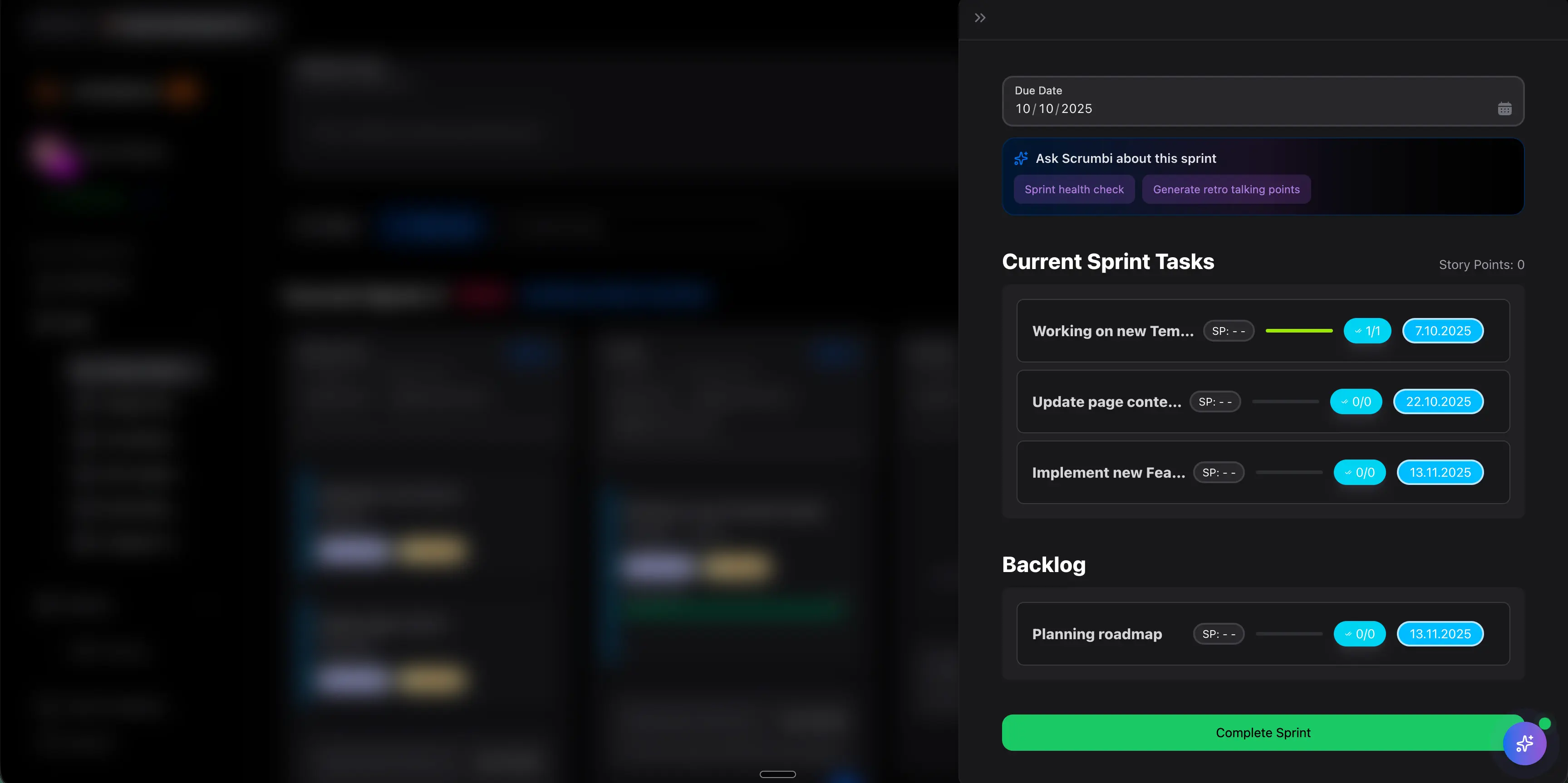
Set the sprint goal before choosing scope
Start by writing one sprint outcome the whole team can explain in the same way. Then use that goal to decide which backlog items support it and which items should wait.
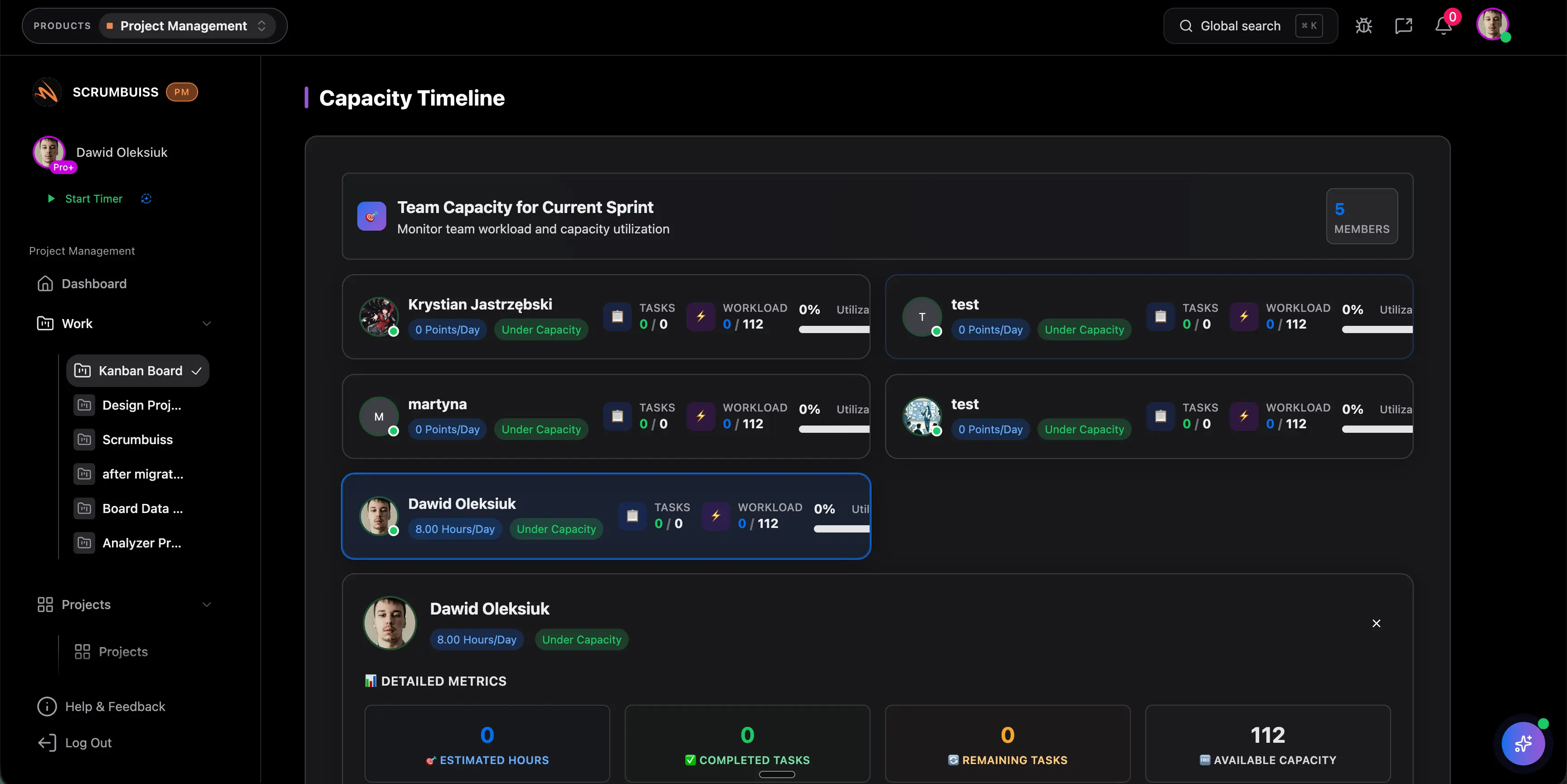
Check capacity before locking the commitment
Review availability, support load, and recurring meetings before finalizing scope. The template is most useful when it turns capacity into a visible constraint instead of an afterthought.
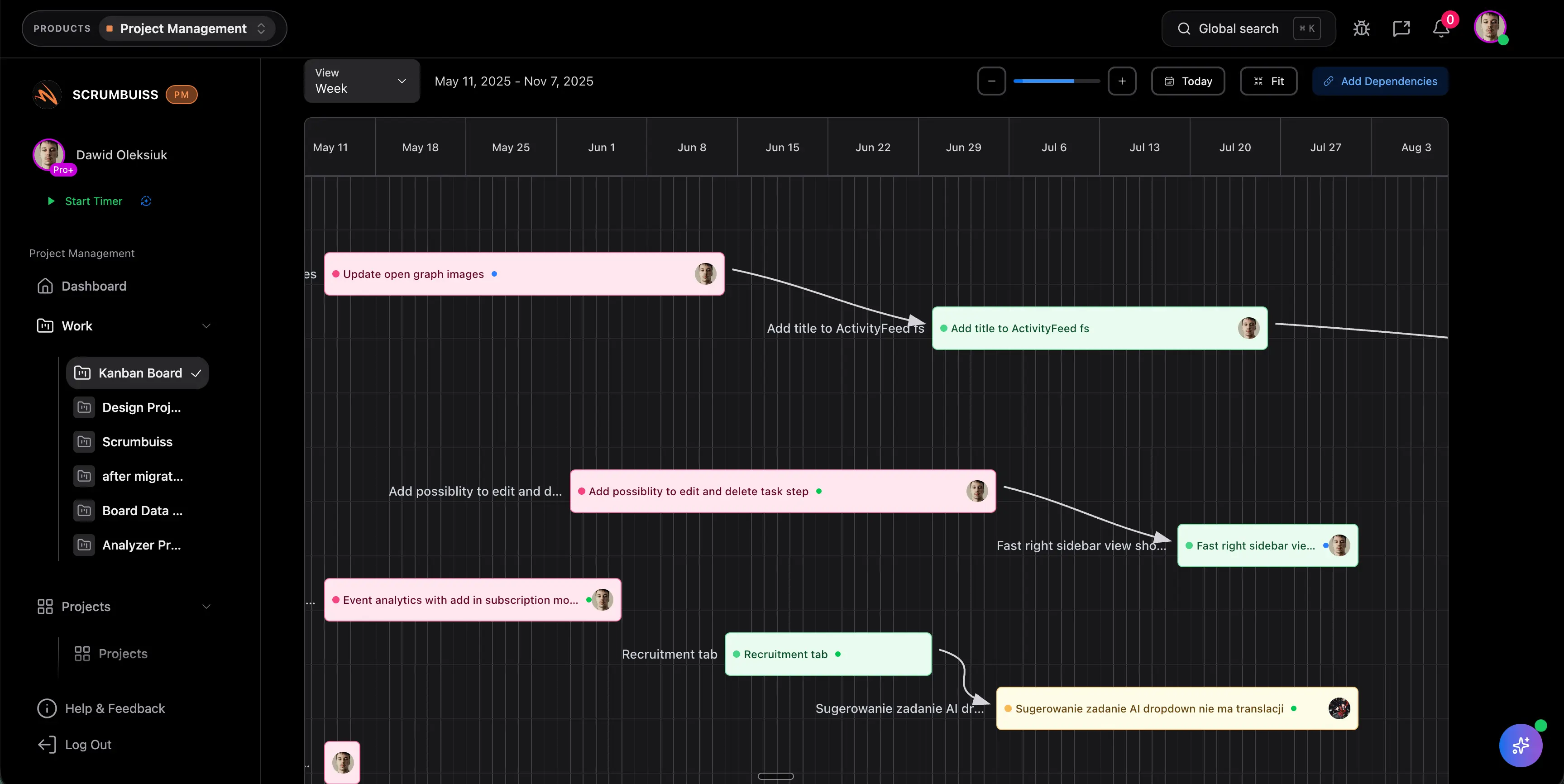
Surface dependencies and publish the final plan
Capture blockers, approvals, and cross-team handoffs while planning is still happening, then share the final sprint sheet so delivery starts from one agreed source of truth.
Related features
Use these Scrumbuiss features to turn the planning sheet into execution, visibility, and follow-through.
Recommended workflows
See the team workflows where this template becomes most useful once planning moves into execution.

Need more ideas? Browse use cases .
Sprint planning template FAQ
What should a sprint planning template include? +
A useful sprint planning template should cover the sprint goal, selected backlog items, owners, estimates, capacity assumptions, dependencies, risks, and a definition of done. If any of those are missing, the team usually discovers the gap after the sprint has already started.
How do you calculate sprint capacity in a simple way? +
Start with each team member’s available working days, subtract planned time off, meetings, support work, and other fixed obligations, then compare the remaining capacity with the estimated scope. The goal is not perfect precision, but a realistic baseline for commitment.
How long should sprint planning take? +
For a two-week sprint, many teams aim for a focused planning session of around 60 to 120 minutes. The better refined the backlog is before the meeting, the shorter and more useful the session becomes.
Who should attend sprint planning? +
The people responsible for delivering the sprint should be there, along with the product owner or whoever prioritizes work. If dependencies are common, it also helps to involve the person who can confirm external handoffs or unblockers.
Can I use this sprint planning template in Excel or Google Sheets? +
Yes. The downloadable CSV opens in Excel, Google Sheets, and most spreadsheet tools. It works well as a lightweight planning sheet before you move the same structure into a dedicated sprint workflow.
What should happen after sprint planning finishes? +
Publish the final commitment, make sure each item has an owner, confirm the definition of done, and follow up immediately on any dependencies or blockers identified in the meeting. A plan that stays in the room rarely survives the first day of the sprint.