Customer Stories
See how teams use Scrumbuiss across project delivery, CRM, ITSM, portfolio planning, and more.
Customer feedback
Real quotes from people using Scrumbuiss.

Scrumbuiss runs very smoothly and has changed how I organize and execute my projects.

The interface made it easy to assign tasks, set priorities, and monitor progress across our work.
Example workflows
These examples illustrate how teams can use Scrumbuiss. They are not customer quotes.
Software teams
Example workflowProject management software for software teams that keeps sprint planning, dependencies, GitHub-adjacent delivery visibility, and stakeholder reporting in one workflow.
- Sprint planning and backlog execution in one workflow
- Dependency and timeline visibility that engineering leads can act on
- GitHub-adjacent delivery context for handoffs and release reviews

IT operations
Example workflowProject management software for IT operations that keeps incidents, change windows, automations, and Slack-connected updates visible in one delivery workflow.
- Incident coordination with clear ownership and a readable status trail
- Change windows and scheduling that stay visible to the people affected
- Automations for reminders, escalations, and recurring follow-up work

Sales pipelines
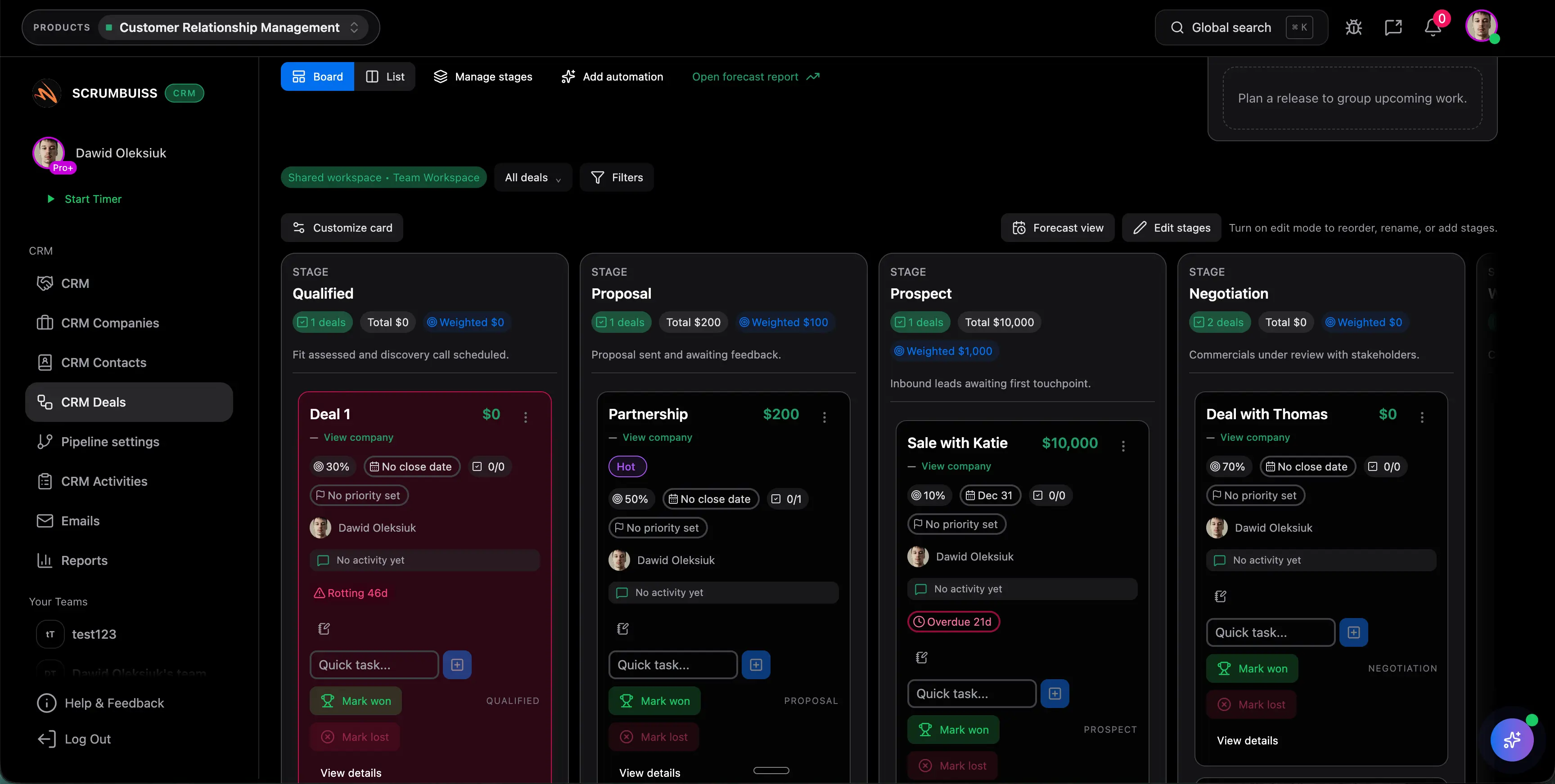
Example workflowManage deals and activities, then hand off work to delivery without losing context.
- Contacts, companies, and deals in one place
- Pipeline stages and activity tracking
- Email + follow-up workflows
Use cases
Practical workflows illustrated with real Scrumbuiss screenshots. These guides help you see how teams can use Scrumbuiss.
Software teams
Use caseProject management software for software teams that keeps sprint planning, dependencies, GitHub-adjacent delivery visibility, and stakeholder reporting in one workflow.
- Sprint planning and backlog execution in one workflow
- Dependency and timeline visibility that engineering leads can act on
- GitHub-adjacent delivery context for handoffs and release reviews
IT operations
Use caseProject management software for IT operations that keeps incidents, change windows, automations, and Slack-connected updates visible in one delivery workflow.
- Incident coordination with clear ownership and a readable status trail
- Change windows and scheduling that stay visible to the people affected
- Automations for reminders, escalations, and recurring follow-up work
Sales pipelines
Use caseManage deals and activities, then hand off work to delivery without losing context.
- Contacts, companies, and deals in one place
- Pipeline stages and activity tracking
- Email + follow-up workflows
Agencies
Use caseProject management software for agencies that keeps time tracking, files, workload visibility, and reporting in one workflow.
- Project briefs that capture scope, stakeholders, and success criteria before work starts
- Time tracking that rolls into dashboards and account-level reporting
- Files and shared collections tied to delivery context, not buried in separate folders

Want to be featured?
If you’re using Scrumbuiss and want to share your workflow and results, we’d love to publish a short case study.
Contact usNext to explore
Explore more pages to understand the product suite, common workflows, and evaluation guides.