Project delivery guide • reviewed March 16, 2026

Project Delivery Software for Agile Teams

Plan sprint delivery, dependencies, workload, dashboards, files, time tracking, and adjacent operational follow-up in one operating layer instead of stitching weekly delivery control together from separate boards, spreadsheets, chats, and status decks.

Use this page when the buying decision is broader than sprint boards alone and the team needs one delivery system that still stays readable during planning, execution, reporting, and handoff.

Scrumbuiss project delivery software overview

How we reviewed project delivery software

Reviewed on March 16, 2026. This page compares one buying question: which project delivery software keeps weekly planning, execution, reporting, and adjacent workflow context readable enough that teams do not need a separate board tool, timeline layer, workload spreadsheet, file routine, and stakeholder-status ritual just to keep delivery moving.

  • Scrumbuiss references come from the live pricing page plus the Sprints, Gantt Timeline, Workload & Capacity, Dashboard, Time Tracking, Files, ITSM, Software Teams, Agencies, and Jira, Asana, and monday.com comparison pages in this site.
  • Competitor references come from the official Jira, Asana product, monday.com project management, and Teamwork project management software pages reviewed on March 16, 2026.
  • The goal is not to score every checkbox. It is to help delivery teams test whether one operating workflow can stay readable from sprint planning through stakeholder review without growing another layer of admin overhead.

When Scrumbuiss is a fit

The right decision depends less on a perfect feature checklist and more on whether the delivery workflow gets easier to run once planning, execution, reporting, and adjacent context all need to stay aligned.

Strong fit for Scrumbuiss

Best when the team wants one project delivery workflow that stays readable from planning through execution and status reporting, rather than another board-first tool plus several adjacent layers.

  • Your team already knows simple task boards are not enough because timelines, workload review, stakeholder reporting, and handoffs still happen elsewhere.
  • The recurring pain is coordination overhead, not a missing checklist of features.
  • You want delivery work, files, time visibility, and adjacent operational follow-up to stay closer together in the same operating layer.

Worth piloting carefully

A live pilot is the right next step when the team already has tools in place, but weekly delivery control still depends on spreadsheets, ad hoc reporting, or too much manual project-manager translation.

  • Run one workflow that includes sprint planning, a live timeline, a workload checkpoint, and one stakeholder status review.
  • Measure whether delivery visibility improves without increasing admin effort for engineering leads or project managers.
  • Validate that the team can adopt the workflow without a long configuration project.

Probably not the best fit

A narrower tool may fit better when the buying need is only a lightweight board or only a specialized issue tracker rather than a broader delivery operating model.

  • Your team is still best served by a minimal board and does not yet need timeline, workload, reporting, or handoff discipline in the same layer.
  • The organization already has a stable operating model for status reporting, files, time, and cross-team delivery visibility.
  • You want a deeply standardized enterprise stack with heavy existing admin ownership and are not trying to simplify day-to-day delivery control.

Product layer vs feature page vs team workflow

These pages solve different buyer questions. Keeping them separate helps teams evaluate the right level of change instead of comparing a full delivery platform to one isolated feature or one team-specific workflow.

Evaluate project delivery software

Use this page when the buying question is whether one delivery operating layer should cover planning, execution, reporting, and adjacent context together.

  • You are comparing full delivery software rather than one feature.
  • You want the decision framed around weekly workflow, stakeholder visibility, and admin overhead.
  • The shortlist includes broader tools such as Jira, Asana, monday.com, or Teamwork.

Evaluate delivery features separately

Use feature pages when the team has already accepted the broader delivery stack question and now wants to validate one capability in more detail.

  • The debate is specifically about sprints, timelines, workload balancing, or dashboards.
  • You need a buyer guide for one delivery capability before making a broader platform decision.
  • The team wants to validate one layer of the workflow in more depth.

Evaluate the workflow by team type

Use team workflow pages when the strongest question is how the operating model changes for a software delivery team or an agency-style delivery team.

  • You want the workflow explained in the language of one team type.
  • The evaluation depends on who owns the delivery process and who reads the reporting layer.
  • You need a more role-specific picture before comparing the tools.

Plan on one layer

Move from a board-only workflow to a delivery plan that includes dependencies and team capacity

Project delivery software matters once the team needs more than columns and due dates. Sprint plans, timeline changes, workload balancing, and delivery risk all start affecting each other, and that is usually where separate tools create the most friction.

  • Plan sprints, backlog work, and weekly delivery commitments without losing sight of dependencies and milestone pressure.
  • Bring timeline visibility and workload review into the same operating workflow before the plan fragments across another spreadsheet and another board ritual.
  • Give delivery leads one place to see what changed, what is blocked, and where capacity needs to shift before deadlines slip.
Scrumbuiss project delivery planning view with sprint and dependency context

Keep execution readable

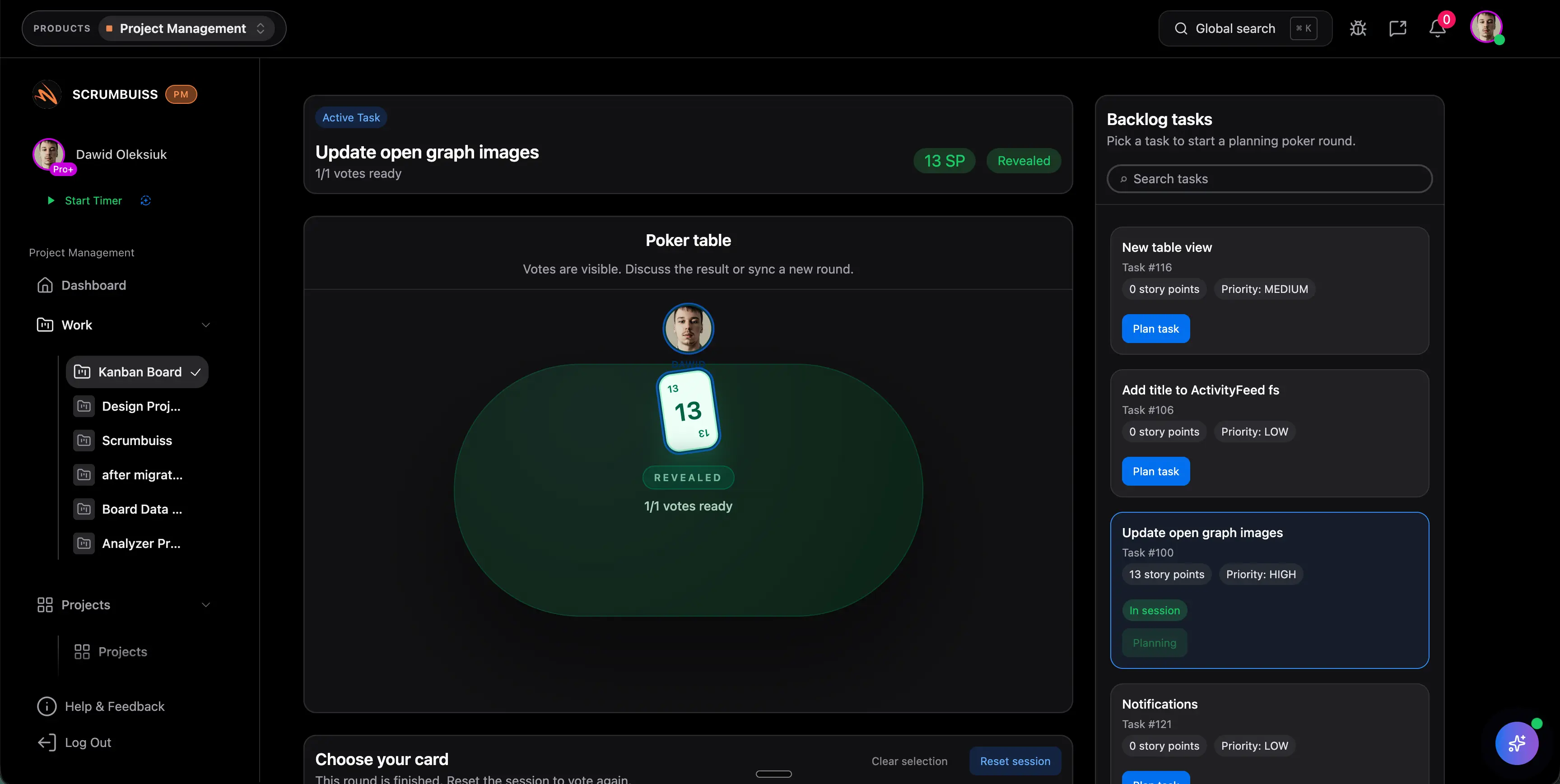
Turn daily execution and stakeholder reporting into one delivery rhythm instead of two separate jobs

Many teams can execute the work, but they still rebuild the story for stakeholders every week. The stronger delivery workflow keeps active work, dashboard visibility, and project brief context close enough together that status reporting stops becoming a second manual project.

  • Keep task-level execution, delivery snapshots, and stakeholder-ready status views in the same operating layer.
  • Use dashboards, briefs, and activity history to explain what changed without translating the whole workflow into another report.
  • Make delivery reviews faster for engineering leads, project managers, and non-technical stakeholders who still need a clear picture.
Scrumbuiss project delivery workspace with dashboard-style reporting context

Keep adjacent context close

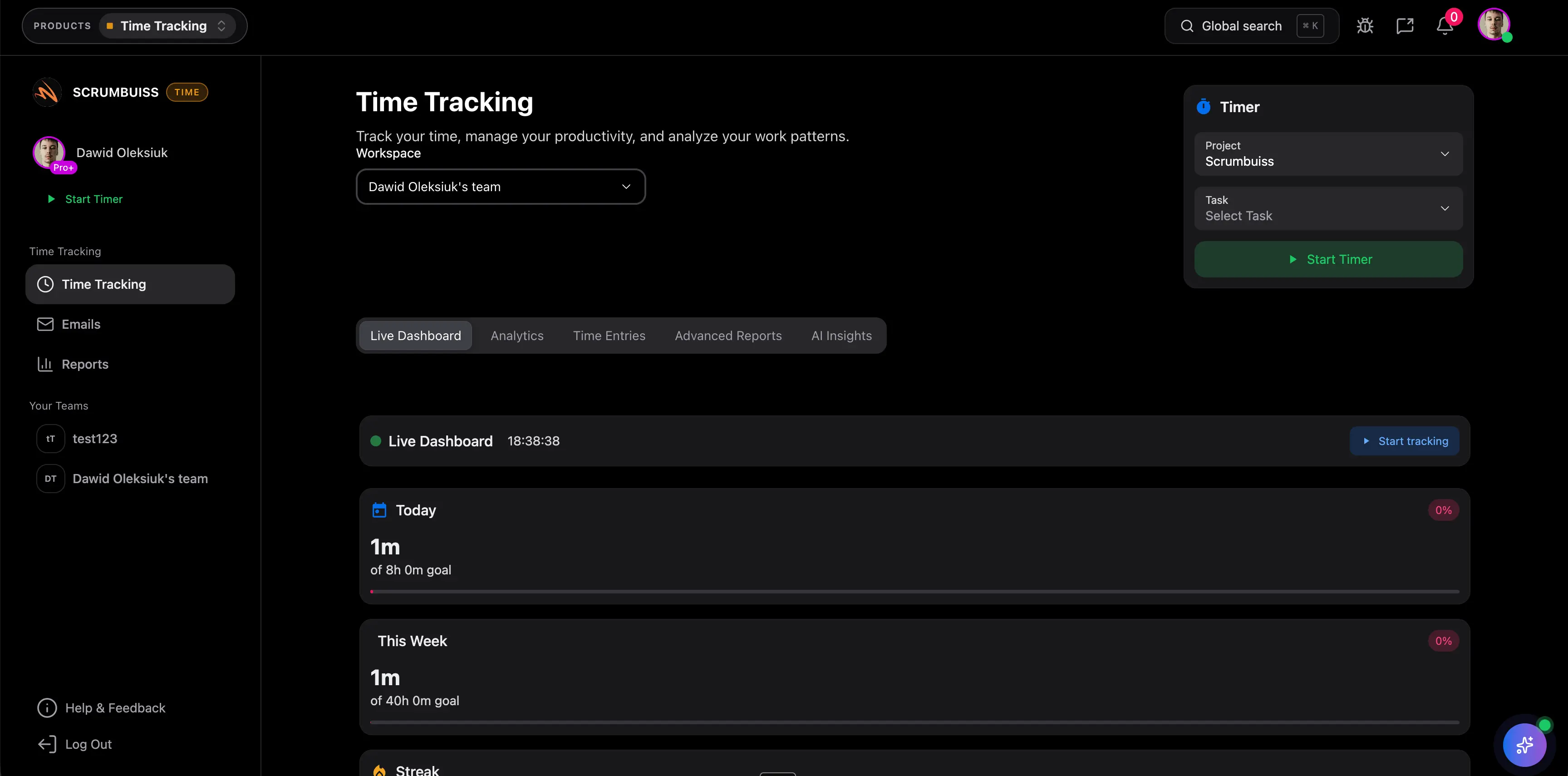
Keep time, files, and operational follow-up near delivery work when the workflow expands beyond sprint boards

Project delivery does not stay cleanly inside a board for long. Teams eventually need files, effort visibility, approvals, change windows, and incident follow-up to stay close enough to the work that handoffs remain understandable.

  • Review delivery work with the related files, time visibility, and status context instead of sending people into separate tools to reconstruct the story.
  • Treat project delivery as the operating layer around the work, not only the board that stores task titles.
  • Reduce the coordination cost that appears once releases, client handoffs, or operational follow-ups overlap with the delivery plan.
Scrumbuiss project delivery workflow with time tracking and adjacent delivery context

Competitor snapshot

These tools all help teams manage work, but they position delivery control differently. Use the table below to compare the exact criteria that tend to decide whether a team ends up with one readable operating model or another stack of partially connected workflows.

Criteria Scrumbuiss Jira Asana monday.com Teamwork
Planning depth Sprints, backlog planning, timelines, workload review, and reporting sit in one delivery workflow. Strong issue and sprint planning for software teams, with deeper setup and ecosystem decisions around the full delivery model. Strong general work management and planning, but teams should validate engineering delivery depth for sprint-heavy workflows. Flexible project planning and boards, but teams should test how much delivery discipline depends on workspace setup. Strong project-planning orientation for delivery teams, but teams should validate how well the model fits their exact planning rituals.
Workload and capacity visibility Capacity and workload review are part of the same delivery operating layer used for planning and follow-up. Teams should validate whether capacity visibility feels native enough in their exact Jira-centered setup or depends on adjacent layers. Workload visibility exists, but teams should test whether it matches how they actually run delivery planning. Workload views are available, but the shortlist should test how clearly they support delivery governance week to week. Team planning exists, but buyers should validate the fit for their delivery-control cadence rather than assuming it maps cleanly.
Stakeholder reporting Dashboards, briefs, and activity context help turn live delivery work into a readable reporting layer. Engineering reporting is strong, but mixed-audience stakeholder visibility often needs more setup and translation discipline. Friendly for cross-functional stakeholders and general work tracking. Visual dashboards are a strength, but buyers should test whether the reporting layer stays disciplined as the workspace grows. Strong client-facing delivery orientation, especially when status communication is central to the workflow.
Tool sprawl reduction Designed to keep delivery work, files, time, forms, automations, and adjacent workflow context closer together. Often becomes one layer in a broader stack that still includes additional docs, ops, reporting, and admin tools. Often paired with adjacent document, time, and operational tools depending on the workflow. Broad platform flexibility helps, but teams should still test how much of the delivery stack remains outside the workspace. Can reduce sprawl for some client-delivery teams, but buyers should validate the full operating model around their workflow.
Adjacent time, files, and ops coverage Time tracking, files, project briefs, and IT operations workflows sit next to delivery work instead of fully outside it. Teams often solve adjacent needs through the broader Atlassian stack or additional tools. Covers the work-management core well, but buyers should validate the exact depth for time, files, and operational follow-up. Broad work-management scope is attractive, but teams should validate how adjacent delivery context is packaged for their process. Good fit when adjacent delivery context is mostly service-oriented, but buyers should validate broader operational needs.
Admin and setup overhead Opinionated enough to pilot quickly when the goal is a simpler operating model, not another long configuration project. Usually the heaviest governance and setup burden in this comparison, especially as workflows and stakeholders multiply. Often simpler than Jira, but teams should still test process design, field discipline, and reporting upkeep in the real workflow. Flexible setup is attractive, but that flexibility can still create board sprawl and consistency work if not governed carefully. Can fit quickly for some delivery teams, but the shortlist should test how much adaptation is still needed for the target workflow.

Review current plan packaging, usage limits, and setup requirements on the vendor pages before you buy. Product names are trademarks of their respective owners.

What to validate in a live pilot

Do not test this page as a blank demo. Recreate one real delivery workflow and judge whether the platform reduces coordination work while keeping the team in control of the delivery plan.

  1. Step 1

    Choose one active workflow with real planning pressure, real stakeholders, and at least one upcoming delivery checkpoint.

  2. Step 2

    Build the pilot around backlog planning, sprint review, timeline dependencies, and one capacity or workload discussion.

  3. Step 3

    Decide in advance which delivery artifacts must stay in the same layer: active work, files, handoff context, time visibility, and weekly reporting.

  4. Step 4

    Run one stakeholder status review directly from the pilot workspace instead of exporting the status into another spreadsheet or slide deck.

  5. Step 5

    Measure whether the pilot reduces re-explanation, status reconstruction, and cross-tool searching compared with the current workflow.

  6. Step 6

    Use go or no-go criteria tied to delivery clarity: faster planning review, clearer ownership, better timeline confidence, and less reporting admin.

Migration path for teams leaving a board-first stack

The safest migration is not a big-bang replacement. Treat the new delivery workflow as a controlled operating change and prove it on one live delivery lane before you expand it.

Start with one team-owned workflow

Pick one delivery process that already exposes the problem clearly, such as sprint execution plus timeline review or weekly client delivery planning.

Map the current stack before you rebuild it

Document where planning, files, status reporting, workload review, and handoff notes currently live so the pilot replaces the real coordination steps instead of only the visible board.

Bring the reporting ritual into the pilot

Do not stop at task execution. Use the pilot to run one real stakeholder update, weekly review, or release checkpoint from the same workspace.

Add adjacent context only where it removes friction

Introduce time tracking, files, briefs, or operational follow-up only if they reduce coordination work in the pilot instead of adding another mandatory layer.

Expand only after the workflow is easier to run

If the pilot still depends on parallel spreadsheets, side reporting, or manual reconciliation, fix that first. Scale the model only after the team feels the workflow is cleaner.

Related compare pages

Use the direct comparison pages when your shortlist has already narrowed and the decision needs to be tested against one named competitor.

FAQ

These are the buying and rollout questions teams usually need answered before project delivery software becomes the operating layer they standardize on.

What is project delivery software?

Project delivery software is the operating layer teams use to plan, execute, review, and adapt project work from kickoff through delivery. The useful version does more than store tasks on a board. It keeps planning, dependencies, workload, stakeholder reporting, and adjacent context readable enough that the team can run the workflow without rebuilding the story in separate tools every week.

How is project delivery software different from a basic project management tool?

A basic project management tool can be enough when the workflow only needs simple task tracking. Project delivery software becomes more relevant when the team also needs sprint planning, timelines, workload review, files, reporting, and handoffs to stay connected. The difference is less about feature count and more about whether the workflow can stay coherent as delivery pressure increases.

When is Scrumbuiss a strong fit for project delivery?

Scrumbuiss is strongest when the team wants one delivery workflow that can cover planning, execution, reporting, and adjacent context together. It is particularly relevant when the current pain comes from stitching together boards, spreadsheets, status decks, and side tools just to keep delivery understandable for both operators and stakeholders.

Who probably should not choose Scrumbuiss for project delivery?

It is probably not the best fit when the team still only needs a simple board, or when the organization already has a stable and low-friction operating model across planning, reporting, files, and adjacent workflows. It can also be a weaker fit for buyers who specifically want to stay inside a deeply standardized enterprise stack and are not trying to simplify the day-to-day operating model.

How should a team pilot project delivery software before migrating?

Use one active workflow with real planning pressure and one real reporting checkpoint. Include backlog or sprint planning, a timeline or dependency review, one workload discussion, and one stakeholder update. The pilot should prove that the workflow becomes easier to run, not just that another board can be configured.

Do we need to migrate every board and workflow at once?

No. The better approach is to migrate one workflow that already exposes the coordination problem clearly. Rebuild the full operating routine around it, including planning, status reporting, and adjacent context. Expand only after the team can show that the new workflow reduces reconciliation work compared with the current stack.

How does this page relate to the Sprints, Gantt Timeline, Workload, and Dashboard pages?

This page covers the product-level buying decision: whether the delivery workflow should live in one broader operating layer. The feature pages go deeper on individual capabilities such as sprint planning, timeline control, workload balancing, and stakeholder dashboards. Teams usually start here, then validate the most important feature pages in detail.

Can project delivery also include time tracking, files, and operational follow-up?

Yes, and that is often where the operating model either becomes stronger or more fragmented. In Scrumbuiss, time tracking, files, project briefs, and adjacent IT operations workflows can stay close to the delivery layer, which helps teams avoid rebuilding context when work moves from planning into execution and follow-up.