Sales pipelines workflow
Manage deals and activities, then hand off work to delivery without losing context.
A practical workflow guide, illustrated with real Scrumbuiss screenshots. For real customer quotes, visit Customers .
Who it’s for
Teams that want a clear workflow, less manual coordination, and better visibility.
- Sales teams that need a clear pipeline and consistent follow-ups
- Teams that hand off won deals to delivery or onboarding
- Leaders who want fewer missed steps and better visibility
Highlights
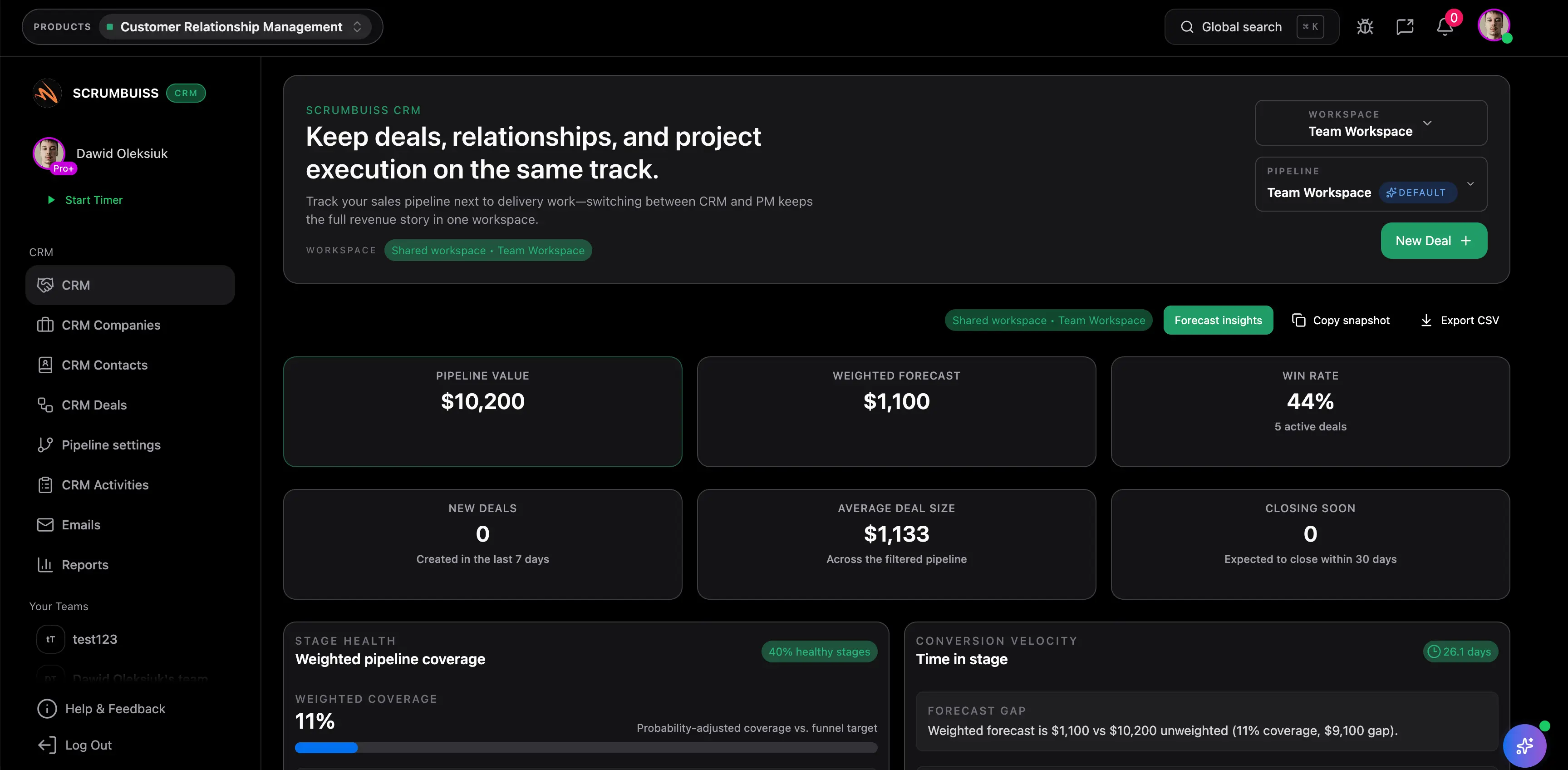
- Contacts, companies, and deals in one place
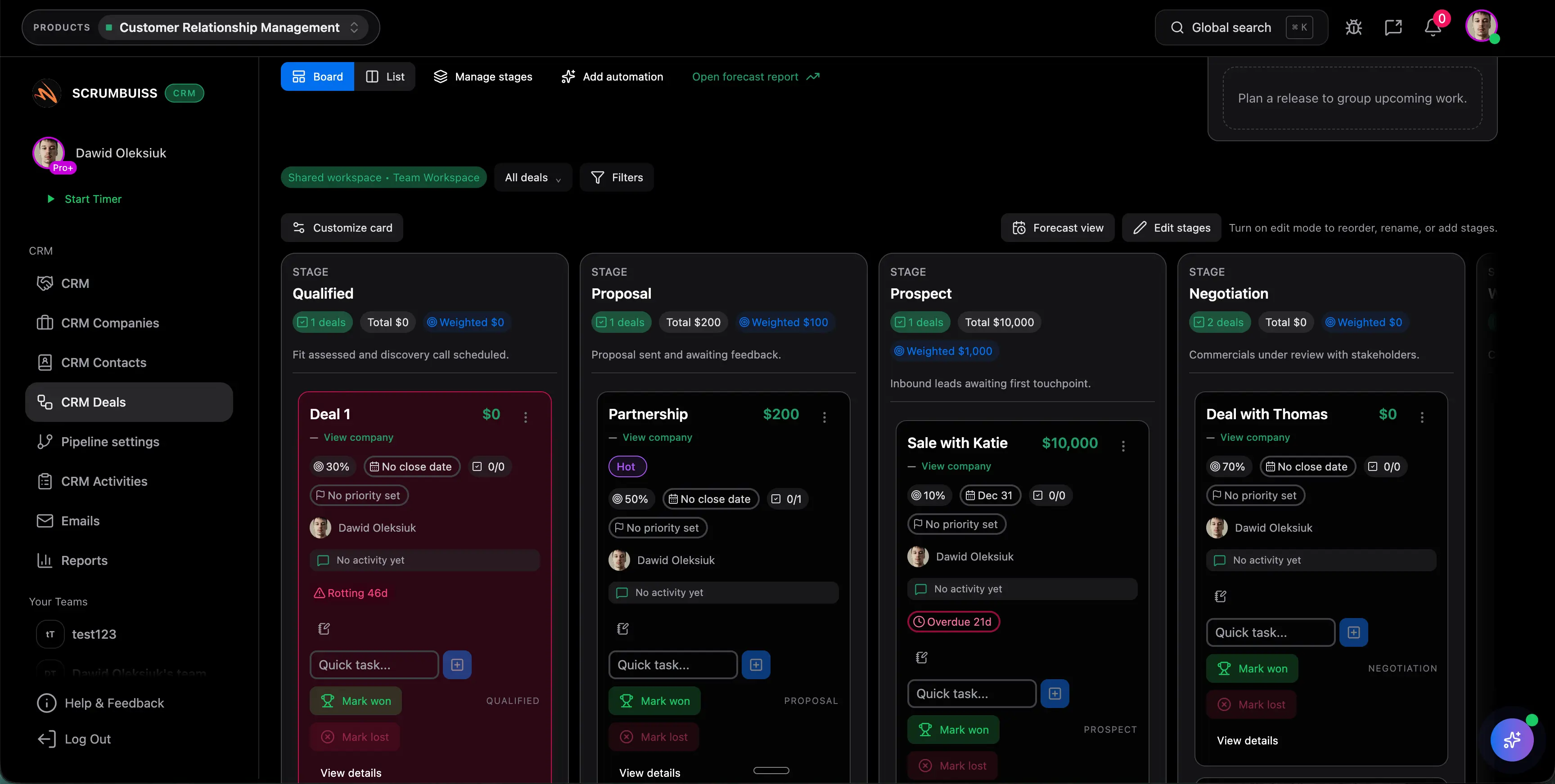
- Pipeline stages and activity tracking
- Email + follow-up workflows
- Delivery handoff with shared context
Common challenges
- Context lost between sales and delivery
- Unclear pipeline health and next best actions
- Too much time spent updating tools instead of selling
- Hard to standardize activities across the team
How it works
A practical workflow structure you can replicate in your own workspace.
Qualify and progress deals
Track stages and next steps so your team always knows what to do next.

Run consistent follow-ups
Use activities and email workflows to stay on top of communication.
Handoff to delivery
Turn a won deal into an execution plan with the right context attached.
Related products
Products teams typically use to implement this workflow.
Related templates
Templates you can copy and adapt for this workflow.

Potential impact (examples)
The examples below are illustrative and depend on your team, process, and workload.
Less admin work
Keep contacts, deals, and activities in one place so reps spend less time updating tools.
Example: Save 30–60 minutes per rep per week by simplifying CRM updates and reminders.
More consistent follow-ups
Use activities and playbooks to standardize next steps across the pipeline.
Example: Prevent 1–2 missed follow-ups per week by tracking activities and due dates in one view.
Cleaner handoff to delivery
Turn won deals into a brief or project without losing context, reducing rework and confusion.
Example: Save 1–2 hours per deal by reusing deal context instead of recreating delivery docs.
ROI example
A simple way to think about profitability is saved time value (or recovered billable time) minus software cost.
Illustrative calculation (USD)
- Team size: 6
- Hours saved per person per week: 0.5
- Blended hourly rate: $55/hour
Estimated saved time: 3.0 hours/week
Estimated value: $165/week (~$714/month)
Illustrative example only. This is not a guarantee or customer result. Subtract your software costs to estimate net ROI.
Setup checklist
A practical checklist to implement this workflow inside Scrumbuiss.
- ✓ Create pipeline stages that match your process and define stage entry/exit criteria.
- ✓ Set required fields per stage (budget, decision maker, next step, close date).
- ✓ Configure activities and playbooks (calls, emails, follow-ups).
- ✓ Connect email workflows (where supported) for better visibility.
- ✓ Add automations for reminders, SLA-like follow-up timers, and stage changes.
- ✓ Create a handoff template: convert a won deal into a project brief.
- ✓ Set up reports to monitor pipeline health and activity completion.
FAQ
Can we customize pipeline stages? +
Yes—pipelines can be configured with stages that match your sales process, along with stage-specific fields and rules.
How do we avoid losing context after a deal is won? +
Use a project brief and workflow templates so delivery starts with the full deal context, stakeholders, requirements, and expectations already captured.
Can we track emails and activities? +
Yes—Scrumbuiss supports CRM activities and email workflows so teams can keep communication and next steps visible.
Is this meant to replace our current CRM? +
It can, depending on your needs. If you have complex CRM requirements, we can walk through your workflow and confirm fit.
Related features
Explore the building blocks used in this workflow.