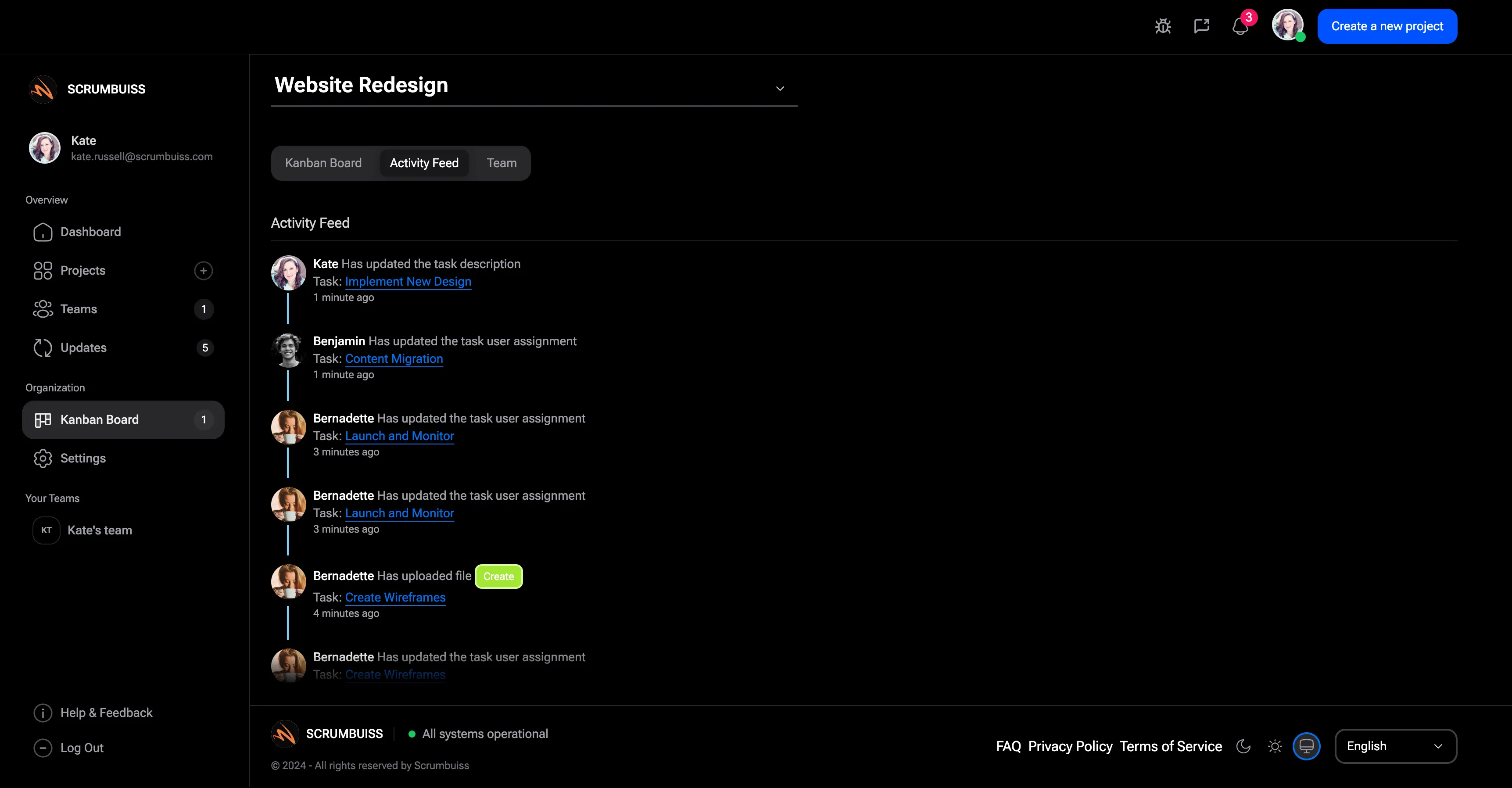
Action Item Tracker Guide
An action item tracker keeps follow-up work visible after meetings, decisions, status reviews, retrospectives, and project check-ins. It names the action, owner, due date, status, and source so follow-up does not disappear into meeting notes.
This guide targets the action item tracker keyword cluster found during SEMrush research. It is distinct from the project issue and decision log guide because it focuses on follow-up tasks rather than problems or formal decisions.
Key Takeaways
- An action item tracker should name the action, owner, due date, status, priority, and source.
- Every action item needs one accountable owner.
- Review the tracker at the beginning or end of recurring project meetings.
- Action items should be closed, escalated, or converted into project tasks when needed.
What Is an Action Item Tracker?
An action item tracker is a table or project view used to manage commitments that come out of project work. It answers:
- What needs to happen next?
- Who owns it?
- When is it due?
- What meeting, decision, risk, or issue created it?
- What is the current status?
- Does it need escalation?
- Is it complete?
The tracker is useful when a team has many meetings, stakeholders, approvals, or cross-functional dependencies.
Action Item Tracker Fields
| Field | Purpose |
|---|---|
| Action item | Defines the follow-up clearly |
| Owner | Names one accountable person |
| Due date | Sets expected completion timing |
| Status | Shows open, in progress, blocked, done, or cancelled |
| Priority | Indicates urgency or impact |
| Source | Links the item to a meeting, risk, issue, or decision |
| Escalation | Shows whether leadership or client input is needed |
| Completion notes | Records outcome or handoff |
Scrumbuiss supports follow-up tracking through Activity Feed, Project Delivery, Dashboard, Files, and Client Portal.
Action Item Tracker Example
| Action item | Owner | Due date | Status | Source |
|---|---|---|---|---|
| Confirm final acceptance criteria | Project manager | Friday | In progress | Kickoff meeting |
| Send launch support checklist | Operations lead | Tuesday | Open | Go-live review |
| Validate dependency with vendor | Delivery lead | Thursday | Blocked | Risk review |
| Update budget forecast | Finance owner | Monday | Done | Change request |
Use a project task when the work is large enough to belong in the delivery plan. Use an action item when the commitment is a smaller follow-up.
Best Practices
Assign one owner
Shared ownership often means no ownership. A group can help, but one person should drive completion.
Review old items before adding new ones
If meetings create action items but never review them, the tracker loses trust quickly.
Escalate blocked actions
Blocked action items should not sit open for weeks. Escalate them through the project communication or escalation path.
FAQ
Frequently
asked
questions
Related features
Explore the Scrumbuiss features mentioned in this article.
- Activity Feed
Stay up to date with real-time updates on tasks, progress, and team activities.
- Dashboard
Track project progress, blockers, workload, KPIs, status reporting, and analytics context in one live dashboard.
- Client Portal
Invite clients into a controlled onboarding, file-sharing, and status workflow.
Unlock Success &
Power Up Your Projects
Next to explore
Explore more pages to understand the product suite, common workflows, and evaluation guides.