Notion integration guide • reviewed 2026-03-15

Project Management Software With Notion Integration

Bring Notion pages and databases into planning, briefs, delivery reviews, and stakeholder reporting so documentation stays close to the work without forcing the team to manage the entire operating workflow inside Notion itself.

Use this page to compare point integrations, search-and-preview integrations, and docs-plus-delivery workflows before you standardize on a broader project-management setup.

This page is for teams that already rely on Notion for documentation or databases and need the delivery workflow around that context to stay readable.

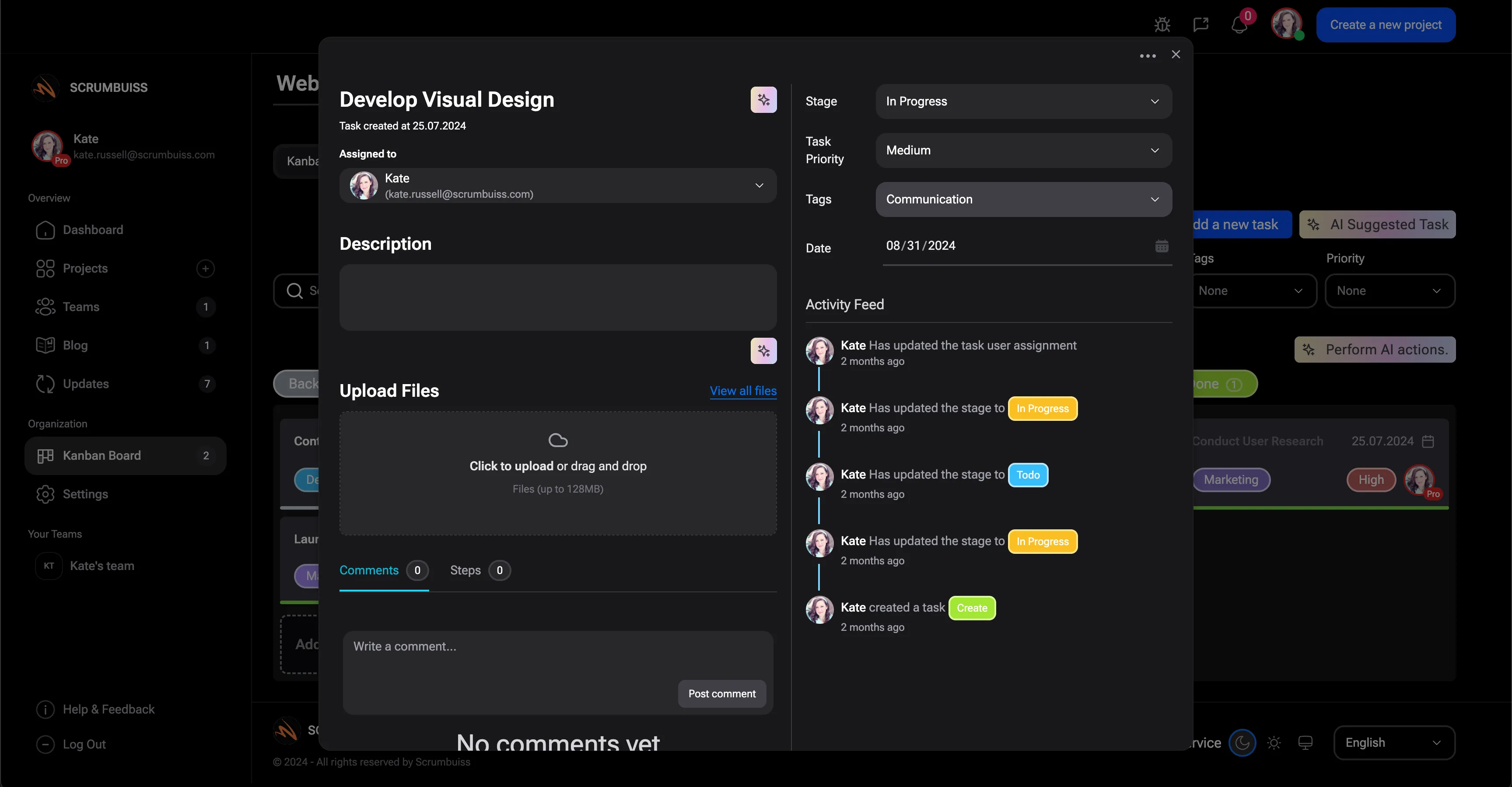
Scrumbuiss project brief and Notion-connected context overview

How we reviewed Notion-connected project management tools

Reviewed on March 15, 2026. This page compares one workflow: how teams use Notion as documentation and structured context while keeping project delivery, visibility, and rollout discipline readable for the people who still need to execute and report on the work.

  • Scrumbuiss references come from the live pricing page plus the Project Delivery and AI Assistant product pages, the Project Brief solution page, and the Software teams workflow page in this site.
  • Competitor references come from the official Notion integration or product pages published by Asana, ClickUp, and Notion.
  • The goal is not to score every database feature. It is to help teams decide between point integration, search-and-preview integration, or keeping docs and delivery inside one broader operating layer.

When Scrumbuiss is a fit

The right decision depends less on one Notion checkbox and more on whether documentation stays useful after kickoff, planning, and stakeholder review begin.

Strong fit for Scrumbuiss

Best when Notion should remain valuable project context, but the team still needs a clearer operating layer for execution, status reviews, and cross-functional visibility.

  • Specs, briefs, SOPs, or onboarding docs already live in Notion and people still reference them every week.
  • Delivery leads need tasks, timelines, sprint views, and stakeholder reporting to stay readable outside the doc workspace.
  • The team wants linked context, not another copy-paste loop between docs and project tracking.

Worth testing carefully

Run a live pilot if Notion is already central to how your team stores knowledge, but project status still gets rebuilt manually during planning, handoff, or weekly reporting.

  • Teams already maintain useful pages and databases in Notion, but execution happens elsewhere.
  • The biggest friction is not writing docs. It is turning those docs into visible delivery context after kickoff.
  • One team can test the workflow with a real project brief, one active database, and one recurring review cycle before wider rollout.

Probably not the best fit

A simpler setup may fit better when Notion itself should remain the full workspace for docs, databases, and project tracking, or when the team only needs lightweight doc links.

  • The team wants to design the entire project-management model directly inside Notion.
  • There is little need for workload visibility, delivery governance, or stakeholder-ready reporting outside Notion.
  • Simple page links are enough and nobody needs a stronger operating layer around execution.

Delivery context

Turn Notion pages into project context instead of separate reading material

Documentation is only useful if the team can find it at the moment a decision needs to be made. A Notion-connected workflow should keep specs, meeting notes, and process pages close to the task, brief, or milestone where they matter, not buried in a second tab people forget to reopen.

  • Keep project briefs, specs, and reference docs visible from the work that depends on them.
  • Reduce the gap between where the team documents decisions and where they execute them.
  • Make it easier for delivery leads and stakeholders to understand why a decision changed without hunting through separate doc trees.
Scrumbuiss project brief with connected context

Database context

Link Notion databases to briefs, tasks, and reporting without rebuilding the story

The real test is not whether a Notion database can be connected. It is whether the database meaningfully improves planning and review workflows. Searchability, previews, access rules, and readable database context all matter if the team wants structured knowledge to support delivery instead of becoming another system people have to reconcile by hand.

  • Validate whether teams can search the right pages and databases without exposing the wrong private content.
  • Check whether previews and database references stay useful in briefs, tasks, and review workflows instead of becoming dead links.
  • Make sure database context improves reporting and handoffs instead of forcing people to summarize the same information twice.
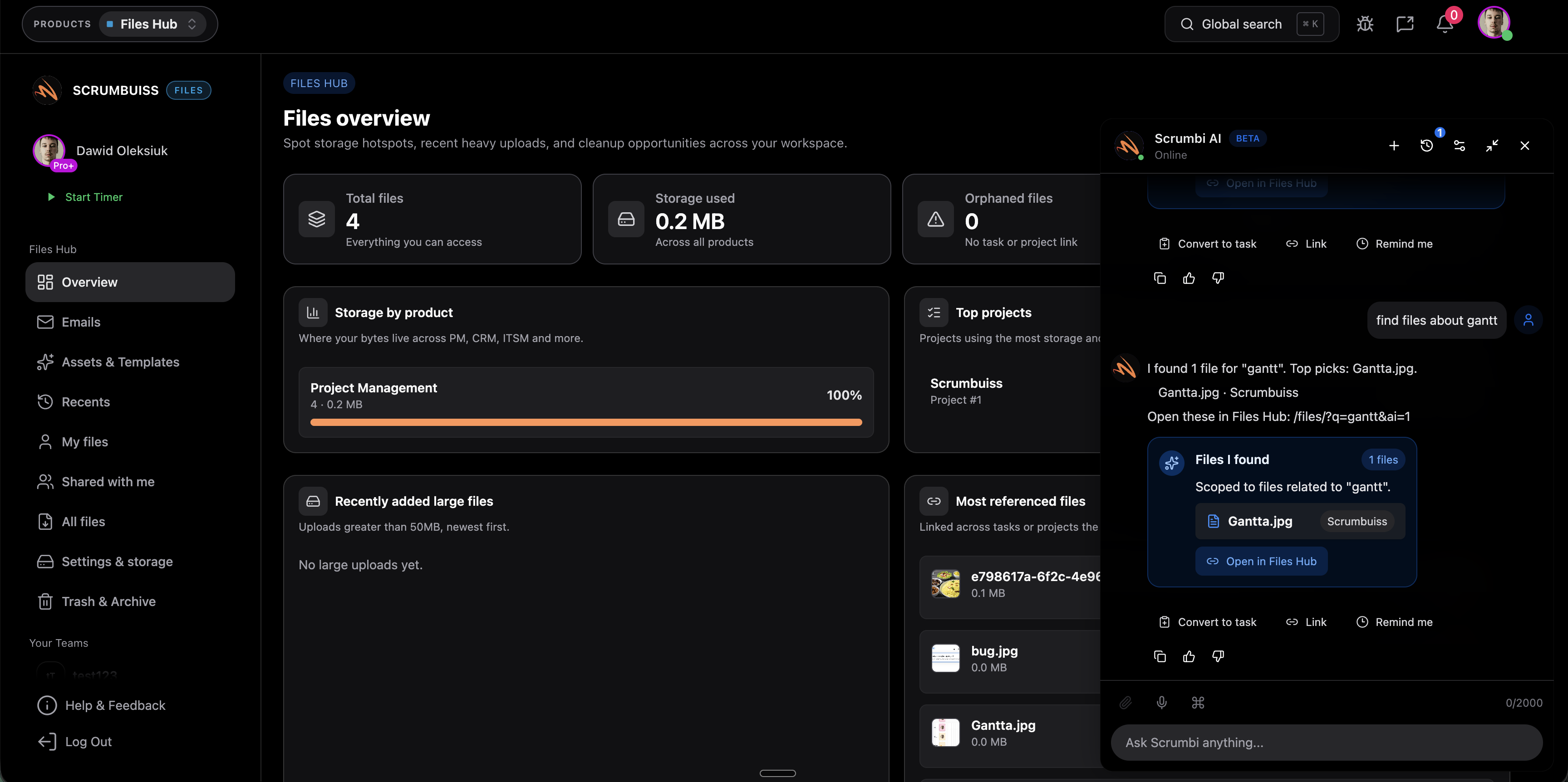
Scrumbuiss task view with connected documentation context

Onboarding and handoffs

Keep onboarding and stakeholder handoffs tied to the work, not trapped in the wiki

Notion is often where teams keep team handbooks, standards, and client context. That becomes valuable during onboarding, scope changes, and cross-functional handoffs only if the next action is obvious from the same workflow. Scrumbuiss is strongest when those docs stay connected to delivery decisions, not when the team is expected to run every operational step inside the doc tool.

  • Use Notion for reusable knowledge while keeping execution and follow-up visible in the delivery workflow.
  • Shorten onboarding by connecting runbooks, briefs, and current project context to the work a new teammate actually touches.
  • Give stakeholders one place to understand the task status and the supporting context behind it.
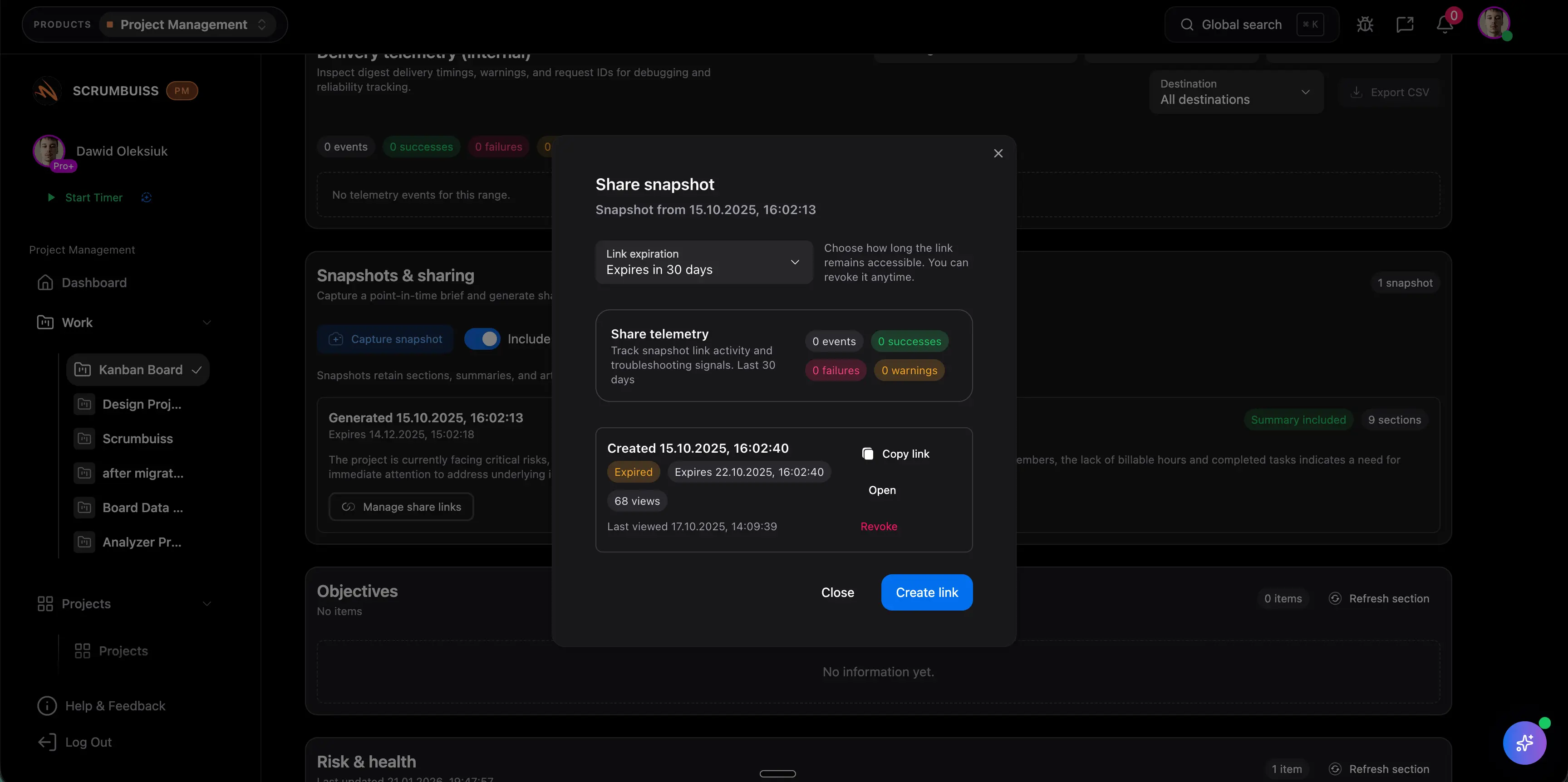
Scrumbuiss stakeholder sharing and project context

Competitor snapshot for Notion-connected project management

These options all connect to Notion differently. The useful buying question is whether Notion stays a linked documentation layer, a searchable reference system, or the primary workspace where the team is expected to build the whole project model itself.

Tool Best for Notion angle Main tradeoff Why teams choose Scrumbuiss instead
Asana + Notion Cross-functional teams that want Asana tasks and projects previewed or synced inside Notion pages and databases. Asana publicly positions the app around previewing and syncing Asana tasks and projects inside Notion pages and databases. It keeps docs and task management connected, but still leaves teams operating across two separate layers when status review and reporting need to stay tight. Scrumbuiss is stronger when the team wants project briefs, execution, and stakeholder visibility in one operating layer while still keeping Notion as contextual documentation.
ClickUp + Notion Teams that want Connected Search, link previews, and page creation around Notion content inside a broader work-management workspace. ClickUp publicly positions the integration around searching Notion pages and databases, previewing links, and creating new Notion pages from ClickUp. Search plus preview integration is useful, but teams still need to prove that documentation context improves planning and reporting instead of becoming a separate reference surface. Scrumbuiss is stronger when the goal is a more opinionated delivery layer around briefs, timelines, and review workflows, with Notion attached as context instead of a parallel workspace to reconcile.
Notion as the primary workspace Teams willing to run docs, wikis, and project databases inside one highly flexible workspace. Notion publicly positions itself as one place for notes, docs, and projects, with shared databases that teams can use to manage project work together. That flexibility is attractive, but it usually means the team still has to design governance, reporting conventions, and operational discipline for itself. Scrumbuiss is stronger when the team wants a more structured delivery operating layer with project visibility, rollout discipline, and stakeholder-ready reporting while still keeping Notion in the workflow.

Review exact permissions, preview behavior, workspace limits, and setup details on the vendor pages before you buy. Product names are trademarks of their respective owners.

Evaluation checklist for a Notion integration pilot

Use this checklist to test one live documentation-to-delivery workflow instead of stopping at a link-preview demo.

  1. Step 1

    Choose one active team, one recurring review meeting, and one Notion page or database that already matters to the workflow.

  2. Step 2

    Decide whether the pilot is testing point links, searchable context, or a broader docs-plus-delivery operating model.

  3. Step 3

    Review permissions carefully so the right Notion pages and databases are accessible without exposing unrelated private spaces.

  4. Step 4

    Link the selected docs and databases to a real project brief, task flow, and weekly status review instead of sample data.

  5. Step 5

    Check whether previews, mentions, and search results stay readable enough for people outside the doc authoring workflow.

  6. Step 6

    Measure whether stakeholders can follow delivery progress and supporting context without asking someone to rebuild the story manually.

  7. Step 7

    Standardize only after one full planning-to-review cycle runs cleanly with less copy-paste and fewer context gaps.

FAQ

These are the buying and rollout questions teams usually need answered before Notion becomes part of a real delivery workflow.

What should project management software with Notion integration actually help with?

It should make Notion documentation useful inside the broader delivery workflow. That usually means linking pages and databases to briefs, tasks, planning rituals, and stakeholder reviews so the team can act on the context instead of treating docs as a separate archive.

When is Scrumbuiss a better fit than using Notion as the main project workspace?

Scrumbuiss is usually a better fit when the team wants Notion to stay valuable for documentation, but needs a more structured operating layer for project execution, timelines, workload review, and stakeholder reporting. If Notion should remain the full build-your-own system, that is a different evaluation path.

How is this different from a simple Notion link preview?

A link preview only proves that one tool can display another tool's URL. A real evaluation checks whether the linked pages and databases improve searchability, handoffs, planning decisions, and reporting once the project is active and multiple people need the context.

Which permissions questions matter most during the pilot?

Validate who can search or preview pages, whether private databases are protected correctly, and whether the connected content is scoped tightly enough for the team using it. Permission mistakes can make the integration look better in a demo than it feels in live use.

Should we compare Scrumbuiss against Asana + Notion or ClickUp + Notion?

Yes. Those are useful comparison paths because they represent different models: Asana + Notion for task-and-doc coordination, ClickUp + Notion for search and preview connectivity inside a broader workspace, and Notion itself as the primary flexible workspace. The right comparison depends on where your weekly operating workflow should live.

Who should be involved in the evaluation?

Include the person who owns the documentation structure in Notion, the person who runs project planning or delivery review, and at least one stakeholder who consumes updates without living in either tool all day. If those viewpoints are not aligned, the pilot misses the real workflow pressure.

Related templates

Templates teams usually use to support briefs, onboarding context, and delivery reviews behind Notion-connected workflows.