Intake guide • reviewed March 15, 2026

Project Intake Form Software

Capture project requests with intake forms, route submissions into the right workflow, and keep approvals, briefs, and delivery context in one place so new work starts with enough detail to move instead of sitting in another triage queue.

Use this page to compare project intake form software before your team adds another inbox, another spreadsheet triage step, or another approval loop that disconnects request context from delivery.

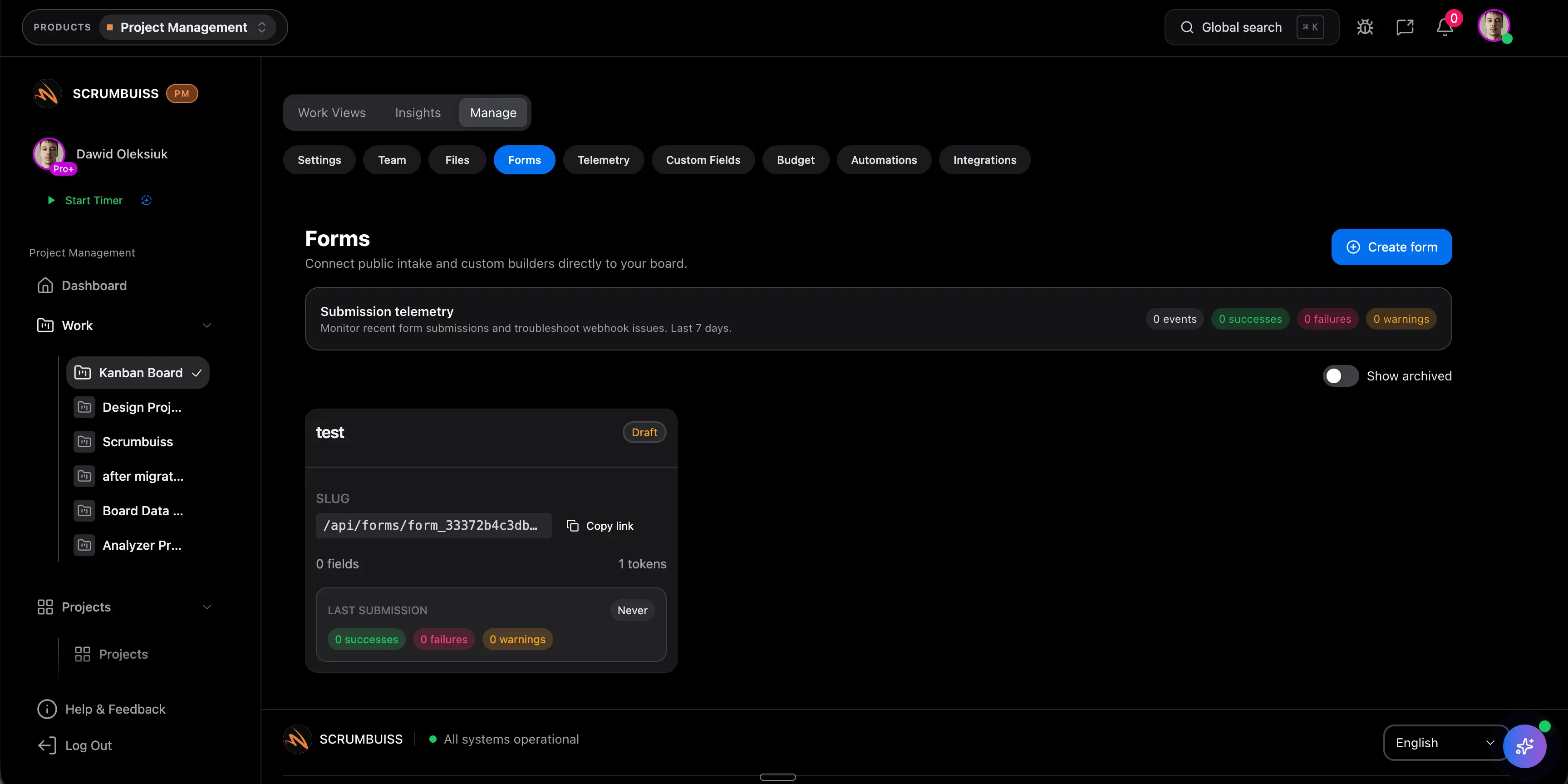
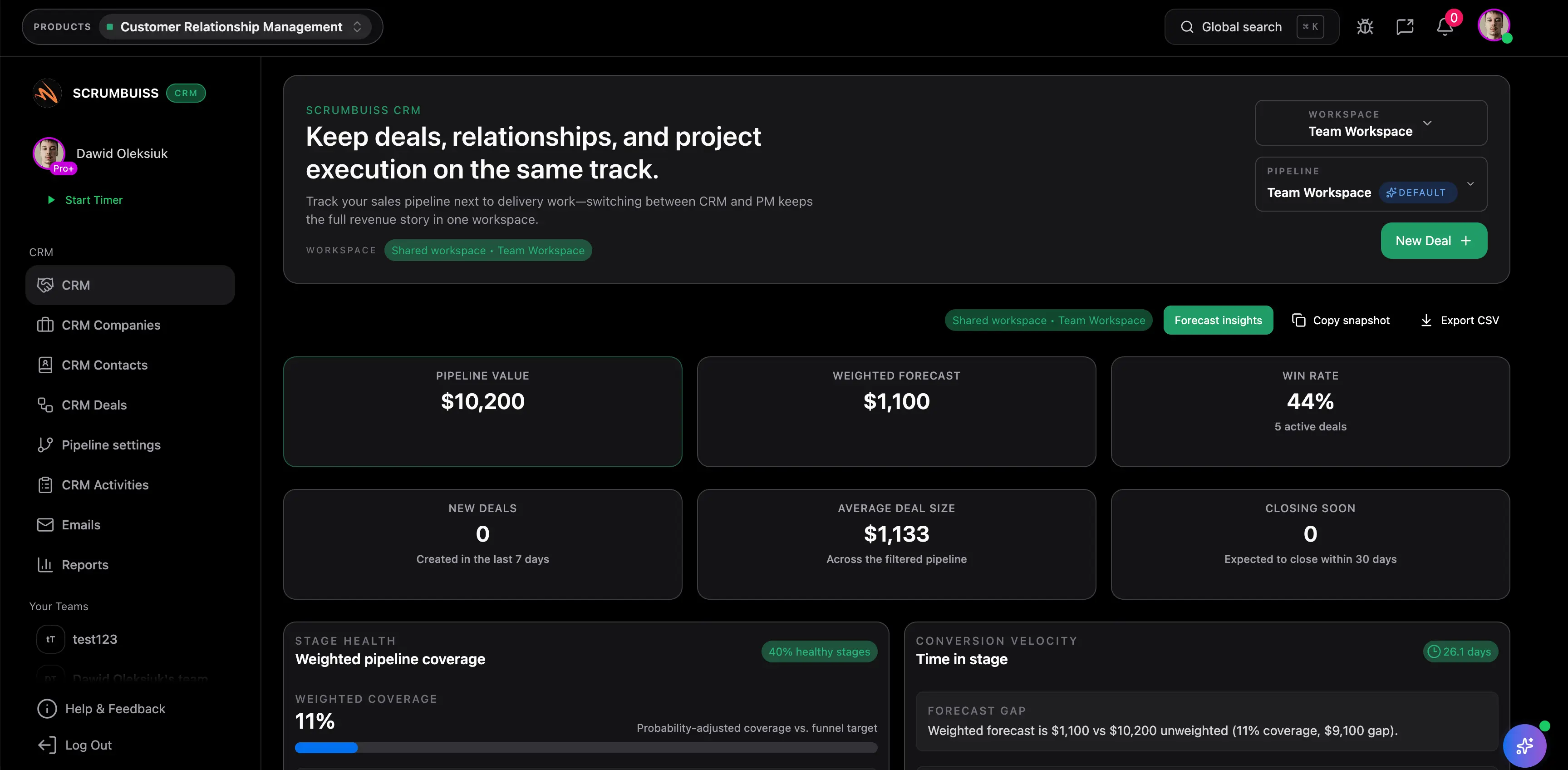
Scrumbuiss project intake forms overview

How we reviewed project intake form tools

Reviewed on March 15, 2026. This page compares one buying question: which tools help teams collect inbound work with structured project intake forms while still turning submissions into owned, reviewable delivery workflows instead of another inbox someone has to decode by hand.

  • Scrumbuiss references come from the live pricing page plus the Project Delivery, Project Brief, Custom Fields, Automations, CRM, and Agencies pages in this site.
  • Competitor references come from the official forms or request-management pages published by monday.com, Asana, and Workzone reviewed on March 15, 2026.
  • The goal is not to count question types. It is to help teams decide whether intake stays connected to approvals, ownership, and downstream delivery after the form is submitted.

When Scrumbuiss is a fit

The right decision depends less on how pretty a form looks and more on what happens after the submission arrives. The better workflow should shorten intake, routing, approval, and follow-up work in the same operating layer.

Strong fit for Scrumbuiss

Best when inbound work should move from request capture to owned project execution without losing the context people need to approve, plan, and deliver it.

  • Requests arrive through email, chat, or meetings and the team keeps rebuilding the same context by hand.
  • Approvals, brief details, priority, requester context, and ownership should stay attached to the work after intake.
  • The buying need is not just a form builder. It is a cleaner intake-to-delivery workflow with less manual triage.

Worth piloting carefully

A live pilot is useful when the team already has some form or request process, but the submission still needs spreadsheet cleanup, manual routing, or status chasing before work really starts.

  • Test one real intake flow such as client requests, internal change requests, or scoped delivery work.
  • Measure whether the team gets better input quality, faster routing, and fewer follow-up questions after submission.
  • Validate that requestors, approvers, and delivery owners can all work from the same record instead of separate tools.

Probably not the best fit

A simpler standalone form tool may fit better when the main requirement is only collecting basic responses rather than running a structured project request workflow after the submission.

  • The team mainly needs marketing forms, surveys, or simple lead capture with no downstream delivery workflow.
  • Project execution already works well elsewhere and the main requirement is broad form distribution rather than operational handoff.
  • External app breadth matters more than keeping request context, approvals, and project follow-up in one operating layer.

Collect the right context first

Capture complete intake upfront so the team stops chasing missing details later

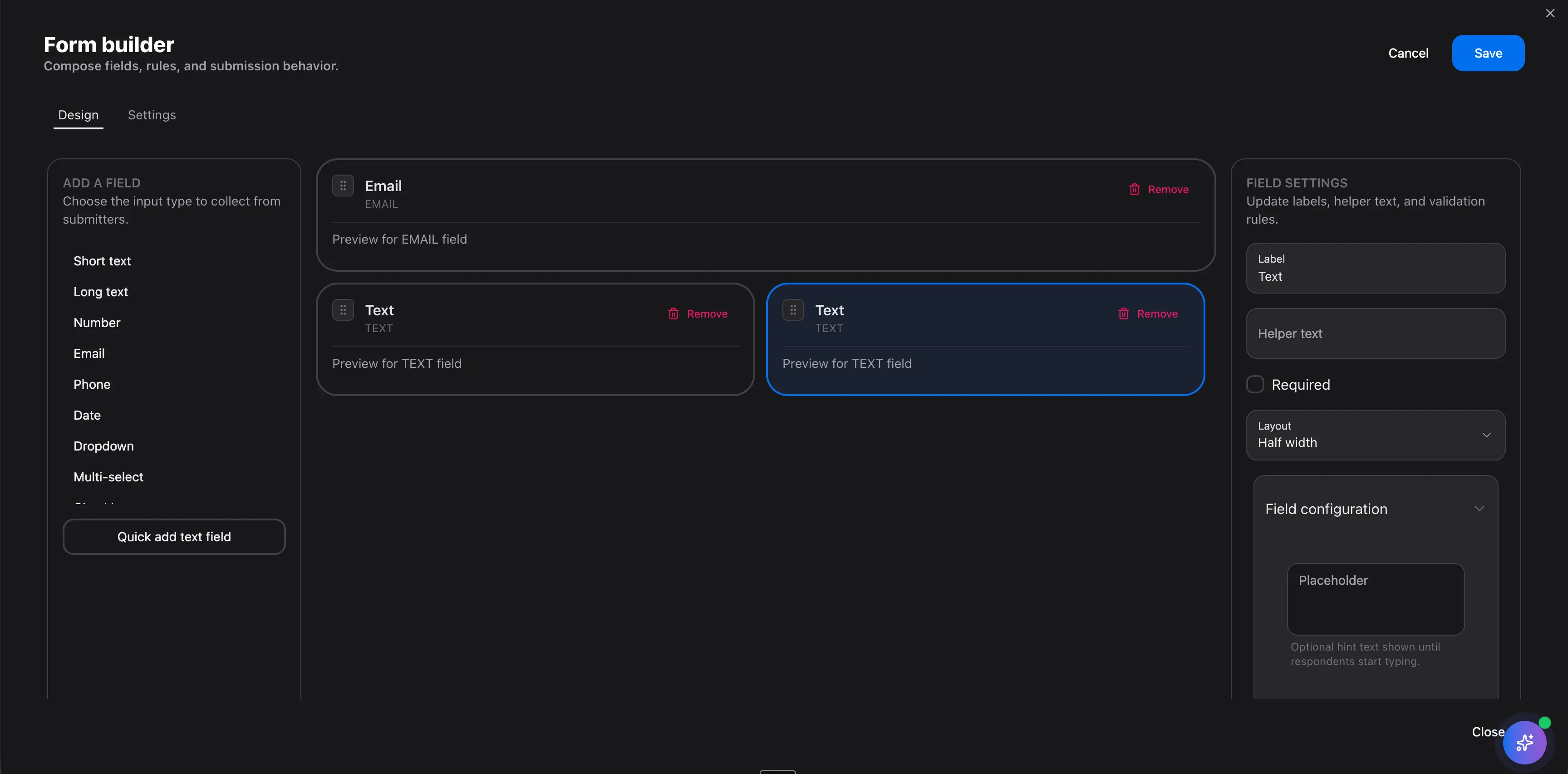
The value of project intake form software starts with input quality. A request should arrive with enough structure that the team can understand urgency, scope, ownership, and approval needs before someone schedules another call to ask what the work actually is.

  • Collect the request type, objective, deadline, stakeholder, approval need, and supporting files in one submission.
  • Use structured questions and custom fields so teams can compare requests consistently instead of parsing free-text emails.
  • Keep brief context close to intake so work starts with a shared definition of what is being asked and why it matters.
Scrumbuiss project intake form used to collect structured request details

Route work automatically

Turn submissions into owned projects, briefs, and follow-up workflows instead of another inbox

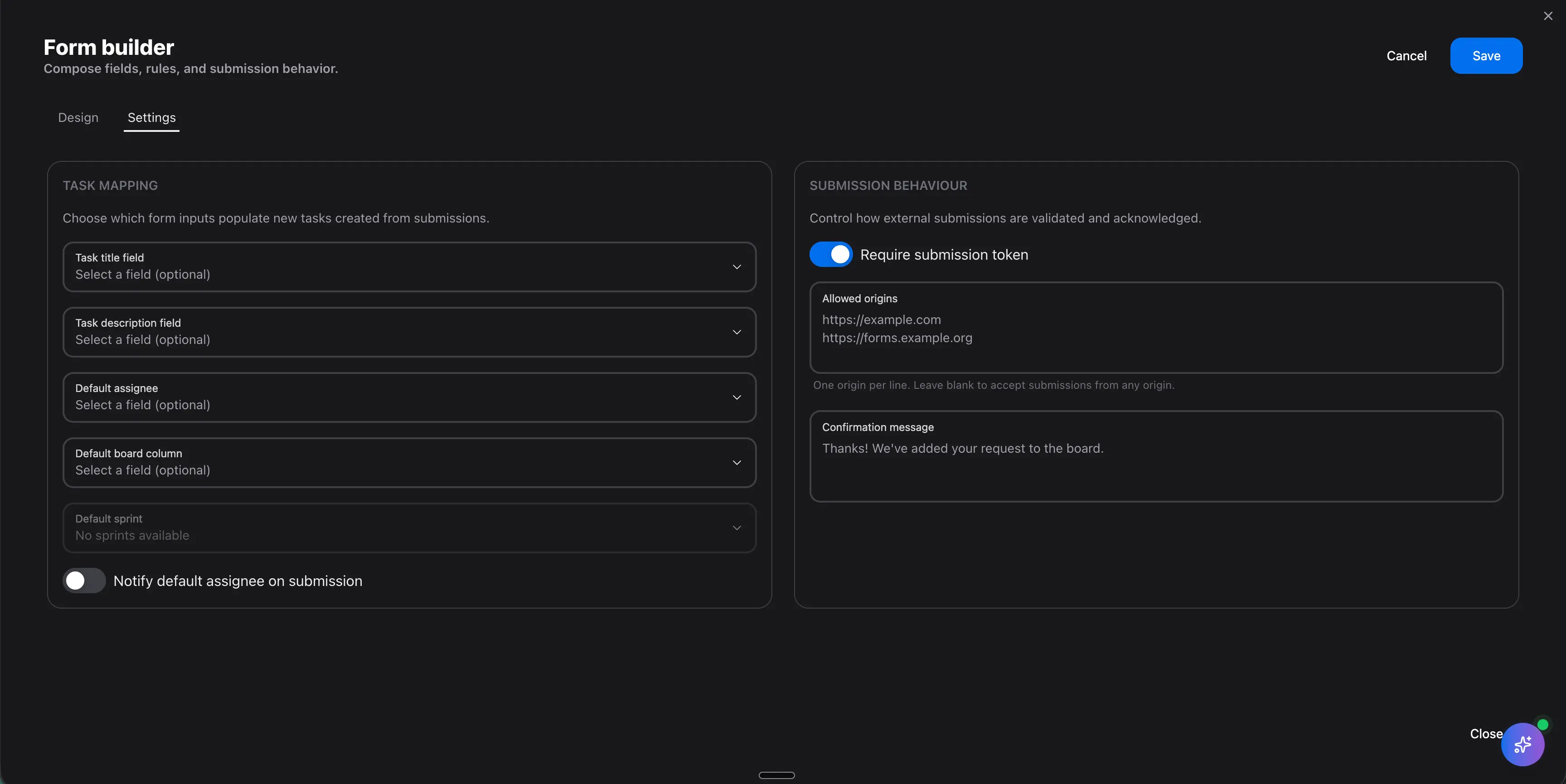
Intake breaks down when a form is only a collection point and the real work still starts in a second tool. The better workflow sends the submission into the right owner, project, queue, or brief so the team can act without copying the same information around the stack.

  • Route requests by team, priority, client, or work type so submissions land in the right workflow immediately.
  • Create the first owner, status, project record, or brief automatically instead of leaving triage to manual admin.
  • Use forms as the front door to delivery, CRM handoffs, or operational follow-up so the request already belongs somewhere after it is submitted.
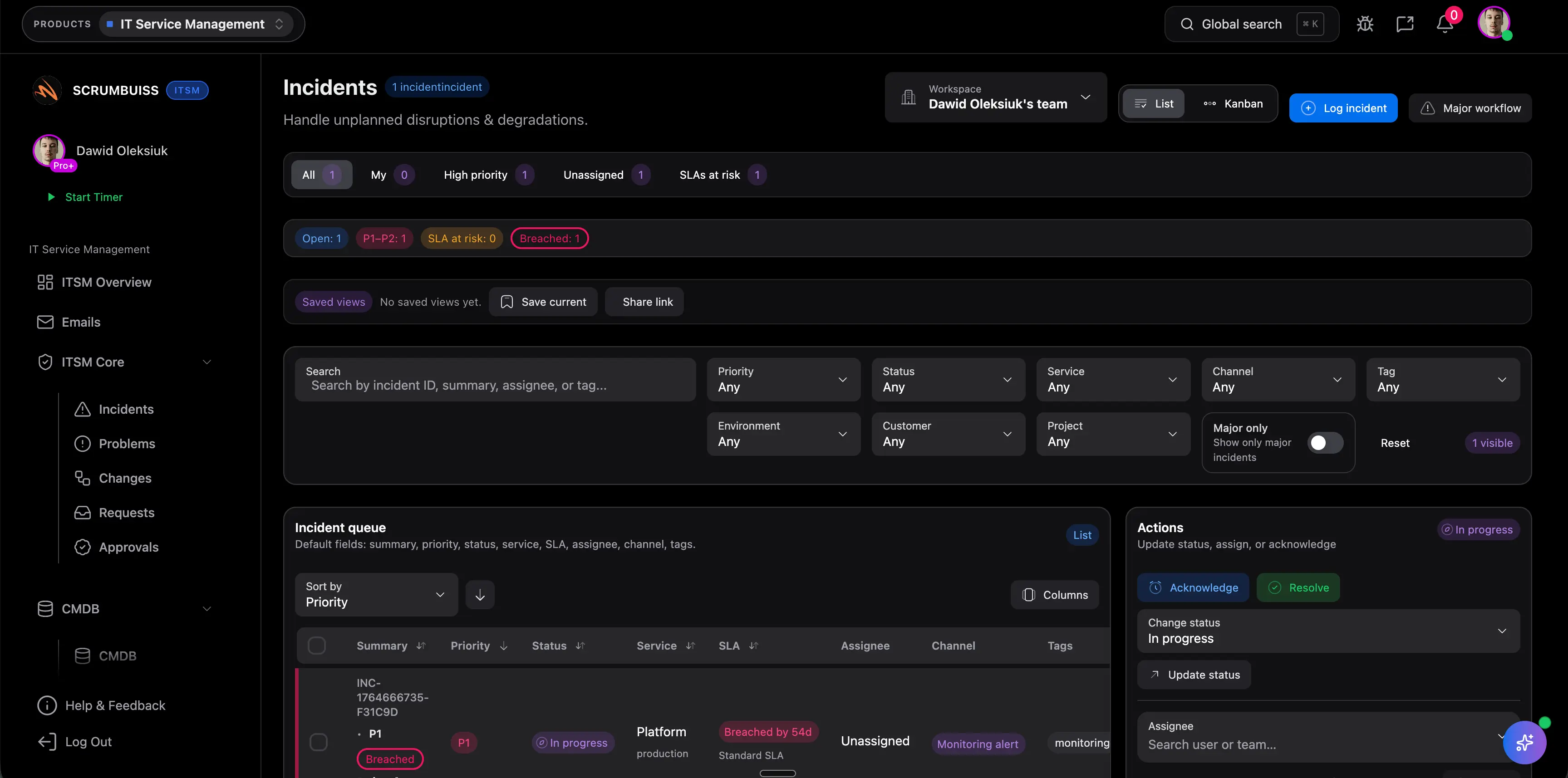
Scrumbuiss request intake workflow routing submissions into structured work

Keep approvals and follow-up readable

Manage approvals, handoffs, and delivery updates without losing the original request context

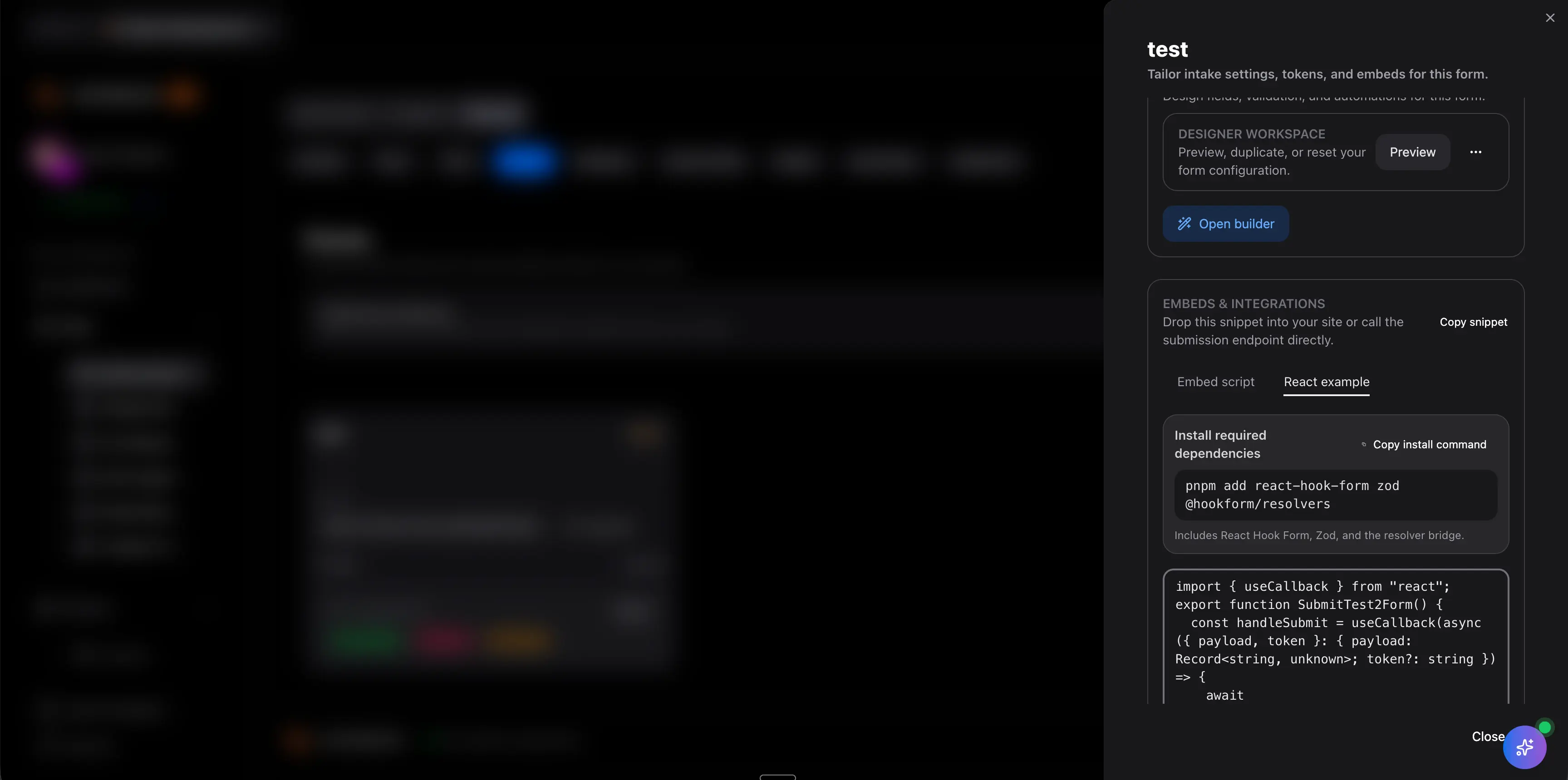
A request workflow is only useful if the context survives the handoff. Teams need to see what was asked, who approved it, what changed, and where it sits now without reopening email threads or rebuilding the story in a project status meeting.

  • Keep the original submission visible beside ownership, approvals, project status, and next steps.
  • Use activity history, automations, and dashboards so requestors and delivery leads can follow progress from the same operating record.
  • Reduce rework caused by hidden approvals, scattered notes, or handoffs that strip away the detail captured during intake.
Scrumbuiss intake workflow showing follow-up visibility after request submission

Competitor snapshot

These tools all help teams capture requests, but they package intake around different operating models. The useful comparison is whether the form becomes structured project work with ownership, approvals, and downstream visibility, or mainly just another request entry point.

Tool Best for Request-management angle Main tradeoff Why teams choose Scrumbuiss instead
monday.com Board-centric teams that want online forms connected to a flexible work-management workspace and no-code workflow building. monday.com publicly emphasizes creating easy-to-use online forms and turning responses into effective workflows inside monday boards. Teams should validate whether request context, approval logic, and downstream project visibility stay readable once the process depends on board structure and workspace configuration. Scrumbuiss is stronger when the main need is a tighter intake-to-delivery operating model where approvals, briefs, and project follow-up stay easier to track together.
Asana Teams standardizing incoming work with reusable request-tracking templates inside a broader collaborative work-management platform. Asana's public request-tracking template focuses on organizing, prioritizing, and managing incoming work so teams understand what happens next and who is responsible. Buyers should validate whether approvals, kickoff context, and structured project handoff still need a separate process beyond the template and task workflow. Scrumbuiss is stronger when the request should move directly into project context, brief alignment, ownership, and follow-up without another translation step.
Workzone Operations-heavy teams that want centralized requests and process efficiency inside a broader operations project-management environment. Workzone publicly emphasizes simplifying workflows, improving process efficiency, and centralizing operational requests inside one management system. That operations-first positioning can be broader and heavier than teams that mainly need cleaner project intake tied directly to delivery planning and execution. Scrumbuiss is stronger when the evaluation centers on structured project request intake, approvals, and project follow-up inside a lighter delivery workflow.

Review current plan limits, workflow depth, and request-management packaging on the vendor pages before you buy. Product names are trademarks of their respective owners.

What to validate in a live pilot

The best pilot is one real request type that already causes friction. Use the checklist below to judge whether a forms workflow reduces admin work and improves delivery readiness, not just whether the form itself looks polished.

  1. Step 1

    Choose one intake flow with real operational cost, such as client requests, internal change requests, project kickoff requests, or recurring service intake.

  2. Step 2

    Define the minimum fields required to route, approve, and start the work without another clarification meeting.

  3. Step 3

    Map where approved requests should land: owner, project, brief, queue, status, and notification path.

  4. Step 4

    Run real submissions through the workflow and confirm the original request stays visible after the handoff.

  5. Step 5

    Measure whether triage time, missing-information follow-up, or approval delays decrease during the pilot period.

  6. Step 6

    Verify that requestors, approvers, and delivery owners can all understand the current status from the same record.

FAQ

These are the buying and rollout questions teams usually need answered before project intake forms become dependable enough to standardize across the workflow.

What is project intake form software?

Project intake form software helps teams collect new work requests in a structured way so submissions can be reviewed, routed, approved, and turned into owned project work. The useful version does more than collect responses. It keeps the request context attached to the delivery workflow after the form is submitted.

How is project intake form software different from a website contact form?

A website contact form usually captures a message and hands it off for manual follow-up. Project intake form software is built for operational work. It captures structured details, routes the request to the right owner or project, and supports approvals, prioritization, and downstream delivery tracking.

Which teams benefit most from project request management software?

Teams benefit most when inbound work is frequent enough that email, chat, and meeting-based intake are already creating delays or confusion. Agencies, software teams, IT operations teams, and internal service teams often feel this pain first because requests need to be prioritized, approved, and handed off cleanly.

What should a project intake form capture?

Most teams should capture the request type, business goal, scope summary, deadline, requester, affected stakeholders, approval requirement, priority, and any supporting files or links. The best form collects enough detail to route and assess the work without becoming so long that nobody completes it properly.

How should a team evaluate a project intake workflow before rolling it out widely?

Run one real workflow end to end and measure whether the team got better intake quality, faster ownership, fewer clarification loops, and clearer approval visibility. A useful pilot should improve how work enters delivery in a normal week, not just prove that one form can create one task.