Workload planning guide • reviewed March 13, 2026

Workload Management and Capacity Planning Software

Balance team workload, spot over-allocation before deadlines slip, and turn capacity planning into a weekly operating workflow instead of a spreadsheet exercise.

Use this page to compare workload-management and capacity-planning workflows before your team standardizes on another spreadsheet, another staffing tool, or another reporting loop to maintain.

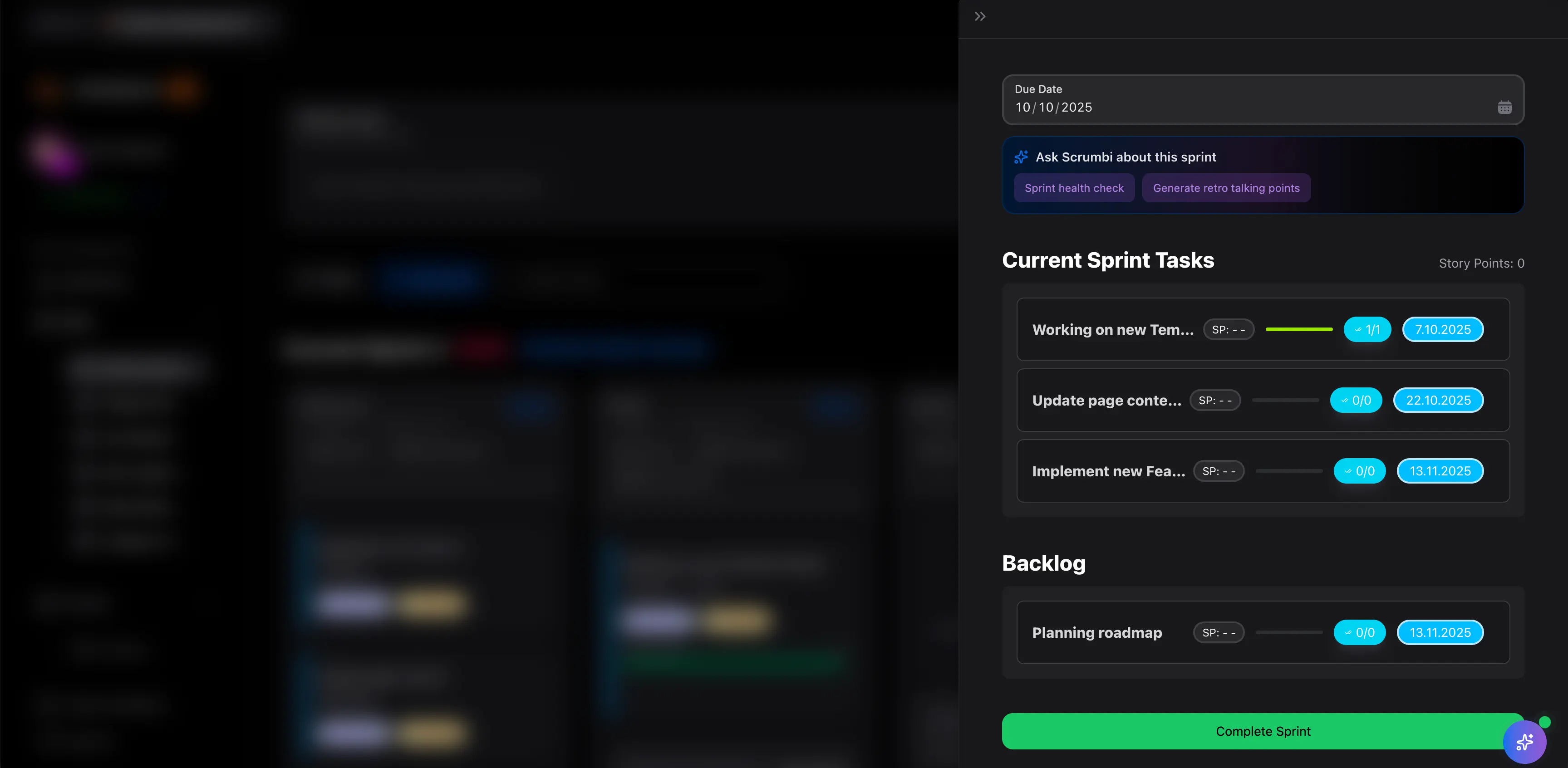
Scrumbuiss workload and capacity planning overview

How we reviewed workload-management tools

Reviewed on March 13, 2026. This page compares one buying question: which tools help teams see workload clearly enough to rebalance work before delivery dates, utilization, or handoffs become a fire drill.

  • Scrumbuiss references come from the live pricing page, the Project Delivery product page, the Time Tracking product page, and the Software teams and Agencies workflow pages in this site.
  • Competitor references come from the official workload and capacity-planning pages published by Asana, Float, and Resource Guru.
  • The goal is not feature-parity theater. It is to help teams decide whether they need workload visibility inside a broader delivery workflow or a more specialized resource-planning layer.

When Scrumbuiss is a fit

The right decision depends less on one chart and more on where workload planning should live after the team leaves the staffing spreadsheet behind.

Strong fit for Scrumbuiss

Best when workload planning should stay close to sprint execution, timelines, stakeholder reporting, and the day-to-day delivery workflow.

  • The team needs to see overload before a sprint, release, or client deadline starts slipping.
  • Workload reviews should connect directly to active projects, owners, dependencies, and status updates.
  • Leads want one operating layer for planning, rebalancing, and explaining delivery risk to the rest of the business.

Worth piloting carefully

A live pilot is useful when the team already has project data elsewhere, but workload decisions are still being made in side spreadsheets or chat threads.

  • You can test the workflow with one team, one active delivery cycle, and one weekly planning or staffing review.
  • The key question is whether Scrumbuiss reduces manual capacity translation rather than adding another dashboard to maintain.
  • Validate that managers can rebalance real work fast enough for the view to become operational, not decorative.

Probably not the best fit

A more resource-management-first tool may fit better when staffing and scheduling across many client teams matters more than keeping workload next to task execution.

  • Your operating model centers on resource bookings, tentative allocations, and utilization across many service teams.
  • Project execution already lives comfortably in another system and you mainly need a separate planning layer.
  • Workload planning is owned by a dedicated resource-management function rather than by delivery leads inside the work itself.

See demand clearly

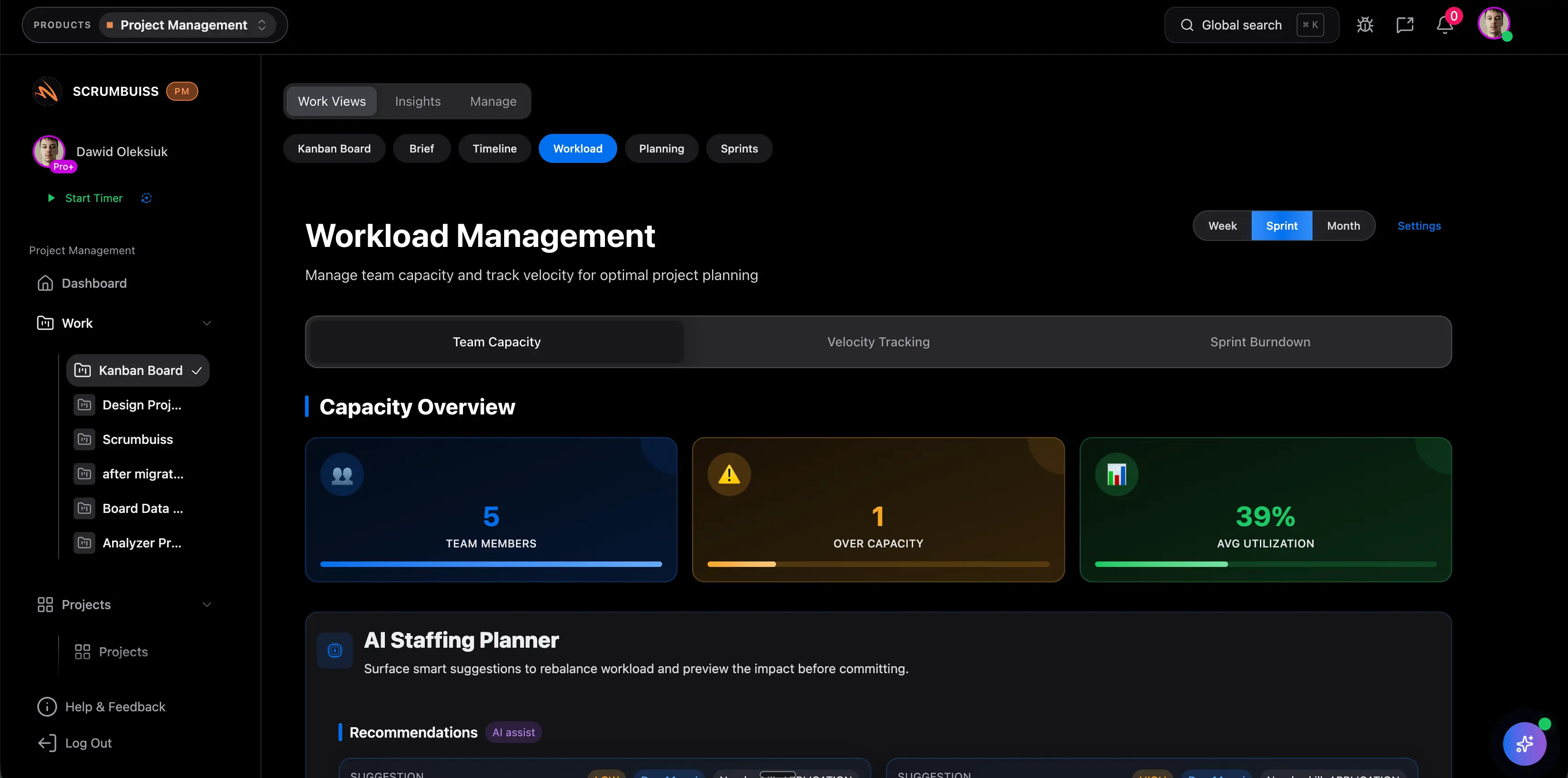
View workload before overload hides inside active delivery

The practical value of workload management software is not a prettier chart. It is the ability to see who is overloaded, which commitments are unrealistic, and where one hidden bottleneck is about to slow the rest of the team down.

  • Review workload by person or team so leads can spot concentration of work early.
  • Bring active delivery context into the same view instead of matching tasks to a separate staffing sheet by hand.
  • Use the view in weekly planning or delivery reviews so capacity becomes an explicit constraint before commitments are locked.
Scrumbuiss workload view showing planned work across team members

Rebalance in context

Shift work before deadlines slip or one teammate becomes the plan

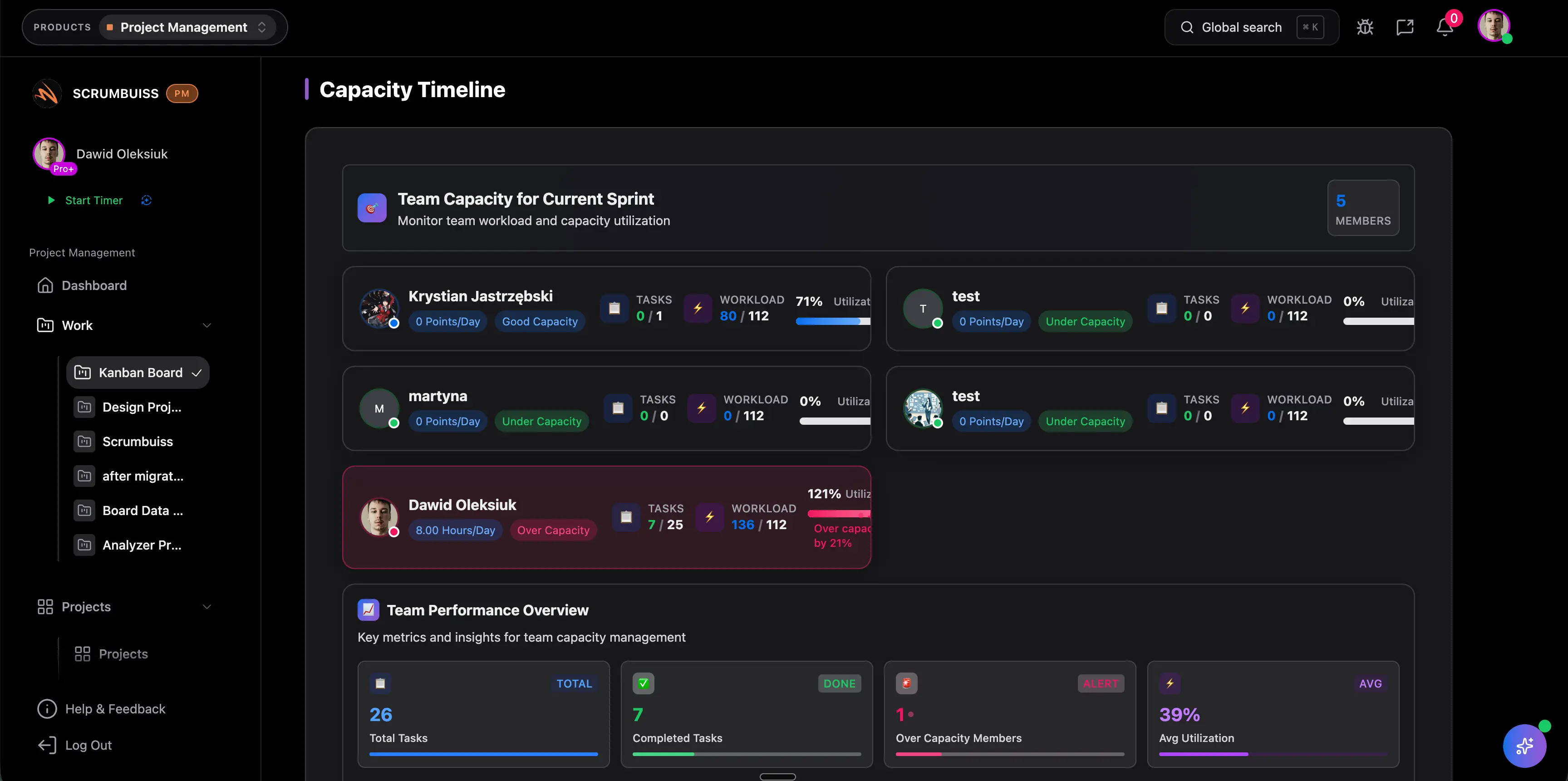
Capacity planning becomes useful when teams can act on it immediately. That means reassigning work, adjusting scope, or changing timing while the rest of the delivery context still stays readable to the people responsible for shipping.

  • Rebalance assignments when one person or team is carrying more than the schedule can realistically absorb.
  • Pair workload review with dependency and timeline visibility so a capacity fix does not create a new delivery blind spot.
  • Keep stakeholders aligned on why the plan changed instead of rebuilding the story in another reporting layer.
Scrumbuiss capacity planning view for rebalancing assignments across a team

Replan the next commitment

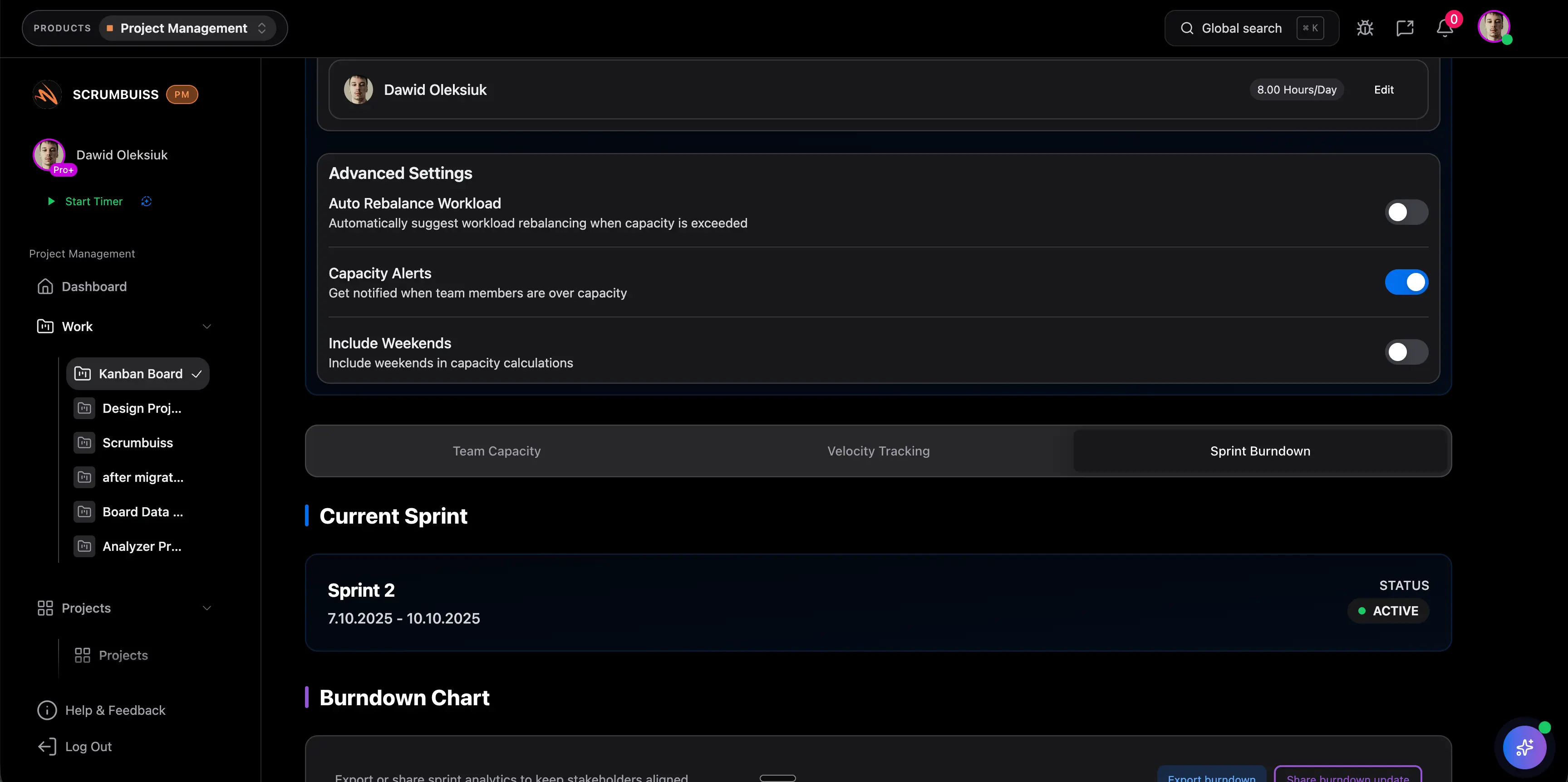
Use capacity, velocity, and burndown signals to set more realistic commitments

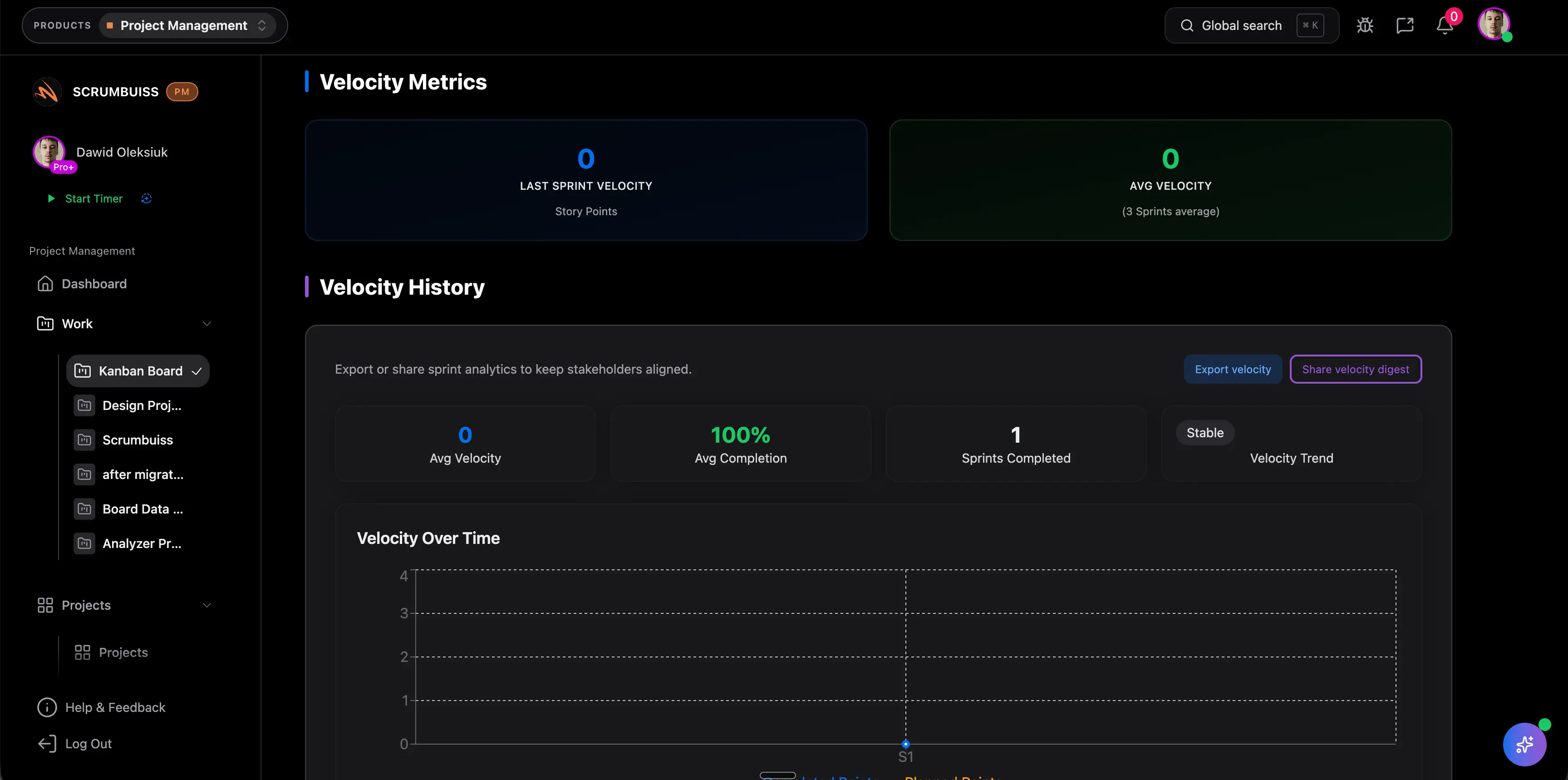
The better workload pages are not static snapshots. They help teams carry learning forward. When capacity, delivery pace, and workload trends stay visible, the next sprint or staffing decision becomes more grounded in real throughput rather than optimism.

  • Use trend signals to challenge commitments that look clean on paper but not in the team’s actual capacity.
  • Combine time, workload, and sprint history to improve how future work is staffed and sequenced.
  • Turn workload reviews into a recurring operating cadence instead of a rescue move used only when deadlines are already in trouble.
Scrumbuiss workload and capacity dashboard used to replan future commitments

Competitor snapshot

These tools all address workload and capacity differently. The useful question is whether workload planning should live inside the delivery workflow itself or in a more specialized resource-management layer.

Tool Best for Capacity angle Main tradeoff Why teams choose Scrumbuiss instead
Asana Teams already running cross-functional work in Asana and wanting workload visibility inside a broader work-management platform. Publicly positions workload around capacity bars, effort values, filtering, and drag-and-drop rebalancing inside its resource-management stack. Buyers should validate how much sprint discipline, dependency review, and stakeholder-ready delivery reporting still needs to be designed around that workload layer. Scrumbuiss is stronger when workload planning should stay closer to sprint execution, timelines, and weekly delivery reviews instead of being treated as a separate resource tab.
Float Organizations that need a resource-planning-first system for forecasting availability, bookings, utilization, and staffing across multiple teams. Publicly emphasizes planning around availability, time off, part-time schedules, capacity thresholds, and forecasted demand. Teams should validate whether task execution, sprint coordination, and delivery reporting stay readable enough without depending on a separate project system. Scrumbuiss is stronger when the real buying need is not just staffing visibility, but a tighter connection between capacity decisions and the work that teams are actively delivering.
Resource Guru Service and operations teams that prioritize availability planning, utilization control, placeholders, and scheduling clarity across people and shared resources. Publicly frames capacity planning as preventing overbooking, finding gaps fast, and planning around tentative or future demand. Resource-first planning can still leave project execution, sprint commitment, and stakeholder status updates living in separate tools and workflows. Scrumbuiss is stronger when delivery leads want workload planning, timelines, reporting, and adjacent execution context in the same operating layer.

Review current plan limits, setup requirements, and feature availability on the vendor pages before you buy. Product names are trademarks of their respective owners.

What to validate in a live pilot

The best trial is one real planning cycle, not a feature tour. Use the checklist below to judge whether the page becomes operational inside your team.

  1. Step 1

    Pilot one team with one active sprint, delivery cycle, or client workload review rather than testing the view in isolation.

  2. Step 2

    Define how your team will express demand: hours, effort, recurring support load, and any known time-off or availability constraints.

  3. Step 3

    Import or map live work with clear owners so the workload view reflects actual commitments, not a sample dataset.

  4. Step 4

    Run one weekly workload review where leads rebalance assignments or timing directly from the live workflow.

  5. Step 5

    Compare workload signals against sprint, timeline, or delivery outcomes so the team can see whether the view predicts real pressure early enough.

  6. Step 6

    Create a stakeholder-ready reporting view that explains why workload changed without rebuilding the story elsewhere.

  7. Step 7

    Set go or no-go criteria: fewer manual staffing updates, earlier overload visibility, faster rebalancing, and more realistic commitments.

FAQ

These are the buying and rollout questions teams usually need answered before workload planning becomes a real operating workflow.

What is the difference between workload management software and capacity planning software?

Workload management software helps teams see who is carrying what right now and where pressure is building. Capacity planning software helps teams decide what they can realistically take on next based on availability, effort, and expected demand. In practice, strong tools usually support both because one without the other leaves teams either reactive or overly theoretical.

Who usually needs workload management software first?

Teams usually need it once deadlines start depending on a few overloaded people, cross-team handoffs become harder to read, or managers are rebuilding staffing decisions in spreadsheets every week. That applies to software teams, agencies, IT operations, and other groups that need a repeatable weekly planning rhythm.

How should a team evaluate a workload and capacity planning pilot?

Use one real delivery cycle and measure whether the tool surfaces overload earlier, speeds up rebalancing, and reduces manual reporting. A useful pilot should change a real staffing or planning decision, not just produce a chart that looks cleaner than the old spreadsheet.

Can workload planning live in the same tool as sprint and delivery work?

Yes, and that is often the better fit when the people making capacity decisions also own sprint commitments, delivery risk, and stakeholder updates. The main advantage is that teams can move from seeing overload to changing the plan without losing context across multiple tools.

When is a specialized resource-planning tool a better fit than Scrumbuiss?

A specialized tool can make more sense when resource scheduling, utilization forecasting, and staffing across many teams are the primary job to solve, and project execution already works well elsewhere. Scrumbuiss is stronger when capacity planning should stay tied to active delivery work, planning cadence, and reporting.

What should teams look for in workload management software?

Look for clear visibility into who is overloaded, easy rebalancing, enough context to understand why the workload exists, and reporting that helps the rest of the organization read the same picture. If the tool shows capacity but does not help teams act on it, adoption usually fades quickly.