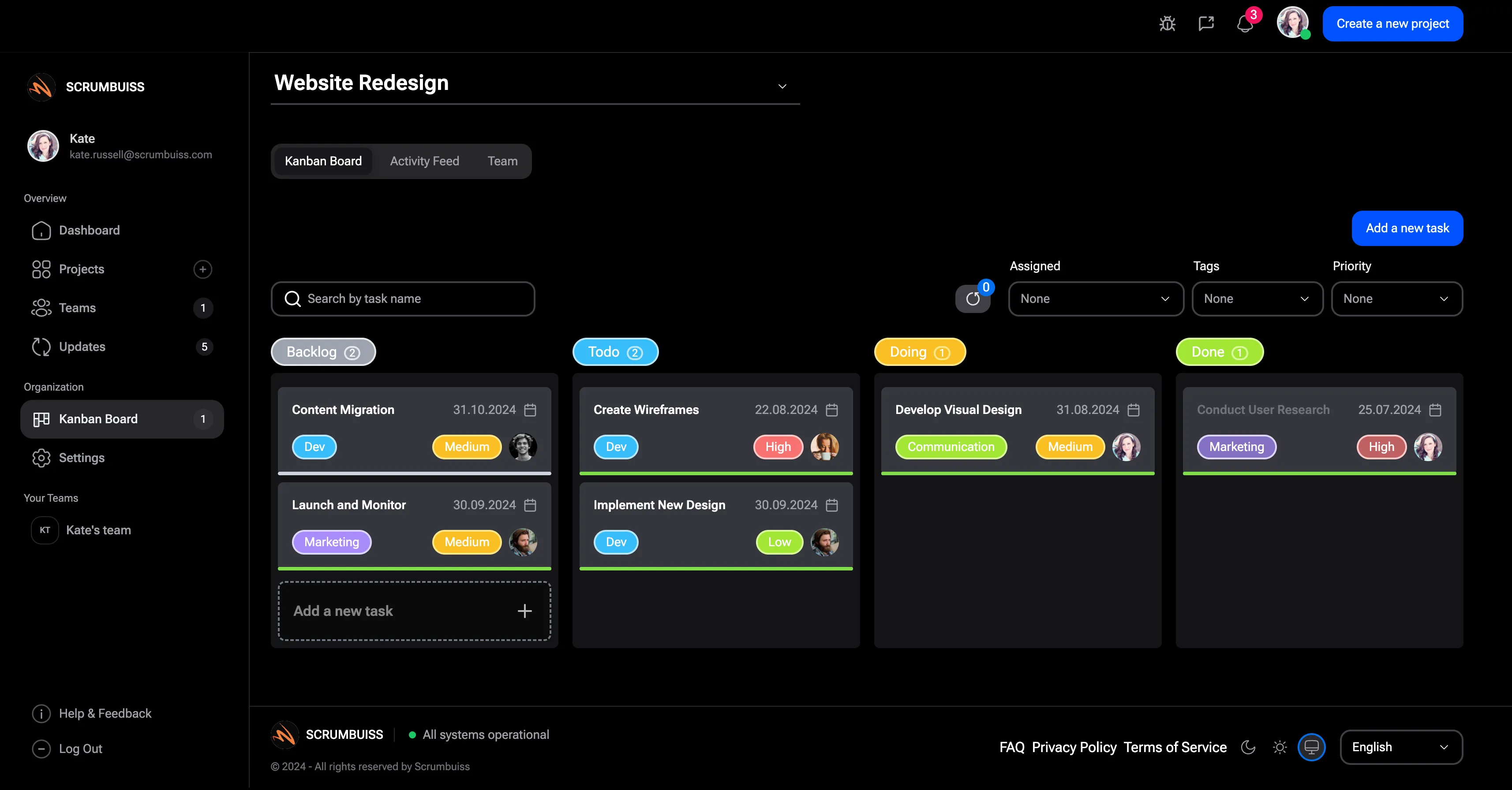
Kanban Board Guide
A Kanban board visualizes work as it moves through stages such as backlog, ready, in progress, review, and done. It helps teams see status, limit work in progress, and identify bottlenecks before work silently stalls.
This guide targets the Kanban board keyword cluster found in SEMrush. It supports the Scrumbuiss Kanban workflow and Kanban board template pages without replacing those product or template pages.
Key Takeaways
- A Kanban board is a visual workflow board for managing work across stages.
- The board becomes useful when columns, owners, WIP limits, and blocked work are clear.
- Kanban works well for continuous flow, support, operations, creative work, and project delivery.
- Scrum boards and Kanban boards can look similar, but they manage work differently.
What Is a Kanban Board?
A Kanban board is a visual system for tracking work. Cards represent tasks or work items. Columns represent workflow stages. As work progresses, cards move from left to right.
Common columns include:
- Backlog
- Ready
- In progress
- Review
- Blocked
- Done
The board should make current work readable enough that the team can answer: What is active, what is blocked, what is waiting, and what should be pulled next?
Kanban Board Example
| Column | Purpose |
|---|---|
| Backlog | Work that may be done later |
| Ready | Work that is clear enough to start |
| In progress | Work currently being done |
| Review | Work waiting for approval, QA, or feedback |
| Blocked | Work that cannot move without help |
| Done | Work completed against the definition of done |
Some teams add swimlanes for priority, client, project, or work type. Keep the board simple until the team needs more structure.
What To Include on Kanban Cards
| Field | Why it matters |
|---|---|
| Owner | Prevents unclear accountability |
| Due date | Adds urgency when timing matters |
| Priority | Helps the team decide what to pull next |
| Description | Explains the expected outcome |
| Checklist | Breaks larger work into reviewable steps |
| Dependency | Shows what is blocking progress |
| Label | Groups by project, client, sprint, or type |
Kanban Board vs. Scrum Board
| Area | Kanban board | Scrum board |
|---|---|---|
| Work cadence | Continuous flow | Sprint-based |
| Planning | Pull work as capacity opens | Commit work during sprint planning |
| Main control | WIP limits and flow | Sprint goal and sprint backlog |
| Best fit | Continuous work, support, operations, flexible delivery | Time-boxed delivery and sprint commitments |
Use the Kanban vs Scrum guide when the decision is about operating model. Use this guide when the question is how the board itself should work.
FAQ
Frequently
asked
questions
Related features
Explore the Scrumbuiss features mentioned in this article.
- Kanban Board
Run Kanban boards with cards, WIP limits, blockers, and task-flow visibility.
Unlock Success &
Power Up Your Projects
Next to explore
Explore more pages to understand the product suite, common workflows, and evaluation guides.