Project Resource Management Guide
Project resource management is the discipline of planning, assigning, scheduling, monitoring, and adjusting the people, skills, tools, budget, and time needed to deliver project work. It turns a project plan into a realistic operating plan.
This guide targets the broad project resource management keyword cluster found in SEMrush. It acts as the parent guide for related topics such as resource planning, resource allocation, resource capacity planning, utilization, leveling, calendars, and resource management software.
Key Takeaways
- Project resource management covers planning, assignment, capacity, calendars, utilization, and replanning.
- Resource decisions should be tied to scope, schedule, budget, skill fit, and project priority.
- Good resource management makes tradeoffs visible before people are overcommitted.
- The process works best when project managers review resource data weekly, not only at kickoff.
What Is Project Resource Management?
Project resource management is the process of making sure the right resources are available, assigned, and used effectively throughout a project. In most knowledge-work teams, the most constrained resource is not equipment. It is focused time from people with the right skills.
Resource management answers:
- What work must be delivered?
- Which roles and skills are required?
- Who is available during the planning window?
- Which people are already committed elsewhere?
- What is the expected workload by person, team, or role?
- Which tasks should move if demand exceeds capacity?
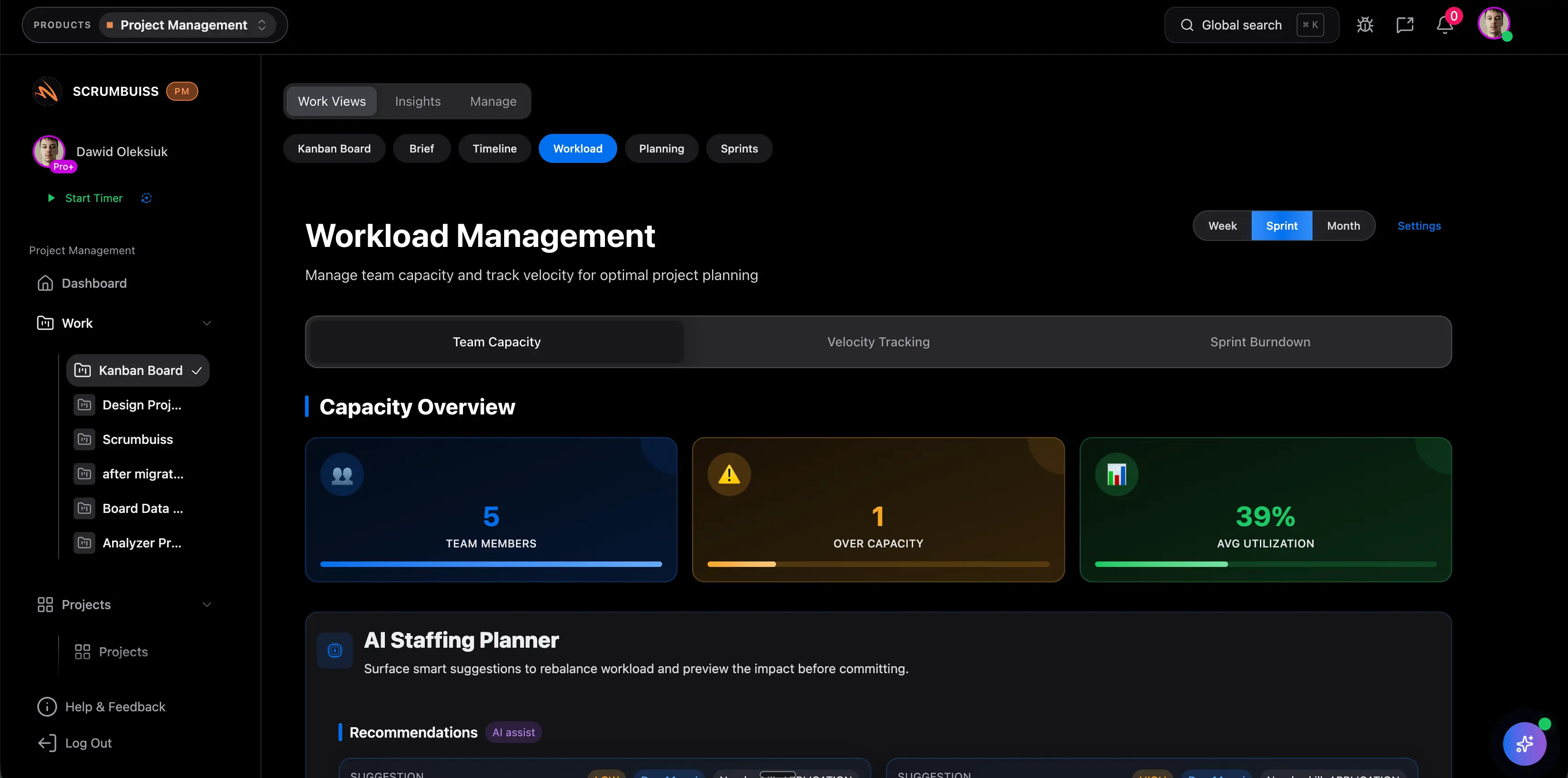
Scrumbuiss supports this workflow through Workload & Capacity, Gantt Timeline, Dashboard, and Time Tracking.
Resource Management vs. Resource Planning vs. Allocation
These terms often overlap, but they should not all target the same page.
| Term | Main focus | Primary question |
|---|---|---|
| Project resource management | End-to-end resource process | Are resources planned, assigned, monitored, and adjusted? |
| Resource planning | Future resource need | What people, skills, time, and tools will the project require? |
| Resource allocation | Assignment decisions | Who or what is assigned to each piece of work? |
| Capacity planning | Availability and load | Can the team absorb the work in the required timeframe? |
| Resource utilization | Usage metrics | How much available capacity is being used productively? |
Use this page when you need the whole operating model. Use the narrower pages when the problem is a specific decision or metric.
Project Resource Management Process
| Step | What to do | Evidence to review |
|---|---|---|
| Define work | Confirm deliverables, milestones, and acceptance criteria | Scope, roadmap, backlog, project brief |
| Identify resource needs | List roles, skills, tools, budget, and specialist support | Work breakdown, estimates, dependencies |
| Check availability | Compare need against calendars, PTO, current work, and support load | Capacity view, workload report, resource calendar |
| Assign resources | Match people or teams to work based on skill and priority | Allocation plan, task ownership, RACI |
| Monitor utilization | Watch effort, workload, bottlenecks, and idle time | Time data, status, burnup, dashboards |
| Rebalance | Move tasks, change dates, split scope, or escalate constraints | Updated timeline, risk log, decision record |
Common Project Resources
| Resource type | Examples | Common risk |
|---|---|---|
| People | Project manager, designer, engineer, QA, analyst, sponsor | Overcommitment or missing skill fit |
| Time | Sprint capacity, review windows, focus time, launch windows | Plans assume more availability than exists |
| Budget | Labor budget, contractor spend, tool cost, contingency | Cost changes are not tied to scope decisions |
| Tools | Project software, repositories, test environments, automation | Access or configuration arrives too late |
| Information | Requirements, customer input, compliance rules, data | Teams plan work before inputs are reliable |
| Facilities or equipment | Hardware, locations, devices, production environments | Shared resource conflicts are found too late |
How To Improve Project Resource Management
- Start resource review before dates are promised.
- Estimate demand by role, not only by total hours.
- Maintain a current resource calendar with PTO, holidays, and recurring commitments.
- Use a capacity check before approving new work.
- Assign accountable owners for high-risk work, not vague teams.
- Review utilization and workload every week.
- Record tradeoffs when scope, staffing, or dates change.
FAQ
Frequently
asked
questions
Related features
Explore the Scrumbuiss features mentioned in this article.
- Workload & Capacity
Balance workload, plan capacity, and spot overload early.
- Gantt Timeline
Plan dependencies, milestones, and schedule changes with a Gantt chart view that stays close to execution.
- Dashboard
Track project progress, blockers, workload, KPIs, status reporting, and analytics context in one live dashboard.
Unlock Success &
Power Up Your Projects
Next to explore
Explore more pages to understand the product suite, common workflows, and evaluation guides.