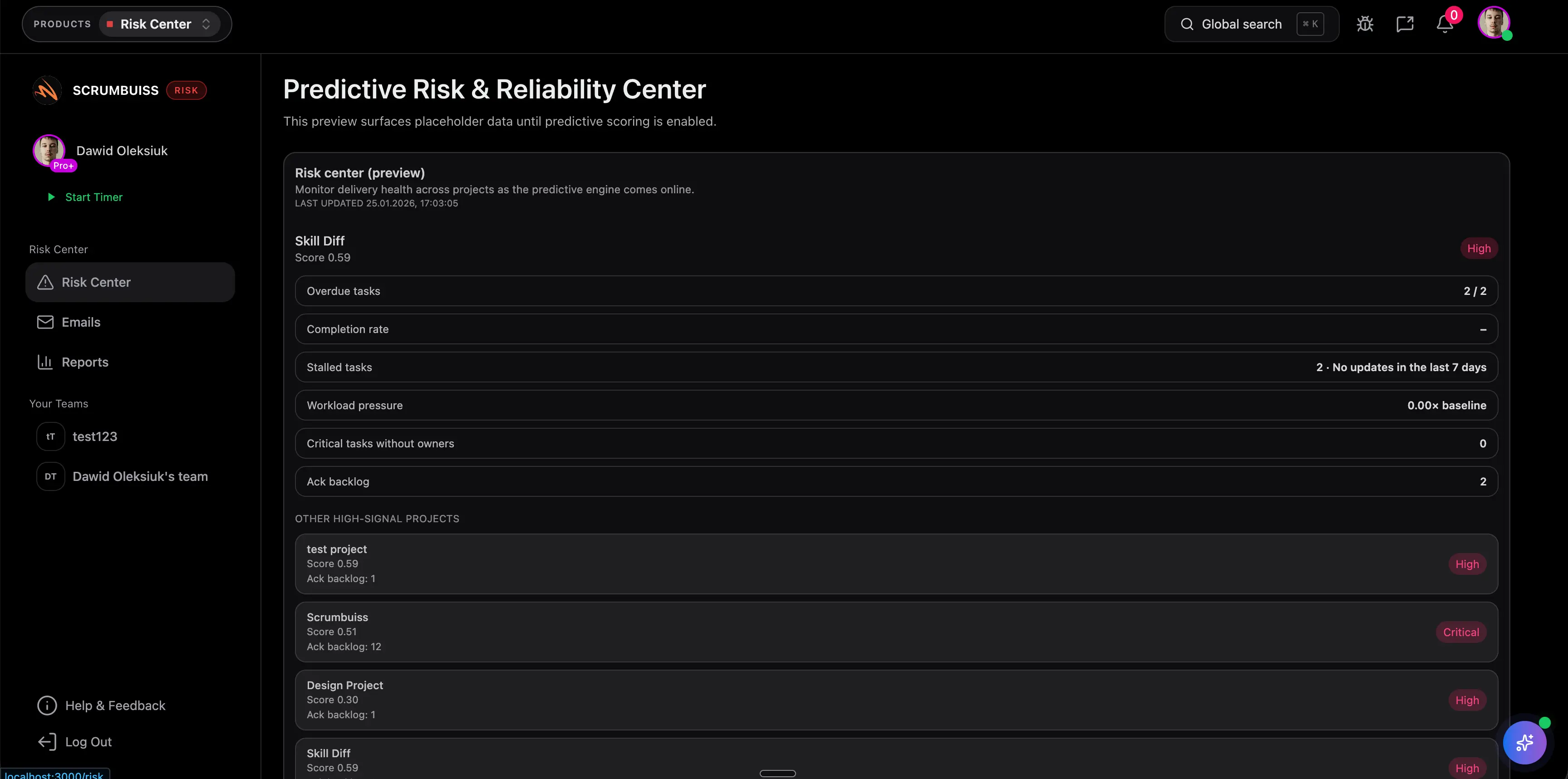
Project Risk Management Guide
Project risk management is the process of identifying, assessing, responding to, and monitoring uncertain events that could affect project outcomes. It helps teams act before risks become issues.
This guide targets the project risk management keyword cluster found in SEMrush. It connects to RAID, governance, and risk register content while keeping the primary focus on the end-to-end risk management process.
Key Takeaways
- Project risk management should start during planning and continue through delivery.
- A risk needs an owner, probability, impact, response plan, and review cadence.
- Risks are not the same as issues. A risk might happen. An issue is already happening.
- Risk management works best when it is connected to project status, decisions, and escalation paths.
What Is Project Risk Management?
Project risk management is a structured way to handle uncertainty in a project. It includes:
- finding possible risks
- assessing likelihood and impact
- deciding how to respond
- assigning owners
- tracking mitigation actions
- escalating risks that need sponsor or leadership support
- reviewing whether risk exposure is improving or worsening
Scrumbuiss supports risk review through Risk Center, Dashboard, Project Delivery, and Portfolio.
Risk vs. Issue vs. Assumption
| Term | Meaning | Example |
|---|---|---|
| Risk | Something uncertain that could affect the project | Vendor API access may be delayed |
| Issue | A problem that is already happening | Vendor API access is delayed |
| Assumption | Something the plan treats as true until validated | The vendor API supports required fields |
| Dependency | Something the project relies on | QA cannot start until the integration build is ready |
Use a RAID log when you want to track risks, assumptions, issues, and dependencies together. Use a risk register when risk ownership and mitigation need deeper detail.
Project Risk Management Steps
| Step | What to do |
|---|---|
| Identify risks | Review scope, schedule, dependencies, vendors, resources, quality, and approvals |
| Assess each risk | Score probability, impact, timing, and affected outcome |
| Assign an owner | Make one person accountable for monitoring and response |
| Choose a response | Avoid, reduce, transfer, accept, or escalate |
| Track mitigation | Define actions, due dates, and review rhythm |
| Monitor changes | Update status when probability or impact changes |
| Report risk | Include major risks in status reports and dashboards |
| Close or convert | Close resolved risks or convert them to issues when they occur |
What To Include in a Project Risk Management Plan
| Plan area | What to define |
|---|---|
| Risk categories | Schedule, budget, scope, resource, technical, stakeholder, vendor, compliance |
| Scoring method | How probability and impact are rated |
| Risk appetite | Which risks can be accepted and which require escalation |
| Ownership | Who owns each risk and who reviews the register |
| Review cadence | Weekly, milestone-based, or governance review |
| Reporting rules | Which risks appear in status reports or dashboards |
| Escalation path | Who decides when mitigation needs more budget, scope change, or priority shift |
Common Project Risk Examples
| Risk | Possible mitigation |
|---|---|
| Critical dependency slips | Add an earlier dependency review and fallback path |
| Key stakeholder is unavailable | Assign backup approver and confirm decision windows |
| Scope grows after kickoff | Use change control and update impact before approval |
| Team capacity is overcommitted | Reprioritize work and review workload before committing dates |
| Vendor delivery is uncertain | Add checkpoints, contract clarity, and contingency owner |
| Data quality is unknown | Run early sample validation before full implementation |
FAQ
Frequently
asked
questions
Related features
Explore the Scrumbuiss features mentioned in this article.
- Dashboard
Track project progress, blockers, workload, KPIs, status reporting, and analytics context in one live dashboard.
Unlock Success &
Power Up Your Projects
Next to explore
Explore more pages to understand the product suite, common workflows, and evaluation guides.