Project brief guide • reviewed March 16, 2026

Project Brief Software

Create a shareable project brief that keeps goals, scope, stakeholders, files, and key decisions connected to live delivery work instead of disappearing into a static kickoff document.

Use this page to compare project brief software before your team standardizes on another kickoff doc, static template, or whiteboard artifact that falls out of sync as soon as delivery starts.

Scrumbuiss project brief overview

How we reviewed project brief tools

Reviewed on March 16, 2026. This page compares one buying question: which tools help teams create a project brief that stays useful after kickoff, when scope changes, handoffs happen, files move, and stakeholders still need current context without reading every internal task.

  • Scrumbuiss references come from the live pricing page plus the Project Delivery, Files, Forms, Automations, Google Drive integration, project brief template, and Agencies workflow pages in this site.
  • Competitor references come from the official Asana project management features page, Smartsheet's project brief templates page, and Miro's briefing template page reviewed on March 16, 2026.
  • The goal is not to compare text editors. It is to help teams decide whether the brief stays connected to ownership, delivery context, and stakeholder sharing after the kickoff meeting ends.

When Scrumbuiss is a fit

The best decision depends less on whether the brief looks polished on day one and more on whether the brief remains useful once the project starts moving.

Strong fit for Scrumbuiss

Best when the project brief should stay readable after kickoff and remain connected to the work, files, and approvals that determine whether the project actually ships cleanly.

  • Your team keeps rewriting the same context across kickoff docs, shared folders, status updates, and delivery tools.
  • Stakeholders need one current brief link they can review without learning the whole internal workspace.
  • The buying need is not only a template. It is a living brief that stays attached to delivery work and handoffs.

Worth piloting carefully

A live pilot is useful when the team already has briefing docs, but they turn stale as soon as scope, dates, approvals, or assets change during delivery.

  • Test one real kickoff that involves multiple stakeholders, changing scope, or client-facing review.
  • Measure whether kickoff questions, handoff confusion, and status reconstruction decrease once everyone works from the same brief.
  • Validate that the brief stays useful during execution, not just during the first planning meeting.

Probably not the best fit

A simpler template or whiteboard may fit better when the team only needs a one-off kickoff artifact rather than an operating record that stays useful during execution.

  • You only need a downloadable project brief example for one meeting or one approval packet.
  • The current system already keeps files, ownership, approvals, and delivery context aligned after kickoff.
  • The main need is workshop facilitation or document drafting, not a project brief workflow tied to live delivery.

Software vs template vs charter

These jobs sound similar, but they solve different problems. Choosing the wrong category is how teams end up with a polished brief that nobody updates once delivery starts.

Choose project brief software

Use software when the brief should stay current after kickoff and remain connected to files, approvals, and delivery updates.

  • The brief needs to stay shareable and current as scope, milestones, and risks change.
  • Multiple stakeholders need one readable source of truth during kickoff, handoffs, and weekly review.
  • The team wants the brief close to project work instead of buried in a separate doc stack.

Choose a project brief template

Use a template when the team needs a fast starting point for the document itself rather than a live operating workflow.

  • You need a one-page outline, a filled example, or a checklist for the first draft.
  • The team is standardizing the structure of the brief before deciding where it should live long term.
  • You only need a static document for kickoff and can manage updates elsewhere.
Use the free project brief template

Choose a project charter

Use a charter when the organization needs a more formal approval or governance document than an operational project brief.

  • The document is primarily for authorization, governance, or executive approval.
  • You need a more formal record than a lightweight delivery brief.
  • The team is optimizing for sign-off structure rather than day-to-day handoff readability.

Create the brief once

Capture scope, stakeholders, and delivery context before kickoff drifts into chats and side docs

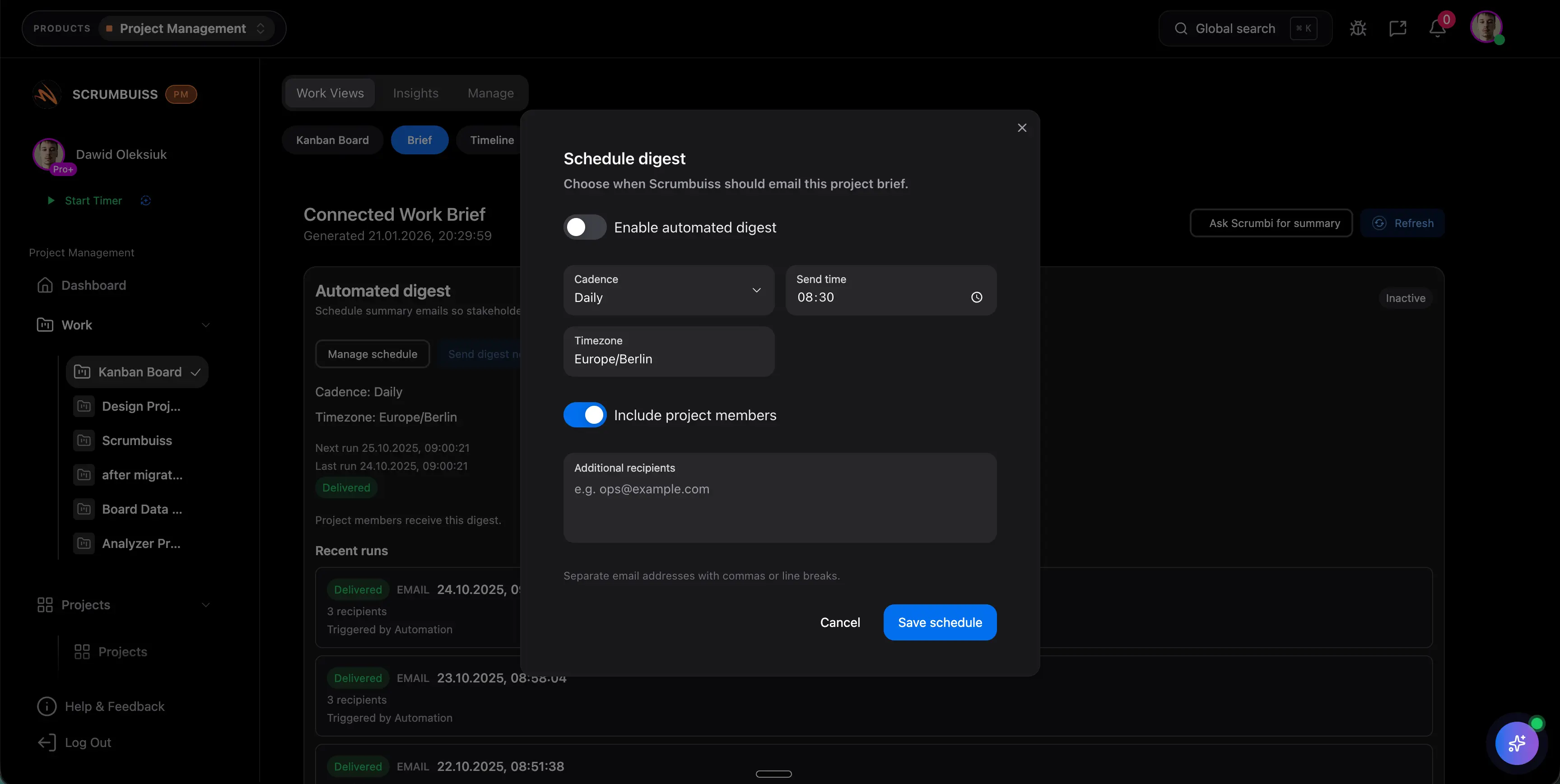
A project brief is only useful if it starts with enough structure to survive the first round of questions. The team should be able to capture the goal, scope, non-goals, owners, milestones, and supporting context before the kickoff meeting turns into another note-taking exercise.

  • Start with the business goal, scope boundaries, key stakeholders, milestones, and success criteria in one brief.
  • Collect the supporting details early so the team does not retype the same context into forms, files, and delivery tools later.
  • Use the brief as the readable kickoff layer before work spreads into tasks, status views, and file handoffs.
Scrumbuiss project brief draft used for kickoff alignment

Keep the brief current

Treat the brief as a living project record, not a file no one updates after kickoff

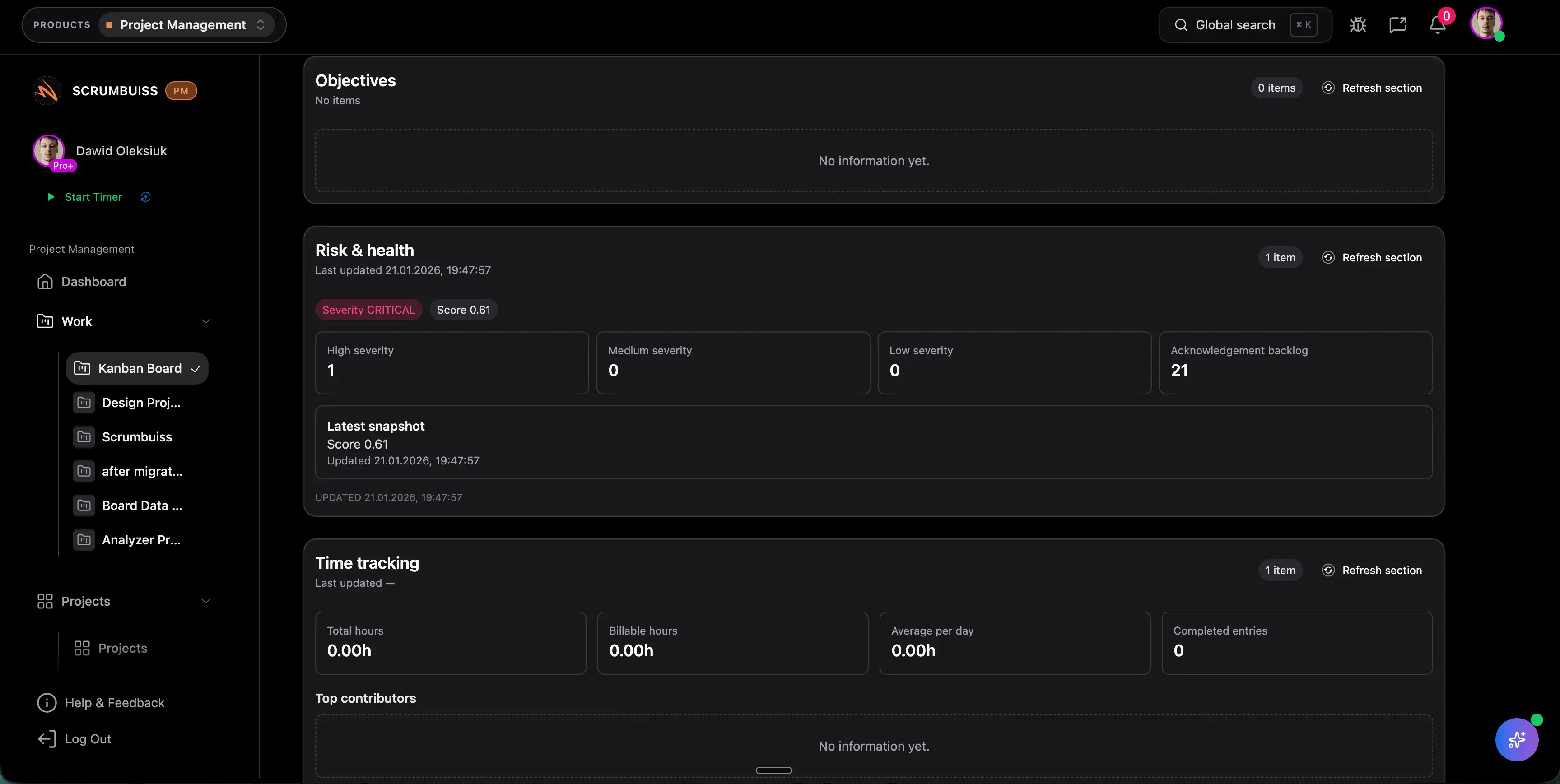
The real buying question is not whether the brief looks good on day one. It is whether the same brief stays trustworthy once scope changes, dates slip, assets move, and delivery decisions need to be explained to people outside the day-to-day work.

  • Update scope, milestones, risks, approvals, and open questions in the same brief instead of creating a second status document.
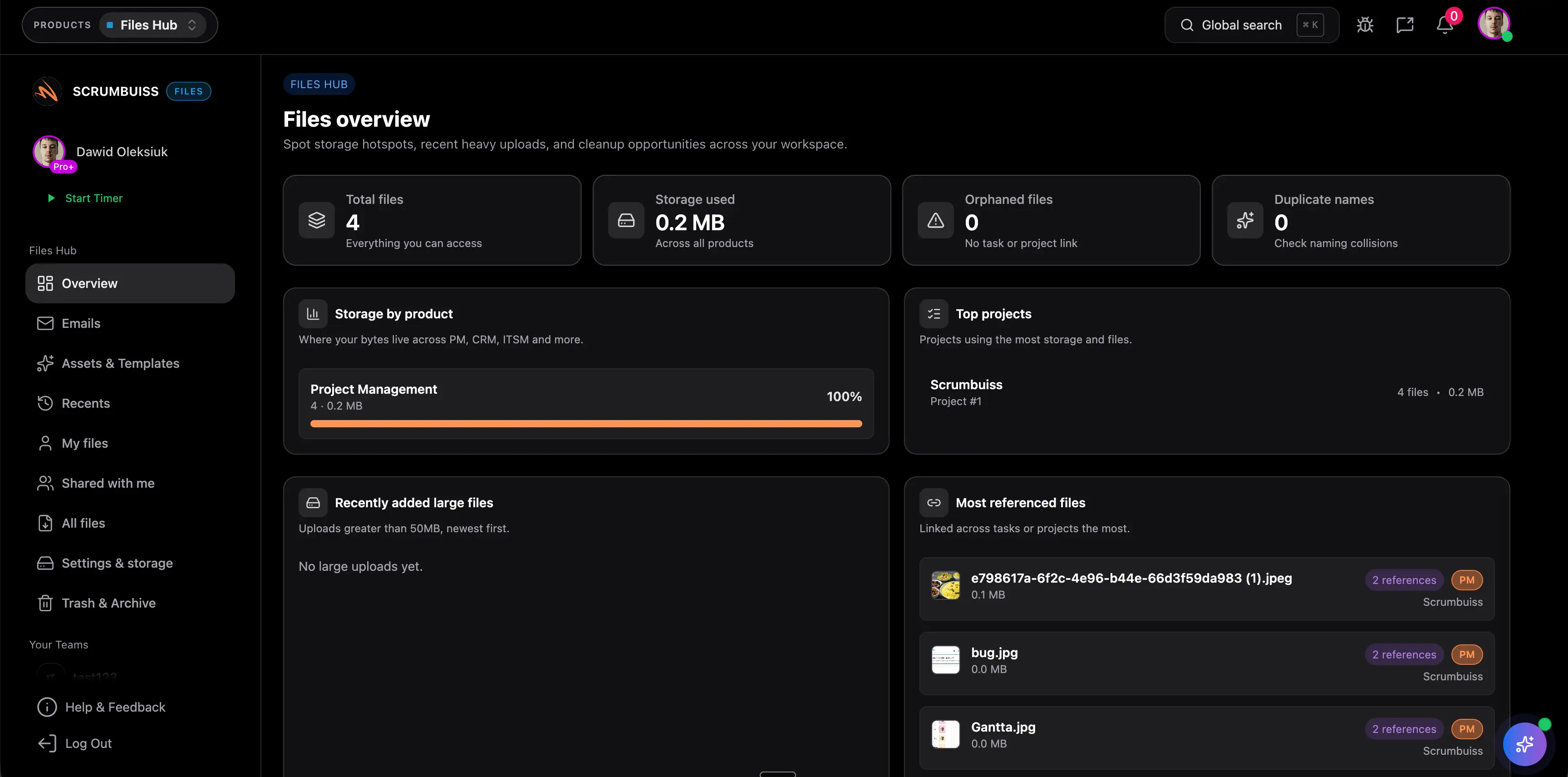
  • Keep linked files, source documents, and handoff context visible from the brief so the latest version is easy to open.
  • Reduce rework caused by stale kickoff notes, duplicate docs, and missing decision history once the project is already in motion.
Scrumbuiss project brief kept current as delivery context changes

Share the right context

Share a brief link with stakeholders without exposing the whole internal workflow

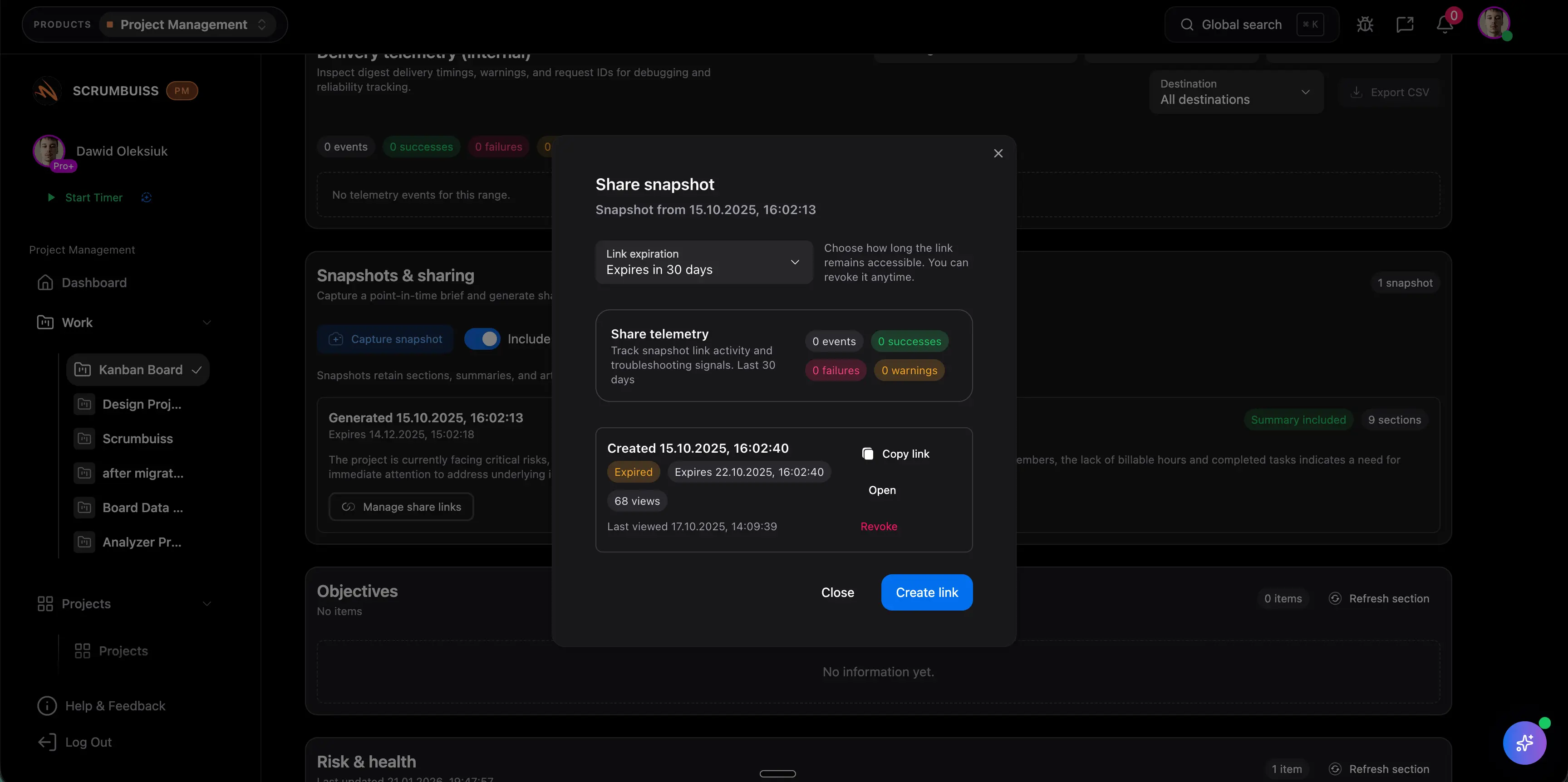
Stakeholder alignment breaks down when the project brief is either too hidden to use or too disconnected from the real work to trust. The better model gives clients, approvers, and leaders one readable place to review the current brief without forcing them into the entire delivery workspace.

  • Give stakeholders one shareable brief link they can review before kickoff, approval, or a handoff decision.
  • Use the brief as the reference point for client updates, approvals, and weekly status reviews instead of rebuilding the story in email.
  • Validate that the sharing model stays simple enough that external stakeholders actually use the brief when the project changes.
Scrumbuiss shareable project brief for stakeholders

Competitor snapshot

These tools can all help teams document context, but they package briefs in different ways. The useful comparison is whether the brief becomes a living, shareable part of delivery or remains a static template, whiteboard, or broader project-management feature.

Tool Best for Brief angle Main tradeoff Why teams choose Scrumbuiss instead
Scrumbuiss Teams that want project briefs to stay connected to delivery work, files, approvals, and stakeholder updates in one operating layer. Scrumbuiss positions the brief as a shareable, living part of the workflow instead of a one-time template download. It is newer than the best-known work management brands, so teams should validate the workflow with one live kickoff and one real stakeholder review cycle before standardizing. The brief can stay close to files, forms, delivery work, and follow-up context instead of becoming a separate document someone has to manually reconcile.
Asana Teams that want broad task and project management features inside a familiar collaborative workspace. Asana publicly positions project and task management around keeping teams in sync and on schedule across the broader work-management workflow. Buyers should validate whether kickoff brief discipline, external sharing, and living handoff context stay clear enough without a more explicit project brief workflow. Scrumbuiss is stronger when the shortlist prioritizes a dedicated, shareable brief that stays attached to scope, files, and delivery context as the project evolves.
Smartsheet Teams that mainly need downloadable project brief templates and guidance they can adapt in spreadsheets or documents. Smartsheet publicly emphasizes free project brief templates and tips for using a project brief template successfully. Template-first guidance is useful at kickoff, but buyers still need to decide where the current brief lives once scope changes, approvals move, and delivery starts. Scrumbuiss is stronger when the brief should remain a live, shareable working record instead of a static template someone exports and manually updates.
Miro Teams that want a collaborative visual briefing template inside a whiteboard-centric workspace. Miro publicly presents a briefing template through Miroverse, its community template gallery for collaborative planning and ideation. A collaborative brief board can help workshops, but teams should validate how ownership, version control, files, and delivery follow-up stay connected after the session ends. Scrumbuiss is stronger when the evaluation centers on a project brief that should stay readable during kickoff, execution, and stakeholder reporting instead of a whiteboard artifact.

Review current plan limits, sharing models, and template ownership on vendor pages before you buy. Product names are trademarks of their respective owners.

What to validate in a live pilot

The best pilot is one real kickoff or handoff that already causes friction. Use the checklist below to judge whether project brief software reduces rework and improves stakeholder readability, not just whether the first draft looks cleaner than the old doc.

  1. Step 1

    Pick one real project kickoff or client handoff that currently relies on scattered notes, docs, or email threads.

  2. Step 2

    Define the minimum brief fields your team needs: goal, scope, stakeholders, milestones, approvals, files, and open questions.

  3. Step 3

    Run the project from the brief for one full cycle and update it when scope or dates change instead of creating a second status document.

  4. Step 4

    Check whether internal owners can open the current files, decision context, and follow-up work directly from the brief.

  5. Step 5

    Share the brief with at least one stakeholder who does not need full workspace access and confirm the workflow is still readable.

  6. Step 6

    Measure whether kickoff rework, scope confusion, or status reconstruction decreases during the pilot.

FAQ

These are the buying and rollout questions teams usually need answered before project brief software becomes dependable enough to standardize across kickoff, handoff, and stakeholder review workflows.

What is project brief software?

Project brief software helps teams capture the goal, scope, stakeholders, files, approvals, and key decisions for a project in one shareable place. The useful version does more than store a kickoff document. It keeps the brief connected to delivery work after the project starts moving.

How is project brief software different from a project brief template?

A project brief template gives you the structure of the document. Project brief software is where the brief stays alive during delivery. Teams use templates to draft faster, but they choose software when the brief needs to remain current, shareable, and connected to files, ownership, and execution context.

What is the difference between a project brief and a project charter?

A project brief is usually shorter and more operational. It helps teams align on scope, stakeholders, milestones, and next steps in a format people can actually revisit during delivery. A project charter is often more formal and approval-focused, especially in larger organizations.

Who should update the brief after kickoff?

Usually the delivery lead, project manager, account lead, or product owner should keep it current. The important part is assigning one person to update the brief when scope, dates, risks, or decisions change so the shared version stays trustworthy.

Can agencies or client-facing teams share the same project brief externally?

Yes, if the sharing model is clear enough for clients or stakeholders to review the brief without needing the full internal workflow. The goal is to share the current brief context, not to expose every internal task or operational detail.

What should teams test before rolling project brief software out widely?

Test one real kickoff or handoff first. Validate that the brief captures enough context upfront, stays current when the plan changes, links to the right files and work, and remains readable for stakeholders who are not living in the project tool every day.