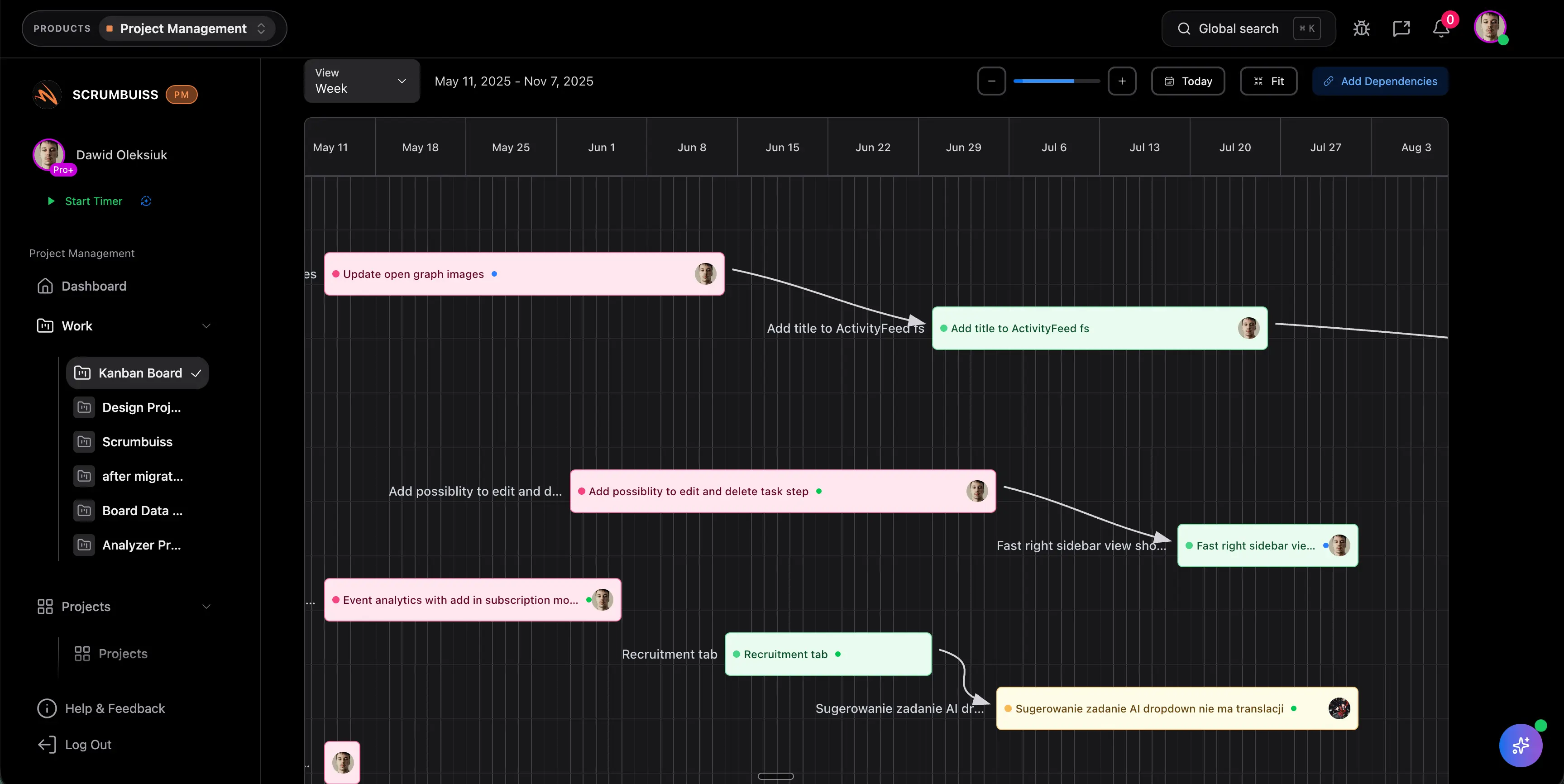
Dependencies in Project Management
Dependencies in project management are relationships between tasks, deliverables, teams, approvals, or external events where one item affects another. If a dependency is missed, the plan can look healthy while the actual delivery path is blocked.
This guide targets the project dependency management keyword cluster found in SEMrush research. It supports critical path, scheduling, and baseline pages by explaining the dependency logic behind project timing.
Key Takeaways
- A dependency exists when one task, decision, or deliverable relies on another.
- Dependencies can be internal, external, mandatory, discretionary, resource-based, or approval-based.
- Dependency management needs named owners and review cadence.
- Unmanaged dependencies often become schedule risk, scope conflict, or stakeholder escalation.
What Are Dependencies in Project Management?
A dependency is a relationship where one project item depends on another. Examples include:
- design must be approved before development starts
- legal review must finish before launch
- a vendor file must arrive before migration testing
- a specialist must complete one task before another team can continue
- a client decision must happen before scope can be finalized
Dependencies matter because they affect sequence, timing, and accountability.
Types of Dependencies
| Dependency type | Meaning | Example |
|---|---|---|
| Finish-to-start | One task must finish before another starts | Copy approved before page build starts |
| Start-to-start | One task must start before another starts | Discovery starts before research notes begin |
| Finish-to-finish | One task must finish before another finishes | QA must finish before release notes are final |
| Start-to-finish | One task must start before another can finish | New support process starts before old process closes |
| External | Dependency outside the project team | Vendor file, legal approval, client feedback |
| Resource | Same person or team needed for multiple tasks | Engineer needed for migration and bug fix |
Most teams use finish-to-start most often, but external and resource dependencies are usually where risk hides.
Dependency Management Workflow
| Step | What to do |
|---|---|
| Identify | List dependencies during planning, kickoff, and schedule review |
| Assign | Name an owner for each dependency |
| Date | Add needed-by dates and expected completion dates |
| Monitor | Review status during weekly delivery or risk checks |
| Escalate | Raise blocked or late dependencies before milestones are missed |
| Update | Adjust schedule, scope, or ownership when dependencies change |
Scrumbuiss supports dependency visibility through Gantt Timeline, Sprints, Dashboard, Risk Center, and Activity Feed.
Dependency Risk Signals
- the owner is unclear
- the dependency sits outside the team
- the needed-by date is earlier than the expected date
- approval depends on a stakeholder who is not engaged
- multiple critical tasks rely on the same person
- the dependency is not visible in the schedule
If a dependency can affect a milestone, it should be reviewed like a project risk.
FAQ
Frequently
asked
questions
Related features
Explore the Scrumbuiss features mentioned in this article.
- Gantt Timeline
Plan dependencies, milestones, and schedule changes with a Gantt chart view that stays close to execution.
- Sprints
Manage your sprints and tasks with our intuitive sprint view. Stay organized and on track with deadlines, milestones, and team schedules in one place.
- Dashboard
Track project progress, blockers, workload, KPIs, status reporting, and analytics context in one live dashboard.
- Activity Feed
Stay up to date with real-time updates on tasks, progress, and team activities.
Unlock Success &
Power Up Your Projects
Next to explore
Explore more pages to understand the product suite, common workflows, and evaluation guides.