Task management guide - reviewed May 19, 2026

Task Management Software for Teams

Scrumbuiss helps teams turn tasks into accountable work with Kanban boards, task tracker fields, sprint planning, priorities, custom fields, timelines, and dashboards that keep project context visible beyond the checklist.

This page is for teams evaluating task management software with project-management depth. It is intentionally narrower than the full solutions hub and broader than a single Kanban or sprint feature page.

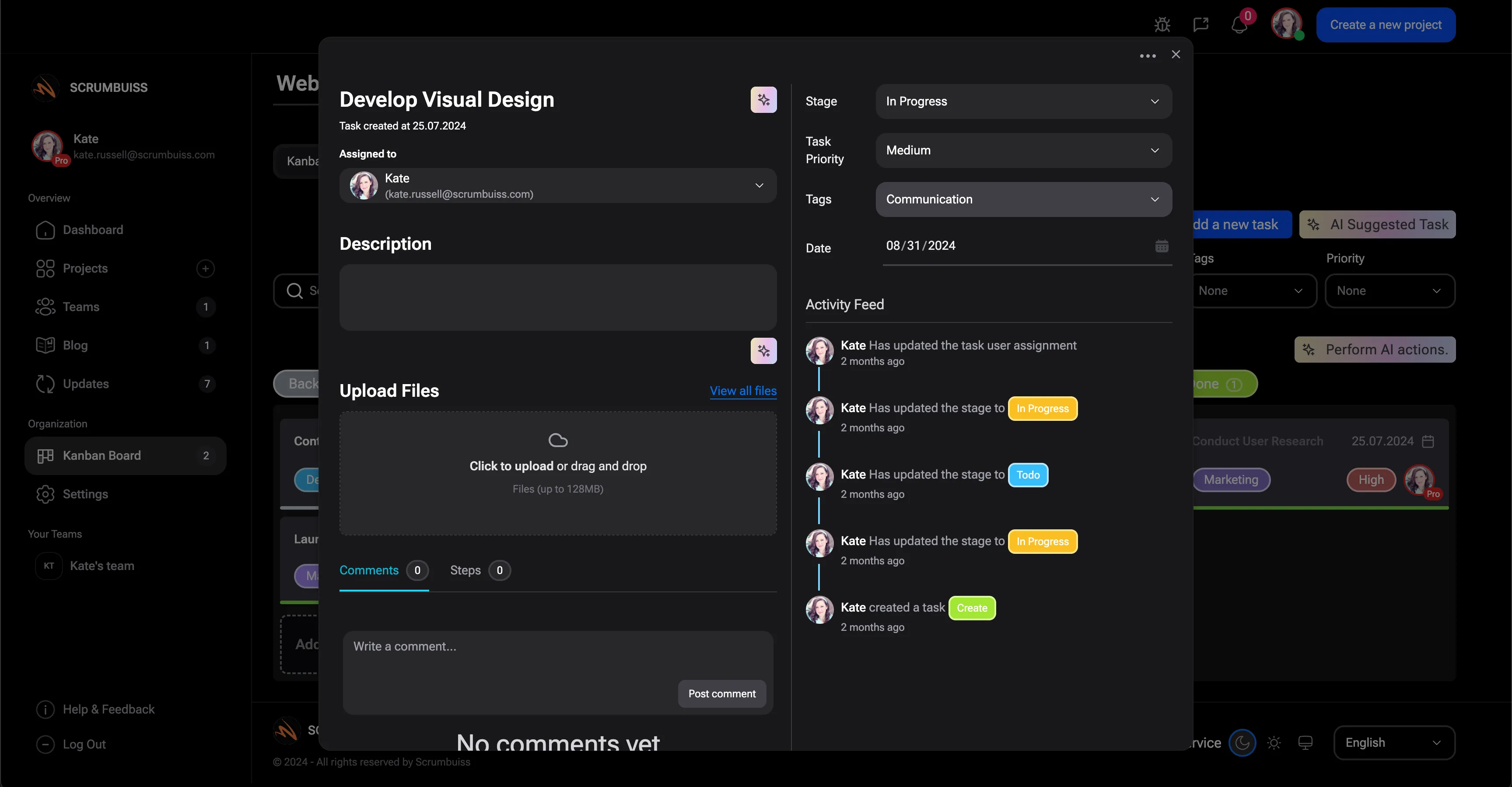
Scrumbuiss task management software with task ownership and project context

How we reviewed task management software fit

Reviewed on May 19, 2026. This guide evaluates whether a task-management layer can support team execution, project context, and stakeholder reporting without turning every update into manual project-management work.

  • Scrumbuiss references come from the Kanban, Sprints, Dashboard, Custom Fields, Gantt Timeline, Project Delivery, Software Teams, project plan template, and Kanban board template pages.
  • The SEMrush export showed task-management intent mapped to broad pages, so this page gives that intent a focused destination without changing the homepage into a keyword catch-all.
  • The page separates task execution from workflow management and collaboration so buyers can choose the page that matches their real problem.
When Scrumbuiss is a fit

Task management becomes valuable when it gives the team a reliable operating rhythm, not just a place to park todos.

Strong fit for Scrumbuiss

Best when task management needs to stay tied to project delivery, sprint planning, dashboards, and adjacent workflow context.

  • The team needs clear ownership, priorities, and status across active project work.
  • Tasks need enough structure for reporting, custom fields, automations, and dependencies.
  • Leads want one place to coordinate execution and explain progress to stakeholders.

Worth piloting carefully

A pilot is useful when the team already has task lists but still struggles with blocked work, unclear priorities, or manual status reporting.

  • Run one live project with a real board, owners, priorities, and recurring review cadence.
  • Test whether dashboards and status views replace manual update gathering.
  • Validate whether the team can add structure without making task capture feel heavy.

Probably not the best fit

A lightweight personal task app may fit better when the requirement is individual todos rather than team execution and project visibility.

  • The work does not need team ownership, dependencies, reporting, or workflow context.
  • The buyer only needs private personal task capture.
  • The team already has a stable delivery system and only needs a simple checklist companion.

Own the work

Make task ownership and priority visible

Task management software should help every person understand what they own, what matters next, and where the work sits in the broader project.

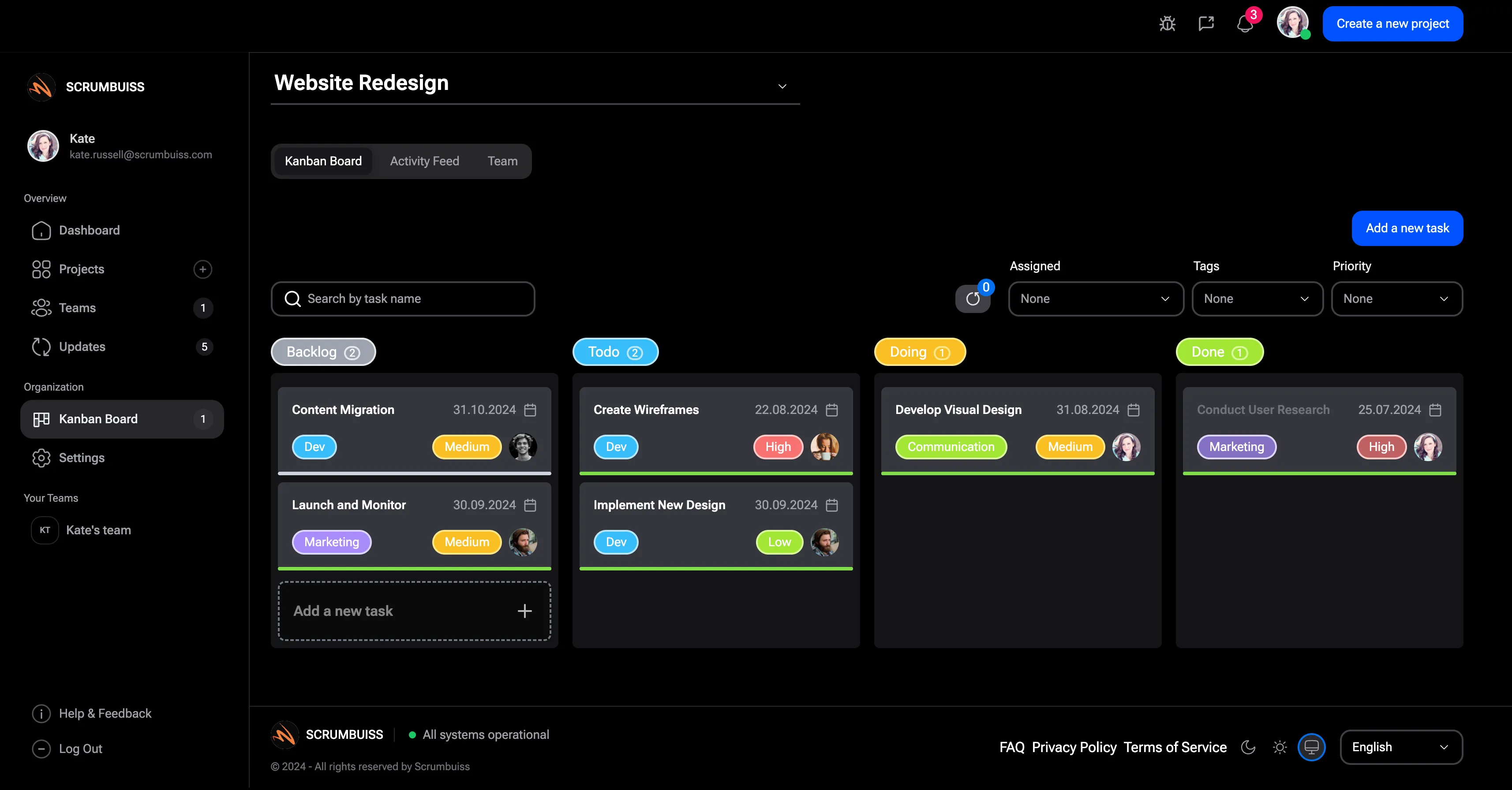
  • Use Kanban views to make task status and ownership easy to scan.
  • Use custom fields and priorities to make work sortable without relying on inconsistent labels.
  • Keep briefs, files, and activity close to the task so context is not scattered.
Scrumbuiss Kanban board for team task management

Plan delivery

Move from task lists to sprint and timeline commitments

Teams outgrow simple task lists when commitments, dependencies, and dates need to be planned together. Scrumbuiss keeps those planning layers close to the tasks.

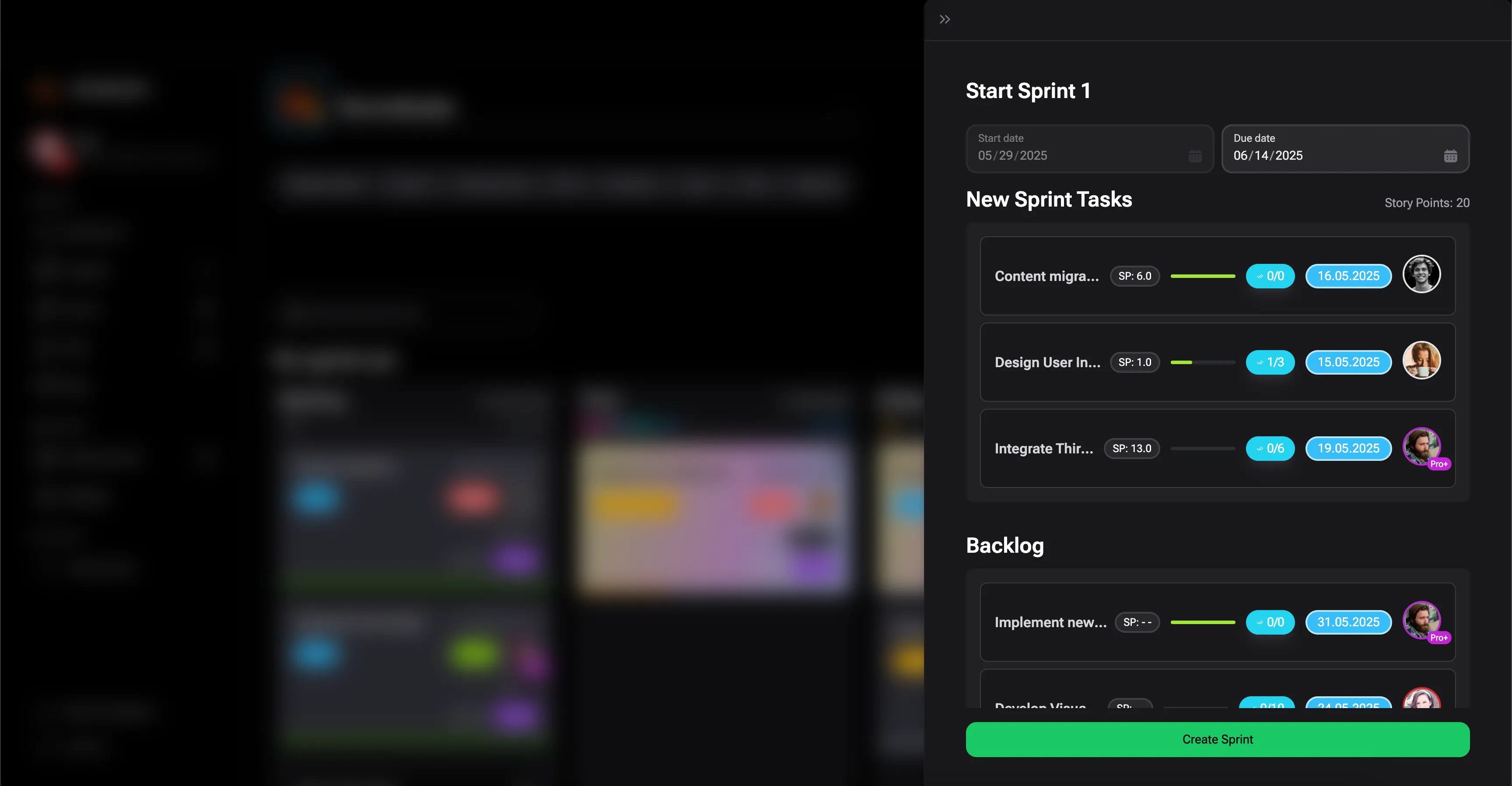
  • Plan sprint commitments and backlog work without splitting execution into a second system.
  • Use timelines to make dependencies and target dates visible.
  • Review workload before a task plan turns into an unrealistic commitment.
Scrumbuiss sprint planning for team task management

Report progress

Turn task activity into project reporting

The task system should make status easier to explain. Dashboards and activity history help teams move from raw tasks to readable updates.

  • Use dashboards to review progress, risk, and active ownership.
  • Use activity history to explain what changed without reconstructing the story manually.
  • Connect task reporting to project delivery, software-team, and agency workflows.
Scrumbuiss dashboard for task and project reporting

Where to go next

Use these pages when your task-management evaluation is actually about a broader workflow.

Kanban board template

Use this when you need a spreadsheet-friendly starting point for columns, card fields, WIP limits, and blockers.

Project plan template

Use this when task execution needs to roll up into phases, milestones, dependencies, and deliverables.

Task management software FAQ

These answers keep the page focused on team task execution, not generic productivity advice.

What makes task management software useful for teams?

It makes ownership, priority, status, blockers, and context visible enough that the team can coordinate work without rebuilding status manually.

How is this different from project management software?

Task management focuses on individual work items and execution. Project management adds planning, dependencies, reporting, workload, stakeholder visibility, and broader workflow control.

Can Scrumbuiss support agile task management?

Yes. Teams can use Kanban, sprints, planning poker, timelines, dashboards, and workload views to run agile task workflows inside broader project delivery.
