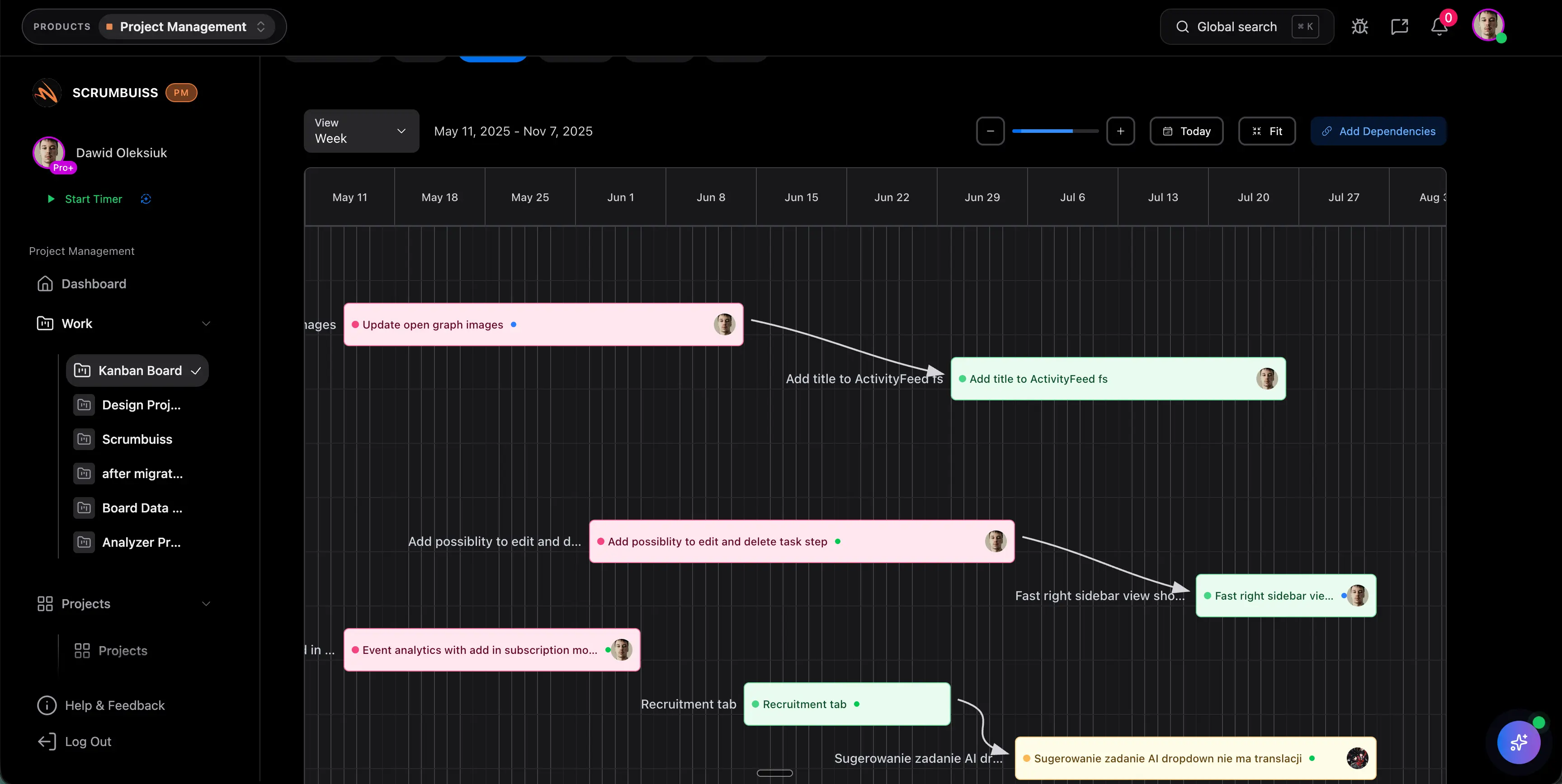
Project Management Workflow: Design a Repeatable Delivery System
A project management workflow is the path work follows from request to outcome. It defines how projects are submitted, approved, scoped, assigned, tracked, reported, and closed. When the workflow is clear, the team spends less time asking where things stand and more time moving the right work forward.
This page focuses on workflow design. It supports the broader project management process guide by showing how the process becomes an operating system inside a team.
Key Takeaways
- A project management workflow turns the process into repeatable handoffs, statuses, owners, and review points.
- The workflow should connect intake, scoping, planning, execution, reporting, approvals, and closeout.
- A good workflow reduces manual translation between forms, briefs, boards, files, dashboards, and stakeholder updates.
- The best workflow is visible enough for managers and lightweight enough for contributors.
What Is a Project Management Workflow?
A project management workflow is the sequence of states, actions, and responsibilities that moves a project through the delivery system. It is more specific than a process and more operational than a methodology.
For example:
| Workflow stage | What changes |
|---|---|
| Requested | A new idea or need enters the system |
| Qualified | The request has enough information to evaluate |
| Approved | The team agrees the work should move forward |
| Scoped | Goals, deliverables, owners, and constraints are defined |
| Planned | Tasks, dates, dependencies, risks, and capacity are mapped |
| In progress | Work is actively being delivered |
| In review | Deliverables, quality, or stakeholder approval are being checked |
| Ready to launch | Release, handoff, or delivery conditions are met |
| Closed | The project is accepted, archived, and reviewed |
The exact statuses do not matter as much as the rules behind them. Each status should tell the team what is true, who owns the next move, and what information is required before the work advances.
Workflow vs. Board
A board is a view. A workflow is the operating logic behind the view.
Boards often show statuses like To Do, In Progress, Review, and Done. That is useful, but it does not explain how projects enter the board, when scope is accepted, where risks live, how approvals work, or how stakeholders receive status.
Use a board for visibility. Use a workflow for control.
A Project Management Workflow Diagram in Words
Use this simple flow as a starting point:
| Step | Input | Output |
|---|---|---|
| Intake | Request form, customer need, internal idea | Qualified request |
| Triage | Business value, urgency, effort, owner | Approved, deferred, or rejected decision |
| Brief | Goals, audience, scope, non-goals, context | Shared project brief |
| Plan | Tasks, timeline, dependencies, workload, risks | Delivery plan |
| Execute | Assigned work and project context | Completed deliverables |
| Review | Acceptance criteria, QA, stakeholder feedback | Approved or revised work |
| Report | Progress, blockers, risks, changes | Weekly status or dashboard update |
| Close | Acceptance, handoff, lessons | Archived project and improvements |
This workflow is intentionally plain. Complex teams can add paths for change requests, incident escalation, client approvals, sprint planning, or release readiness. The base flow should stay understandable.
Workflow Components Every Team Needs
Intake rules
The workflow should define what a request must include before anyone estimates or starts work. At minimum, capture:
- requester and accountable owner
- problem or opportunity
- affected audience
- expected outcome
- deadline or urgency
- known constraints
- related files, examples, or approvals
Scrumbuiss Forms and Project Intake help standardize this step so teams do not begin from incomplete chat messages.
Brief and scope
Once a request is worth considering, convert it into a shared brief. The brief should explain the reason for the work, not just the task list. Keep goals, non-goals, assumptions, constraints, and success measures visible through execution.
Use Project Brief when kickoff context often gets lost after planning.
Ownership and handoffs
Every workflow state should answer:
- Who owns the current step?
- What must be true before work moves forward?
- Who reviews or approves the next step?
- What happens if the work is blocked?
Ambiguous handoffs are where workflows quietly fail.
Delivery views
Most teams need more than one view:
| View | Best for |
|---|---|
| Board | Active work, handoffs, blockers |
| Timeline | Milestones, dependencies, date risk |
| Workload | Capacity, over-allocation, ownership pressure |
| Dashboard | Status, reporting, health signals |
| Files or brief | Decisions, assets, context |
The workflow should decide when each view matters. It should not force every audience into the same board.
Reporting
Status reporting is part of the workflow, not an afterthought. If reporting is disconnected, managers rebuild progress in spreadsheets or slides. A project management dashboard can reduce this work when it uses live project data.
For a written stakeholder update, use the weekly project status report guide.
Workflow Design Checklist
Before rolling out a workflow, answer these questions:
| Question | Good answer |
|---|---|
| What starts the workflow? | A form, request, template, or approved project record |
| What information is required at intake? | Enough context to evaluate value, urgency, and feasibility |
| Who can approve work? | Named roles or decision group |
| What statuses are allowed? | A short list with clear entry and exit criteria |
| How are risks handled? | Logged, owned, reviewed, and escalated |
| How is workload checked? | Before commitment and during replanning |
| How are stakeholders updated? | Dashboard, weekly report, or scheduled review |
| What closes the workflow? | Acceptance, handoff, archive, and lessons learned |
Common Workflow Mistakes
Too many statuses
If the team cannot explain each status in one sentence, the workflow is too complicated. Start with fewer states and add only when a real decision point is missing.
No intake quality bar
A bad intake workflow pushes unclear work downstream. That creates rework in planning, delivery, and reporting.
Treating approval as a comment
Approvals should be explicit. Comments are useful for discussion, but the workflow should make the decision visible.
Reporting outside the workflow
When managers export data every week to create status, the workflow is not reporting-ready. Fix the data model or dashboard before adding more meetings.
Ignoring capacity
A workflow can be perfectly organized and still fail if it commits overloaded people. Add resource capacity planning before the team accepts new work.
FAQ
Frequently
asked
questions
Related features
Explore the Scrumbuiss features mentioned in this article.
- Forms
Capture project requests with intake forms and route approved work into the right workflow.
- Project Brief
Create a shareable project brief that stays connected to scope, files, and stakeholder updates.
- Dashboard
Track project progress, blockers, workload, KPIs, status reporting, and analytics context in one live dashboard.
Unlock Success &
Power Up Your Projects
Next to explore
Explore more pages to understand the product suite, common workflows, and evaluation guides.