Client portal guide • reviewed March 19, 2026

Client Portal Software for Agencies and Implementation Teams

Client portal software gives agencies and implementation teams a controlled place to share kickoff context, collect files and approvals, and keep clients updated without exposing the whole internal workspace. Scrumbuiss fits best when that external view should stay attached to CRM handoff, briefs, files, tracked work, and follow-up after kickoff.

Scrumbuiss now ships an invite-only client portal MVP for agencies and implementation teams. This page helps buyers judge whether that shipped scope is enough or whether they still need a more portal-first suite with broader branding or administration.

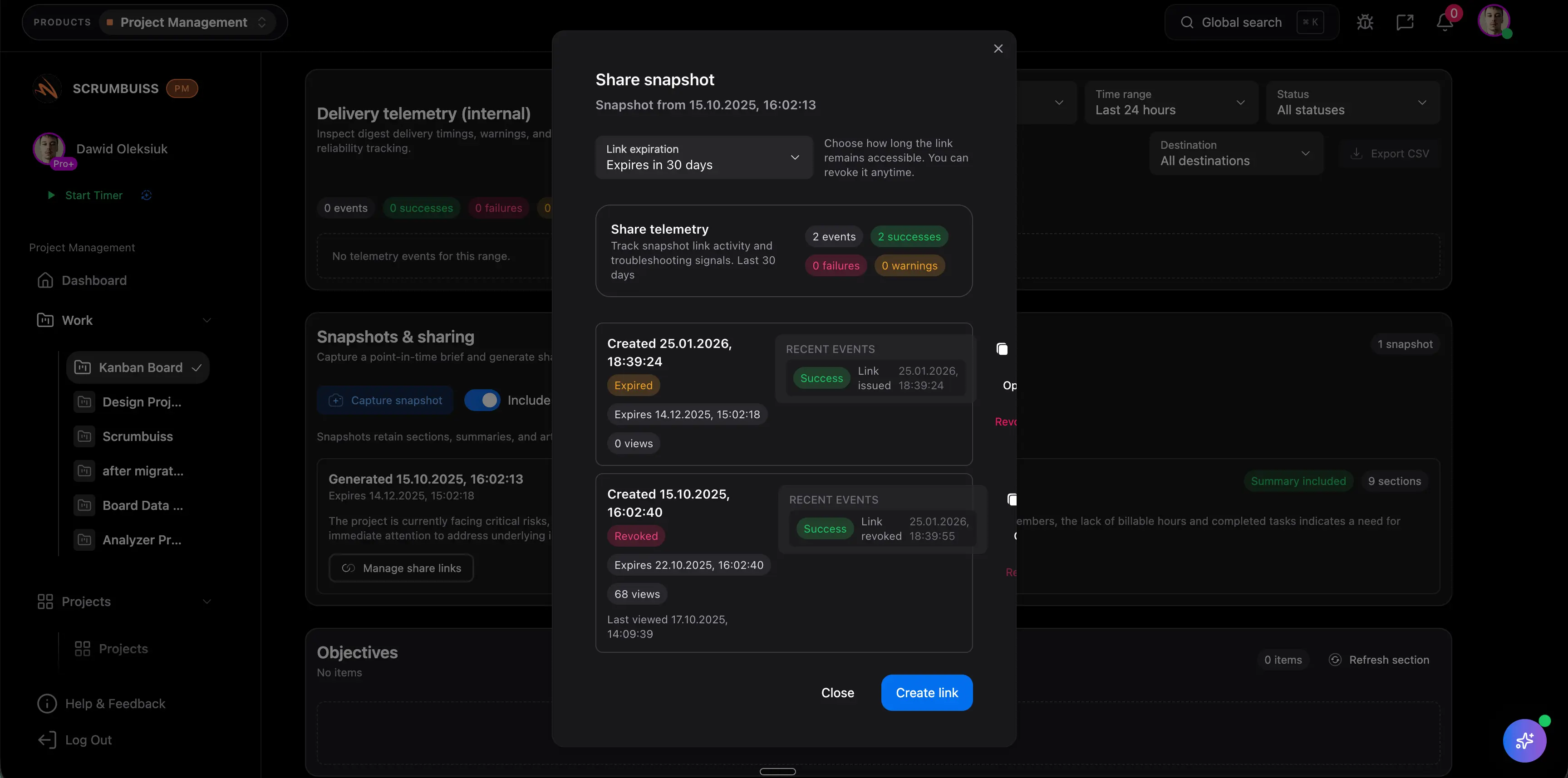
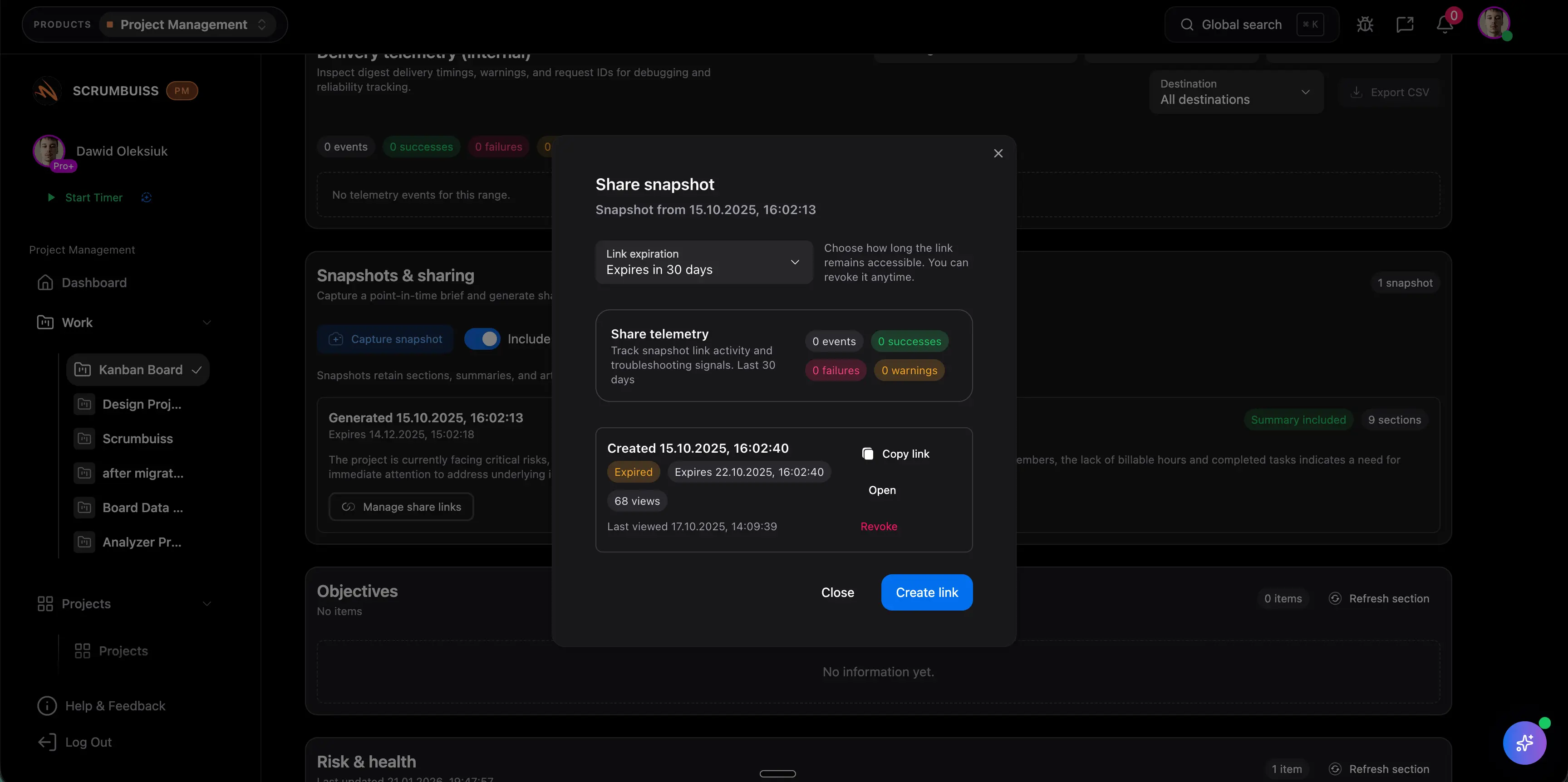
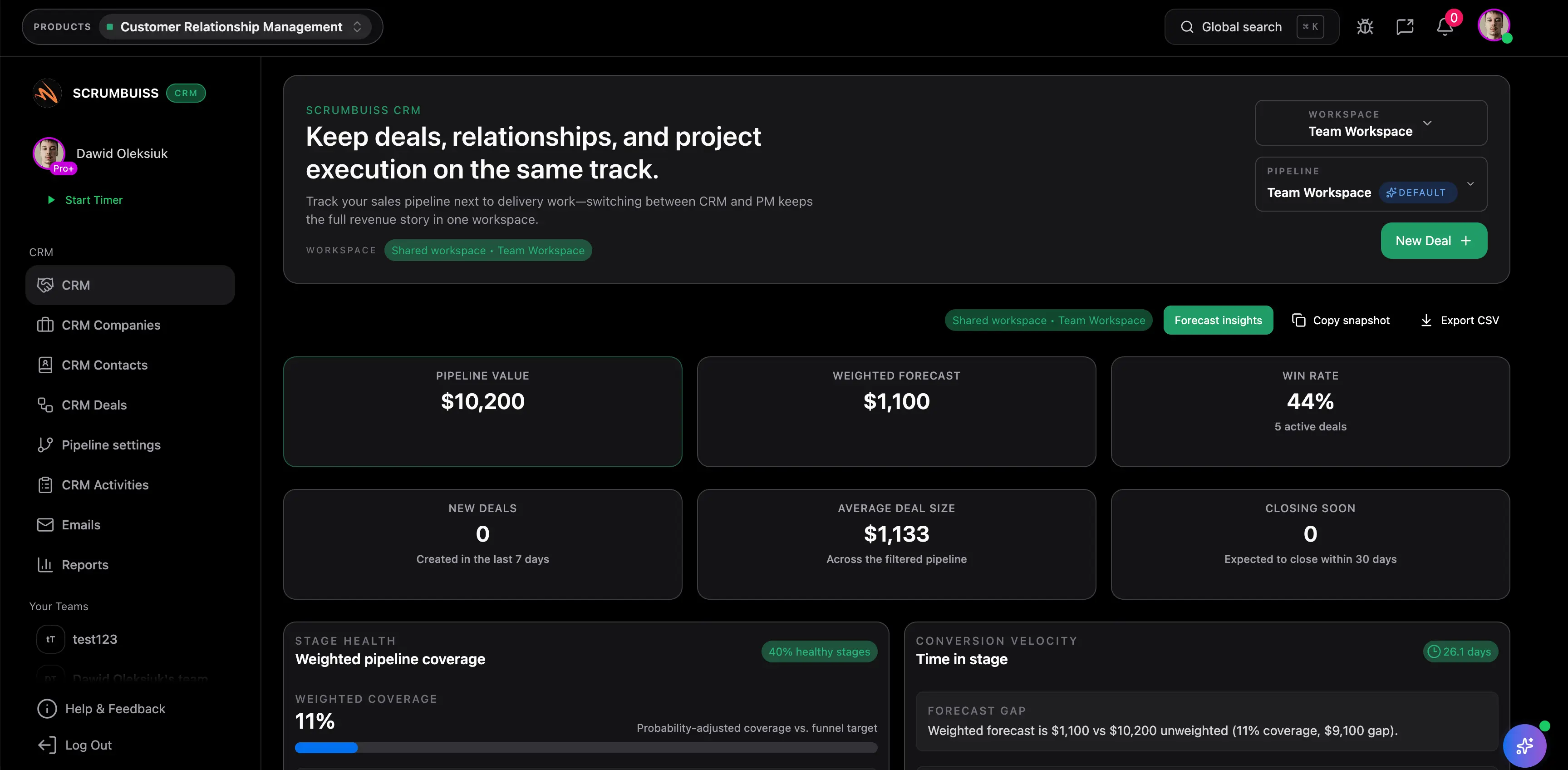
Scrumbuiss client-facing sharing and status workflow

How we reviewed client portal software

Reviewed on March 19, 2026. This buyer guide compares one category question: which client portal software helps agencies and implementation teams give clients a controlled view of onboarding, files, approvals, and progress without breaking continuity between the sale, kickoff, and live delivery work.

  • Scrumbuiss references come from the live pricing page, Security page, Client Onboarding use case, Agencies use case, CRM page, Files page, Forms page, Project Brief page, and Time Tracking page in this site.
  • Competitor references come from the official client portal pages published by Assembly/Copilot, Moxo, Onehub, SuiteDash, and Clinked reviewed on March 19, 2026.
  • The goal is not to compare every white-label or billing feature. It is to help buyers judge whether invite-only external access with assigned-project visibility should be a dedicated portal layer or part of a delivery-connected workflow that still makes sense after kickoff.
  • Scrumbuiss claims on this page are limited to the shipped MVP: workspace-branded portal settings, invite-only external access, assigned-project visibility, project files, published external forms, approvals, and client-visible status publishing.

When Scrumbuiss is a fit

The right choice depends less on whether a portal looks polished in a demo and more on whether client-facing access stays useful once onboarding, file collection, approvals, and the first delivery milestones all start moving at the same time.

Strong fit for Scrumbuiss

Best when the team wants client-ready visibility without splitting onboarding and delivery into a separate portal system.

  • The recurring pain is handoff overhead, not the absence of a standalone client-login product.
  • Clients or external reviewers need shared briefs, file exchange, approvals, and readable status updates tied to the work already happening.
  • Sales, onboarding, and delivery teams want one operating path instead of a portal that becomes another disconnected layer after kickoff.

Worth piloting carefully

A live pilot is useful when the team already shares files and status somehow, but the workflow still depends on manual recap, scattered folders, or duplicated brief updates.

  • Pilot one real onboarding or implementation flow with at least one external stakeholder.
  • Measure whether kickoff questions, file chasing, and approval lag decrease when the client-facing view stays closer to the delivery workflow.
  • Validate whether the current invite-only portal and assigned-project model is enough before assuming you need a more standalone portal suite.

Probably not the best fit

A portal-first product may fit better when your main requirement is a deeply branded standalone client experience rather than delivery-connected coordination.

  • You need custom-domain portal experiences, broader white-labeling, or dedicated client-facing site structure as the primary buying reason.
  • Your process depends on specialized billing, signature, or multi-portal administration beyond the current Scrumbuiss workflow surface.
  • The internal delivery workflow already works well and the team mainly needs a separate portal front end for external users.

Client portal software vs client onboarding software vs project management software

These categories overlap, but they solve different workflow jobs. Choosing the wrong category is how teams end up with a polished portal and a messy delivery handoff, or a strong internal project tool that still leaves clients outside the loop.

Choose client portal software

Use this category when external users need a controlled place to review files, submit information, approve work, and follow progress.

  • The main question is how clients or external stakeholders participate safely without entering the whole internal workspace.
  • The evaluation depends on invite-only access, assignment boundaries, file collection, approvals, and visible status.
  • You are comparing portal-first tools against delivery-connected alternatives.

Choose client onboarding software

Use onboarding software when the bigger problem is moving from a won deal into kickoff with cleaner scope, stakeholders, and first delivery steps.

  • The core pain is sales-to-kickoff continuity, not just external login and file exchange.
  • The workflow should keep CRM handoff, intake, files, approvals, and early delivery work readable in one path.
  • You need the category guide that starts before the client portal decision is fully narrowed.
Compare client onboarding software

Choose project management software

Use project management software when the real requirement is internal planning, execution, reporting, and team coordination, with external sharing only as a supporting need.

  • The team is mostly optimizing internal workflow quality rather than the external collaboration layer itself.
  • Planning, workload, briefs, files, and tracked work matter more than a standalone portal surface.
  • The external view is useful only if it stays tied to internal execution after kickoff.
Evaluate project delivery software

What buyers should score in a client portal pilot

These criteria usually decide whether a client portal reduces coordination work or simply adds another interface the team has to keep updated by hand.

Criterion What to validate Why it matters
Invite-only access and project assignment Can the team invite external people cleanly, keep them out of internal workspace membership, and assign only the projects they should see? Portal risk and admin overhead rise quickly if external access is handled like normal internal membership instead of a separate portal layer.
Permission boundaries Can external users see only the right client, project, files, and current context without exposing unrelated internal work? Permission mistakes destroy trust faster than missing features, especially when agencies and implementation teams manage many accounts at once.
File upload and collection Can the workflow collect client files, latest versions, and deliverables without forcing the team back into email attachments or side drives? File exchange is often the first real portal job and the easiest place for onboarding to become fragmented again.
Forms and intake Can external submissions arrive with enough structure to route, assess, and start work without another clarification loop? A portal that only displays information still leaves the team doing manual intake cleanup behind the scenes.
Approvals Can clients or stakeholders review and approve the right artifact or next step without losing the surrounding project context? Approval lag often comes from context gaps, not only notification gaps.
Client-visible status Can the team share a current brief, milestone view, or status update that stays readable without copying the same story into another doc? A portal becomes valuable when it reduces status reconstruction, not when it creates another reporting surface to maintain.
Continuity into delivery After kickoff, does the portal still stay attached to ownership, tasks, tracked time, files, and follow-up work? Many portal-first tools solve collection well but disconnect the ongoing delivery workflow once the first phase ends.
Ongoing admin overhead How much extra configuration, template maintenance, and user management is required to keep the client-facing view trustworthy every week? The wrong portal model can add the exact coordination burden the team was trying to remove.

Invite external people safely

Use invite-only portal access and assigned projects instead of exposing the whole internal workspace

Client portal software becomes useful when external users can review the right project context without inheriting the entire internal operating model. In Scrumbuiss, the practical evaluation point is whether invite-only portal access, assigned-project visibility, and client-ready workflow outputs are enough for people who need progress and approval context but not every task or admin control.

  • Keep external portal members separate from internal seats so clients can sign in without receiving normal workspace membership.
  • Use the public security and pricing path to pressure-test how external stakeholder access should work in a live rollout.
  • Validate that one invited client can find the current brief, files, and next step faster than they can through scattered email threads.
Scrumbuiss client-facing sharing workflow for onboarding and status visibility

Collect files, forms, and approvals

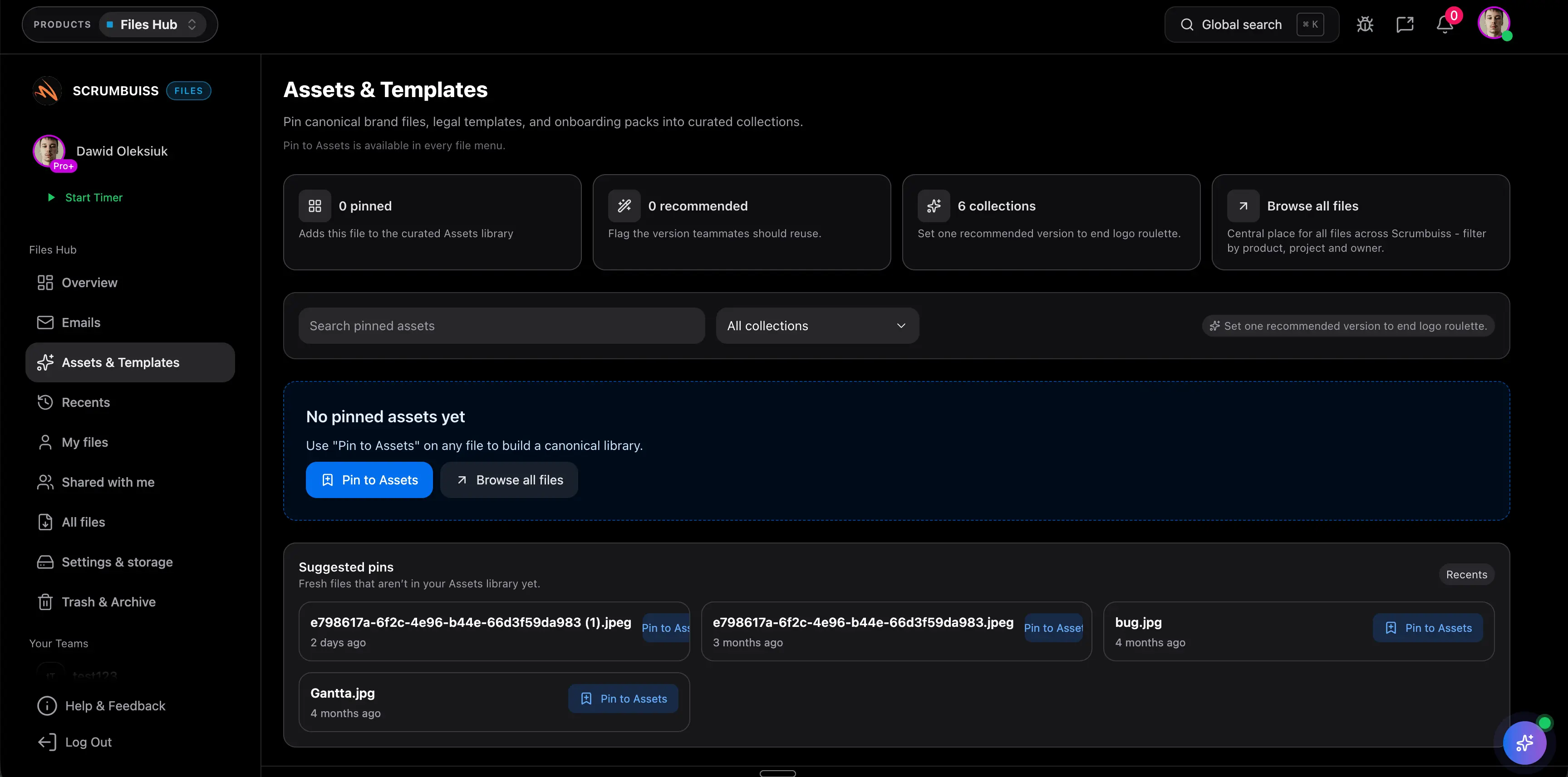
Keep uploads, submissions, and approval steps attached to the same client workflow

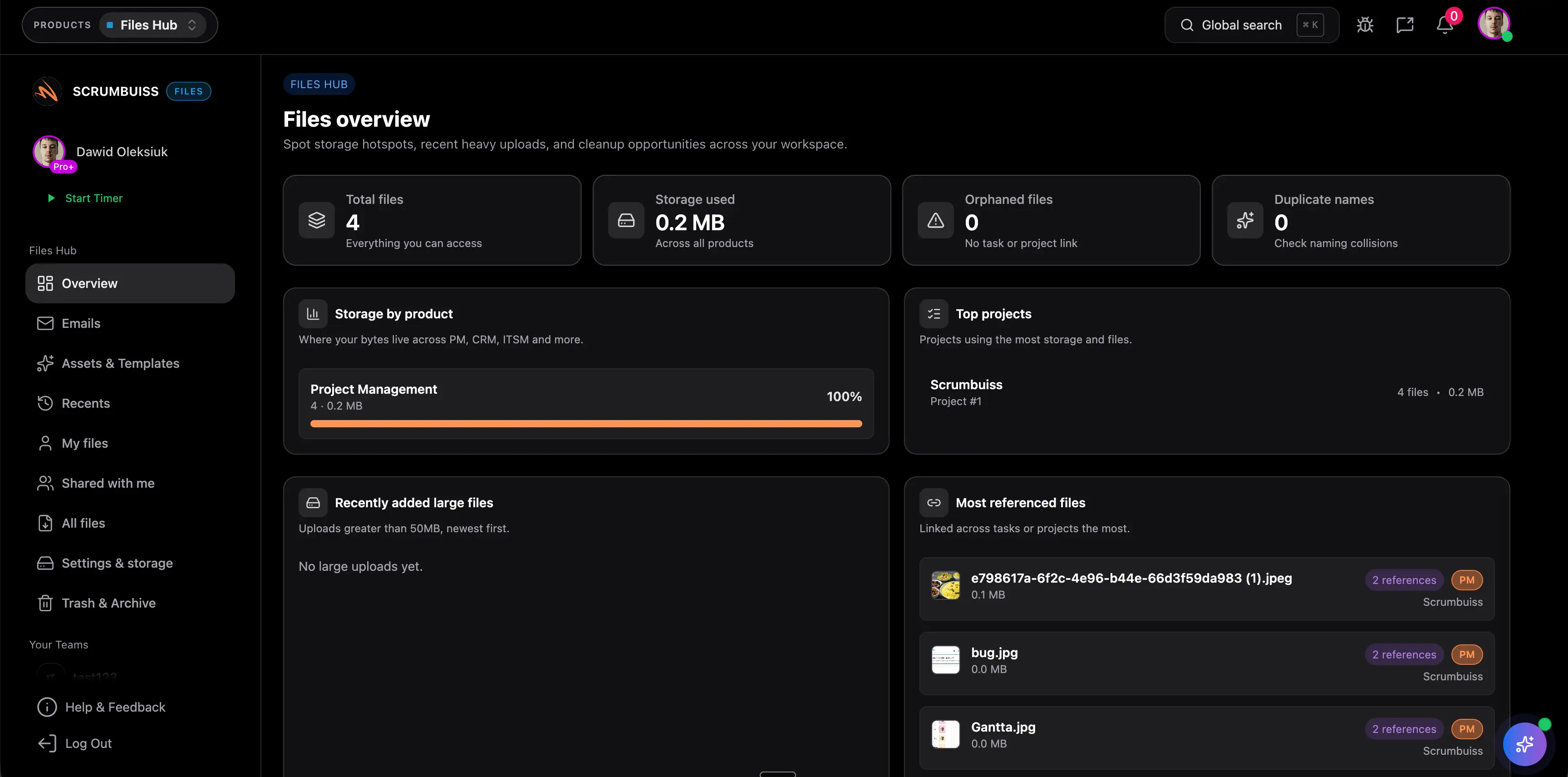
Most portal evaluations break down after the first upload. The better question is whether files, forms, and approvals stay attached to the same client story once work starts moving. Scrumbuiss is strongest when the portal-like layer should support intake and handoff inside a broader delivery workflow instead of acting as a separate front office.

  • Collect client files and supporting documents without losing the project context that explains why they matter.
  • Use forms and intake structure so external submissions arrive ready for qualification, routing, and follow-through.
  • Keep approvals close to briefs, files, and the current next step rather than forcing stakeholders into another decision thread.
Scrumbuiss file and handoff workflow used for client-facing collection and approvals

Share kickoff and current status

Use a shareable brief and readable status view instead of rebuilding updates by hand

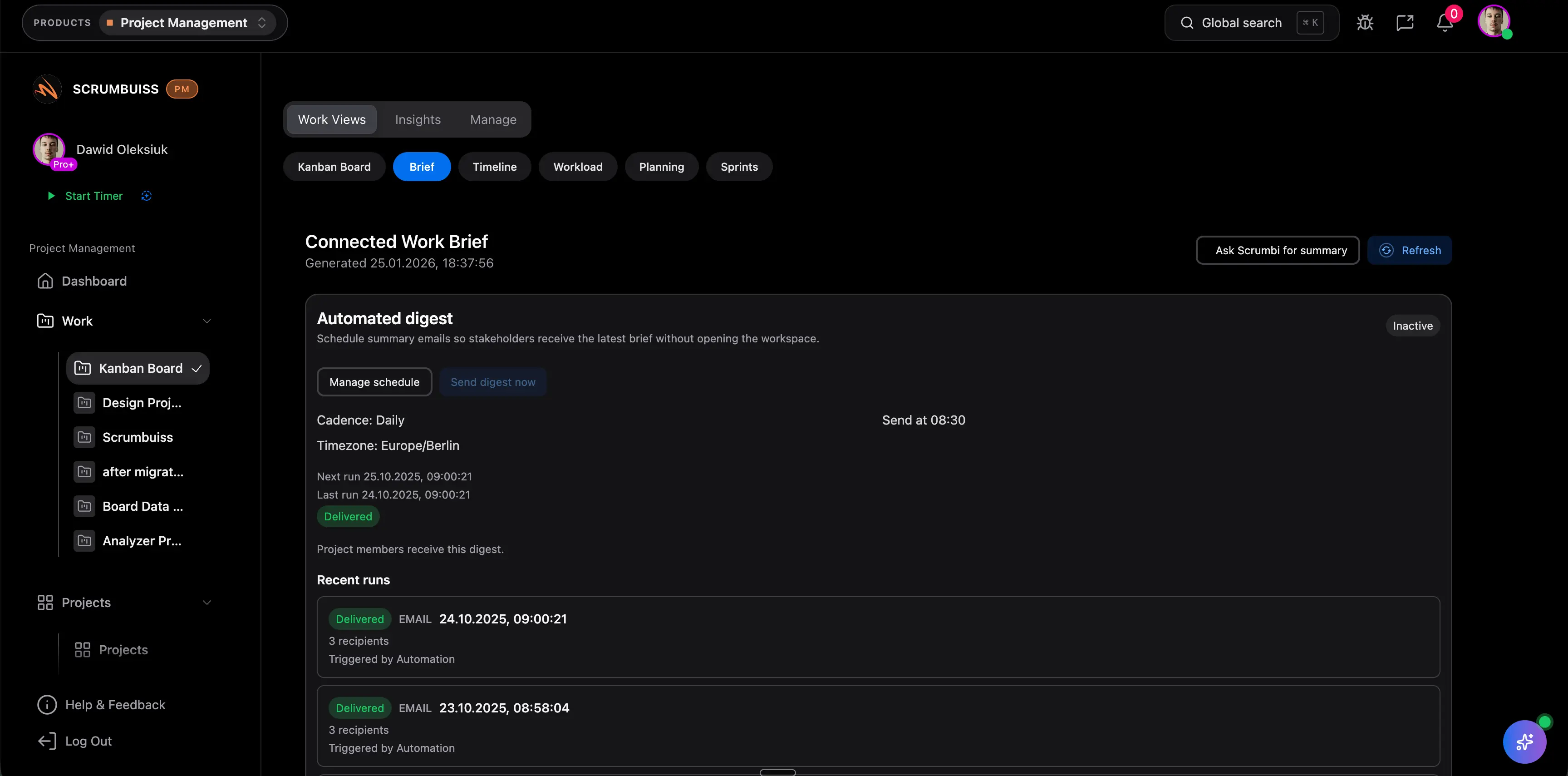
A client portal is only credible if the external view stays current. The useful Scrumbuiss test is whether one shared brief and one readable progress layer can reduce kickoff recap work, approval confusion, and weekly status rewriting for agency or implementation teams that already have the work inside Scrumbuiss.

  • Share the brief, goals, scope, files, and current context in a format stakeholders can actually revisit.
  • Use the same source of truth for client-ready status updates instead of copying progress into side docs or email recaps.
  • Pressure-test whether clients understand the next step from the shared workflow itself, not from an extra explanation loop.
Scrumbuiss shareable project brief used as client-ready context and status layer

Stay connected after kickoff

Keep onboarding, delivery ownership, and tracked effort in one operating path

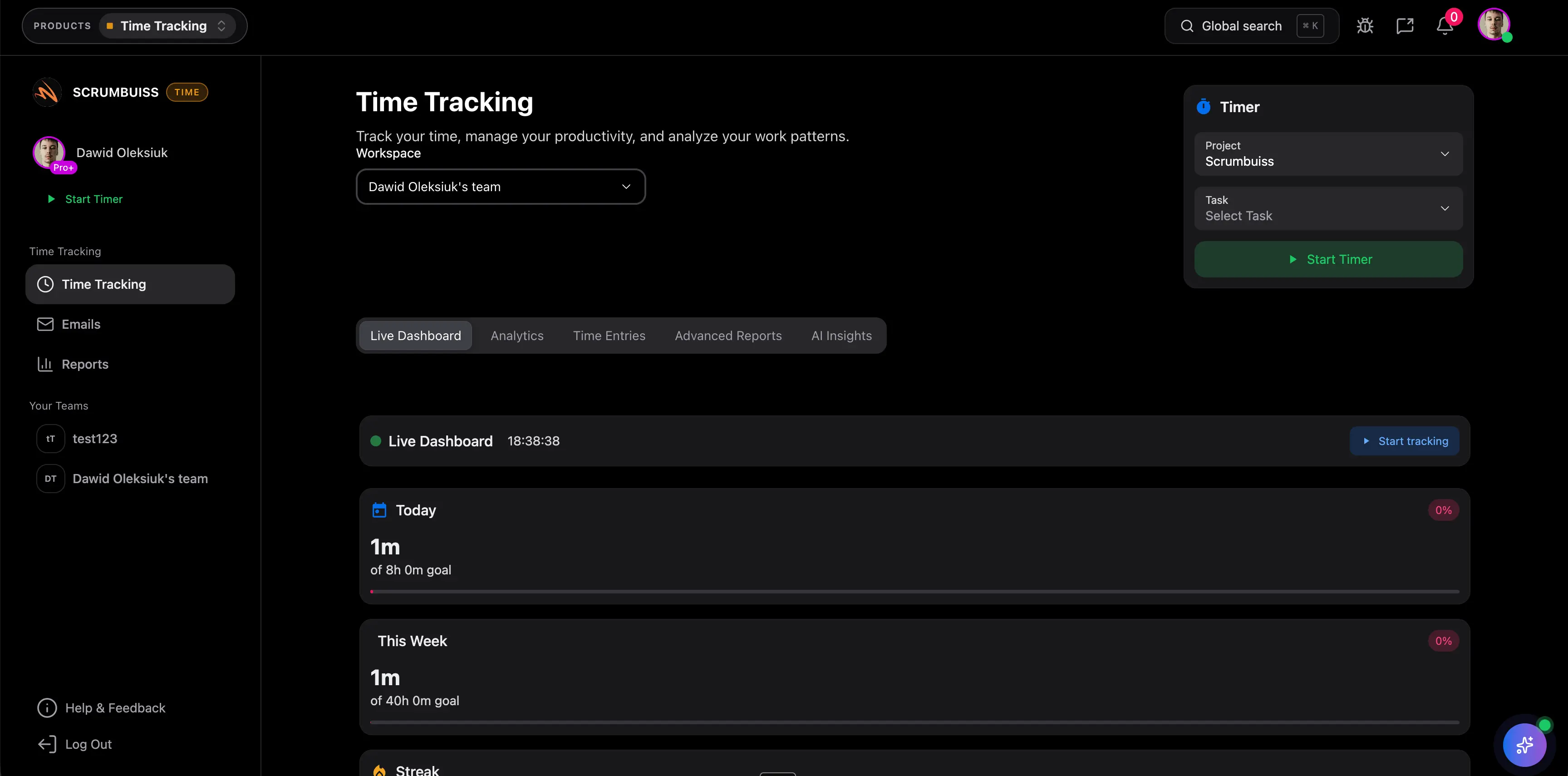
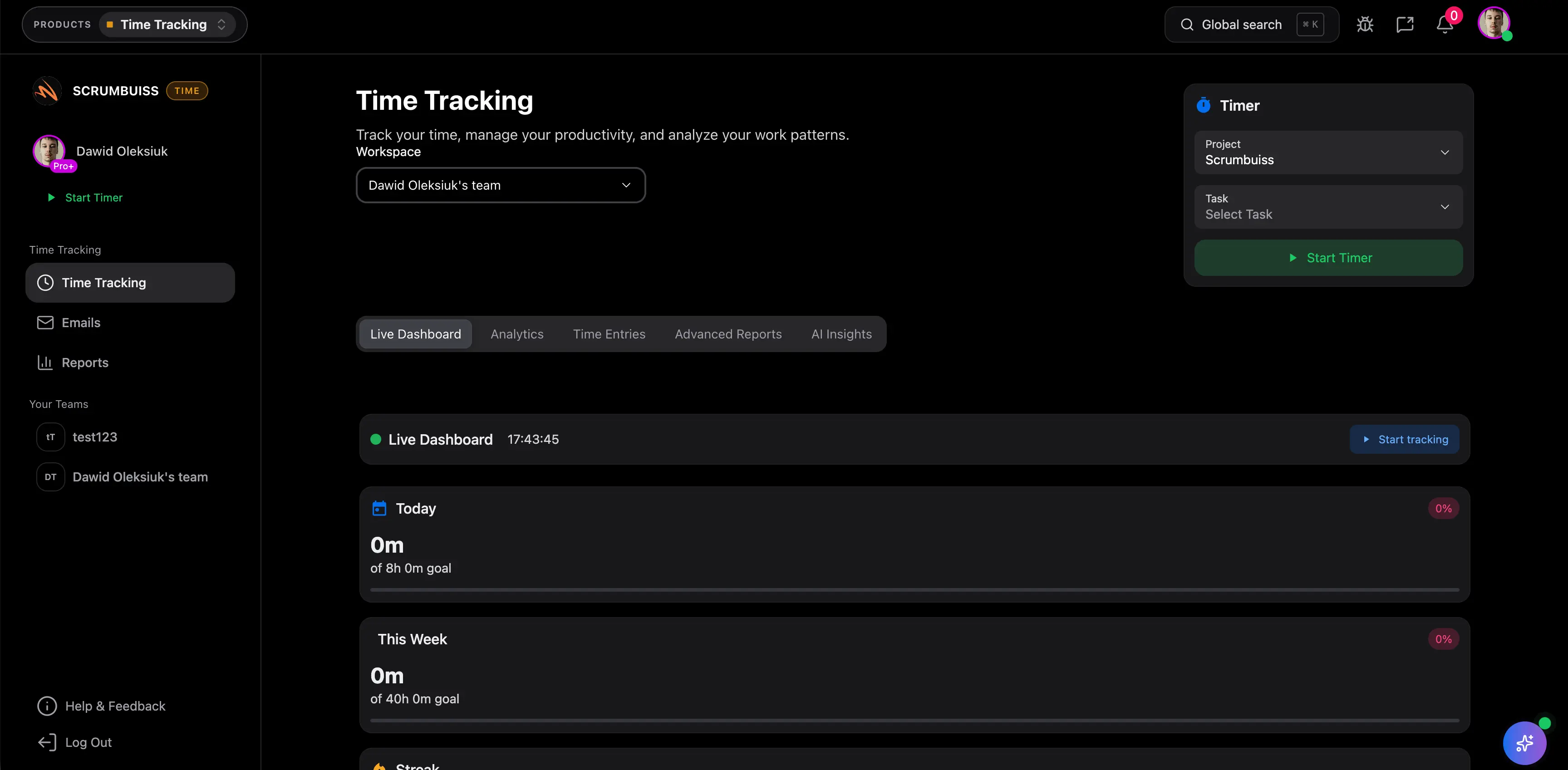
The most important portal question comes after the first client-facing step. If the workflow still needs a second project board, a second status tracker, and a second timekeeping habit after kickoff, the portal did not really simplify the operating model. Scrumbuiss is strongest when client-facing collaboration should remain attached to CRM handoff, delivery work, and tracked effort.

  • Move from deal context into onboarding and delivery without rebuilding the client story in a second system.
  • Keep tracked work and time close to the same workflow the client can follow during implementation or delivery.
  • Use one operating path when the goal is continuity from handoff through execution, not a portal that stops being useful once onboarding ends.
Scrumbuiss delivery and time-tracking workflow connected to client-facing collaboration

Competitor snapshot

These tools all cover client portals in different ways. The useful comparison is whether the portal should be a dedicated external workspace first or a client-facing layer that stays closer to onboarding and delivery work after the first interaction.

Tool Best for Portal angle Main tradeoff Why teams choose Scrumbuiss instead
Scrumbuiss Agencies and implementation teams that want invite-only client access, assigned-project visibility, files, forms, approvals, and delivery follow-through close to the internal workflow. Scrumbuiss now ships a workspace-branded client portal MVP with invite-only external access, assigned projects, project files, published external forms, approvals, and client-visible status tied to the internal workflow. Teams should validate the current MVP directly if their main buying requirement is deeper white-labeling, custom domains, broader document controls, or a more standalone branded portal experience. Stronger when the real need is connected onboarding, project context, and delivery continuity instead of a portal that becomes another disconnected layer after kickoff.
Assembly/Copilot Service businesses that want a dedicated client portal positioned around branded experiences, requests, messaging, and external collaboration. Assembly/Copilot publicly frames the page around a standalone client portal for communication, request handling, and branded client experience. Buyers should validate how tightly the portal stays connected to the underlying onboarding and delivery workflow once the work becomes more operational than conversational. Scrumbuiss is stronger when the team wants briefs, files, approvals, tracked work, and internal follow-through to stay in the same operating layer as the client-facing view.
Moxo Teams that prioritize client interaction, onboarding orchestration, and a more dedicated external-facing workflow surface. Moxo publicly positions the portal around external collaboration, onboarding journeys, approvals, and client lifecycle coordination. It can be a better fit when the portal experience itself is the product priority, but teams should still test how execution context stays connected after the first client-facing steps. Scrumbuiss is stronger when the shortlist prioritizes one internal-to-external workflow across CRM handoff, files, delivery planning, and tracked follow-up instead of a more specialized portal layer first.
Onehub Organizations that need secure file sharing and branded portal access centered heavily on documents and external collaboration. Onehub publicly emphasizes secure client portals, file sharing, branded workspaces, and permission control. The shortlist should test how well project status, approvals, and delivery continuity stay attached once the conversation goes beyond document exchange. Scrumbuiss is stronger when file sharing should remain attached to briefs, intake, approvals, and live work rather than operating mainly as a secure document portal.
SuiteDash Businesses that want an all-in-one portal-first suite with a heavier client-management and white-label emphasis. SuiteDash publicly frames the page around a branded client portal with broad external-collaboration, communication, and client-management coverage. That breadth can be useful, but teams should validate whether the added suite scope creates more admin and configuration work than their delivery workflow really needs. Scrumbuiss is stronger when the team wants a narrower, delivery-connected workflow around onboarding, files, approvals, status, and tracked work instead of a larger portal-management suite.
Clinked Teams that need a client portal focused on document sharing, communication, and branded external collaboration. Clinked publicly positions the page around branded client portals, collaboration, and secure information sharing. Buyers should test how much internal project context, workflow structure, and follow-through still need separate systems after the first client interaction. Scrumbuiss is stronger when the portal decision is really about keeping onboarding and delivery continuity readable instead of only adding an external collaboration surface.

Review current white-label, permissions, and plan packaging details on vendor pages before you buy. Product names are trademarks of their respective owners.

What to validate in a live rollout

The best test is one real client-facing workflow, not a portal demo. Use this checklist to decide whether the portal model lowers coordination cost once real onboarding and delivery work starts moving.

  1. Step 1

    Pilot one active client onboarding or implementation flow with a real external stakeholder instead of a blank sample workspace.

  2. Step 2

    Decide which people should become invite-only portal members and exactly which projects they should see before you model the rollout around the wrong access assumptions.

  3. Step 3

    Choose the exact client-facing artifacts for the pilot: brief, file set, form submission, approval step, and current status view.

  4. Step 4

    Run one real file collection and one real approval inside the workflow so you can judge whether the context stays readable without a second email thread.

  5. Step 5

    Track whether kickoff questions, status reconstruction, and handoff cleanup decrease after the client-facing view is live.

  6. Step 6

    Set go or no-go criteria: cleaner external access, less file chasing, faster approvals, and stronger continuity from kickoff into delivery follow-through.

FAQ

These are the questions teams usually need answered before they decide whether a client portal should be a standalone product category or a connected part of their onboarding and delivery workflow.

What is client portal software?

Client portal software gives external users a controlled place to review files, submit information, approve work, and follow progress without exposing the whole internal system. The useful version does more than create a login screen. It keeps the external view tied to the workflow that actually moves the work forward.

When is a portal-first tool a better fit than Scrumbuiss?

A portal-first tool can be the better fit when the main requirement is a more standalone branded client experience with deeper external-workspace control as the primary buying goal. If the bigger problem is continuity between CRM handoff, onboarding, files, approvals, status, and delivery follow-through, Scrumbuiss is usually the stronger evaluation path.

Can Scrumbuiss share client-ready context without exposing the whole workspace?

Yes. Scrumbuiss now supports invite-only external portal access with assigned-project visibility, plus client-ready brief and status context so clients or external reviewers can follow the important project layer without entering the whole internal workspace. Validate the exact assignment model in a live pilot before standardizing.

What should a live client portal pilot prove?

A live pilot should prove that one real client can review the current brief, exchange files, complete a form or approval step, and understand the next action without forcing the team to maintain a second portal story in parallel. If the team still rebuilds status and context by hand, the portal model is not connected enough yet.

Does client portal software replace project management software?

Not always. Many teams still need a strong internal delivery workflow for planning, ownership, tracked work, and reporting. The real decision is whether client-facing access should be a standalone system or a controlled layer attached to the project-management workflow that already runs the work.

Does Scrumbuiss already cover every portal-first requirement?

No. Scrumbuiss is currently strongest for invite-only external access, assigned-project visibility, file coordination, published external forms, approvals, client-visible status, and delivery continuity around client onboarding and implementation work. Teams that need a broader standalone portal suite with deeper white-labeling, billing, e-signature, or other portal-first administration should validate those needs directly against specialized portal vendors.