Risk management guide • reviewed March 16, 2026

Project Risk Management Software

Track delivery risk in the same workflow as plans, owners, mitigations, and stakeholder updates so your team can act before schedule, scope, or operational issues turn into avoidable surprises.

Use this page to compare project risk management software before your team adds another RAID sheet, another status deck, or another exception-tracking loop that disconnects delivery risk from the work that needs attention.

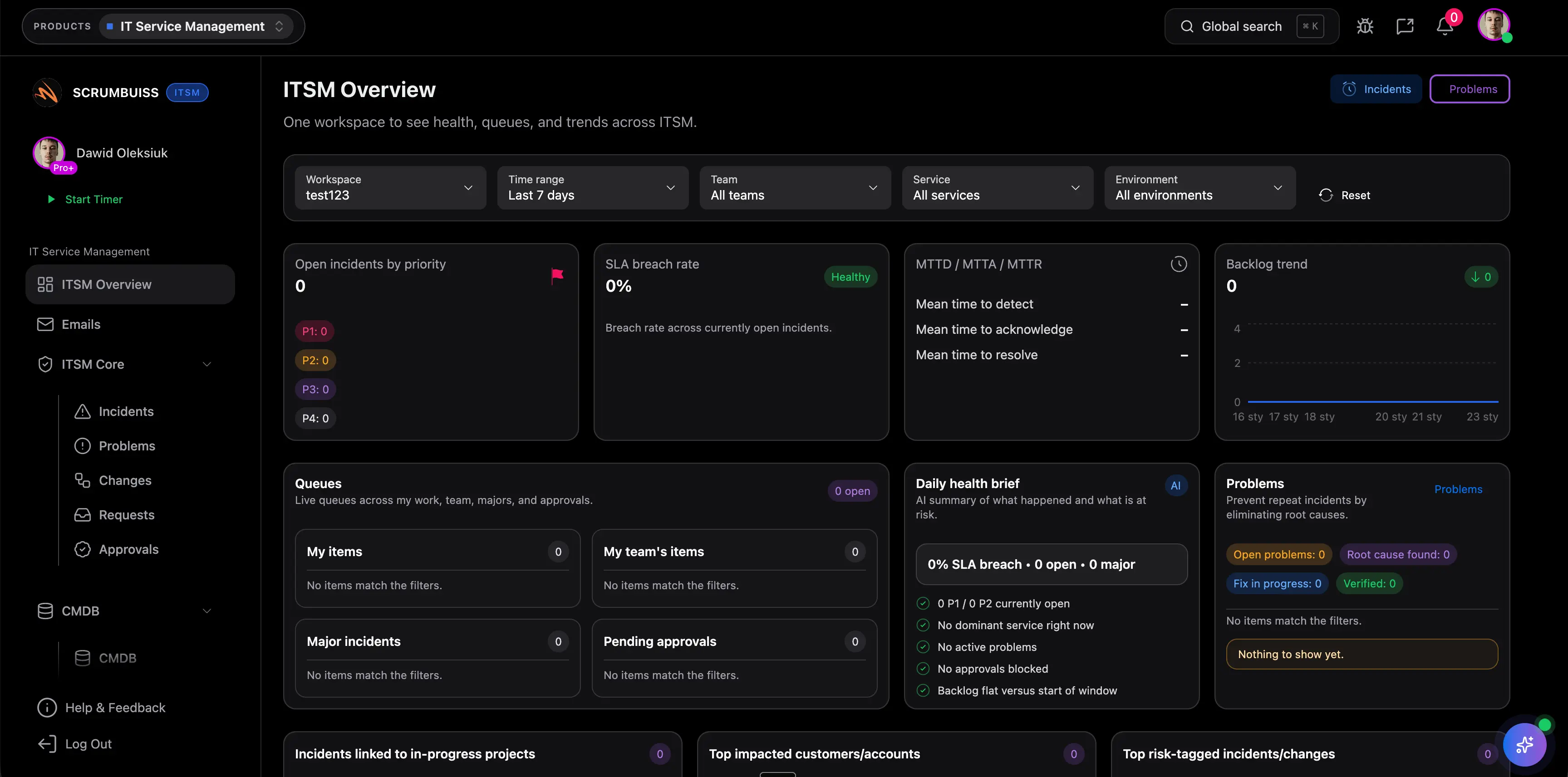
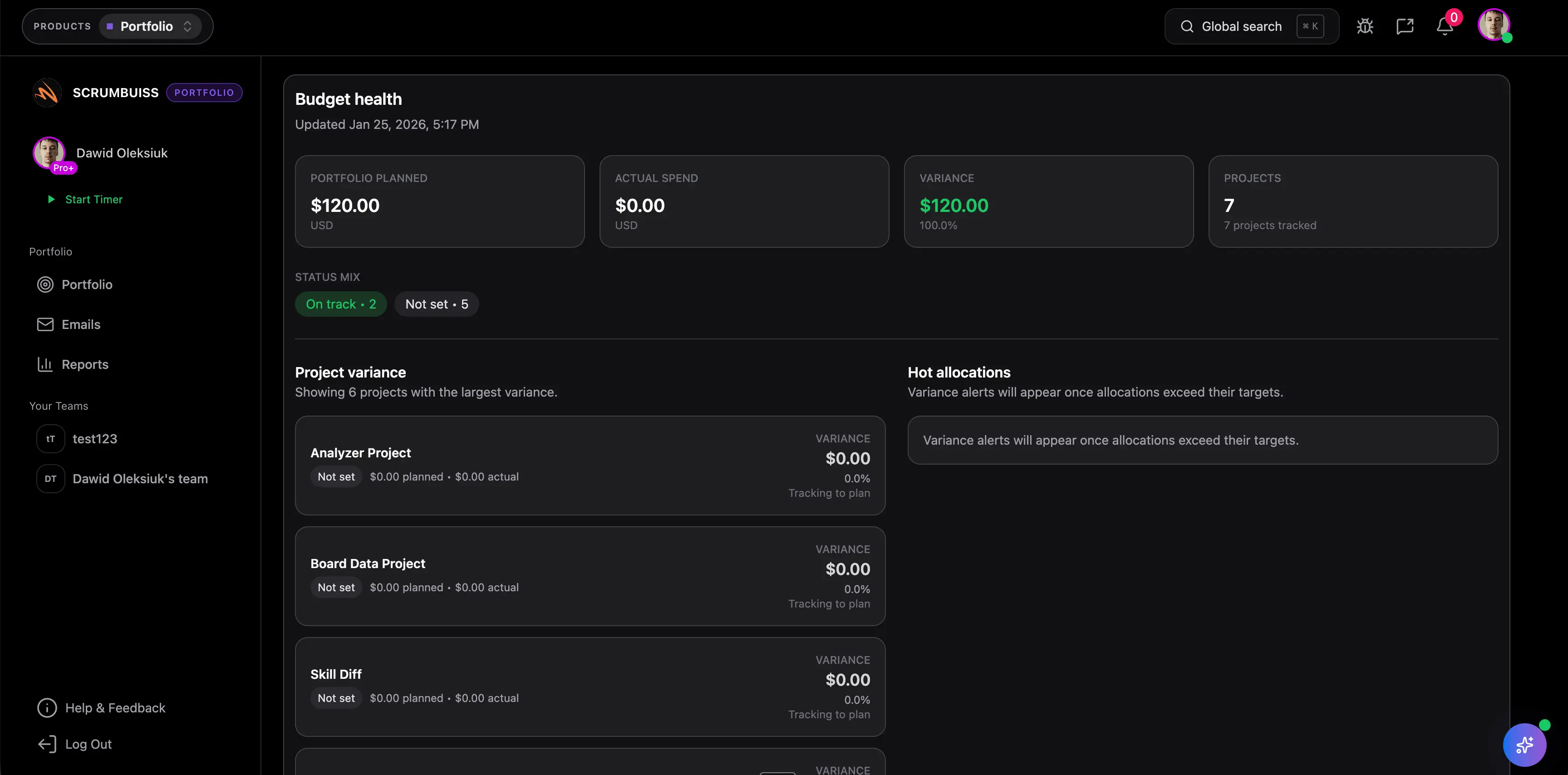
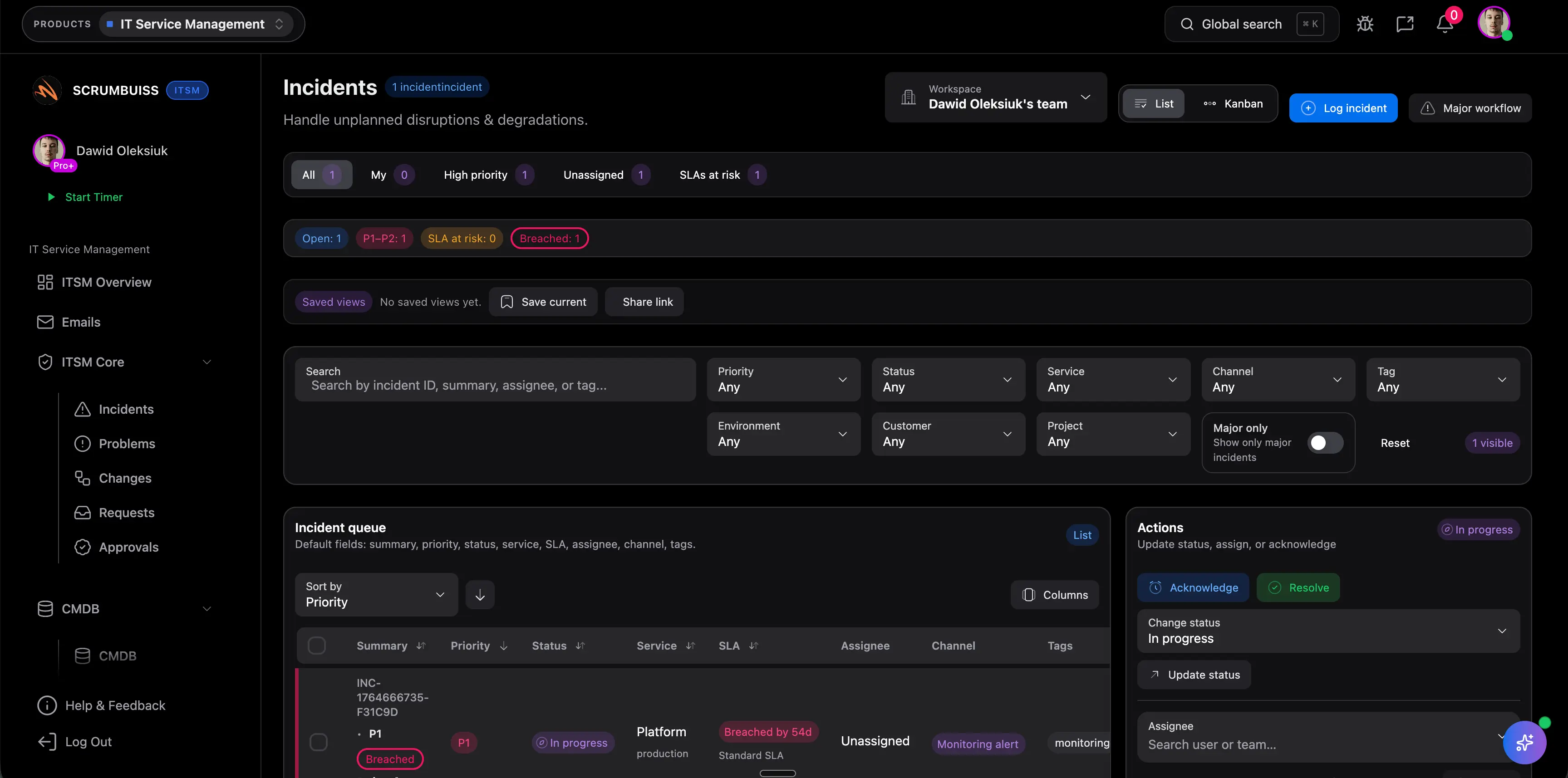
Scrumbuiss project risk management overview

How we reviewed project risk management tools

Reviewed on March 16, 2026. This page compares one buying question: which tools help teams manage project risk as a live operating workflow instead of a spreadsheet artifact that gets updated after the problem is already visible to everyone else.

  • Scrumbuiss references come from the live pricing page plus the Risk Register template, Project Delivery product page, Automations page, Dashboard page, and IT operations workflow page on this site.
  • Competitor references come from the official risk-management pages published by ProjectManager, RAIDLOG, and Planforge reviewed on March 16, 2026.
  • The goal is not to count matrix fields. It is to help teams decide whether risk tracking stays connected to delivery work, mitigation ownership, and stakeholder reporting after the first risk is logged.

When Scrumbuiss is a fit

The right decision depends less on how formal the register looks and more on whether project risk should stay operational inside delivery planning, mitigation ownership, and stakeholder reporting once the first issue appears.

Strong fit for Scrumbuiss

Best when project risk should stay connected to the work itself, not live in a separate PMO artifact that delivery leads rarely check until escalation time.

  • The team needs risk visibility tied to active projects, timelines, owners, and follow-up work.
  • Weekly delivery reviews already surface schedule, scope, staffing, or dependency risk that should trigger action in the same workflow.
  • Stakeholders need a readable view of what changed, what is being mitigated, and who owns the next move.

Worth piloting carefully

A live pilot is useful when the team already keeps a risk register or RAID log, but mitigation work, reporting, and escalation still happen in side spreadsheets, chat, or status decks.

  • Test one active project, release, or operational change cycle where risk visibility already matters.
  • Measure whether the workflow makes mitigation work easier to assign, review, and explain before dates slip.
  • Validate that project leads, operations stakeholders, and sponsors can read the same risk picture without another translation step.

Probably not the best fit

A more specialized governance tool may fit better when the main requirement is portfolio-level risk administration or a dedicated PMO workflow rather than delivery-connected risk action.

  • The organization mainly needs formal portfolio governance, not a delivery-first risk workflow.
  • Project execution already works well elsewhere and the main need is a dedicated RAID or enterprise risk register system.
  • A spreadsheet or lightweight template is still sufficient because the team reviews only a small number of stable risks.

Capture risk before it goes stale

Document risk with enough context that owners can act, not just acknowledge it

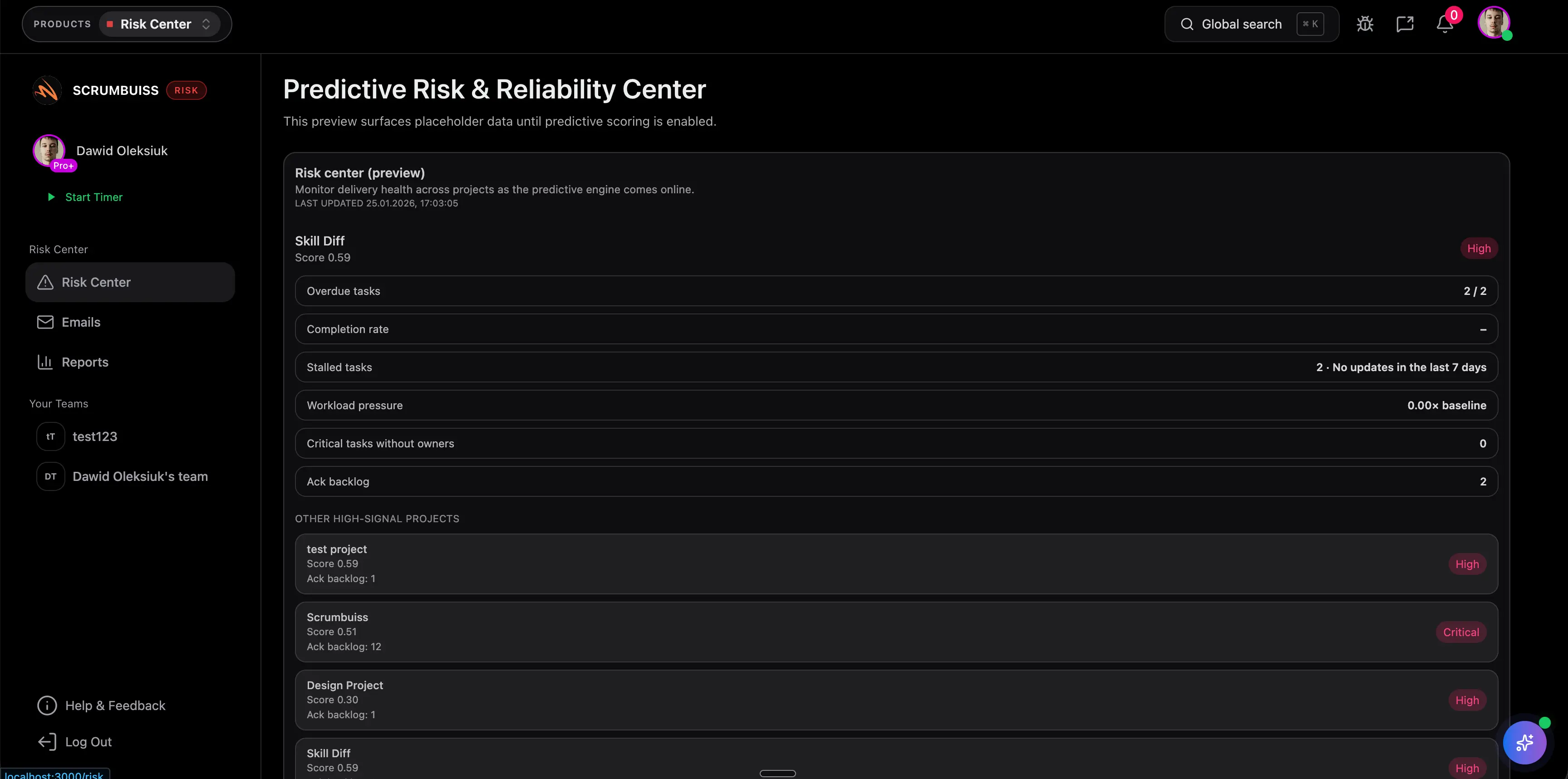
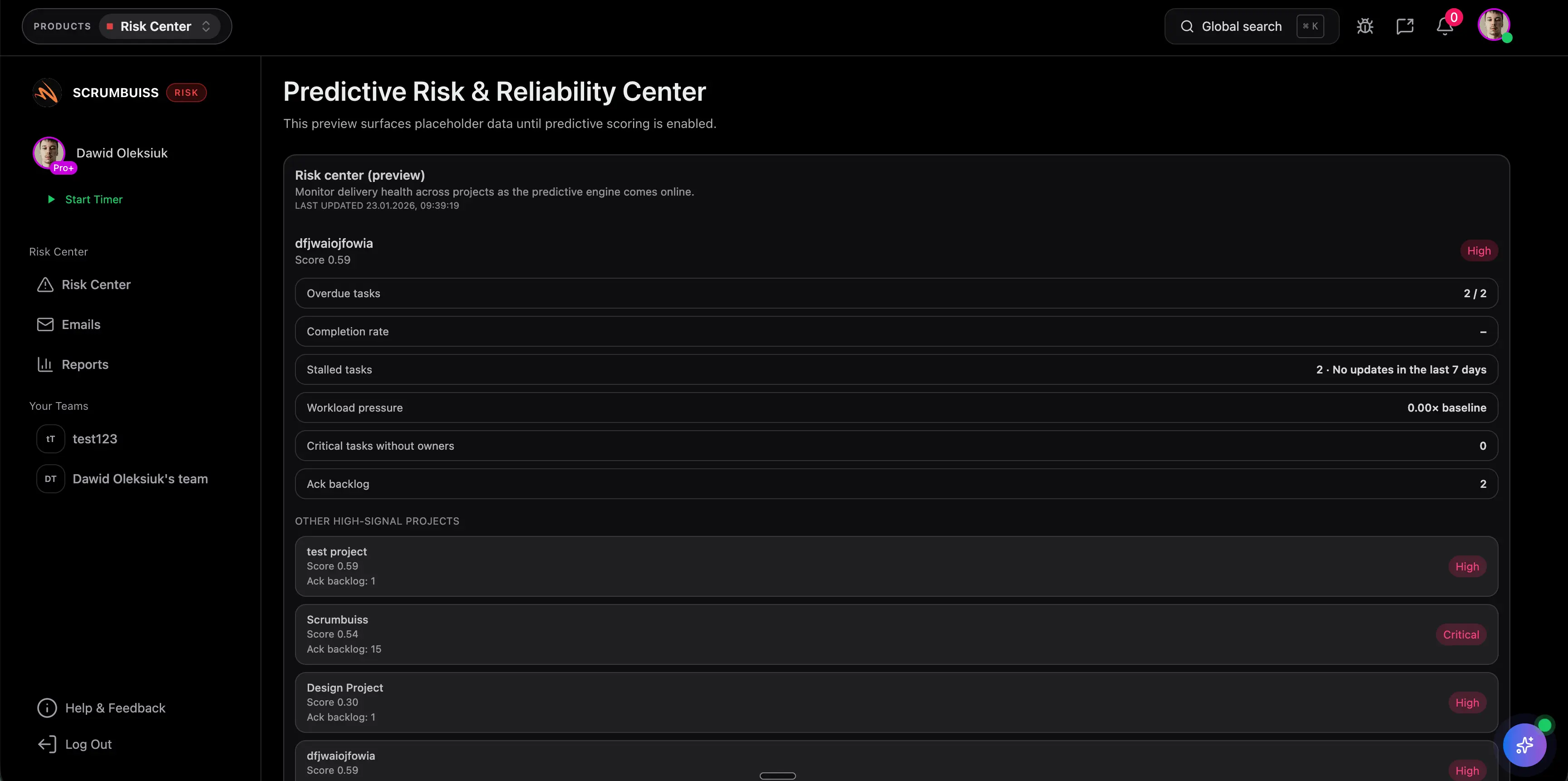
Project risk management software becomes useful when each risk record carries enough operating context to drive a real decision. Teams need to see what is at risk, who owns the response, what signal will trigger escalation, and which workstream or delivery date could be affected if nothing changes.

  • Capture the risk statement, owner, affected delivery area, trigger signals, and mitigation path in one working record.
  • Keep the risk close to the related brief, milestone, dependency, or project context instead of leaving it isolated in a spreadsheet tab.
  • Use a structured risk workflow so the team can review severity, priority, and next action consistently during live planning discussions.
Scrumbuiss risk center view used to capture delivery risks with context and ownership

Turn signals into mitigation work

Monitor trends and convert delivery risk into follow-up work before deadlines move

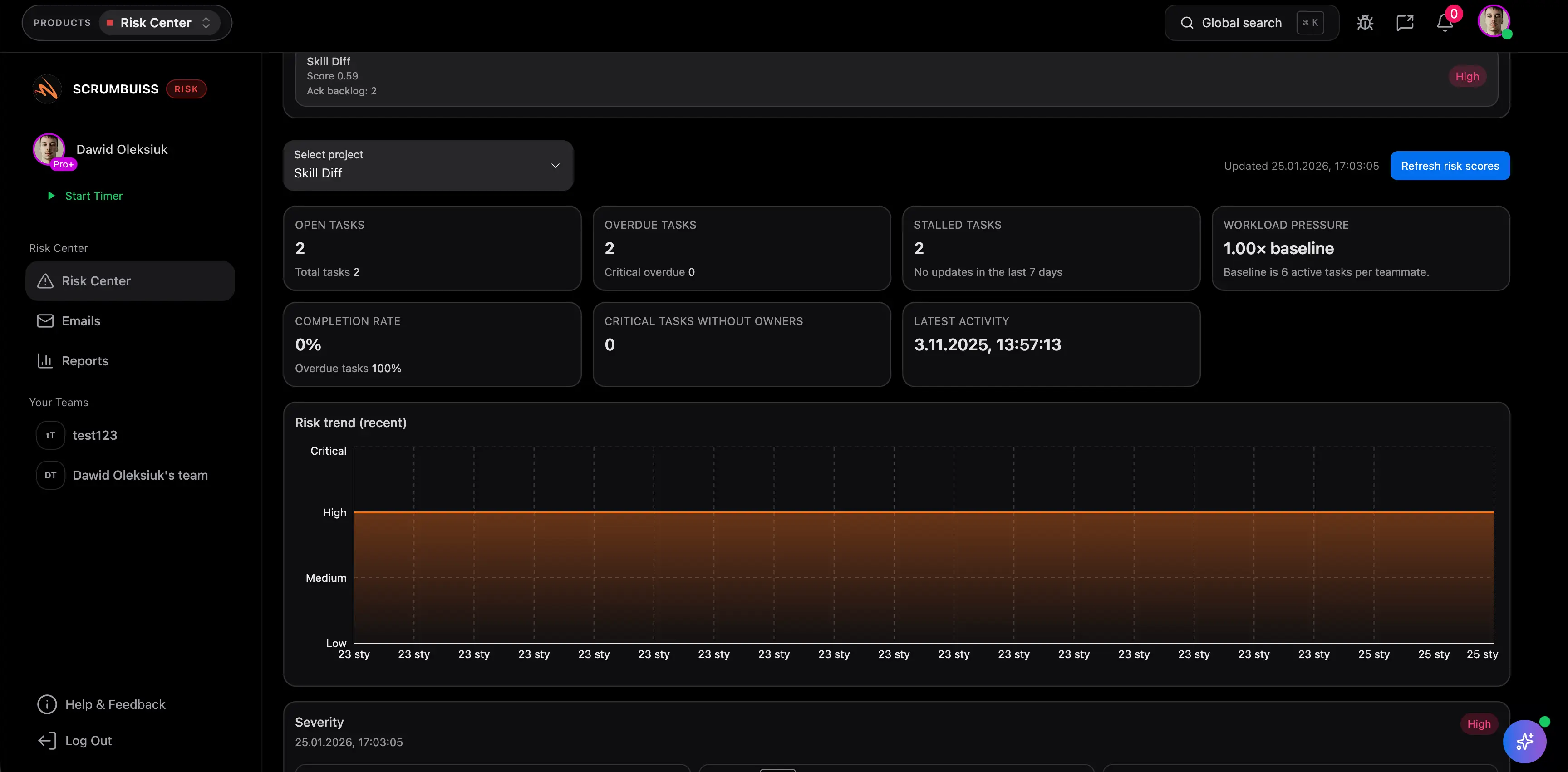
The stronger workflow does not stop at logging risk. It helps teams review changes over time, spot when exposure is rising, and connect that signal to mitigation work while there is still time to adjust the plan. That matters more than a static register that looks tidy but never changes the next decision.

  • Review how risk is changing across the delivery cycle so project leads can see whether exposure is improving, holding, or getting worse.
  • Turn risk signals into owned follow-up work, status changes, or plan adjustments before a hidden issue becomes a visible delay.
  • Keep the same risk picture readable in dashboards and weekly reviews so mitigation does not disappear between meetings.
Scrumbuiss risk center trends view used to monitor delivery risk over time

Escalate consistently across workflows

Use automation and shared visibility so risk reviews lead to action across delivery and operations

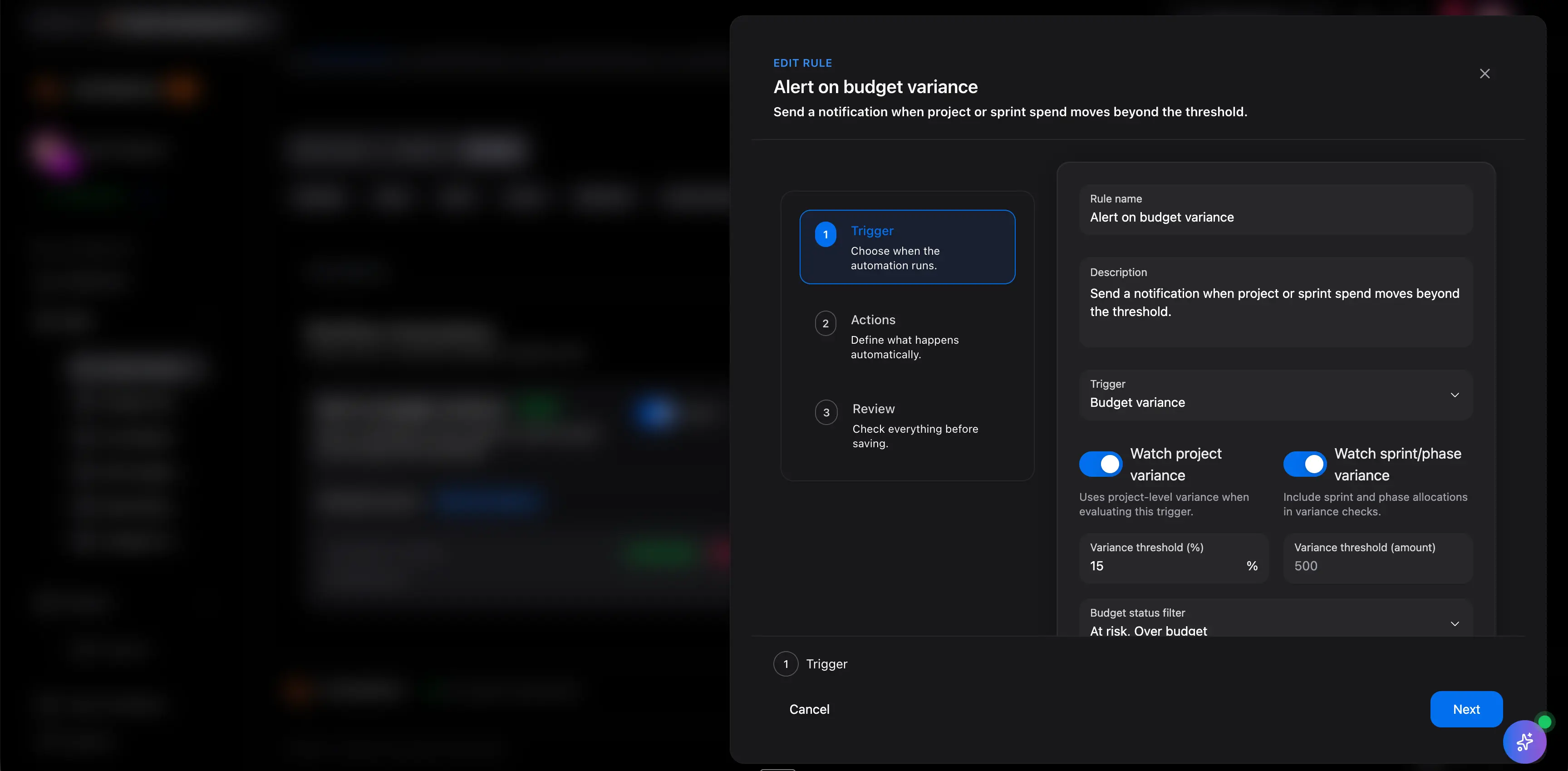
Risk tracking gets adopted when escalation rules are consistent and when stakeholders can tell what changed without chasing updates across separate tools. The best fit is not only about seeing risk. It is about making sure the follow-up, communication, and operational response stay attached to the same workflow.

  • Trigger follow-ups, reminders, or escalation paths when delivery risk crosses a threshold or a review date is missed.
  • Keep dashboards, activity history, and adjacent operational workflows aligned so project and IT stakeholders see the same story.
  • Reduce manual status translation by connecting risk reviews to delivery plans, change coordination, and stakeholder-ready reporting.
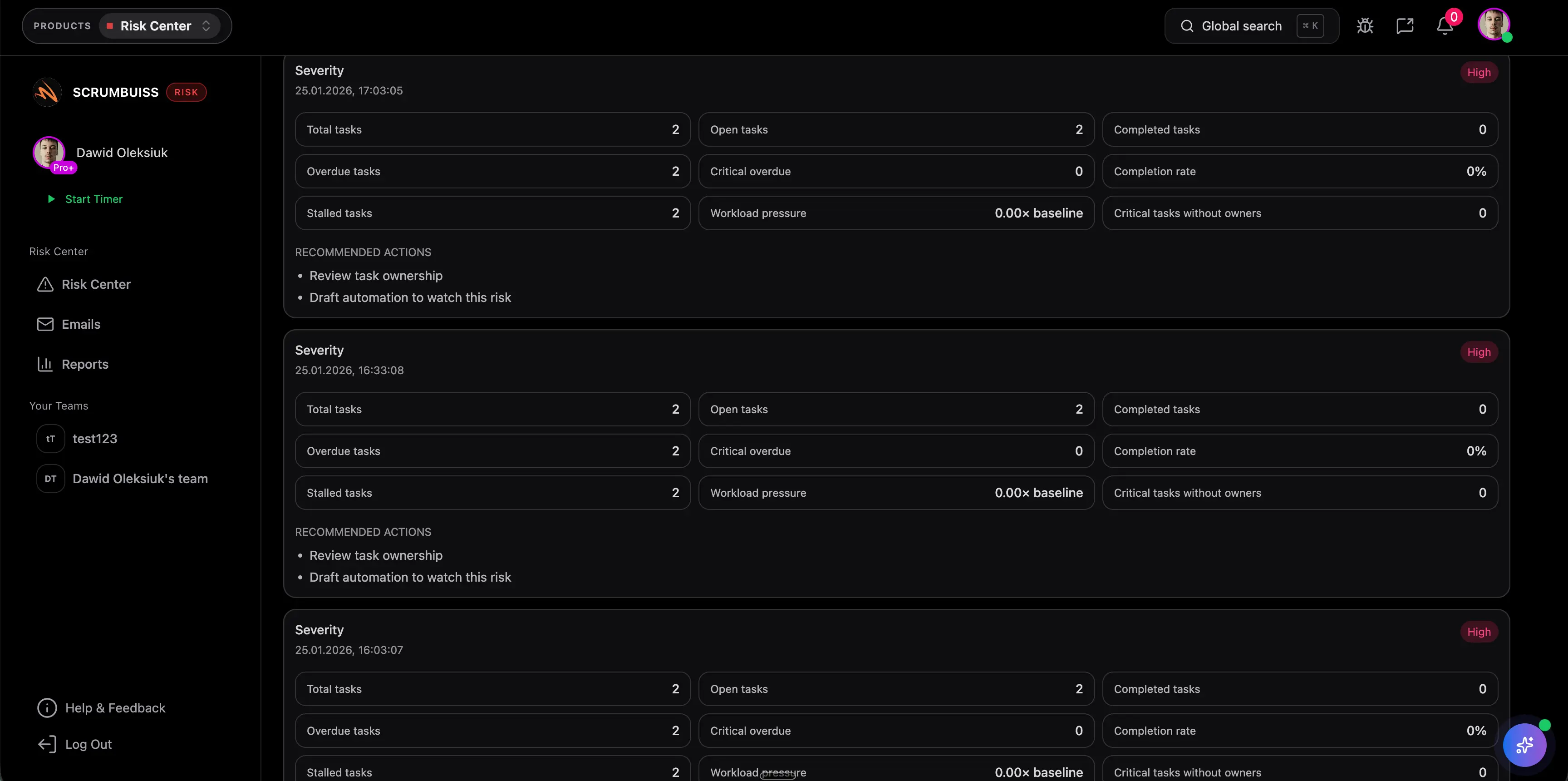
Scrumbuiss risk center view showing recommendations and follow-up actions

Competitor snapshot

These tools all address project risk, but they package it around different operating models. The useful comparison is whether risk remains connected to execution and mitigation work, or mainly lives as a dedicated RAID or governance layer beside the delivery workflow.

Tool Best for Risk-management angle Main tradeoff Why teams choose Scrumbuiss instead
ProjectManager Teams that want broader project-management software with a built-in RAID log, reporting, and a familiar project-control environment. ProjectManager publicly emphasizes RAID logs, likelihood and impact tracking, automatic severity matrixing, and risk reports connected to project plans. Buyers should validate whether the risk workflow stays easy to use for delivery leads who need mitigation work, weekly reviews, and stakeholder communication in the same operating layer. Scrumbuiss is stronger when the shortlist centers on workflow-connected risk management tied to briefs, timelines, dashboards, automations, and the live delivery plan.
RAIDLOG Teams that want a dedicated RAID-first system for centralized tracking of risks, assumptions, issues, decisions, and dependencies. RAIDLOG publicly emphasizes centralized RAID management, decision traceability, and structured collaboration around project control records. A dedicated RAID tool can still leave delivery execution, mitigation tasks, and stakeholder reporting living in separate systems unless the team is comfortable running a split workflow. Scrumbuiss is stronger when risks should turn directly into owned follow-up work and stay visible inside the same delivery and operations workflow.
Planforge Organizations that need portfolio-aware risk management with categories, probability and impact, and broader program or governance visibility. Planforge publicly emphasizes risk portfolios, categorized risk records, and probability-and-impact-oriented governance across projects. That governance-oriented approach can be heavier than teams that mainly need practical delivery risk visibility and mitigation ownership inside active project work. Scrumbuiss is stronger when the real buying need is delivery risk management software that keeps mitigation, reporting, and adjacent operational follow-up closer to execution.

Review current packaging, workflow depth, and governance scope on the vendor pages before you buy. Product names are trademarks of their respective owners.

What to validate in a live pilot

The best pilot is one real project or release rhythm where risk already matters. Use the checklist below to judge whether the page becomes an operating workflow instead of another register people promise to update later.

  1. Step 1

    Choose one active project, release, client delivery stream, or change program where hidden risk already creates real cost.

  2. Step 2

    Define the minimum fields the team needs to review risk usefully, such as owner, trigger signal, mitigation path, and affected milestone or workstream.

  3. Step 3

    Decide how risks should connect to delivery context: related brief, task, milestone, dashboard, or operational follow-up workflow.

  4. Step 4

    Run at least one weekly risk review inside the workflow and confirm owners can update status and next actions without opening a side spreadsheet.

  5. Step 5

    Verify that mitigation work becomes visible quickly enough to change a real delivery or operational decision during the pilot.

  6. Step 6

    Check that stakeholders can understand the risk picture from the same system without rebuilding the narrative in chat or slides.

  7. Step 7

    Set go or no-go criteria: clearer ownership, earlier escalation, fewer manual status translations, and better visibility into mitigation progress.

FAQ

These are the buying and rollout questions teams usually need answered before project risk management software becomes dependable enough to use in a real delivery or operations review cycle.

What is project risk management software?

Project risk management software helps teams identify, document, review, and respond to risks that could affect delivery, cost, scope, or operational stability. The useful version does more than store a register. It keeps risk records, owners, mitigations, and follow-up visibility connected to the workflow where the project is actually being managed.

How is project risk management software different from a risk register template?

A risk register template is useful when the team needs a spreadsheet-based starting point for logging and reviewing risk. Project risk management software becomes more valuable when risks need owners, recurring review, mitigation follow-up, dashboards, automations, and visibility inside the live delivery workflow. The template and the software can complement each other, but they solve different levels of operating complexity.

When should a team move from a spreadsheet or RAID log to dedicated software?

Teams usually outgrow spreadsheets once risk updates, mitigation tasks, and stakeholder reporting start happening in different places. If the register is no longer changing decisions quickly enough, if owners need follow-up reminders, or if the team keeps translating risk status into other tools by hand, dedicated software is worth piloting.

What should a live risk-management pilot prove before rollout?

A useful pilot should prove that the team can review real risks, assign or update owners, trigger mitigation work, and keep stakeholders informed from the same workflow. It should improve one real project decision during a normal week rather than just demonstrate that the tool can store risk records.

Who should own project risk management software in practice?

Usually the delivery lead, project manager, program lead, or operational owner drives the workflow, but risk ownership should stay distributed to the people responsible for mitigation. The software works best when one person owns the review cadence and each risk has a clearly accountable owner for the next action.

Does project risk management software replace RAID or project governance?

Not necessarily. Many teams still use RAID terminology or formal governance reviews. The question is whether those reviews stay connected to the work. Project risk management software is most useful when it makes RAID-style tracking operational by linking risks, issues, dependencies, mitigations, and reporting to the same delivery system.